Establishing secure connection…Loading editor…Preparing document…

Temporary Easement

This template is fully customizable. Edit the text, fill out the fields, and send it for signature. Give it a try!
Temporary Easement

What a Temporary Easement Is and when it’s used

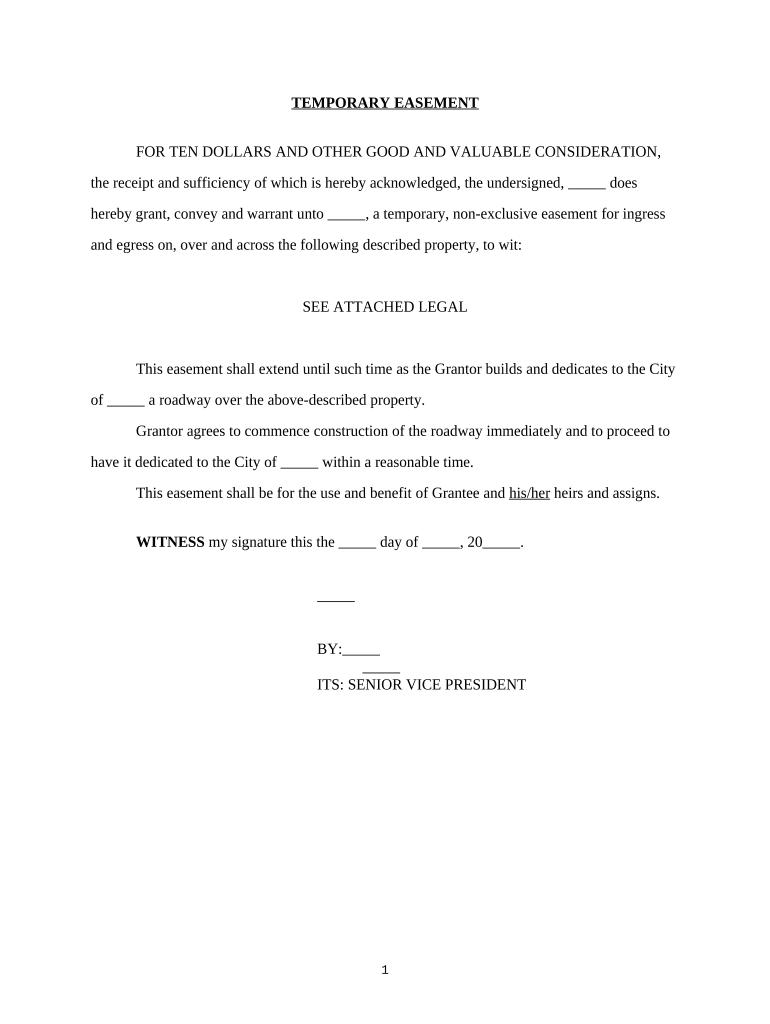
A Temporary Easement is a written grant that allows a party limited, time-bound use of another party’s real property for a specific purpose, such as construction access, utilities installation, or surveying. It defines the permitted actions, the exact location or strip of land affected, the start and end dates, compensation or consideration (if any), restoration obligations, and who bears liability for damage. Temporary easements are recorded with the county recorder when required to protect the grantee’s rights and to provide public notice, but the document’s enforceability depends on clear scope, signatures, and any applicable notarization or recording steps.

Why a clear Temporary Easement matters

A well-drafted Temporary Easement limits disputes, clarifies responsibilities, preserves property value, and protects both grantor and grantee during short-term access or work. Clear dates, maps, restoration terms, and liability allocation reduce risk and simplify recording and enforcement.

Why a clear Temporary Easement matters

Who prepares and signs a Temporary Easement

Coordination among the grantor, grantee, title or recording office, and any lender or lienholder ensures enforceability and proper public notice.

  • Private landowners and property managers granting short-term access for construction, utilities, or inspections.
  • Utilities, municipalities, contractors, or developers needing temporary entry, staging, or installation rights.
  • Attorneys, title companies, and surveyors who prepare the legal description and coordinate recording.

Key signers and stakeholders

Grantor — Property Owner

The private or public owner who grants temporary rights. The owner must sign using the exact legal name on title; lender consent may be required. Accurate owner identification prevents recording rejections and future title disputes.

Grantee — Easement Holder

The entity receiving temporary access (utility, contractor, municipality). The grantee’s representative should have authority to accept obligations and provide proof of insurance or indemnity if required by the agreement.

Essential data elements to include

Effective Date: MM/DD/YYYY format
Expiration Date: MM/DD/YYYY format
Grantor Name: Legal owner name
Grantee Name: Entity or individual name
Legal Description: Lot/parcel and county
Consideration: Amount or stated purpose

Common legal and practical risks

Invalid signature: May void grant
Unclear scope: Leads to disputes
No recording: Priority issues
Missing permits: Regulatory fines
No insurance: Liability exposure
Wrong term: Unintended permanence

Frequent drafting and processing errors to avoid

  • Using an imprecise legal description or map that fails to match county parcel records, causing recording office rejection and search problems.
  • Failing to specify restoration obligations or standards, which creates disputes about site repair or cleanup costs after access ends.
  • Not confirming lender or lienholder consent when required, producing title defects that block sale or financing until cured.
  • Omitting a clear expiration mechanism, which can be construed as a permanent right rather than a temporary license or easement.

Step-by-step: Preparing and executing a Temporary Easement

Follow these steps to create a clear, enforceable Temporary Easement and complete any required recordings.

  • 01
    Identify parties: Confirm legal owner and grantee names against title records.
  • 02
    Define scope: Describe permitted use, physical limits, and maps or sketches.
  • 03
    Set term: Specify start and end dates and any renewal conditions.
  • 04
    Sign & notarize: Obtain required signatures and notary acknowledgement if needed.

How execution and recording typically flow

A typical workflow moves from drafting to signing, notarization, recording, and distribution to stakeholders.

  • Drafting: Prepare legal description, map, and terms
  • Review: Title, lender, and counsel review
  • Execution: Signatures and notarization obtained
  • Recording: File with county recorder for notice

Key components every professional Temporary Easement includes

A comprehensive Temporary Easement addresses location, duration, obligations, liability, compensation, and recording requirements to reduce ambiguity and protect interests.

Legal Description

Precise parcel description or metes-and-bounds plus a labeled exhibit map identifying the exact strip, area, or coordinates subject to the temporary easement, ensuring accurate recording and title searches.
Term and Expiration

Clear start and end dates, conditions for early termination or extension, and instructions for restoration of the property once the easement ends to prevent inadvertent permanent rights.

Permitted Use

Detailed list of allowed activities (access, staging, installation) and prohibited actions, including hours of use or environmental protections to limit disruption and liability.

Consideration

Any payment, in-kind benefit, or stated purpose that constitutes consideration; if nominal, state it clearly to support enforceability and avoid ambiguity.

Liability & Insurance

Indemnity, insurance minimums, and responsibility for damage or cleanup; require certificates of insurance to match coverage and policy periods.

Recording Instructions

Direction to record the instrument with the county recorder, who pays recording fees, indexing party names, and where the recorded instrument should be returned.

Typical online setup when using a secure eSignature workflow

Configure the document and signer access before sending for signatures to enforce order and authentication.

Field Configuration
Upload Document PDF or DOCX; include exhibits as separate attachments
Add Fields Signature, date, initials, and checkbox fields
Authentication Email link, SMS code, or stronger ID verification
Routing Order Sequential or parallel signer order as required

Digital signing and file-format considerations

Ensure the platform captures a complete audit trail (IP, timestamp), supports notarization or RON if required, and exports a certified signed copy for title and recording.

  • Integrations: Salesforce, NetSuite, Google Workspace
  • File formats: PDF and DOCX supported
  • Security: AES-256 rest, TLS 1.2/1.3

Timing considerations and recommended deadlines

Set internal deadlines for signature collection, notarization, recording, and distribution to avoid priority or compliance gaps.

Signature Deadline:

Obtain all signatures before work begins

Notarization Deadline:

If required, notarize signatures prior to recording

Recording Deadline:

Record as soon as practicable to protect priority

Insurance Proof:

Confirm certificates before initial site access

Return of Recorded Copy:

Provide recorded instrument to all parties promptly

eSignature vendor pricing and feature snapshot relevant to Temporary Easements

Compare starting price, trial availability, bulk-send capability, audit trail, HIPAA compliance, and envelope limits across common providers. signNow is listed first per vendor comparison guidance.

signNow DocuSign Adobe Sign PandaDoc HelloSign
Starting Price $8/user/mo $15/user/mo $14/user/mo $19/user/mo $15/user/mo
Free Trial 7-day free trial Varies by plan Varies by plan Varies by plan Varies by plan
Bulk Send Yes Yes Yes Yes No
Audit Trail Yes Yes Yes Yes Yes
HIPAA Compliant Yes Yes Yes No No
Envelope Cap No cap 100 envelopes/user/year Varies Varies Varies

Frequently asked questions about Temporary Easements

Answers to common questions help avoid execution, recording, and enforceability problems when using a Temporary Easement.


Need help? Contact support

be ready to get more
Join over 28 million airSlate SignNow users