Establishing secure connection… Loading editor… Preparing document…
Navigation

Fill and Sign the Parties Agree that All Property Not Specifically Designated as Separate Property Shall Be Form
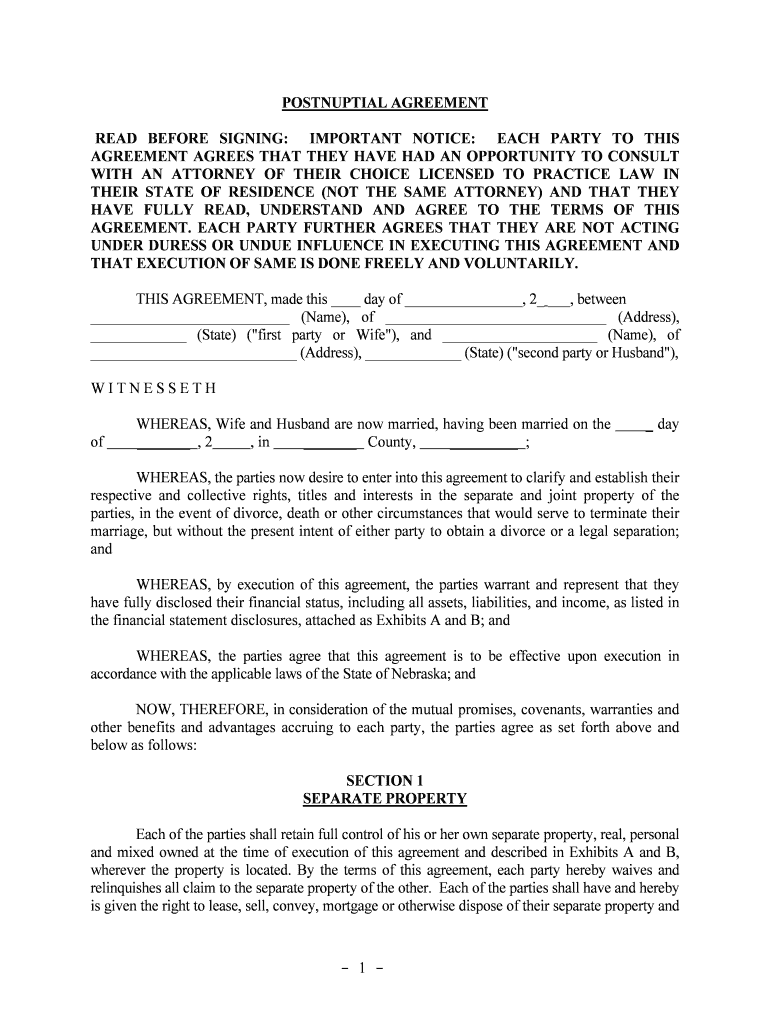
Fill and Sign the Parties Agree that All Property Not Specifically Designated as Separate Property Shall Be Form

How it works

Open the document and fill out all its fields.
Apply your legally-binding eSignature.
Save and invite other recipients to sign it.

Rate template

4.5
38 votes
- 1 - POSTNUPTIAL AGREEMENT READ BEFORE SIGNING: IMPORTANT NOTICE: EACH PARTY TO THIS AGREEMENT AGREES THAT THEY HAVE HAD AN OPPORTUNITY TO CONSULT WITH AN ATTORNEY OF THEIR CHOICE LICENSED TO PRACTIC E LAW IN THEIR STATE OF RESIDENCE (NOT THE SAME ATTORNEY) AND THAT THEY HAVE FULLY READ, UNDERSTAND AND AGREE TO THE TERMS O F THIS AGREEMENT. EACH PARTY FURTHER AGREES THAT THEY ARE N OT ACTING UNDER DURESS OR UNDUE INFLUENCE IN EXECUTING THIS A GREEMENT AND THAT EXECUTION OF SAME IS DONE FREELY AND VOLUNTARILY. THIS AGREEMENT, made this ____ day of ________________, 2_ ___, between ___________________________ (Name), of ______________________________ (Address), _____________ (State) ("first party or Wife"), and _____________________ (Name), of ____________________________ (Address), _____________ (State) ("second party or Husband"), W I T N E S S E T HWHEREAS, Wife and Husband are now married, having been married on the     _ day of      _______  , 2 , in      _______   County,      _________  ; WHEREAS, the parties now desire to enter into this agreement to clarify and establish their respective and collective rights, titles and interests in the separate and joint property of the parties, in the event of divorce, death or other circumstances that would serve to termi nate their marriage, but without the present intent of either party to obtain a divorce or a legal separation; and WHEREAS, by execution of this agreement, the parties warrant and represent that they have fully disclosed their financial status, including all assets, liabilities, a nd income, as listed in the financial statement disclosures, attached as Exhibits A and B; and WHEREAS, the parties agree that this agreement is to be effective upon execution in accordance with the applicable laws of the State of Nebraska; and NOW, THEREFORE, in consideration of the mutual promises, covenants, warranties and other benefits and advantages accruing to each party, the parties agree as set forth a bove and below as follows: SECTION 1 SEPARATE PROPERTY Each of the parties shall retain full control of his or her own separate property, real, personal and mixed owned at the time of execution of this agreement and described in Exhi bits A and B, wherever the property is located. By the terms of this agreement, each party hereby waives and relinquishes all claim to the separate property of the other. Each of the part ies shall have and hereby is given the right to lease, sell, convey, mortgage or otherwise dispose of their separate property and - 2 - receive all monies, rents, issues, income and profits thereof without any restri ctions and without interference from the other party. Each of the parties shall be responsible for sat isfying any tax obligations regarding his or her separate property. Despite any other provisions of this i nstrument, this agreement shall not affect in any way the parties' rights, titles, powers, duties, discretions, immunities and interest in any property owned in joint tenancy or entirety with ri ghts of survivorship. SECTION 2 JOINT PROPERTY The parties agree that all property not specifically designated as separat e property shall be deemed to be part of their joint estates and considered their joint property. By t he terms of this agreement, the parties evidence their intent to grant the powers and rights to the parties as to jointly owned property as is provided to spouses by operation of law. SECTION 3 SEPARATION AND DIVORCE To the extent permitted by law, this agreement shall govern the rights and obli gations of the parties in the event of death of either or both parties, separation or divorce. Alt hough the parties do not presently intend to separate or divorce, the parties agree this agreement shall be binding on both parties in the event of separation or divorce, and shall, if applicable, and all owed by law, be incorporated into any divorce decree. In the event of separation or divorce, the parties agree that the following types of property will be designated as either the separate or joint property of the parties: (a) All property acquired by each party in their own name and/or with the use of their own assets or income prior to the execution of this agreement: separate or joint; (b) All property acquired by each party in their own name and/or with the use of their own assets or income after the execution of this agreement: separate or joint; (c) All property acquired in the joint names of both parties and/or with the use of joint assets or income prior to the execution of this agreement: separate or joint; (d) All property acquired in the joint names of both parties and/or with the use of joint assets or income after the execution of this agreement: separate or joint; (e) All property acquired in exchange for or from the sale proceeds of property owned by either party prior to the execution of this agreement: separate or joint; (f) All property acquired in exchange for or from the sale proceeds of property owned by either party after the execution of this agreement: separate or joint; (g) All property acquired in exchange for or from the sale proceeds of property owned by both parties before execution of this agreement: separate or joint; (h) All property acquired in exchange for or from the sale proceeds of property owned by both parties after execution of this agreement: separate or joint; (i) All monetary awards or settlements resulting from a lawsuit or other le gal proceeding involving either party before the execution of this agreement: separate or joint; (j) All monetary awards or settlements resulting from a lawsuit or other le gal - 3 - proceeding involving either party after the execution of this agreement: separate or joint; (k) All monetary awards or settlements resulting from a lawsuit or other lega l proceeding involving both parties before the execution of this agreement: separate or joint; (l) All monetary award or settlements resulting from a lawsuit or other lega l proceeding involving both parties after the execution of this agreement: separate or joint; (m) All insurance proceeds received by either party before execution of this agreement: separate or joint; (n) All insurance proceeds received by either party after execution of this agreement: separate or joint; (o) All insurance proceeds received by both parties before execution of this agreement: separate or joint; (p) All insurance proceeds received by both parties after execution of this agreement: separate or joint; (q) All gambling or lottery winnings received by either party before execution of this agreement: separate or joint; (r) All gambling or lottery winnings received by either party after execution of this agreement: separate or joint; (s) All earnings, salary, wages, bonuses, commissions or dividends of either party received or earned before the execution of this agreement: separate or joint; (t) All earnings, salary, wages, bonuses, commissions or dividends of either party received or earned after the execution of this agreement: separate or joint; and (u) Other: ________________________________________________________________________________ ________________________________ separate or joint Not applicable or The parties further agree that in the event of separation or divorce, the following additional provisions shall apply notwithstanding the other provisions of thi s agreement: (a) The Wife shall be entitled to receive property of Husband described as follows: [none or list property] ______ (b) The Husband shall be entitled to receive property of Wife described as follows : [none or list property] (c) The following property shall be sold and the proceeds, less expenses, divided equally between the parties: [none or list property] (d) The marital domicile shall be [occupied by Wife until her death or occupied by Husband until his death or sold and the proceeds divided equally between Husband and Wife.] - 4 - SECTION 4 DEBTS AND LIABILITIES The parties agree that each party shall pay the debts and liabilities incurred prior to execution of this agreement in that party’s name as separate property, and in no c ase shall either party be held liable for the debts and liabilities incurred in the other party’s name prior to execution of this agreement, but that the parties shall jointly pay for the debts and li abilities incurred in both parties’ names prior to the execution of this agreement as joint property; or the parties shall jointly pay the debts and liabilities incurred prior to the execution of this agreement in one or both party’s name as joint property. The parties further agree that each party shall pay the debts and liabilities incurred after the execution of this agreement in that party’s name as separate property, and i n no case shall either party be held liable for the debts and liabilities incurred in the other party’s name after the execution of this agreement, but that the parties shall jointly pay for the debts and li abilities incurred in both parties’ names after the execution of this agreement as joint property; or the parties shall jointly pay for the debts and liabilities incurred after the execution of this agreement in either one or both parties’ names as joint property. SECTION 5 WAIVER OF MARITAL RIGHTS TO ESTATE Not applicable or Each of the parties hereby waives and releases to the other any and all of his or her right, title and interest of every kind and description in any and a ll property acquired by the other party by inheritance or other means and to all or a portion of the property of the other party which he or she may have, acquire, enjoy or be seized by reason of, or during or after, their marriage, as the wife, husband, widow or widower of the other party, whether by way of dower, courtesy, homestead, widow's allowance, statutory share or provision, descent, community property inheritance, succession or otherwise. SECTION 6 VOLUNTARY GIFTS Nothing contained in this agreement is intended to preclude either party from volunta rily making provision for, or granting powers or rights to, the other party in and by the party’s last will and testament, a codicil thereto or otherwise. SECTION 7 WAIVER OF RIGHTS TO PENSION/RETIREMENT FUNDS Not applicable or Each party agrees that he or she shall retain all of the rights, titles and interests in the pension or other retirement plan or account in his or her name prior to and after execution of this agreement, including any income accruing or accrued from such plan or a ccount and any increases in the value of such plan or account that result from depositing separate assets or income. The parties agree that regardless of the source of funds used in any pension, retirement or other deferred compensation plans or accounts, each party may maintain and continue such plans or - 5 - accounts and each party waives any rights, titles and interests in the other’s plans or accounts. SECTION 8 ADDITIONAL OR FURTHER DOCUMENTS; COOPERATION Each party agrees that he or she will sign and execute any further or additional documents as may be necessary to put into effect the intended purposes of this agree ment, such as any deeds, bills of sale, assignments, affidavits, tax forms or other instruments of transfe r and title that are required in order to establish the parties’ respective rights in their separate and joint property. The designation of property as separate or joint, however, shall not be affected by a party’s failure to execute a necessary document, but the terms of this agreement shall control such designation. SECTION 9 ENTIRE AGREEMENT This Agreement constitutes the entire agreement between the parties pe rtaining to its subject matter and it supersedes all prior contemporaneous agreements, representations a nd understandings of the parties. No supplement, modification or amendment of this Agreement shal l be binding unless executed in writing by all parties. SECTION 10 AMENDMENT OR REVOCATION The parties agree to reserve the right to amend or revoke this agreement during the joint lives of the parties and the parties’ marriage by a written amendment or revoc ation signed by both parties. SECTION 11 ABSENCE OF DURESS OR UNDUE INFLUENCE The parties agree and state that each has freely and voluntarily entered into t his agreement. This agreement was executed free of any duress, coercion, collusion, or undue influence, and the terms of this agreement are not unconscionable, but are fair, just, a nd equitable. Both parties were provided prior to execution of this agreement a fair and reasonable disclosure of the property and financial obligations of the other party and each party had, or reasonably could have had, an adequate knowledge of the property and financial obligations of the other party. SECTION 12 SEVERABILITY If any portion of the agreement shall be held to be invalid or unenforceable for any reason, then all the remaining parts or portions shall be construed, implemented and adm inistered - 6 - in full force and effect as if such invalid or unenforceable portion did not appear herein. SECTION 13 CONTROLLING LAW This agreement shall be controlled, construed and given effect by and under the laws of the State of Nebraska. It is the intent of the parties that the Agreement be enforced to the fullest extent permissible under applicable laws and public policies. SECTION 14 SUCCESSORS AND ASSIGNS This Agreement shall be binding upon and inure to the benefit of the parties hereto and their respective successors, assigns, executors, administrators, and legal representatives. SECTION 15 MISCELLANEOUS CLAUSES ________________________________________________________________________________ ________________________________________________________________________________ ________________________________________________________________________________ ________________________________________________________________________________ ________________________________________________________________________________ ________________________________________________________________________________ ________________________________________________________________________________ ________________________________________________________________________________ ________________________________________________________________________________ _______________________________________________________________________________ IN WITNESS WHEREOF, the parties have executed this agreement on the da y and year first above written. ____________________________ FIRST PARTY (“WIFE”) _____________________________ SECOND PARTY (“HUSBAND”) Approved: Attorney for First Party: ___________________________________ Attorney for Second Party: _________________________________ - 7 - Note: This agreement must be executed before a notary public. STATE OF _______________________ COUNTY OF _____________________ The foregoing instrument was acknowledged before me this _________________ (date) by _________________________ and ___________________. (name of persons). ___________________________________ Notary Public, State of Printed Name:________________________ Commission Expires: _________________ STATE OF _______________________ COUNTY OF _____________________ The foregoing instrument was acknowledged before me this _________________ (date) by _________________________ and ___________________. (name of persons). ___________________________________ Notary Public, State of Printed Name:________________________ Commission Expires: _________________ 1 EXHIBIT A FINANCIAL STATEMENT DISCLOSURE OF WIFE I. Assets (Describe all assets considered separate property of Wife, including approximate value) a. Real Estate _________________________________________________________________________________ _________________________________________________________________________________ _________________________________________________________________________________ _________________________________________________________________________________ ____________________________________________________________________________ b. Bank Accounts and Cash (including life insurance cash value, and the numbers, names and banks of all financial, checking and savings accounts) _________________________________________________________________________________ _________________________________________________________________________________ _________________________________________________________________________________ _________________________________________________________________________________ ____________________________________________________________________________ c. Trusts _________________________________________________________________________________ _________________________________________________________________________________ _________________________________________________________________________________ _________________________________________________________________________________ ____________________________________________________________________________ d. Vehicles (including year, make and model) _________________________________________________________________________________ _________________________________________________________________________________ _________________________________________________________________________________ _________________________________________________________________________________ ____________________________________________________________________________ e. Other (including securities, stocks, bonds, pension/retirement plans or accounts, etc.) _________________________________________________________________________________ _________________________________________________________________________________ _________________________________________________________________________________ _________________________________________________________________________________ ____________________________________________________________________________ II. Debts (Describe all debts and liabilities, including all notes payable, mortgages, loans, etc.) _________________________________________________________________________________ _________________________________________________________________________________ _________________________________________________________________________________ _________________________________________________________________________________ _________________________________________________________________________________ _________________________________________________________________________________ ____________________________________________________________________________ 2 III. Annual Income (including salary, bonus, commissions, dividends, etc.) (Attach copy of Federal Income Tax Return and most recent paycheck stub.) _______________________________________________________________________________ EXHIBIT B FINANCIAL STATEMENT DISCLOSURE OF HUSBAND I. Assets (Describe all assets considered separate property of Husband, including approximate value) a. Real Estate _________________________________________________________________________________ _________________________________________________________________________________ _________________________________________________________________________________ _________________________________________________________________________________ ____________________________________________________________________________ b. Bank Accounts and Cash (including life insurance cash value, and the numbers, names and banks of all financial, checking and savings accounts) _________________________________________________________________________________ _________________________________________________________________________________ _________________________________________________________________________________ _________________________________________________________________________________ ____________________________________________________________________________ c. Trusts _________________________________________________________________________________ _________________________________________________________________________________ _________________________________________________________________________________ _________________________________________________________________________________ ____________________________________________________________________________ d. Vehicles (including year, make and model) _________________________________________________________________________________ _________________________________________________________________________________ _________________________________________________________________________________ _________________________________________________________________________________ ____________________________________________________________________________ e. Other (including securities, stocks, bonds, pension/retirement plans or accounts, etc.) _________________________________________________________________________________ _________________________________________________________________________________ _________________________________________________________________________________ _________________________________________________________________________________ ____________________________________________________________________________ II. Liabilities or Debts (Describe all debts and liabilities, including all notes payable, mortgage s, loans, etc.) _________________________________________________________________________________ _________________________________________________________________________________ 3 _________________________________________________________________________________ _________________________________________________________________________________ _________________________________________________________________________________ _________________________________________________________________________________ _________________________________________________________________________________ ____________________________________________________________________________ _________________________________________________________________________________ III. Annual Income (including salary, bonus, commissions, dividends, etc.) (Attach copy of Federal Income Tax Return and most recent paycheck stub as proof of income.) _______________________________________________________________________________

Useful suggestions for preparing your ‘The Parties Agree That All Property Not Specifically Designated As Separate Property Shall Be’ online

Are you fed up with the inconvenience of handling paperwork? Look no further than airSlate SignNow, the premier electronic signature solution for individuals and organizations. Bid farewell to the lengthy procedure of printing and scanning documents. With airSlate SignNow, you can effortlessly complete and sign forms online. Utilize the robust capabilities embedded in this straightforward and economical platform to transform your approach to document administration. Whether you need to approve forms or collect eSignatures, airSlate SignNow manages everything seamlessly, requiring just a few clicks.

Follow this step-by-step instruction:

  1. Log into your account or register for a complimentary trial with our service.
  2. Click +Create to upload a file from your device, cloud storage, or our template repository.
  3. Open your ‘The Parties Agree That All Property Not Specifically Designated As Separate Property Shall Be’ in the editor.
  4. Click Me (Fill Out Now) to set up the form on your end.
  5. Add and designate fillable fields for other participants (if necessary).
  6. Continue with the Send Invite settings to solicit eSignatures from others.
  7. Save, print your version, or convert it into a reusable template.

Don’t fret if you need to collaborate with your colleagues on your The Parties Agree That All Property Not Specifically Designated As Separate Property Shall Be or send it for notarization—our solution provides you with everything you require to achieve such objectives. Sign up with airSlate SignNow today and enhance your document management to new levels!

Here is a list of the most common customer questions. If you can’t find an answer to your question, please don’t hesitate to reach out to us.

Need help? Contact Support

The best way to complete and sign your the parties agree that all property not specifically designated as separate property shall be form


Save time on document management with airSlate SignNow and get your the parties agree that all property not specifically designated as separate property shall be form eSigned quickly from anywhere with our fully compliant eSignature tool.

How to Sign a PDF Online How to Sign a PDF Online

How to fill out and sign forms online

In the past, coping with paperwork took lots of time and effort. But with airSlate SignNow, document management is fast and easy. Our powerful and easy-to-use eSignature solution allows you to easily fill out and eSign your the parties agree that all property not specifically designated as separate property shall be form online from any internet-connected device.

Follow the step-by-step guide to eSign your the parties agree that all property not specifically designated as separate property shall be form template online:

  • 1.Register for a free trial with airSlate SignNow or log in to your account with password credentials or SSO authorization option.
  • 2.Click Upload or Create and add a form for eSigning from your device, the cloud, or our form collection.
  • 3.Click on the file name to open it in the editor and utilize the left-side menu to fill out all the blank fields appropriately.
  • 4.Drop the My Signature field where you need to approve your sample. Provide your name, draw, or import a photo of your regular signature.
  • 5.Click Save and Close to finish modifying your completed document.

After your the parties agree that all property not specifically designated as separate property shall be form template is ready, download it to your device, save it to the cloud, or invite other individuals to eSign it. With airSlate SignNow, the eSigning process only takes several clicks. Use our powerful eSignature tool wherever you are to handle your paperwork successfully!


How to Sign a PDF Using Google Chrome How to Sign a PDF Using Google Chrome

How to fill out and sign documents in Google Chrome

Completing and signing paperwork is easy with the airSlate SignNow extension for Google Chrome. Adding it to your browser is a quick and beneficial way to deal with your forms online. Sign your the parties agree that all property not specifically designated as separate property shall be form sample with a legally-binding electronic signature in just a few clicks without switching between programs and tabs.

Follow the step-by-step guidelines to eSign your the parties agree that all property not specifically designated as separate property shall be form in Google Chrome:

  • 1.Navigate to the Chrome Web Store, search for the airSlate SignNow extension for Chrome, and install it to your browser.
  • 2.Right-click on the link to a document you need to approve and choose Open in airSlate SignNow.
  • 3.Log in to your account with your password or Google/Facebook sign-in buttons. If you don’t have one, you can start a free trial.
  • 4.Use the Edit & Sign menu on the left to complete your sample, then drag and drop the My Signature field.
  • 5.Insert an image of your handwritten signature, draw it, or simply enter your full name to eSign.
  • 6.Make sure all information is correct and click Save and Close to finish editing your form.

Now, you can save your the parties agree that all property not specifically designated as separate property shall be form sample to your device or cloud storage, send the copy to other people, or invite them to eSign your form via an email request or a secure Signing Link. The airSlate SignNow extension for Google Chrome enhances your document workflows with minimum effort and time. Try airSlate SignNow today!


How to Sign a PDF in Gmail How to Sign a PDF in Gmail How to Sign a PDF in Gmail

How to fill out and sign forms in Gmail

Every time you receive an email with the parties agree that all property not specifically designated as separate property shall be form for signing, there’s no need to print and scan a document or save and re-upload it to another program. There’s a much better solution if you use Gmail. Try the airSlate SignNow add-on to promptly eSign any documents right from your inbox.

Follow the step-by-step guide to eSign your the parties agree that all property not specifically designated as separate property shall be form in Gmail:

  • 1.Go to the Google Workplace Marketplace and locate a airSlate SignNow add-on for Gmail.
  • 2.Set up the program with a related button and grant the tool access to your Google account.
  • 3.Open an email containing an attached file that needs signing and use the S key on the right sidebar to launch the add-on.
  • 4.Log in to your airSlate SignNow account. Opt for Send to Sign to forward the file to other parties for approval or click Upload to open it in the editor.
  • 5.Put the My Signature field where you need to eSign: type, draw, or import your signature.

This eSigning process saves efforts and only requires a couple of clicks. Take advantage of the airSlate SignNow add-on for Gmail to update your the parties agree that all property not specifically designated as separate property shall be form with fillable fields, sign forms legally, and invite other people to eSign them al without leaving your inbox. Boost your signature workflows now!


How to Sign a PDF on a Mobile Device How to Sign a PDF on a Mobile Device How to Sign a PDF on a Mobile Device

How to fill out and sign paperwork in a mobile browser

Need to rapidly fill out and sign your the parties agree that all property not specifically designated as separate property shall be form on a mobile phone while doing your work on the go? airSlate SignNow can help without the need to install extra software programs. Open our airSlate SignNow solution from any browser on your mobile device and create legally-binding electronic signatures on the go, 24/7.

Follow the step-by-step guidelines to eSign your the parties agree that all property not specifically designated as separate property shall be form in a browser:

  • 1.Open any browser on your device and go to the www.signnow.com
  • 2.Create an account with a free trial or log in with your password credentials or SSO authentication.
  • 3.Click Upload or Create and add a file that needs to be completed from a cloud, your device, or our form catalogue with ready-made templates.
  • 4.Open the form and fill out the empty fields with tools from Edit & Sign menu on the left.
  • 5.Add the My Signature field to the sample, then type in your name, draw, or add your signature.

In a few easy clicks, your the parties agree that all property not specifically designated as separate property shall be form is completed from wherever you are. When you're finished editing, you can save the document on your device, create a reusable template for it, email it to other people, or ask them to electronically sign it. Make your documents on the go speedy and productive with airSlate SignNow!


How to Sign a PDF on iPhone How to Sign a PDF on iPhone

How to fill out and sign documents on iOS

In today’s corporate environment, tasks must be accomplished quickly even when you’re away from your computer. With the airSlate SignNow application, you can organize your paperwork and approve your the parties agree that all property not specifically designated as separate property shall be form with a legally-binding eSignature right on your iPhone or iPad. Set it up on your device to close deals and manage documents from anywhere 24/7.

Follow the step-by-step guide to eSign your the parties agree that all property not specifically designated as separate property shall be form on iOS devices:

  • 1.Open the App Store, search for the airSlate SignNow app by airSlate, and set it up on your device.
  • 2.Launch the application, tap Create to add a form, and select Myself.
  • 3.Select Signature at the bottom toolbar and simply draw your autograph with a finger or stylus to eSign the form.
  • 4.Tap Done -> Save after signing the sample.
  • 5.Tap Save or utilize the Make Template option to re-use this document later on.

This method is so easy your the parties agree that all property not specifically designated as separate property shall be form is completed and signed within a couple of taps. The airSlate SignNow application works in the cloud so all the forms on your mobile device remain in your account and are available any time you need them. Use airSlate SignNow for iOS to improve your document management and eSignature workflows!


How to Sign a PDF on Android How to Sign a PDF on Android

How to fill out and sign forms on Android

With airSlate SignNow, it’s simple to sign your the parties agree that all property not specifically designated as separate property shall be form on the go. Set up its mobile app for Android OS on your device and start improving eSignature workflows right on your smartphone or tablet.

Follow the step-by-step guide to eSign your the parties agree that all property not specifically designated as separate property shall be form on Android:

  • 1.Open Google Play, find the airSlate SignNow application from airSlate, and install it on your device.
  • 2.Log in to your account or register it with a free trial, then upload a file with a ➕ option on the bottom of you screen.
  • 3.Tap on the imported file and choose Open in Editor from the dropdown menu.
  • 4.Tap on Tools tab -> Signature, then draw or type your name to electronically sign the form. Fill out blank fields with other tools on the bottom if required.
  • 5.Utilize the ✔ key, then tap on the Save option to finish editing.

With an easy-to-use interface and total compliance with main eSignature laws and regulations, the airSlate SignNow application is the perfect tool for signing your the parties agree that all property not specifically designated as separate property shall be form. It even operates without internet and updates all form modifications when your internet connection is restored and the tool is synced. Complete and eSign forms, send them for approval, and create re-usable templates anytime and from anywhere with airSlate SignNow.

Sign up and try The parties agree that all property not specifically designated as separate property shall be form
  • Close deals faster
  • Improve productivity
  • Delight customers
  • Increase revenue
  • Save time & money
  • Reduce payment cycles

