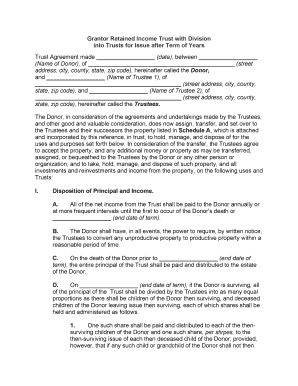
Grantor Retained Income Trust Agreement
What a Grantor Retained Income Trust Agreement Is
Why this Agreement Matters for Estate Planning
A properly drafted Grantor Retained Income Trust Agreement can preserve family wealth, provide an income stream to the grantor for a defined term, and shift remainder value to beneficiaries with potential valuation benefits for gift or estate tax planning. Clarity in terms reduces administration disputes.
Who Typically Prepares or Signs this Agreement
The document is used by individuals and professionals involved in estate and tax planning.
- Estate planning attorneys and law firms advising high-net-worth clients and family offices.
- High-net-worth individuals or grantors transferring assets while retaining income rights.
- Trustees and corporate fiduciaries responsible for administration and distributions.
Representative Roles and Responsibilities
Grantor/Settlor
The individual who transfers assets into the trust and retains the contractual right to receive income for the stated term. The grantor must sign where required, follow funding steps, and understand tax reporting implications.
Estate Attorney
A licensed attorney drafts and reviews the agreement, confirms tax and state-law compliance, advises on funding mechanics, and may prepare related filings such as Form 709 for gift tax reporting where applicable.
Primary Legal and Financial Risks to Watch For
Common Preparation Mistakes to Avoid
- Failing to fund the trust after signing results in an unfunded trust that will not effect the intended transfer or tax outcome.
- Using imprecise asset descriptions can create ambiguity about what property is subject to the trust and complicate trustee administration.
- Incorrect term or payment language for retained income can produce unintended tax treatment or beneficiary disputes.
- Omitting necessary witness or notarization steps under state law or failing to preserve execution evidence undermines enforceability.
How to Complete a Grantor Retained Income Trust Agreement — Step by Step
-
01Draft Terms: Specify grantor, trustee, beneficiaries, income rights, term length
-
02Describe Assets: Identify property clearly by legal description or account number
-
03Fund the Trust: Transfer title or assign assets according to funding instructions
-
04Execute Properly: Sign with required notarization and witness steps
Recommended Digital Workflow Settings for Execution
| Field | Configuration |
|---|---|
| Signature Type | Electronic signature with audit trail |
| Authentication | Email link plus optional SMS code |
| Notarization | Use RON or in-person notary where required |
| Storage | Encrypted cloud storage with access controls |
Technical Requirements for eSigning and Storage
Select a platform that supports PDF/DOCX uploads, audit trails, authentication, RON, and secure archival.
- File Formats: PDF, DOCX, and preserved original formats
- Integrations: CRM and cloud storage integrations available
- Authentication: Email, SMS, KBA, and SSO options
Typical eSubmission Flow for a Trust Agreement
-
Upload Document: Sender uploads finalized agreement to the platform
-
Place Fields: Add signature, date, and witness fields as required
-
Route Signers: Define signer order and authentication method
-
Complete & Archive: Capture signed copies and audit trail automatically
Key Dates and Tax Filing Deadlines to Track
Effective Date:
Date entered in agreement controls when obligations begin
Funding Deadline:
Fund the trust promptly after execution to effect transfer
Gift Tax Return (Form 709):
File by April 15 following transfer; extension via Form 4868
Trust Income Reporting:
File Form 1041 for taxable trust income by April 15
IRS Record Retention:
Keep records at least 3 years (IRC §6501(a))
eSignature Vendor Pricing Comparison for Executing Trust Documents
| signNow | DocuSign | Adobe Sign | PandaDoc | HelloSign | |
|---|---|---|---|---|---|
| Starting Price | $8/user/mo | $15/user/mo | $14/user/mo | $19/user/mo | $15/user/mo |
| Free Trial | 7-day free trial, no card | Varies by plan | Varies by plan | Limited trial | Limited trial |
| Bulk Send | Yes | Yes | Yes | Yes | No |
| Audit Trail | Yes | Yes | Yes | Yes | Yes |
| HIPAA Compliant | Yes | Yes | Yes | No | No |
Key Milestones from Draft to Administration
Draft and Review
Attorney drafts and stakeholders review terms before finalization
Fund the Trust
Transfer or assign assets to the trust promptly after signing
Execute with Formalities
Complete signatures, notarization, and witness steps as required
Record and Archive
Store signed copies, audit trails, and funding evidence securely
Practical Tips for Accurate, Efficient Completion
Real-World Use Cases for a Grantor Retained Income Trust
Family Wealth Transfer
A retiree funds a trust with income-producing property to retain lifetime income
- Grantor receives quarterly income payments
- At term end the remainder passes to children, reducing taxable estate and simplifying wealth transition to the next generation.
Business Succession
A business owner transfers minority shares into a trust to retain income while grooming successors
- Income funds retirement needs during transition
- Remainder interests transfer to family members or key employees per succession plan, aiding orderly ownership change.
Frequently Asked Questions About Grantor Retained Income Trust Agreements
-
What is taxed and when
Income retained by the grantor is generally taxable to the grantor while received; the transfer of remainder may have gift tax consequences requiring Form 709. Consult a tax advisor for specific treatment.
-
Can the agreement be electronically signed
Electronic signatures are generally valid under the ESIGN Act (15 U.S.C. ch. 96) and UETA where adopted, provided intent, consent, attribution, and retention requirements are met.
-
When is notarization or witness required
Formalities vary by state; many jurisdictions require notarization and some real property transfers require witnesses. Check state law or consult counsel before execution.
-
What happens if the trust is not funded
If assets are not transferred into the trust according to funding instructions, the trust may be ineffective and intended tax consequences will likely not occur.
-
How do I revoke or amend the trust
Revocation or amendment depends on the trust terms and whether it is revocable; review the agreement language and applicable state law, and record any changes formally with proper execution.
-
How long should I keep records
Retain signed agreements, funding evidence, and tax filings at least three years; longer retention (six to seven years) may be required for tax or HIPAA-related matters.