Establishing secure connection…Loading editor…Preparing document…

Waiver and Release of Claims

This template is fully customizable. Edit the text, fill out the fields, and send it for signature. Give it a try!
Waiver and Release of Claims

What the Waiver and Release of Claims Is and When It Applies

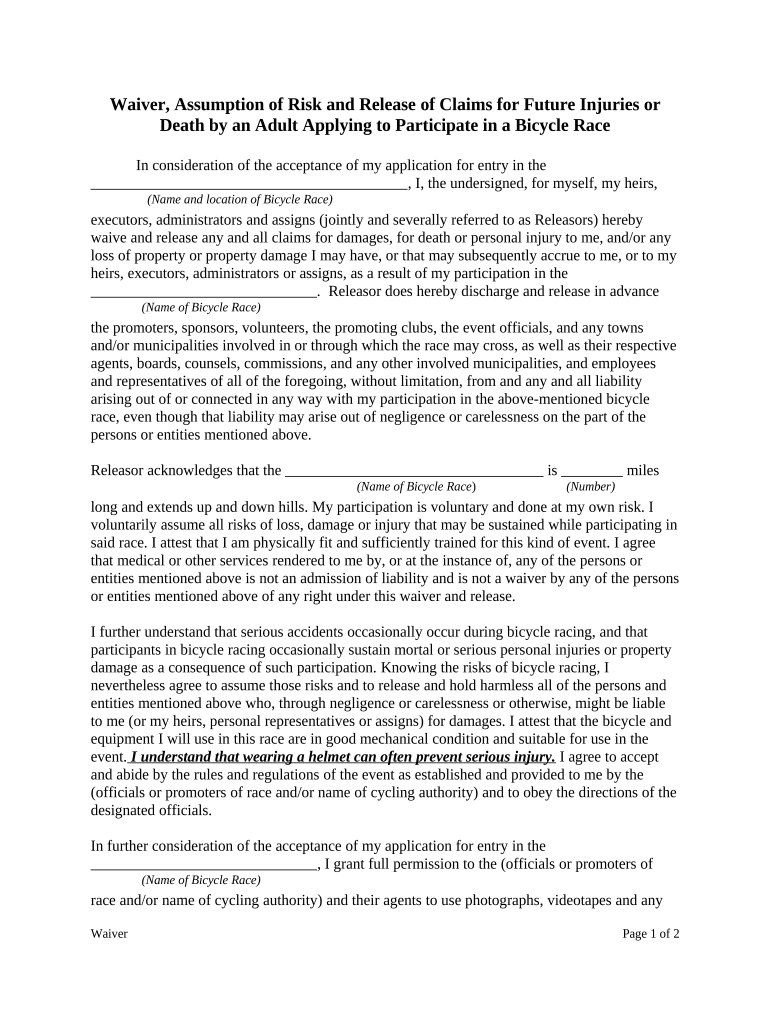
A Waiver and Release of Claims is a legally binding written agreement in which a party (the releasor) gives up present or future claims against another party (the releasee) in exchange for consideration or another agreed-upon benefit. Commonly used after incidents, settlements, services, or events, the form defines the scope of released claims, identifies the parties, states the effective date, and documents signatures and any witness or notarial requirements. Properly drafted releases reduce litigation risk but must be clear about scope and consideration to be enforceable under state and federal law.

Why Use a Waiver and Release of Claims

A clear waiver limits future liability by documenting that a party knowingly surrenders specified claims in exchange for consideration. It provides evidence of intent, scope, and timing of the release, which helps prevent disputes and supports risk transfer during settlements or event participation.

Why Use a Waiver and Release of Claims

Who Typically Uses This Form

Organizations and individuals use waivers to manage exposure after accidents, settlements, or services where future claims might otherwise arise.

  • Real estate firms and landlords handling tenant move-out settlements and property damage agreements.
  • Healthcare providers and clinics documenting patient settlement releases or administrative resolution of claims.
  • Small businesses and event organizers using waivers for participant injuries or vendor disputes.

Use the waiver with appropriate consideration language, correct signatory authority, and any required witnesses or notarization to increase enforceability.

Who Can Sign the Release

Releasor

The individual or entity giving up claims. If signing for an organization, include job title and authority; if signing for a minor, a parent or legal guardian must sign.

Releasee

The individual or organization receiving the release. Include legal entity name, address, and the representative who accepts the release on the entity’s behalf with printed name and title.

Step-by-Step: Completing a Waiver and Release of Claims

Follow these steps to prepare, review, and finalize a release so it accurately reflects the parties’ agreement and strengthens enforceability.

  • 01
    Prepare: Gather party details, incident information, and consideration terms.
  • 02
    Draft: Write clear release language and define the scope precisely.
  • 03
    Review: Have counsel or a qualified reviewer confirm legal sufficiency.
  • 04
    Execute: Sign, date, and add any required witness or notary acknowledgements.

Essential Components to Include in a Professional Release

A well-organized waiver contains specific sections that together establish intent, consideration, scope, and the formalities needed for legal effect.

Parties

Full legal names and entity types for releasor and releasee, including contact information and representative titles where applicable.
Recitals

A concise factual background describing the incident or reason for the release to provide context for the agreement.

Consideration

Clear statement of what the releasor receives in exchange for giving up claims; specific amounts or services are preferred.

Release Language

Explicit clause stating which claims are waived (known/unknown, past/future) and any carve-outs or exceptions.

Representations

Optional warranties concerning authority to sign, absence of ongoing litigation, or medical consent, depending on use case.

Execution Block

Signature lines, printed names, titles, dates, witness lines, and notary acknowledgement when required for extra authentication.

Security and Compliance Considerations for Electronic Releases

Encryption: TLS 1.2/1.3 in transit; AES-256 at rest
Audit Trail: Tamper-evident logs with timestamps and IP addresses
Identity Verification: Multi-factor options and advanced signer authentication
HIPAA Support: Business Associate Agreement required for PHI
ESIGN / UETA: Compliant with federal and most state e-signature laws
Certifications: SOC 2 Type II and ISO 27001 available

Typical Workflow for eSigning and Finalizing a Release

Electronic workflows streamline execution while preserving evidence of intent, attribution, and retention required by ESIGN and UETA.

  • Upload: Add the release as a PDF or DOCX to the signing platform.
  • Place Fields: Insert signature, date, and initial fields and any conditional fields.
  • Invite Signers: Send secure email invites or generate a signing link.
  • Complete: Signer authenticates and signs; platform records audit trail.

Configuration Checklist for Completing Releases Online

Use these settings when preparing an online release to ensure correct routing, authentication, and archival.

Field Configuration
Signature Type Electronic signature with audit trail required
Authentication Email + optional SMS code or ID verification
Routing Order Sequential or parallel signer order as needed
Retention Enable secure storage and exportable audit report

Technical Options for Sharing and Signing Releases

Choose distribution and integration settings that match your workflow, authentication needs, and recordkeeping policies.

  • Integrations: Salesforce, NetSuite, Microsoft 365 supported
  • Formats: PDF and DOCX accepted; exportable XML audit
  • Storage: Cloud storage options with retention controls

Ensure the platform you select supports required authentication, audit trails, and any regulatory addenda before finalizing execution.

Timing and Important Dates to Track

Key dates affect when the release takes effect and possible statute-of-limitations calculations. Track execution date, effective date, and any payment or performance deadlines tied to consideration.

Execution Date:

Date the releasor signs; often triggers effectiveness and record retention timelines.

Effective Date:

If different from execution, the date obligations begin or claims are waived.

Consideration Deadline:

Date by which promised payment or service must be delivered to fulfill the agreement.

Delivery Date:

When the signed document is returned or delivered to the releasee for acceptance.

Record Retention Start:

When retention periods begin — typically the execution or effective date.

Common Mistakes to Avoid When Preparing a Release

  • Using vague language about released claims that creates ambiguity and invites litigation.
  • Failing to identify parties clearly, including corporate entity type and representative authority.
  • Omitting or underspecifying consideration, which can render a release unenforceable in some jurisdictions.
  • Skipping required authentication such as witness lines or notarization when state law or third parties require them.

Risks and Consequences of an Incorrect or Incomplete Release

Unenforceability: Court may void release for ambiguity or lack of consideration
Insurance Denial: Incomplete releases can trigger insurer indemnity disputes
Litigation Costs: Errors may lead to expensive legal defense and settlement
Regulatory Issues: Healthcare releases require HIPAA-consistent language to avoid violations
Criminal Allegations: Releases cannot waive criminal claims or certain statutory rights
Statute Limits: Incorrect effective date can impact filing deadlines and limitation periods

Pricing and Feature Comparison for eSignature Platforms (signNow First)

Compare common pricing and capability criteria to choose an eSignature provider that fits your volume, compliance, and budget needs.

signNow DocuSign Adobe Sign PandaDoc HelloSign
Starting Price $8/user/mo $15/user/mo $14/user/mo $19/user/mo $15/user/mo
Free Trial 7-day free trial Limited trial available Limited trial available Free limited plan Free limited plan
Bulk Send Yes (Business Premium) Yes Yes Yes No
Audit Trail Yes Yes Yes Yes Yes
HIPAA Compliant Yes (BAA required) Yes (BAA available) Yes (BAA available) No No

Real-World Examples of Waivers and Releases

Two concise examples illustrate how releases are used across different scenarios and the documentation that supports them.

Settlement Agreement

A plaintiff accepts a monetary settlement to resolve a personal-injury claim

  • Release covers specified incident and known claims
  • The executed release includes full party names, precise consideration, explicit release scope, and a notary acknowledgement to reduce future disputes and ensure enforceability.

Event Liability Waiver

An event organizer requires attendees to sign a general liability waiver before entry

  • Waiver covers injuries during the event
  • The document lists event details, revocation procedures, minors' guardian signature lines, and is retained digitally with audit trail and timestamp for proof.

Frequently Asked Questions About Waivers and Releases

Answers to common procedural and legal questions about preparing, signing, and preserving a Waiver and Release of Claims.


Need help? Contact support

be ready to get more
Join over 28 million airSlate SignNow users