Establishing secure connection…Loading editor…Preparing document…

Writ of Mandate

This template is fully customizable. Edit the text, fill out the fields, and send it for signature. Give it a try!
Writ of Mandate

What a Writ of Mandate Is and when it is used

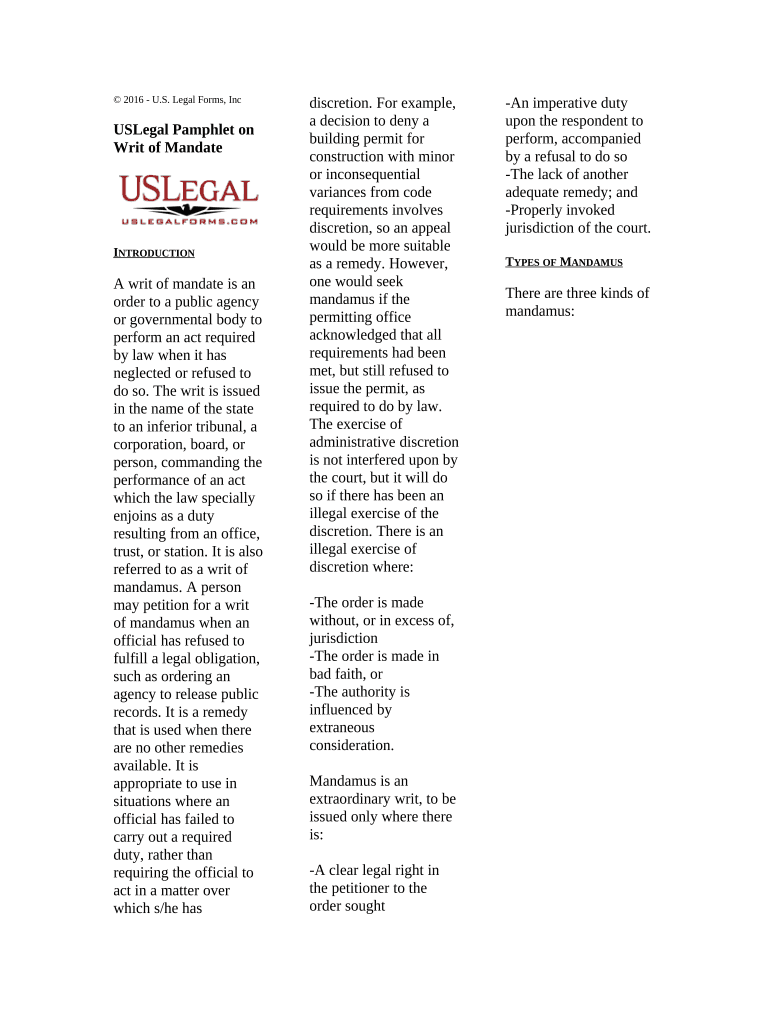
A Writ of Mandate is a judicial petition used to compel a public agency, official, or lower court to perform a ministerial duty required by law. It asks a court to order compliance when an administrative body refuses or fails to act within legal bounds. Writs are common in administrative, zoning, licensing, and certain appellate contexts where ordinary remedies are inadequate or too slow. Procedural rules and remedies vary by jurisdiction and court level; careful compliance with local pleading, standing, and exhaustion-of-remedies requirements is critical to preserve the claim.

Why the Writ of Mandate matters for timely judicial relief

A Writ of Mandate provides a targeted judicial remedy to correct unlawful agency inaction or errors and to compel performance of clear statutory duties when other remedies are ineffective.

Why the Writ of Mandate matters for timely judicial relief

Who typically prepares and files a Writ of Mandate

Common filers and participants include attorneys, affected private parties, and agency counsel engaged in disputes over legal duties.

  • Private litigants challenging agency permits, licenses, zoning, or administrative decisions seeking immediate judicial action.
  • Government agencies or municipal counsel defending determinations or responding to requests for mandatory relief.
  • Public interest groups or nonprofits seeking enforcement of statutory duties on behalf of a constituency.

Step-by-step: drafting and filing a Writ of Mandate

Follow these sequential steps to prepare, serve, and pursue a writ while keeping procedural risks low.

  • 01
    Draft Petition: Frame facts, authority, and relief precisely.
  • 02
    Attach Evidence: Include declarations, exhibits, and administrative record.
  • 03
    File & Serve: File with clerk and serve per local rules.
  • 04
    Seek Hearing: Request expedited relief if statutory harm is imminent.

Where to file and how cases typically proceed

Filing location and sequence depend on the subject matter and state rules; below are common destinations and routing steps for a typical writ.

  • Trial or Superior Court: Initial filings commonly go to trial or superior courts.
  • Appellate Court: Some writs are routed directly to appellate courts.
  • Clerk Submission: Clerk accepts filing, assigns case number, and dockets.
  • Service of Process: Serve agency or official per state civil procedure.

How to customize a Writ of Mandate for online completion

Set up a digital template to capture essential data, apply conditional logic, and integrate with filing or case management platforms.

Field Configuration
Petitioner Name Required text field; auto-validate against entity registry
Respondent Selector Dropdown with standardized agency names
Upload Evidence PDF upload accepted; maximum 50 MB
Signature Settings Enable email or SMS authentication; capture audit trail

Digital signing and file formats to support for court-ready submissions

Courts and clerks accept different file types and authentication levels; configure your platform to match local e-filing standards.

  • Formats Supported: PDF, PDF/A, DOCX
  • Integrations: Salesforce, NetSuite, Microsoft 365
  • Authentication: Email, SMS code, or advanced methods

Typical timelines and scheduling expectations

Timing depends on the court and the nature of the relief; some writs follow expedited schedules while ordinary petitions follow standard civil timelines.

Service Periods:

Follow state civil rules; timelines vary by county and court.

Response Window:

Courts often set a brief response period once served.

Hearing Scheduling:

Expedited hearings may be available in urgent cases.

Emergency Relief:

Shortened briefing and immediate orders are possible.

Administrative Exhaustion:

Some claims require prior administrative remedies before filing.

Common preparation errors to avoid

  • Misnaming the respondent or filing in the wrong court, which can lead to dismissal and wasted filing fees.
  • Failing to attach the administrative record or key evidence, creating factual gaps the court may not allow later.
  • Skipping required exhaustion steps or permits, which can deprive the court of jurisdiction to grant relief.
  • Using vague relief requests rather than specific mandatory orders, which reduces the likelihood of clear judicial direction.

Consequences and procedural risks of an incorrect writ

Dismissal Risk: Case can be dismissed without prejudice.
Sanctions: Court may impose monetary sanctions.
Service Defect: Improper service can void proceedings.
Lost Opportunity: Statute of limitations may bar refiling.
Increased Costs: Additional attorney and filing expense.
Judicial Reluctance: Courts may deny mandamus for discretionary acts.

Security and compliance considerations for electronic documents

Encryption: TLS 1.2/1.3 in transit; AES-256 at rest
Audit Trail: Timestamped actions and signer attribution
Certifications: SOC 2 Type II; ISO 27001 available
HIPAA Support: BAA available for protected health data
ESIGN / UETA: Compliant with federal and state laws
21 CFR Part 11: Controls available for FDA-regulated records

Real-world scenarios where a Writ of Mandate can be used

These examples illustrate common fact patterns and outcomes when petitioners seek judicial compulsion of agency action.

Zoning Permit Delay

A developer exhausted administrative appeals after a permit denial

  • The court reviewed the record and timing
  • The writ sought a ministerial duty to issue or deny within statutory deadlines and resulted in expedited review and remand for correct application of the ordinance.

Public Records Denial

An advocacy group was denied records under state freedom-of-information rules

  • The agency withheld documents without statutory basis
  • The writ compelled disclosure and set a timeline for production while preserving appellate review rights.

Key components every professional Writ of Mandate should include

A complete writ organizes procedural and substantive elements so courts can assess standing, authority, and the requested mandatory relief quickly.

Caption

Court name, case number placeholder, and party captions formatted to local court rules; essential for clerk acceptance and docketing.
Parties

Clear identification of petitioner(s) and respondent(s) using official agency or officer names; include contact and counsel details when applicable.

Statement of Facts

Concise chronology with dates, actions, and references to administrative record exhibits demonstrating the agency’s failure to perform.

Legal Grounds

Specific statutes, regulations, or legal doctrines supporting the mandatory duty; explain why the duty is ministerial rather than discretionary.

Relief Requested

Precise mandatory relief and proposed order language the court can enter, including timelines and any ancillary declaratory or injunctive relief.

Verification

Sworn verification or declaration attesting to truth of facts; include proof of service and certificate of compliance with exhaustion rules if required.

Best practices for accurate and efficient completion

Follow these practices to reduce risk of procedural defects and increase the clarity and enforceability of a writ petition.

Use Local Court Templates and Checklists
Confirm formatting, required attachments, and cover sheets from the clerk’s office before filing; many courts reject nonconforming pleadings without prejudice.
Verify Party Names and Authority
Confirm the exact legal name and title of agency officials and include proper service addresses to ensure effective service of process.
Preserve Administrative Record
Obtain and attach the complete administrative record; courts often limit review to materials in the administrative file.
Prepare Clear Proposed Orders
Draft proposed orders with precise directives, timelines, and compliance mechanisms to help the court craft enforceable relief.

eSignature vendor comparison for completing and signing a Writ of Mandate

Compare baseline pricing and key features across vendors. signNow is listed first per comparative format; do not rely on pricing alone when selecting a vendor.

signNow DocuSign Adobe Sign PandaDoc HelloSign
Starting Price $8/user/mo $15/user/mo $14/user/mo $19/user/mo $15/user/mo
Free Trial 7-day free trial, no credit card Varies by vendor Varies by vendor Varies by vendor Varies by vendor
Bulk Send Yes (Business Premium) Yes Yes Yes Yes
Audit Trail Yes Yes Yes Yes Yes
HIPAA Compliant Yes Yes Yes No No
Envelope Cap No cap 100 envelopes/user/year Varies Varies Varies

Frequently asked questions about Writs of Mandate and digital signatures

Answers to common procedural and technical questions encountered when preparing, signing, and filing a Writ of Mandate.


Need help? Contact support

be ready to get more
Join over 28 million airSlate SignNow users