How Can I Add Sign in Google Drive
Contact Sales
Make the most out of your eSignature workflows with airSlate SignNow
Extensive suite of eSignature tools
Robust integration and API capabilities
Advanced security and compliance
Various collaboration tools
Enjoyable and stress-free signing experience
Extensive support
Keep your eSignature workflows on track
Our user reviews speak for themselves











Award-winning eSignature solution



How to Incorporate Signing in Google Drive
If you're curious about how to incorporate signing in Google Drive, airSlate SignNow offers a highly effective solution for handling document signing. This platform not only makes the signing process easier but also provides a variety of features specifically designed for small and medium-sized enterprises. With its intuitive interface and clear pricing, airSlate SignNow is perfect for anyone aiming to optimize their document workflows without overspending.
Steps to Add Signing in Google Drive Using airSlate SignNow
- Launch your browser and head over to the airSlate SignNow site.
- Sign up for a free trial account or log in if you already possess one.
- Upload the document you intend to sign or share with others for their signatures.
- If necessary for future reference, transform your document into a reusable template.
- Open your file to perform any required adjustments: insert fillable fields or add pertinent information.
- Sign the document and include signature fields for the designated recipients.
- Click Continue to set up and send out your eSignature invitation.
To summarize, utilizing airSlate SignNow to integrate signing features in Google Drive not only improves your document management process but also guarantees a seamless signing experience for all involved parties. With its extensive array of capabilities, you can enjoy a considerable return on investment while cutting down on unnecessary expenses.
Begin enhancing your document efficiency today by investigating what airSlate SignNow has to offer. Register now for your free trial!
How it works
Rate your experience
-
Best ROI. Our customers achieve an average 7x ROI within the first six months.
-
Scales with your use cases. From SMBs to mid-market, airSlate SignNow delivers results for businesses of all sizes.
-
Intuitive UI and API. Sign and send documents from your apps in minutes.
A smarter way to work: —how to industry sign banking integrate
How to sign and fill out a document online
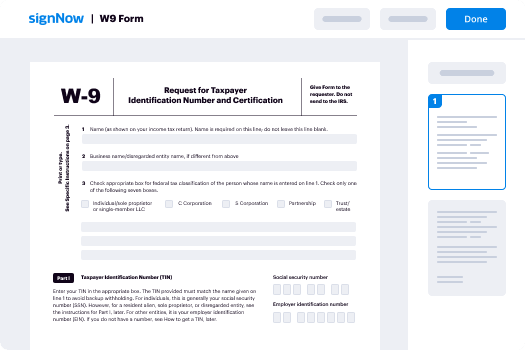
Document management isn't an easy task. The only thing that makes working with documents simple in today's world, is a comprehensive workflow solution. Signing and editing documents, and filling out forms is a simple task for those who utilize eSignature services. Businesses that have found reliable solutions to how can i integration sign add google drive don't need to spend their valuable time and effort on routine and monotonous actions.
Use airSlate SignNow and how can i integration sign add google drive online hassle-free today:
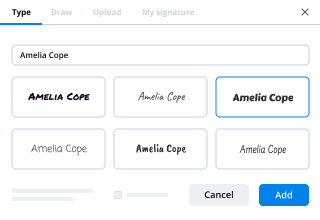
- Create your airSlate SignNow profile or use your Google account to sign up.
- Upload a document.
- Work on it; sign it, edit it and add fillable fields to it.
- Select Done and export the sample: send it or save it to your device.
As you can see, there is nothing complicated about filling out and signing documents when you have the right tool. Our advanced editor is great for getting forms and contracts exactly how you want/need them. It has a user-friendly interface and full comprehensibility, offering you full control. Register today and begin enhancing your eSign workflows with convenient tools to how can i integration sign add google drive on the web.
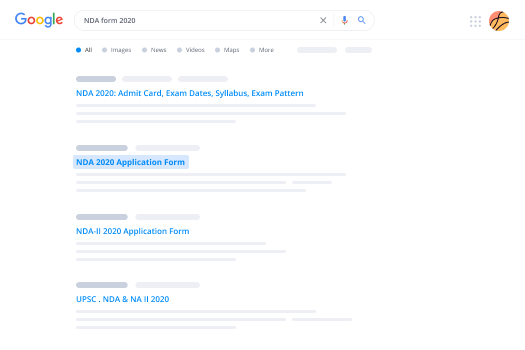
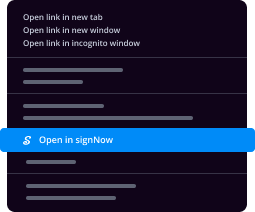
How to sign and complete documents in Google Chrome
Google Chrome can solve more problems than you can even imagine using powerful tools called 'extensions'. There are thousands you can easily add right to your browser called ‘add-ons’ and each has a unique ability to enhance your workflow. For example, how can i integration sign add google drive and edit docs with airSlate SignNow.
To add the airSlate SignNow extension for Google Chrome, follow the next steps:
- Go to Chrome Web Store, type in 'airSlate SignNow' and press enter. Then, hit the Add to Chrome button and wait a few seconds while it installs.
- Find a document that you need to sign, right click it and select airSlate SignNow.
- Edit and sign your document.
- Save your new file to your account, the cloud or your device.
By using this extension, you prevent wasting time on boring actions like downloading the document and importing it to an eSignature solution’s library. Everything is easily accessible, so you can quickly and conveniently how can i integration sign add google drive.
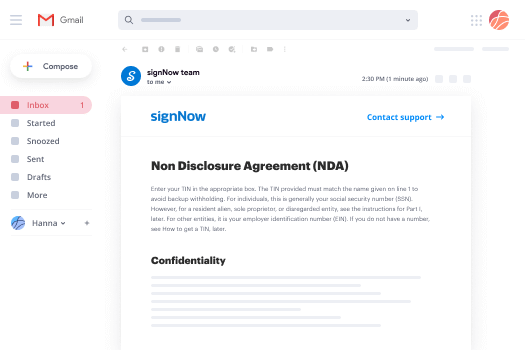
How to sign docs in Gmail
Gmail is probably the most popular mail service utilized by millions of people all across the world. Most likely, you and your clients also use it for personal and business communication. However, the question on a lot of people’s minds is: how can I how can i integration sign add google drive a document that was emailed to me in Gmail? Something amazing has happened that is changing the way business is done. airSlate SignNow and Google have created an impactful add on that lets you how can i integration sign add google drive, edit, set signing orders and much more without leaving your inbox.
Boost your workflow with a revolutionary Gmail add on from airSlate SignNow:
- Find the airSlate SignNow extension for Gmail from the Chrome Web Store and install it.
- Go to your inbox and open the email that contains the attachment that needs signing.
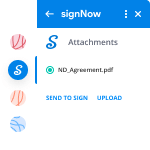
- Click the airSlate SignNow icon found in the right-hand toolbar.
- Work on your document; edit it, add fillable fields and even sign it yourself.
- Click Done and email the executed document to the respective parties.
With helpful extensions, manipulations to how can i integration sign add google drive various forms are easy. The less time you spend switching browser windows, opening several profiles and scrolling through your internal records trying to find a document is more time for you to you for other significant activities.
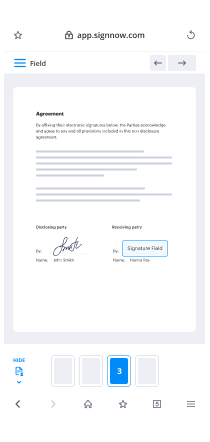
How to safely sign documents in a mobile browser
Are you one of the business professionals who’ve decided to go 100% mobile in 2020? If yes, then you really need to make sure you have an effective solution for managing your document workflows from your phone, e.g., how can i integration sign add google drive, and edit forms in real time. airSlate SignNow has one of the most exciting tools for mobile users. A web-based application. how can i integration sign add google drive instantly from anywhere.
How to securely sign documents in a mobile browser
- Create an airSlate SignNow profile or log in using any web browser on your smartphone or tablet.
- Upload a document from the cloud or internal storage.
- Fill out and sign the sample.
- Tap Done.
- Do anything you need right from your account.
airSlate SignNow takes pride in protecting customer data. Be confident that anything you upload to your account is secured with industry-leading encryption. Auto logging out will protect your account from unwanted access. how can i integration sign add google drive out of your phone or your friend’s mobile phone. Security is vital to our success and yours to mobile workflows.
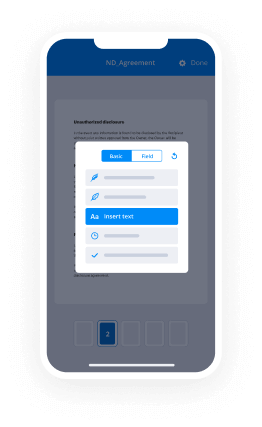
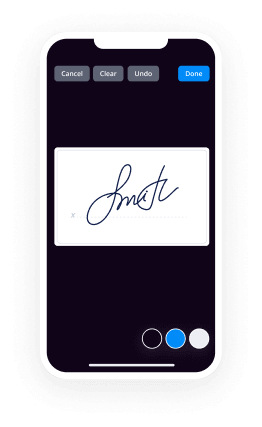
How to electronically sign a PDF on an iPhone or iPad
The iPhone and iPad are powerful gadgets that allow you to work not only from the office but from anywhere in the world. For example, you can finalize and sign documents or how can i integration sign add google drive directly on your phone or tablet at the office, at home or even on the beach. iOS offers native features like the Markup tool, though it’s limiting and doesn’t have any automation. Though the airSlate SignNow application for Apple is packed with everything you need for upgrading your document workflow. how can i integration sign add google drive, fill out and sign forms on your phone in minutes.
How to sign a PDF on an iPhone
- Go to the AppStore, find the airSlate SignNow app and download it.
- Open the application, log in or create a profile.
- Select + to upload a document from your device or import it from the cloud.
- Fill out the sample and create your electronic signature.
- Click Done to finish the editing and signing session.
When you have this application installed, you don't need to upload a file each time you get it for signing. Just open the document on your iPhone, click the Share icon and select the Sign with airSlate SignNow button. Your doc will be opened in the app. how can i integration sign add google drive anything. Plus, utilizing one service for all of your document management demands, things are quicker, better and cheaper Download the application today!
How to sign a PDF file on an Android
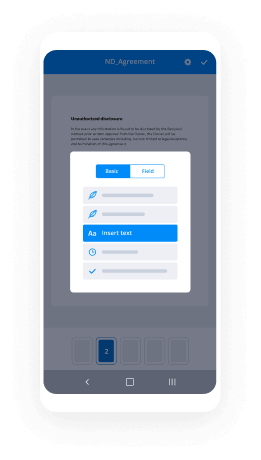
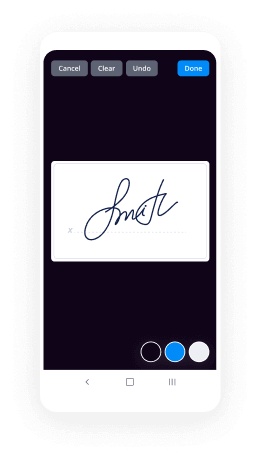
What’s the number one rule for handling document workflows in 2020? Avoid paper chaos. Get rid of the printers, scanners and bundlers curriers. All of it! Take a new approach and manage, how can i integration sign add google drive, and organize your records 100% paperless and 100% mobile. You only need three things; a phone/tablet, internet connection and the airSlate SignNow app for Android. Using the app, create, how can i integration sign add google drive and execute documents right from your smartphone or tablet.
How to sign a PDF on an Android
- In the Google Play Market, search for and install the airSlate SignNow application.
- Open the program and log into your account or make one if you don’t have one already.
- Upload a document from the cloud or your device.
- Click on the opened document and start working on it. Edit it, add fillable fields and signature fields.
- Once you’ve finished, click Done and send the document to the other parties involved or download it to the cloud or your device.
airSlate SignNow allows you to sign documents and manage tasks like how can i integration sign add google drive with ease. In addition, the security of your info is priority. File encryption and private servers can be used as implementing the most recent functions in information compliance measures. Get the airSlate SignNow mobile experience and operate better.





FAQs
-
How can I add Sign in Google Drive?
To add Sign in Google Drive, first, log in to your Google Drive account. Then, navigate to the Google Workspace Marketplace, search for airSlate SignNow, and install the app. Once installed, you can easily start signing documents directly from Google Drive.
-
What are the benefits of using airSlate SignNow with Google Drive?
Using airSlate SignNow with Google Drive allows you to streamline your document management process. You can easily send, sign, and store documents without leaving your Google Drive environment. This integration enhances productivity and ensures that your documents are securely managed.
-
Is there a cost associated with adding Sign in Google Drive?
Adding Sign in Google Drive with airSlate SignNow is free during the trial period, allowing you to evaluate its features. After the trial, there are various pricing plans available to suit different business needs, ensuring you have a cost-effective solution for eSigning.
-
Can I use airSlate SignNow for multiple signers in Google Drive?
Yes, airSlate SignNow supports multiple signers, making it easy to manage documents that require signatures from several parties. Once you've added Sign in Google Drive, you can easily send documents to multiple recipients for their signatures, helping you expedite the signing process.
-
What types of documents can I sign using airSlate SignNow in Google Drive?
You can sign a wide range of document types using airSlate SignNow in Google Drive, including PDFs, Word documents, and images. This versatility allows you to handle various business needs, from contracts to agreements, all within your Google Drive.
-
How does airSlate SignNow ensure the security of my documents in Google Drive?
airSlate SignNow employs robust security measures, including data encryption and secure access protocols, to protect your documents. When you use Sign in Google Drive, you can trust that your sensitive information remains secure throughout the signing process.
-
Can I track the status of my documents signed in Google Drive?
Yes, airSlate SignNow provides tracking features that allow you to monitor the status of your documents. After adding Sign in Google Drive, you can receive notifications when documents are viewed, signed, or completed, ensuring you stay updated on all transactions.
-
How do I change my Google default account?
When you attempt to login with another account, it says the following:You can use multiple sign-in with these Google products:CalendarCodeGmailReaderSitesVoice[...]Google products not listed above will default to the first account that you signed in to using your current web browser session.I guess this means that you must click the sign out link (which will sign out of all your accounts), then sign in to the account you want to be the default one, then sign in to all the other accounts.
-
How do I bypass the two-step verification of my Google Account?
Try it1. Go to Sign in - Google Accounts and click on Security. 2. Under 2-step verification section click on the "Settings" button. 3. Now under the "Application-specific passwords" section select "Manage application -specific passwords" (you might be required to enter your password again for security purposes). 4. Now just enter a descriptive name for the application you want to use the password for (in this case probably something like "Live Writer" and click the "Generate password" button. 5. Copy the newly generated password, then use it as your Google account password on Live Writer instead of your real password. I hope this helps.www.icognix.net
-
What is the most asked question on Quora (by the number of questions merged into it)?
As someone who writes mostly technology-related answers, I see the following question so much it makes me want to tear my hair out:“Can iCloud Activation Lock be Bypassed?”For those who don’t know, Apple devices that have an iCloud account active on them with Find My iPhone enabled will lock the device to that Apple ID even if it is restored to factory defaults. This is designed to prevent thievery, since stolen devices (typically iPhones) are useless without the Apple ID password they are locked with to unlock it. It is incredibly common for people to sell devices without removing the lock beforehand (likely because they don’t know it exists, or how to remove it) or because it is stolen. Either way, the lock cannot be bypassed without that password… but that doesn’t stop everyone and their mother from asking if it can be done as if the rules somehow don’t apply to them.Instead of viewing the answers on an existing question, or even asking new people to answer that existing question, they make a new one. Every. Single. Time. Quora is absolutely flooded with these questions, and I get A2A requests for them more than anything else.
-
What are the top local business listing sites in India?
Long back, phone directory was the one important ledger in every home. It consisted of each and every phone number of the town. With the invasion of technology, phone directory has become extinct. The purpose of business listing sites is similar to a phone directory.These websites consist of all the business information of a particular region with their contact information. In the earlier days of internet business directory was considered as the search engine of nowadays.Business listings are public profiles which can be viewed by anyone. A typical business listing contains NAP (Name, Address, Phone Number) details.Advanced details such as website, working hours are also captured by certain business listings. A business should include its information on various platforms and directories with which they can be found everywhere on the internet.Before the invasion of search engine giants like Google, the business listing was the go-to place for all the information seekers. If we look back how these business listings came into place, the whole crux was the need. The internet gave birth to many websites and every business started to have its own website.The place was very crowded. There was a need for some structure or a repository which will help people to locate their required websites. That is how business listings were born.For more details visit https://www.dirable.com/
-
How can I get more followers on Google+?
Today Google+ has more than 1 billion registered (with 359 million active) users with more friendly features than any other social media. Apart from this the profile on G+ page helps in search ranking list which, in itself, is a sufficient reason to join the platform. Lots of analysts and internet marketing experts claim that Google Plus could be more popular than Facebook in the coming days. Some of the ways to increase followers on Google Plus page are:- Create Google Plus circles This circle will include those people whom you will be interacting with. You can group your Google + Circle in to friends, family, following, customers, online circle, team members, VIP’s etc.There will be some updates you would be interested in sharing with your friends only and some updates to your family members only. Create Google Plus Page Like Facebook Profile and Facebook page, you can create profile and business page on Google Plus. So if you have an active website or blog, you should immediately set up a business page on Google Plus. Sharing Stories and good content on it One needs to find different ways to connect with other people on Google plus. Then and only then one would have more chances of grabbing other people attention to connect with you on Google plus circles. Most people don’t circle just because one is on Google plus, they need reasons to connect with you on Google plus circles, so give them strong reasons. Follow back People who are following you Google Plus will send a notification whenever someone adds you to their circle. You should return the favor by following them back. When you follow back your followers, there is every chance, and they will keep you added in their Google Plus Circle for long. Make sure to follow the interesting people or the people who are relevant to your blog topics instead of following back everyone blindly. Make your Google+ Profile Public One should keep presence on Google plus as public the way like on Linkedin and thus share things related to business only here and avoid sharing personal stuff. If you want to increase Google plus followers, don’t just follow others blindly or use any automation tools to increase your followers on Google plus. It is the worst way to get more followers on Google plus, instead focus on interacting with others start spending quality time on sharing others stuff, and be informative to boost your Google plus followers.
-
What are the paid business listing websites in India?
facebook.comGoogle My Businesstwitter.comBing PlacesYahoo Local/Aabaco Small Businesssuperpages.comdexknows.comlinkedin.comtripadvisor.comyellowpages.comyelp.comezlocal.comwhitepages.comfoursquare.comurbanspoon.comcity-data.comhotfrog.combbb.orgbizjournals.commanta.commerchantcircle.comangieslist.comyellowbook.comshowmelocal.comthumbtack.comyellowpages.aol.comlocal.comamericantowns.cominsiderpages.commagicyellow.comelocal.comlocalpages.com
-
Can anyone provide me the top business listings sites India?
This is a very interesting question and I have good experience for local business listing for my business.I publicized my business as a local business listing in many companies. My Business did not get a grow and I did not get profit. After that, I know about the best growing portal for listing a business that is IBP(Indian Business Pages).After joining this company I should get more projects for my business. From my website I got leads and they can get me an inquiry for projects from the market.When joining them my business has approximately 3-4% increase.There is a good experience to join them.
-
What can I learn in one minute that will be useful for the rest of my life?
* Sometimes, girls don't need advice, they just want someone to listen. * Don't be the guy who tells a kid that Santa Claus doesn't exist. * Grammar is sexy. * ***If you owe a friend money, pay them back before you start spending on yourself. * *Never trust someone who always takes forever to text you back, but is always texting "someone" when you're around them. * At least once in your life, have a job that you don't do for the money. * If you want your kids to trust you with anything, don't overreact when they do tell you. * The handsome, royal gentleman/the gorgeous, intelligent woman that you want to find so hard, won't be in the nightclubs. * Take her somewhere different. Movies and dinners are played out. She wants to tell her friends great stories. (Thank you, ladies.) * **Now that you've decide where to take her on a date, don't kill it by giving her roses. Give her an orchid. Girls love orchids. * **Girls, if a boy asks you out or proposes to you, and you're not interested in him, tell him nicely. Don't create a scene out of it. * *Choose any day and treat it like a Valentine's Day. Just ask her out ... before someone else does. * **If you can't make her your wife, don't make her a mother. Remember Jon Snow from GOT? * **You can't be old and wise if you were never young and crazy. Live your life. * **Being in a beautiful relationship %3E Being single %3E%3E%3E%3E Being in a shitty relationship. * *Winning an argument isn't worth losing a bro(1). * *Fall in love with someone's eyes. It's the one thing that never changes. Well done, Shakira(2). * ***If you don't understand an article on Wikipedia, change 'en.Wikipedia.org' to 'simple.Wikipedia.org'. A much simpler and clearer version will be available. * *Don't wait for something bad to happen for you to become a good person. * ***Your children follow your example, not your advice. Be the kind of person you want them to be. * *Be an adult when you have to be, be a kid when you can be. * Never lie to your doctor. * Chrome freezes and you can't close a tab? Press 'Shift+Esc', Chrome has its own Task Manager. * Unless you're in the first row at a concert, don't try to record it with your phone. The video and audio would be crap and you'll never watch it again. * Be careful what you wish for. Remember Simba? He couldn't wait to become the new king ... his Dad got kissing dealt with. * "No matter what you do in this life, it won't be legendary unless your friends are there to see it." - Barney Stinson, HIMYM * Spend time with your Father as often as you can. You'll miss Him when you can't anymore. * ***You know, those times in life where you have a grand thought, a fantasy, a wild gesture, a silly prank, anything really, anything that peaks your senses and makes you feel like you are living? If so, then take advantage of such moments. When your brain is telling you to call it a night, but your heart says to keep going, listen to your heart and do something new, do something fun, do something legendary and your brain will thank you for it later. You're welcome. * ***"You're given one little spark of madness, you must not lose it." - Robin Williams Most of the aforementioned advices are from various sources, some are from me. (I wish to be someone's wingman.) Footnote: (1) A girl can be a bro, bro. (2) Shakira married Pique. Pique, who? The most handsome footballer (according to me). P.S. Want more? I have a bevy. Edit (*): Initially, there were 13 (my most favourite number) advices as a part of this answer, I added six more (to make it 19, one of my favourite numbers). Want more? :p Edit 2 (**): Added five more, to make it 24 (another favourite number). Want more? Edit 3 (***): Added five more, to make it 29 (another favourite number).
-
How do I easily transfer all my files from Dropbox to Google Drive?
In recent years, cloud storage services, for example, Google Drive, Dropbox, Box, FTP, One Drive, Mega, Amazon Drive are becoming more and more popular to help users store all kinds of data and files. Cloud drives save data online thus you can access the data on any computer anywhere as long as you connect to the Internet.Dropbox and Google Drive are both excellent cloud drives and most users have signed up more than one cloud drive. Since Google Drive has an obvious advantage over Dropbox-like advanced search, more ways to control visibility, and cheaper price, there are many users seeking...
Trusted esignature solution— what our customers are saying


Get legally-binding signatures now!
Frequently asked questions
How do i add an electronic signature to a word document?
What is a live electronic signature?
How to sign pdf without saving?
Get more for How Can I Add Sign in Google Drive
Find out other How Can I Add Sign in Google Drive
- Bond no an application packet for health professionals to apply to become licensed as a licensed social worker in washington form
- Application for abandonment permit lee county health department form
- Business permit village of scarsdale form
- Application for trade permit amelia county virginia official site form
- Notification of existing soil erosion and sedimentation control sesc permit form
- Fire permit draft city of aspen and pitkin county form
- Copy of new plumbing permit xlsx the city of aspen amp pitkin county form
- Street closing application amp permit city of hopkins form
- Zoning permit carbondale kansas form
- City of libby street opening permit form
- Pre permit application amazon s3 form
- Culvert permit doc form
- Dh1958affidavittoreleasebirthcertificateinformation doc
- Physician39s certificate form state of north dakota
- Importing your personal certificates to microsoft internet form
- Application instructions for food safety certificate form
- G fampampa pub forms bsf459 draft4e frp printing
- Some things you should know about certificate private key passwords in microsoft form
- Certificate of authority limited liability company judicial title form
- Trusting the eca certificate authority in microsoft internet form