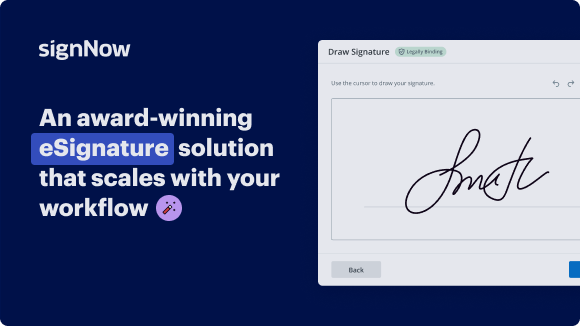
Boost Guest Payment with SignNow's Secure eSignature Solution

Get rid of paper and automate digital document processing for increased efficiency and endless possibilities. eSign any papers from your home, quick and accomplished. Experience a better manner of doing business with airSlate SignNow.

Award-winning eSignature solution

What boost guest payment Does

boost guest payment is a payment-collection workflow that lets guests complete a transaction and sign associated documents without creating a full user account. It combines an embeddable payment link or hosted payment page with a lightweight signing step for waivers, receipts, or terms. The flow supports card processing, receipts, audit logging, and configurable form fields so receptionists, hosts, or kiosks can accept payments quickly while retaining a verifiable digital signature and time-stamped record for compliance and reconciliation.

Why implement boost guest payment

boost guest payment reduces friction at point of sale by enabling guests to pay and sign quickly, improving throughput and record accuracy while preserving an auditable trail suitable for common U.S. compliance needs.

Why implement boost guest payment

Common challenges solved by boost guest payment

  • Manual paper payments create delays, lost receipts, and reconciliation gaps that complicate accounting and customer support.
  • Requiring account creation increases abandonment; guest flows lower barriers and speed transactions at check-in or point of service.
  • Separate payment and signature systems fragment records, making audits and dispute resolution slower and more error-prone.
  • Unclear authentication for anonymous guests increases liability; structured guest flows provide identity capture and audit evidence.

Representative user roles

Front Desk

Front desk associates accept guest payments at arrival, capture minimal identity data, and obtain a signature for liability or receipt purposes. They need a fast, mobile-friendly flow, clear payment prompts, and an automatic record sent to accounting for reconciliation.

Finance Admin

Finance administrators configure payment accounts, reconcile daily transactions, and review audit trails for disputes. They require exportable transaction data, clear mapping to ledger codes, and secure archival of signed receipts for compliance.

Typical users and roles for boost guest payment

Front-desk staff, event check‑in teams, property managers, and finance staff commonly rely on guest payment flows to collect fees and signatures without creating persistent user accounts.

  • Front-desk and reception teams handling walk-in charges and quick waivers during check-in processes.
  • Event staff accepting entry fees and attendee agreements at gate or kiosk using mobile devices.
  • Property managers and leasing agents collecting short-term fees and signed acknowledgements from visitors.

These roles benefit from a streamlined guest experience, minimized training burden, and a clear audit trail linking payments to signed documents.

Additional capabilities that improve guest payment operations

Advanced features add control, reporting, and integration options for teams relying on guest payments in diverse settings.

Custom Fields

Collect custom guest information such as room number, event code, or staff ID and map data to accounting or CRM records for downstream processing.

Reminders and Expiration

Set link expiration and automated reminders for incomplete payments or pending signatures to reduce abandoned transactions and keep records current.

Role Permissions

Granular admin controls determine who can create guest links, view transactions, or export financial reports to maintain separation of duties.

Webhooks

Real-time notifications for payment success, signature completion, or disputes enable rapid reconciliation and trigger downstream automations.

Exportable Reports

Transaction and signing data can be exported in CSV for accounting reconciliation and audit purposes, preserving timestamps and signer details.

Kiosk Mode

A locked-down interface for shared devices that prevents access to administrative areas while allowing payments and signatures on-site.

be ready to get more

Choose a better solution

Core features supporting boost guest payment

Certain platform capabilities are essential to deliver a reliable and compliant boost guest payment experience for transient users.

Hosted Payment Pages

Configurable, branded pages that accept card payments without requiring account creation and that include embedded signature or checkbox consent elements for receipts and waivers.

Tokenized Payments

Card data is sent to the payment processor and tokenized so the eSignature system stores only non-sensitive references, reducing PCI scope and simplifying audits.

One‑time Signature Links

Short-lived links that combine payment and signing steps with automatic expiry to prevent reuse and reduce fraud risk while preserving a complete event record.

Automated Receipts

Post-transaction documents are generated and stored automatically, and can be emailed to guests while also being archived for reconciliation and dispute handling.

How the guest payment flow works

The guest payment flow links a payment collection step to a signing action, preserving transaction details and signature metadata in one record.

  • Initiate: Send guest a payment link or open hosted page.
  • Pay: Guest enters card details; payment is processed.
  • Sign: Guest completes a required signature or checkbox consent.
  • Record: System stores receipt, signature, and audit trail together.
Collect signatures
24x
faster
Reduce costs by
$30
per document
Save up to
40h
per employee / month

Quick setup steps for boost guest payment

Follow these basic steps to enable boost guest payment in an eSignature platform and link it to your payment processor quickly.

  • 01
    Enable Payments: Activate the payment gateway and add merchant credentials.
  • 02
    Create Template: Design a guest receipt or waiver with payment field.
  • 03
    Set Guest Flow: Configure link-based or hosted page options for anonymous access.
  • 04
    Test Transaction: Run end-to-end tests including receipt and audit log validation.

Completing a boost guest payment: user steps

This grid outlines the guest-facing steps, from receiving the link to obtaining the receipt, suitable for staff training or user instructions.

01

Receive Link:

Guest gets a secure one-time URL.
02

Open Page:

Link opens the hosted payment and consent form.
03

Enter Card:

Guest provides card data for payment.
04

Sign:

Complete signature or consent checkbox.
05

Confirmation:

Payment and signature are confirmed.
06

Receipt:

Document emailed and archived.
be ready to get more

Why choose airSlate SignNow

  • Free 7-day trial. Choose the plan you need and try it risk-free.
  • Honest pricing for full-featured plans. airSlate SignNow offers subscription plans with no overages or hidden fees at renewal.
  • Enterprise-grade security. airSlate SignNow helps you comply with global security standards.
illustrations signature

Recommended workflow configuration for boost guest payment

A typical configuration balances guest convenience with security and auditability. The header names describe settings and their expected values.

Setting Name Configuration
Link Expiration Window 24 hours
Payment Capture Mode Immediate capture
Receipt Delivery Email and archive
Signature Requirement Required checkbox or signature
Webhook Notifications Enabled for events

Platform and device requirements for guest payment flows

Guest payment flows work across modern browsers and mobile devices, but certain capabilities are required from the platform and payment processor to ensure smooth operation.

  • Supported Browsers: Chrome, Safari, Edge
  • Mobile Support: iOS and Android
  • Payment Processor: PCI-compliant gateway

Ensure your chosen eSignature provider integrates with a PCI-compliant payment gateway, supports responsive hosted pages, and provides a secure audit log so guest transactions remain reliable and verifiable across devices.

Security controls included with boost guest payment

TLS encryption: In-transit protection
Role-based access: Limited admin access
Audit logs: Detailed event records
Payment PCI scope: Tokenized card data
Multi-factor options: For admins
Document hashing: Tamper evidence

Industry examples using boost guest payment

Practical scenarios show how boost guest payment combines payment capture and signatures where account creation is undesirable or unnecessary.

Hotel Express Check‑Out

A hotel uses a hosted guest payment link to collect incidental charges and a signature for final folios

  • Hosted link available via SMS at checkout
  • Staff avoid terminal queues and speed departure

Resulting in faster checkouts and clear receipt records for guest billing and dispute resolution.

Event Gate Admissions

An event operator sells single-day tickets at entry with a tablet payment flow that includes a liability waiver signature

  • Mobile card terminal with signature step
  • Reduced lines and fewer refund requests

Leading to improved throughput and auditable proof of ticket sale and waiver acceptance.

Best practices for secure and accurate guest payments

Follow these operational and technical practices to reduce risk, simplify reconciliation, and maintain clear legal evidence for guest transactions.

Minimize data collection to what is required
Request only the necessary guest details (name, email, brief ID) to complete the payment and associate the signature, reducing privacy exposure and simplifying record retention obligations.
Use short-lived links and clear prompts
Generate one-time or time-limited payment links with explicit instructions and visible receipts so guests understand charges and consent, lowering dispute rates and confusion.
Maintain combined payment and signature records
Store payment confirmation, signed document, and audit data together to provide a single source of truth for audits, chargebacks, and customer service inquiries.
Test and monitor transactions regularly
Perform routine test transactions and review failed or disputed payments to identify process gaps, payment gateway issues, or misconfigured templates before they affect guests.

FAQs About boost guest payment

Common questions and troubleshooting steps for guest payment flows, focused on practical resolution and configuration checks.

Feature comparison: boost guest payment support

Key capabilities vary between vendors. signNow is listed first as the Recommended option for this comparison and the table highlights availability and concise technical details.

Vendor signNow (Recommended) DocuSign Adobe Sign
Hosted Guest Pages
Integrated Payments Marketplace gateway Partner integrations
One‑time Links
Kiosk Mode Limited Limited
be ready to get more

Get legally-binding signatures now!

Retention and audit deadlines for guest payments

Establish clear retention rules for receipts, payment records, and signed documents to meet accounting and compliance requirements.

Transaction record retention:

7 years

Signed receipt storage:

At least 3 years

Payment gateway logs:

90 days or longer

Chargeback evidence window:

Maintain for 120 days

Privacy request handling:

Process within 30 days

Operational and compliance risks

Payment disputes: Chargeback exposure
Data breaches: Regulatory fines
Incomplete records: Audit failures
Unauthorized access: Operational loss
Noncompliant storage: Legal penalties
Misconfigured flows: Incorrect charges

Pricing and plan comparison for guest payment features

Pricing varies by feature set, payment fees, and plan tier. signNow is placed first and labeled as Recommended for clarity in this vendor comparison.

Plan signNow (Recommended) DocuSign Adobe Sign PandaDoc HelloSign
Starting Price (monthly) $8 per user $10 per user $14 per user $19 per user $15 per user
Payment Integration Included Yes, native Via Connectors Via Commerce Add-on required Via Stripe
Audit Trail Detail Full event log Full event log Full event log Basic log Full event log
Hosted Payment Pages Yes Add-on Add-on No Add-on
Enterprise Options Custom pricing Custom pricing Custom pricing Custom pricing Custom pricing

Simplify complex workflows

Create, execute, and manage workflows of any complexity, electronically from virtually anywhere. Scalable eSignature capabilities allow you to share documents with the right people in the correct order and define roles for each recipient. Execute document workflows faster and easier than ever before.

Automate document management

Optimize complex signing processes with airSlate SignNow’s powerful features to enhance your business. Control your automated eSignature workflows to ensure they're running at peak performance with instant notifications and reminders.

Optimize in team collaboration

Bring teams together in a secure, shared environment. Manage documents, use form templates and notifications to create more efficient cross-organization collaboration. Free your employees from having to spend time on repetitive activities so that they can focus on valuable, business-critical tasks.

Integrate into your existing systems

Run your projects with industry-leading integration. Collect Salesforce, Microsoft Teams, and SharePoint all in one business flow. Connect your software to a single system for endless possibilities and more productiveness.

Stay compliant with best-in-class data protection

Feel confident understanding that your information is protected by the most up-to-date in encryption security. airSlate SignNow is GDPR and eIDAS certified and provides you exposure into your eSigning procedure with court-admissible audit trails. Configure user access permissions and roles to regulate who has access to what.

walmart logo
exonMobil logo
apple logo
comcast logo
facebook logo
FedEx logo
be ready to get more

Get legally-binding signatures now!