Invoice Design Ideas for Shipping

Invoice design ideas for shipping can enhance your documentation process. Explore effective layouts and styles that ensure clarity and professionalism in your shipping invoices.

Award-winning eSignature solution

What invoice design ideas for shipping cover

Invoice design ideas for shipping focus on structuring billing documents to include clear shipping details, carrier and tracking information, line-item shipment costs, and terms that reduce disputes. Well-designed shipping invoices improve accuracy for carriers and recipients, speed up reconciliation, and support automated processing when integrated with eSignature and document workflows such as signNow. This approach also standardizes data fields for taxes, duties, and multi-leg shipments, making invoices easier to parse by accounting systems and logistics platforms while maintaining clear visual hierarchy for quick review.

Why clear shipping invoice design matters

Designing invoices specifically for shipping reduces payment delays, prevents misrouted goods, and simplifies dispute resolution by presenting carrier, tracking, and liability details clearly and consistently.

Why clear shipping invoice design matters

Common design challenges for shipping invoices

  • Overloaded layout that buries shipping terms and tracking numbers, causing confusion for recipients.
  • Inconsistent field names across carriers and systems, leading to manual reconciliation work.
  • Missing duty, tax, or insurance breakdowns that generate follow-up queries and delays.
  • Poor mobile formatting that truncates essential shipment details when viewed on phones.

Typical user roles implementing shipping invoices

Shipping Manager

A shipping manager configures invoice layouts to include carrier details, tracking links, declared values, and freight terms. They coordinate with accounting to ensure fields align with ERP imports and with operations to capture packed weights and dimensions for accurate line-item charges.

Accounts Receivable

Accounts receivable staff use shipping-optimized invoices to speed payment posting and dispute handling. They rely on clear due dates, tax breakdowns, and standardized reference fields to match payments to orders and reduce time spent researching shipment discrepancies.

Who benefits from shipping-focused invoice design

Organizations that handle frequent shipments and billing need clear invoice templates to reduce errors and speed collections.

  • Small e-commerce sellers balancing order volume and manual fulfillment workflows.
  • Third-party logistics providers coordinating multiple carriers and billing clients.
  • Manufacturers issuing invoices with multi-line shipments and freight surcharges.

Adopting consistent invoice design improves accuracy across teams and systems, reducing disputes and reconciliation time.

Advanced features for shipping invoices and workflows

Beyond layout, include automation and integration features to streamline shipping billing across platforms and systems.

Auto-calculation

Automatically compute totals, taxes, duties, and shipping surcharges to reduce manual errors and speed invoice generation.


Multi-currency support

Display original and converted amounts with exchange rates for international shipments to simplify global customer billing.

Carrier integration

Embed carrier tracking links and fetch rates or service levels via API to ensure accurate shipping charges and live tracking data.

Audit trail

Record each edit, signature, and delivery event to create tamper-evident logs for compliance and dispute resolution.

Template versioning

Manage and apply approved invoice templates to maintain consistency across departments and clients.

Data export

Provide CSV/XML exports for ERP and accounting imports to streamline reconciliation and reporting.

be ready to get more

Choose a better solution

Core features to include in shipping invoice templates

Include structured fields and visual elements that make shipping charges transparent, support automation, and reduce back-and-forth with customers and carriers.

Shipping block

Dedicated section for carrier name, service level, tracking number, and expected delivery date to make shipment details immediately visible to recipients and accounting systems.

Line-item clarity

Separate product, freight, insurance, and handling as distinct line items with unit costs, quantities, and per-item weight or dimension to simplify audits and ERP integrations.

Automated calculations

Built-in tax, duty and shipping charge calculators that update totals automatically and minimize manual entry errors during invoice generation.

Branding and terms

Place company logo, payment terms, return policy, and liability disclaimers consistently to reduce payment disputes and clarify responsibilities.
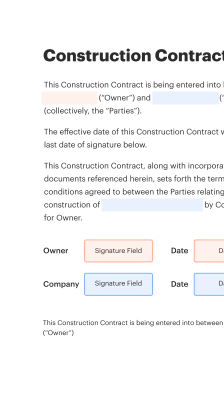
How a shipping invoice flows through a digital process

A typical digital shipping invoice moves from template to signing to accounting; each stage benefits from clear design and structured data fields.

  • Template creation: Design layout with required shipping fields.
  • Populate data: Auto-fill from orders or ERP systems.
  • Sign and certify: Use eSignature to authorize charges.
  • Archive and reconcile: Store with audit trail for accounting.
Collect signatures
24x
faster
Reduce costs by
$30
per document
Save up to
40h
per employee / month

Quick steps to design a shipping invoice template

Follow these steps to create a clear, machine-readable shipping invoice layout suitable for digital delivery and electronic signing.

  • 01
    Gather fields: List required shipping, tax, and tracking data.
  • 02
    Create blocks: Group customer, order, and shipment details visually.
  • 03
    Add calculations: Include automated line-item totals and taxes.
  • 04
    Test template: Validate with carriers and accounting imports.

Step-by-step: preparing shipping-ready invoices

Use this grid to prepare templates, populate data, and verify compliance before sending invoices for signature.

01

Define fields:

Identify required shipping and billing fields.
02

Template layout:

Arrange sections for clarity and parsing.
03

Integrate data:

Connect order and shipping systems.
04

Enable validations:

Add checks for required entries.
05

Send for signature:

Deliver via secure eSignature channel.
06

Archive record:

Store completed invoice with audit trail.
be ready to get more

Why choose airSlate SignNow

  • Free 7-day trial. Choose the plan you need and try it risk-free.
  • Honest pricing for full-featured plans. airSlate SignNow offers subscription plans with no overages or hidden fees at renewal.
  • Enterprise-grade security. airSlate SignNow helps you comply with global security standards.
illustrations signature

Recommended workflow settings for shipping invoices

Configure these settings to automate invoice generation, notifications, and signature requests for shipping transactions.

Setting Name Configuration
Reminder Frequency 48 hours
Auto-populate Shipping Fields Enabled by default
Template Locking Level Admin only
Signature Authentication Method Email link with optional MFA
Document Retention Period 7 years

Device and browser guidance for shipping invoices

Shipping-focused invoices display and sign reliably on common desktop browsers and modern mobile devices when templates use responsive layout and standard form fields.

  • Desktop browsers: Chrome, Edge, Safari supported
  • Mobile support: iOS and Android apps available
  • PDF compatibility: Flattened PDFs recommended

Test templates on target devices and browsers used by customers and carriers, ensure PDFs render shipping blocks correctly, and confirm signature flows function in mobile apps and browser sessions.

Security and authentication options for shipping invoices

Data encryption: AES 256-bit encryption
Access controls: Role-based permissions
User authentication: Email plus optional MFA
Document watermarking: Custom visible watermarks
Secure storage: Encrypted cloud retention
Audit logs: Tamper-evident history

Practical examples of shipping invoice design

Two brief case examples show how invoice layout changes reduce errors and speed payment in shipping workflows.

E-commerce retailer

A mid-size online seller standardized a shipping block with carrier, tracking number, and insurance cost displayed under each order line

  • standardized fields for weight and dimensions
  • fewer customer service inquiries about delivery charges

Resulting in faster dispute resolution and a 20% reduction in billing inquiries within three months.

Third-party logistics provider

A 3PL created modular invoice templates that separate product charges, freight, and third-party fees

  • integrated line-item references to purchase orders
  • simplified ERP imports and accounting reconciliation

Leading to shorter payment cycles and reduced manual matching work for finance teams across multiple clients.

Best practices for accurate shipping invoice design

Adopt consistent formatting and automation to ensure shipping invoices are clear, auditable, and compatible with downstream systems.

Use structured data fields rather than freeform text
Design templates with discrete fields for carrier, tracking number, declared value, Incoterms, and weight/dimensions so systems can parse and import data reliably, reducing manual reconciliation.
Keep shipping charges separated from product pricing
Present freight, fuel surcharges, and insurance as distinct line items to make tax treatment and customer communication straightforward and to support regulatory compliance in cross-border transactions.
Validate entries with automated checks
Implement validation rules for postal codes, weight ranges, and required fields to prevent incomplete or malformed invoices that delay customs clearance or payments.
Maintain consistent date and currency formats
Standardize date formats and currency codes across templates and integrations to avoid misinterpretation and ensure correct conversion in multi-currency settlements and accounting imports.

FAQs and troubleshooting for shipping invoices

Answers to common questions about formatting, missing data, integration errors, and compliance for shipping invoices.

Feature availability comparison: signNow and major providers

A concise comparison of common eSignature features important for shipping invoice workflows across three vendors.

Feature or Criteria signNow (Recommended) DocuSign Adobe Sign
Legal validity (US)
Mobile app availability
API access for integration REST API REST API REST API
Audit trail and tamper-evidence
be ready to get more

Get legally-binding signatures now!

Key dates to include and track on shipping invoices

Recording critical dates on invoices helps with dispute resolution and accounting cutoffs.

Invoice issuance date:

Date the invoice was created

Shipment departure date:

Date goods left origin

Estimated delivery date:

Carrier ETA

Payment due date:

When payment is expected

Retention or archival date:

Record retention schedule

Risks from poor shipping invoice design

Payment delays: Lost revenue
Customs holds: Detained goods
Disputes: Increased processing
Compliance fines: Regulatory penalties
Data breaches: Legal exposure
Reconciliation errors: Accounting adjustments

Pricing and plan comparison for invoice signing

Representative pricing and plan features relevant to recurring invoice signing and API usage for small businesses and teams.

Plan or Feature signNow (Recommended) DocuSign Adobe Sign Dropbox Sign PandaDoc
Starting user price (monthly) $8 per user/month billed annually $10–$25 per month depending on plan $9.99 per user/month for individual plans $15 per user/month for paid plans $19 per user/month Starter plan
API access included Available on business/API plans Available on Business Pro and above Available via enterprise/API plans Available on business plans Available on API-enabled plans
Bulk send capability Included on select plans Available on higher-tier plans Available on enterprise plans Available on paid plans Available on business plans
Storage and retention Encrypted cloud storage with retention controls Cloud storage with tier limits Adobe Document Cloud storage Dropbox storage integration Cloud storage with limits
Free trial availability Free trial available Free trial available Free trial available Free trial available Free trial available
walmart logo
exonMobil logo
apple logo
comcast logo
facebook logo
FedEx logo
be ready to get more

Get legally-binding signatures now!