Password Signatory Letter of Undertaking

Eliminate paper and optimize document processing for more efficiency and unlimited possibilities. Sign any papers from a comfort of your home, fast and feature-rich. Enjoy the best strategy for doing business with airSlate SignNow.

Award-winning eSignature solution

What a password signatory letter of undertaking is and why it matters

A password signatory letter of undertaking is a written commitment—often used in corporate, legal, and financial contexts—where a signatory agrees to protect, manage, or transfer access credentials under specified conditions. The document typically names the parties, describes the password handling responsibilities, and sets timing and liability terms. When executed electronically, it records signer intent and creates a timestamped record that supports enforceability. Using a compliant eSignature platform can preserve the document integrity, standardize workflow, and log audit details required for later verification in disputes or compliance reviews.

Why choose an electronic approach for password undertakings

Switching to an electronic password signatory letter of undertaking reduces processing time, centralizes records, and generates a consistent audit trail while maintaining legal admissibility under U.S. electronic signature laws.

Why choose an electronic approach for password undertakings

Common challenges when managing password undertakings

  • Unclear responsibility for credential custody increases operational risk and delay during access changes or incident response.
  • Paper-based letters are hard to track, leading to lost evidence or inconsistent retention during audits.
  • Weak signer authentication may create disputes over intent or enable unauthorized approvals.
  • Poor template control causes inconsistent clauses, making enforcement and compliance reviews more difficult.

Typical user profiles for password undertaking workflows

IT Security Officer

Responsible for custodial controls and access governance, the IT Security Officer uses the password signatory letter of undertaking to document transfers of privileged credentials, enforce technical requirements for password storage, and ensure audit records exist for compliance reviews and incident investigations.

Corporate Counsel

Legal counsel drafts and reviews undertakings to ensure contract language assigns liability correctly, aligns with internal policies, and meets regulatory standards; counsel relies on signed records and timestamps when advising on breaches or litigation.

Who typically executes password signatory letters of undertaking

Organizations and individuals across legal, IT, and HR functions commonly use password undertakings to govern credential transfer and custodial responsibilities.

  • IT administrators and system owners who require documented handover of privileged credentials.
  • Legal and compliance teams that need binding records of consent and responsibilities.
  • Human resources managing employee offboarding and credential reassignment processes.

These documents help clarify responsibilities and protect both organizations and individuals by establishing clear contractual obligations and a verifiable signing record.

Key tools that improve password undertaking management

Effective electronic handling relies on features that standardize documents, verify signers, and preserve evidentiary records for audits and dispute resolution.

Template Library

Centralized templates let legal and compliance teams publish approved password signatory letter of undertaking drafts, reducing drafting errors and ensuring consistent clauses and retention metadata across departments.


Authentication Options

Multiple authentication methods—such as email OTP, SMS verification, and SSO with MFA—allow organizations to match signer assurance levels to the sensitivity of the credential obligations.

Audit Logs

Comprehensive, timestamped audit trails capture signer IPs, timestamps, and action history to support legal admissibility and internal investigations of credential transfers.

Conditional Workflows

Automation rules route the undertaking to IT, legal, or HR based on role, ensure escalation of unsigned items, and enforce required pre-sign checks before finalization.

Document Encryption

At-rest and in-transit encryption protect the contents of the password undertaking, while role-based keys control who can access the stored record.

Retention Controls

Configurable retention policies allow organizations to keep signed undertakings for legally mandated periods and to automatically purge documents when retention expires.

be ready to get more

Choose a better solution

Integrations and templates that streamline the process

Connecting undertakings to common productivity and storage systems reduces manual work and improves record consistency across platforms.

Google Workspace

Integrating with Google Docs enables drafting and collaborative editing of the password signatory letter of undertaking, then allows direct send-for-sign from the document interface while preserving an audit record in the signing system.

CRM Integration

CRM connectors let organizations attach executed undertakings to customer or vendor records automatically, ensuring contract metadata and signed copies are accessible where teams already manage relationships.

Cloud Storage

Direct sync to Dropbox or similar services provides redundancy and makes signed undertakings available in established document libraries with controlled access permissions.

Template Builder

A template builder enables pre-populating fields and embedding conditional logic for password clauses, accelerating repeatable processes while preserving legal-approved language.
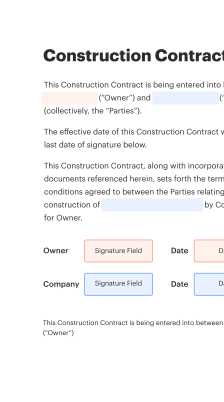
How the electronic signing flow typically works

The signing flow converts a draft undertaking into a binding, auditable record through sequential steps that verify identity and capture intent.

  • Upload Document: Add the draft letter into the signing platform.
  • Place Fields: Insert signature, date, and identity fields.
  • Verify Signer: Use email, SMS, or third-party authentication.
  • Complete Signing: Capture signatures and generate audit trail.
Collect signatures
24x
faster
Reduce costs by
$30
per document
Save up to
40h
per employee / month

Quick steps to create a password signatory letter of undertaking

Follow these concise steps to prepare, circulate, and store a compliant password signatory letter of undertaking using an electronic workflow.

  • 01
    Draft Terms: Define responsibilities, scope, and deadlines.
  • 02
    Apply Template: Use a controlled template to ensure consistency.
  • 03
    Authenticate Signers: Require ID verification and MFA where appropriate.
  • 04
    Store Record: Archive the signed document with audit logs.

Managing audit trails and records for undertakings

A clear audit process helps preserve evidentiary value and supports internal or regulatory reviews of password signatory letters of undertaking.

01

Capture Timestamps:

Record exact signing times
02

Record IP Addresses:

Log signer IPs
03

Store Auth Evidence:

Retain MFA and ID tokens
04

Version History:

Archive prior drafts
05

Exportable Logs:

Provide export for audits
06

Legal Hold:

Apply immutable holds if needed
be ready to get more

Why choose airSlate SignNow

  • Free 7-day trial. Choose the plan you need and try it risk-free.
  • Honest pricing for full-featured plans. airSlate SignNow offers subscription plans with no overages or hidden fees at renewal.
  • Enterprise-grade security. airSlate SignNow helps you comply with global security standards.
illustrations signature

Recommended workflow settings for password undertakings

Configure these workflow settings to enforce consistent routing, authentication, and retention for password signatory letter of undertaking transactions.

Setting Name Configuration
Reminder Frequency 48 hours
Signing Order Sequential
Authentication Method MFA or ID check
Template Enforcement Locked templates
Retention Policy 7 years

Platform and device considerations for signing

Ensure the chosen eSignature platform supports the devices and browsers your signers commonly use to avoid compatibility or accessibility issues.

  • Desktop browsers: Chrome, Edge, Safari supported
  • Mobile devices: iOS and Android apps available
  • Offline access: Limited; primarily online use

Confirm compatibility with enterprise single sign-on, mobile security policies, and any assistive technologies used by signers, and verify that mobile workflows preserve audit data and authentication strength.

Security and authentication features to look for

Multi-Factor Authentication: Adds a second identity check
AES-256 Encryption: Protects stored documents
TLS Transport Security: Secures data in transit
Role-Based Access: Limits administrative control
Document Watermarking: Deters unauthorized copying
Tamper-Evident Seals: Detects post-signing changes

Real-world examples of password undertaking usage

Two brief case examples illustrate practical uses and outcomes for password signatory letters of undertaking in enterprise and vendor contexts.

Enterprise Offboarding

An organization required departing employees to sign a password signatory letter of undertaking setting out credential handover steps and deletion requirements

  • The letter specified a deadline and authentication steps for returning shared keys
  • IT retained a timestamped record and restricted reactivation until verification

Resulting in a faster, auditable offboarding process that reduced orphaned privileged accounts.

Third-Party Vendor Access

A healthcare provider used a password signatory letter of undertaking to document vendor obligations for temporary access to systems

  • The agreement defined encryption storage, logging, and scope limits
  • Vendors provided documented acceptance with identity verification and limited time windows

Leading to clearer contractual responsibility and preserved audit evidence for HIPAA compliance reviews.

Best practices for secure and compliant undertakings

Adopt consistent controls and verification steps to ensure undertakings are accurate, enforceable, and aligned with organizational policy.

Use approved, version-controlled templates only
Maintain a single source of truth for password signatory letter of undertaking language, restrict template edits to authorized legal or compliance staff, and track template versions to ensure all signed documents reference the approved clause set and effective dates.
Match authentication to risk
High-risk credential transfers should require strong authentication such as MFA or ID verification. Ensure signers are validated to an assurance level consistent with the sensitivity of access being transferred or shared.
Retain full audit records
Keep complete audit trails including signer identity evidence, timestamps, IP addresses, and any authentication artifacts for the duration required by policy and regulation to support future compliance checks and legal defensibility.
Coordinate with IT change processes
Tie the signed undertaking to ticketing and access-change workflows so that credential updates only occur after a valid, executed document is recorded and relevant system changes are auditable and reversible if needed.

FAQs and troubleshooting for common issues

This FAQ addresses typical questions and troubleshooting steps for password signatory letter of undertaking workflows and electronic signing challenges.

Feature comparison: common eSignature capabilities for undertakings

A concise comparison of essential capabilities across leading eSignature providers to evaluate suitability for password signatory letters of undertaking.

Feature or Criteria for Comparison signNow (Recommended) DocuSign Adobe Sign
Password-Protected Documents
Multi-Factor Authentication
Template Version Control
Audit Trail Exports CSV and PDF CSV and PDF CSV and PDF
be ready to get more

Get legally-binding signatures now!

Retention and deadline examples for undertakings

Common deadline and retention timeframes for password signatory letters of undertaking aligned with operational and legal needs.

Immediate Access Changes:

Credentials must be reassigned within 24–72 hours after signing.

Short-Term Retention:

Temporary access undertakings retained for one year.

Standard Retention:

Contractual undertakings stored for seven years.

Legal Hold Periods:

Indefinite holds applied during active litigation.

Review Cycle:

Policies and template language reviewed annually.

Legal and operational risks tied to poor handling

Regulatory Fines: Monetary penalties
Breach Liability: Civil exposure
Contract Disputes: Enforcement issues
Operational Downtime: Access interruptions
Reputational Damage: Loss of trust
Evidence Gaps: Weak audit records

Pricing snapshot and plan characteristics

Representative plan and feature comparisons across commonly used eSignature providers for budgeting and procurement considerations.

Pricing and Plan Details signNow (Recommended) DocuSign Adobe Sign HelloSign PandaDoc
Starting Price From $8 per user per month when billed annually From $10 per user per month for entry-level plans From $9.99 per user per month for individual plans From $15 per user per month for business plans From $19 per user per month for business plans
Free Trial Available Yes, short trial period available Yes, limited free trial Yes, free trial available Yes, free trial available Yes, free trial available
API Access Included Available on mid and enterprise plans Available on developer and enterprise tiers Available on business and enterprise plans Available via API on business plans API available on higher tiers
Enterprise Features SAML SSO, advanced workflows, dedicated support Advanced admin controls, SSO, integrations Enterprise security, SSO, advanced workflows Team management and integrations Document automation and workflows
Billing Frequency Options Monthly or annual billing available Monthly and annual billing Monthly and annual billing Monthly and annual billing Monthly and annual billing

Simplify complex workflows

Create, execute, and manage workflows of any complexity, electronically from virtually anywhere. Scalable eSignature capabilities allow you to share documents with the right people in the correct order and define roles for each recipient. Execute document workflows faster and easier than ever before.

Automate document management

Optimize complex signing processes with airSlate SignNow’s powerful features to enhance your business. Control your automated eSignature workflows to ensure they're running at peak performance with instant notifications and reminders.

Optimize in team collaboration

Bring teams together in a secure, shared environment. Manage documents, use form templates and notifications to create more efficient cross-organization collaboration. Free your employees from having to spend time on repetitive activities so that they can focus on valuable, business-critical tasks.

Integrate into your existing systems

Run your projects with industry-leading integration. Collect Salesforce, Microsoft Teams, and SharePoint all in one business flow. Connect your software to a single system for endless possibilities and more productivity.

Stay compliant with market-leading data protection

Feel safe understanding that your data is protected by the most up-to-date in encryption security. airSlate SignNow is GDPR and eIDAS compliant and provides you transparence into your eSigning procedure with court-admissible audit trails. Set up user access permissions and rights to manage who has access to what.


walmart logo
exonMobil logo
apple logo
comcast logo
facebook logo
FedEx logo
be ready to get more

Get legally-binding signatures now!