Download PDFescape free editor to enhance your document management
See how it works!Click here to sign a sample doc
Award-winning eSignature solution





SignNow solutions for better efficiency
Keep contracts protected
Enhance your document security and keep contracts safe from unauthorized access with dual-factor authentication options. Ask your recipients to prove their identity before opening a contract to pdfescape free editor download.
Stay mobile while eSigning
Install the SignNow app on your iOS or Android device and close deals from anywhere, 24/7. Work with forms and contracts even offline and pdfescape free editor download later when your internet connection is restored.
Integrate eSignatures into your business apps
Incorporate SignNow into your business applications to quickly pdfescape free editor download without switching between windows and tabs. Benefit from SignNow integrations to save time and effort while eSigning forms in just a few clicks.
Generate fillable forms with smart fields
Update any document with fillable fields, make them required or optional, or add conditions for them to appear. Make sure signers complete your form correctly by assigning roles to fields.
Close deals and get paid promptly
Collect documents from clients and partners in minutes instead of weeks. Ask your signers to pdfescape free editor download and include a charge request field to your sample to automatically collect payments during the contract signing.
Collect signatures
24x
faster
Reduce costs by
$30
per document
Save up to
40h
per employee / month
Our user reviews speak for themselves

Kodi-Marie Evans
Director of NetSuite Operations at Xerox

Samantha Jo
Enterprise Client Partner at Yelp


Megan Bond
Digital marketing management at Electrolux







be ready to get more
Why choose SignNow
-
Free 7-day trial. Choose the plan you need and try it risk-free.
-
Honest pricing for full-featured plans. SignNow offers subscription plans with no overages or hidden fees at renewal.
-
Enterprise-grade security. SignNow helps you comply with global security standards.
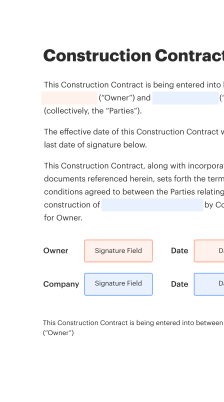
Your step-by-step guide — pdfescape free editor download
Download PDFescape free editor.
- Open the airSlate SignNow website in your web browser.
- Create an account for a free trial or log into your existing account.
- Choose the document you wish to sign or send for signing by uploading it.
- If you plan to use your document again, consider converting it into a reusable template.
- Access your uploaded document to make necessary edits, such as adding fillable fields or additional information.
- Add your signature and insert signature fields for your recipients who need to sign.
- Click on 'Continue' to finalize and send your eSignature request.
Using airSlate SignNow provides a significant return on investment, offering a robust feature set for your budget. It's designed to be user-friendly and scalable, making it ideal for small to mid-sized businesses.
With no hidden fees and exceptional 24/7 support available for all paid plans, airSlate SignNow stands out as a trustworthy choice. Start improving your document signing process today!
How it works
Create your account
Upload and prepare documents
Send for signatures and download PDFescape free editor
SignNow features that users love





be ready to get more
Get legally-binding signatures now!
FAQs
-
Is there a PDF editor that is actually free?
PDFescape is the FREE software and PDF converter you need to help you format pdf documents and create pdfs online. Share links to other PDF online pages or content, change PDF information tags, encrypt contents using passwords, add pictures, or even sign your PDF document using your scanned signature. -
Can I use the Adobe PDF editor for free?
Access free Acrobat online tools to convert, share, fill and sign documents. -
Can I download PDF XChange Editor for free?
Download the free version and test out the software - 70% of features are unrestricted. Create stunning documents that conform to international ISO specifications for PDF files. -
Can I get a PDF editor for free?
You can easily edit a PDF for free using Xodo's online PDF editor. With Xodo, you can add and edit text, insert images, annotate, crop pages, redact sensitive information, and fill out or sign PDF documents, all directly in your browser. -
How much does PDFescape cost?
Completely online for PDF editing, PDFescape is FREE to use. -
Can I edit a PDF file for free?
How To Edit a PDF File Online for Free Import or drag & drop your PDF file to our editor. Add text, images, shapes, markups, and e-signatures as desired. Organize document pages if needed. Click to “Export” your file as a PDF or other file type. Download your edited PDF when ready—that's it! -
How to edit a PDF gratis?
Choose a PDF to edit by clicking the Select a file button above, or drag and drop a file into the drop zone. Once Acrobat uploads the file, sign in to add your comments. Use the toolbar to add text, sticky notes, highlights, drawings, and more. Download your annotated file or get a link to share it.
What active users are saying — pdfescape free editor download


Related searches to Pdfescape Free Editor Download for Efficient Editing
Free PDF editor
Download pdfescape free editor with crack
Download pdfescape free editor for windows 10
PDF editor free download
Free PDF editor online
Sejda PDF editor
PDF editor download
Download pdfescape free editor for windows 7
Frequently asked questions
What is PDFescape and how can I Download PDFescape free editor?
PDFescape is a robust online PDF editor that allows users to create, edit, and annotate PDF documents without the need for software installation. To Download PDFescape free editor, simply visit the official website and follow the provided instructions. This free version offers essential editing tools to enhance your PDF experience.
What features are included when I Download PDFescape free editor?
When you Download PDFescape free editor, you'll gain access to a range of features including text editing, form filling, and the ability to add annotations to your PDFs. The free editor also allows you to securely share your documents online. These features make managing your PDFs simple and efficient.
Is the free version of PDFescape limited in any way?
Yes, the free version of PDFescape has some limitations, such as file size restrictions and fewer advanced features compared to the premium version. However, Download PDFescape free editor still provides essential tools suitable for basic editing needs. For more comprehensive capabilities, users may consider upgrading to the paid version.
How does PDFescape compare to other PDF editors?
PDFescape stands out due to its user-friendly interface and the ability to Download PDFescape free editor without installation. Compared to other PDF editors, it offers a solid set of basic features for free, making it an ideal choice for users who need to perform light edits without investing in software. For heavy users, premium versions of competitors may offer more functionality.
Can I integrate PDFescape with other applications?
PDFescape does not have extensive integrations compared to other software solutions; however, its web-based platform allows for easy document sharing through links. Users looking for compatibility should ensure their workflow accommodates the features available when they Download PDFescape free editor. For specialized needs, exploring other integrations may be beneficial.
What are the benefits of using the PDFescape free editor?
Using the PDFescape free editor allows users to save time and money while accessing essential PDF editing tools. The free editor makes it easy to Download PDFescape free editor and perform common tasks like filling forms or adding comments. It is a convenient solution for individuals and small businesses looking to enhance their document workflows without incurring costs.
How secure is my data when using PDFescape?
Data security remains a priority for PDFescape, especially when you Download PDFescape free editor for online use. The platform employs various security measures to protect user information, including encryption during data transmission. However, for sensitive documents, users are advised to review the security features and terms before uploading personal information.
Is customer support available for users of the free editor?
PDFescape offers limited customer support for users of the free editor compared to those using the premium options. However, you can access FAQs and online resources for assistance. If you need more personalized support, consider upgrading for improved customer service options, alongside more features when you Download PDFescape free editor.