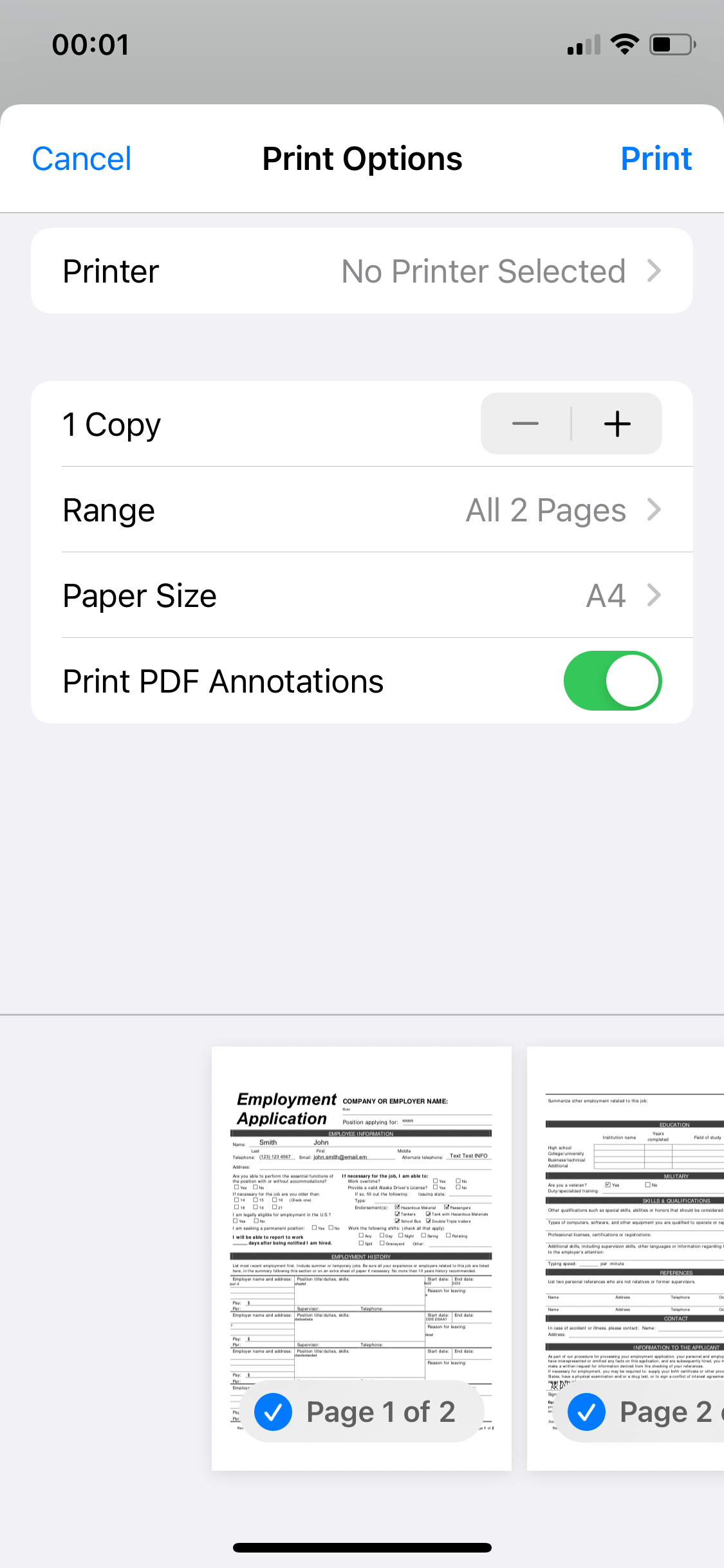
AirPrint
Native Apple AirPrint support enables direct discovery and printing to compatible network printers without additional drivers, simplifying mobile print jobs initiated from iPhone apps or the Files app.




Printing from an iPhone saves time, reduces steps between signing and distribution, and supports remote or field work where a desktop is not available.

An office administrator uses iPhone printing to finalize documents after collection and signature. They ensure print settings, apply templates where needed, and attach printed records to a central file system, maintaining administrative consistency between digital and paper archives.
A field agent prints signed receipts or inspection reports directly from their iPhone while on site. They rely on simple workflows, immediate PDF export, and portable printing to provide customers with a physical copy and to update records in integrated systems.
Professionals who work remotely or in the field often need fast access to physical copies without returning to an office.
Printing from mobile devices supports operational continuity and reduces delays in workflows that require an immediate paper record.
Native Apple AirPrint support enables direct discovery and printing to compatible network printers without additional drivers, simplifying mobile print jobs initiated from iPhone apps or the Files app.
Built-in PDF export preserves fonts, layout, and form fields so printed output matches the original document and signature placements remain correct for paper copies.
Dynamic watermarking options allow organizations to mark printed copies with confidentiality notices, timestamps, or user identifiers to deter misuse and track distribution.
An offline export function lets users save a printable PDF when network access is limited, enabling later printing or secure transfer once connectivity is restored.
Predefined signature and initial fields remain visible in exported PDFs so printed versions clearly indicate where signatures occurred and who signed the document.
Export and print actions can create logs that record who generated printed files and when, supporting audits and compliance reporting for printed records.
Integration enables exporting Google Docs to PDF on mobile, preserving layout and fields so users can print directly from an iPhone without reformatting documents or losing signature placeholders.
CRM integration allows pulling contact and deal data into prefilled documents that can be exported and printed from an iPhone, ensuring printed copies match the digital record used in sales workflows.
Dropbox access on iPhone enables users to open stored files, convert to printable PDFs, and send to a local printer while keeping the original document synced for audit and backup.
Template libraries let teams maintain standardized document layouts with signature and print-ready formatting so staff can produce consistent printed copies directly from their iPhones.

| Setting Name | Configuration |
|---|---|
| Reminder Frequency | 48 hours |
| Signature Verification Mode | Two-factor |
| Default Printer Selection | Network queue |
| Retention Policy | 7 years |
| Audit Logging Level | Full |
Confirm device OS, network access, and printer compatibility before relying on iPhone printing in production environments.
Ensure apps are updated, printers have current firmware, and established IT policies allow mobile printing so staff can print from iPhones without interoperability or security issues.
An agent prepares closing paperwork on site for last-minute signatures and prints final copies for clients
Resulting in completed closings without returning to the office and improved buyer satisfaction.
A clinic nurse collects consent on a phone, applies required signature fields, and prints a patient copy before a procedure
Leading to documented consent and a clear audit record for clinical compliance.
| Criteria | signNow (Recommended) | DocuSign |
|---|---|---|
| AirPrint support | ||
| In-app print function | ||
| Mobile PDF export | Built-in PDF | Requires export |
| Audit trail detail | Comprehensive | Comprehensive |
Retain digital copy for seven years where applicable.
Daily backups of signed PDFs recommended.
Review and purge eligible records annually.
Suspend deletion when under litigation or investigation.
Reassess retention rules every twelve months.
| Plan / Vendor | signNow (Recommended) | DocuSign | Adobe Acrobat Sign | HelloSign | PandaDoc |
|---|---|---|---|---|---|
| Starting monthly price | $8/user/month | $10/user/month | $12.99/user/month | $15/user/month | $9/user/month |
| Free trial availability | Yes, 7 days | Yes, limited | Yes, 7 days | Yes, 14 days | Yes, 14 days |
| API access included | Available on paid plans | Available on paid plans | Paid plans | Paid plans | Paid plans |
| Bulk send capability | Included | Add-on or higher tier | Included | Add-on | Included |
| HIPAA-ready options | Available | Available | Available | Limited | Available |
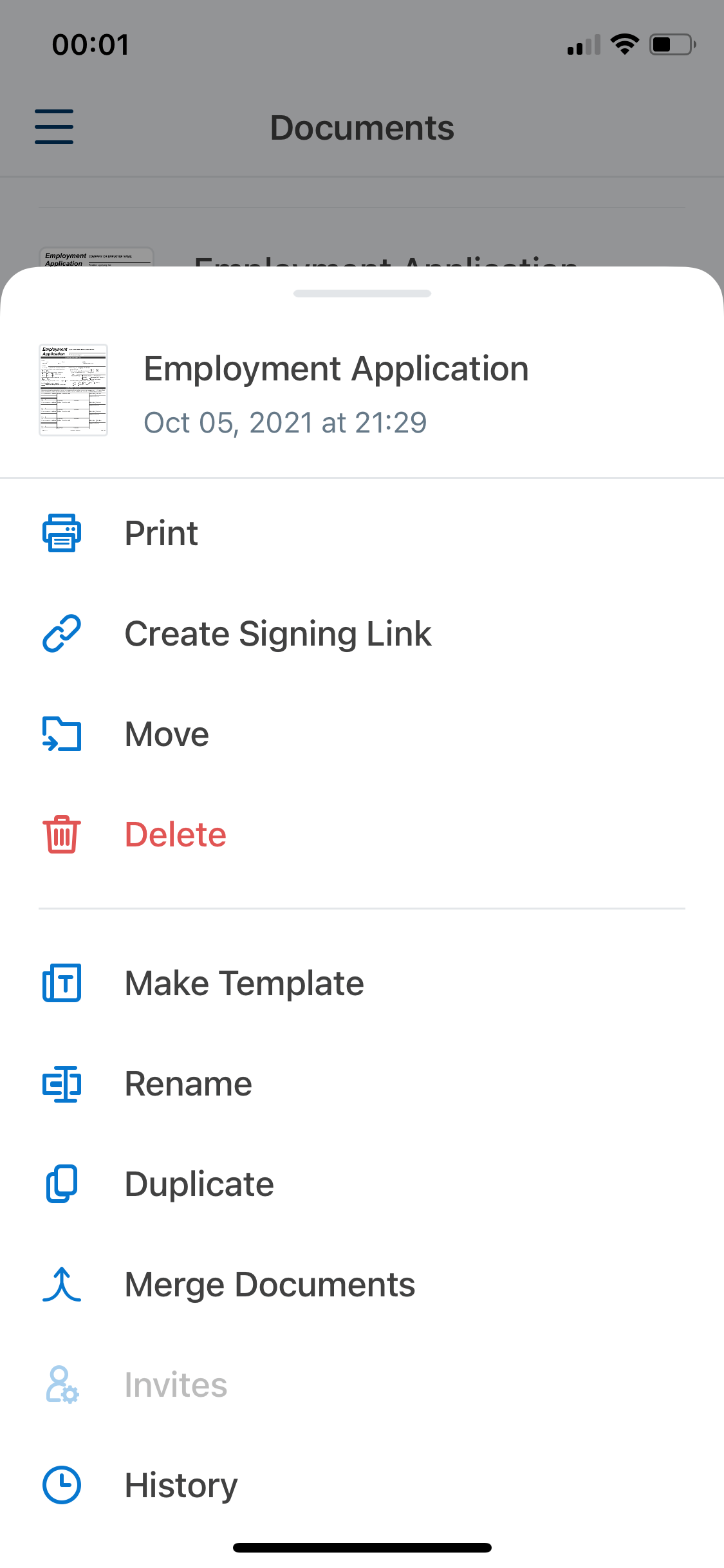
The AirPrint technology allows you to print documents from your iOS device quickly without having to install printer-specific drivers. The airSlate SignNow app for iOS allows you to use this technology and print your documents in seconds.
Simply tap ••• next to the document you need to print and select Print.
Configure the printing settings:
To start printing, tap Print in the upper right corner.