Folder Sharing
Create folders with granular access controls to share document collections with defined teams, enabling coordinated review, signing, and edits while keeping files organized under a single folder-level policy.




A Folder Admin creates and configures shared folders, assigns roles, and manages templates. They own access policies, review audit logs for compliance, and handle escalations when permissions or document lifecycle issues arise, ensuring consistent governance across teams.
A Team Member accesses assigned folders to review, edit, or sign documents depending on permissions. They follow folder procedures, use templates for consistent submissions, and report issues to the Folder Admin when permissions or document errors occur.
Create folders with granular access controls to share document collections with defined teams, enabling coordinated review, signing, and edits while keeping files organized under a single folder-level policy.
Role-based permissions allow owners to assign viewer, editor, or signer access at folder or subfolder level, ensuring each team member can perform only the actions required for their role.
Folder templates let administrators store preconfigured forms and signature fields, reducing preparation time for recurring documents and ensuring consistent element placement across all folder items.
Send identical documents or requests to multiple recipients from a shared folder, maintaining individual recipient tracking and reducing repetitive sending tasks across large teams.
Comprehensive folder-level logs capture uploads, downloads, views, and signatures with timestamps to support internal reviews and regulatory recordkeeping for shared folder activities.
Connect shared folders to cloud storage and CRM systems so documents update automatically, maintain version control, and surface folder records within business applications used by the team.
Two-way sync with Google Drive and Docs keeps folder contents updated, supports converting Docs to PDFs for signatures, and respects folder permission mappings when documents move between systems.
Connect folders to CRM records to automatically attach signed agreements to customer records, trigger workflow states, and provide visibility of folder activity directly within sales and support tools.
Link shared folders to Dropbox to mirror files, maintain version history, and allow team members to edit source documents before signature without breaking folder-level audit trails.
Folder APIs enable programmatic folder creation, member assignment, and document lifecycle events to integrate shared folder workflows with internal systems and automation scripts.

| Feature | Configuration |
|---|---|
| Default Folder Sharing Mode Setting | Team-only by default, changeable per folder |
| Automated Reminder Frequency Interval Setting | Every 48 hours until completed, max three reminders |
| Signer Routing Order Configuration per folder | Sequential or parallel routing per folder workflow |
| Retention and Auto-Delete Policy Setting | Retention 7 years default for signed records |
| Template Assignment and Folder Mapping | Automatic template apply based on folder label |
Share document folders with your team across desktop, tablet, and mobile to enable signing and collaboration from commonly used devices.
Ensure users run supported browsers or install the official mobile app to maintain consistent behavior. Validate corporate network and device security policies, confirm single sign-on compatibility, and test integrations with cloud storage or CRM systems before widespread rollout.
A hospital HR team centralizes patient intake forms, employment contracts, and training acknowledgments in a shared folder to streamline onboarding across departments.
Resulting in improved compliance and reduced processing time while maintaining audit-ready records that meet HIPAA considerations and limit PHI exposure to authorized staff only, enabling faster credentialing and payroll setup across units.
A broker office collects purchase agreements, disclosures, and title documents in a single shared folder for each transaction to coordinate agents, lenders, and escrow.
Resulting in fewer errors, faster closing timelines, and a consolidated audit trail that supports post-closing reconciliation and eases transfer of records to title partners.
| US eSignature Vendor Feature Matrix | signNow (Recommended) | DocuSign | Adobe Acrobat Sign |
|---|---|---|---|
| Granularity of Shared Folder Permissions | Role-based | Limited roles | Role-based |
| Batch Folder Distribution and Assignment Support | |||
| Team Templates and Folder-level Templates Availability | Folder templates | Team templates | Folder templates |
| API Access to Folder Operations and Controls | Comprehensive | Partial | Partial |
Retain seven years after employment termination
Retain seven years after contract completion
Retain seven years for tax and audit purposes
Retain as required under FERPA and institutional policy
Retain permanently or per legal counsel guidance
| Vendor Plan Overview | signNow (Recommended) | DocuSign | Adobe Acrobat Sign | Dropbox Sign | PandaDoc |
|---|---|---|---|---|---|
| Entry-level plan description | Business plan for teams, core eSignature and folder sharing | Personal and Standard plans with core envelope limits | Individual and Small Business plans with basic signing | Essentials plan for simple workflows | Essentials plan with templates and basic automation |
| Folder-level features in base plan | Included: folder sharing, templates, and basic permissions | Some folder features; advanced controls in higher tiers | Folder features limited in Individual plan | Folder sharing supported in Standard plans | Folder management available on Business plans |
| Advanced security and compliance options | SOC 2 and HIPAA available via add-ons and contracts | Enterprise-grade compliance options and BAA available | Enterprise compliance and FedRAMP options in some contracts | SOC 2 compliance and SSO available | GDPR and SOC 2 options on higher tiers |
| API and developer access | Full Folder API with SDKs and webhook support | Extensive APIs with broad capabilities and SDKs | APIs available with developer account and integrations | API supports basic folder operations and webhooks | REST API for documents and templates |
| Enterprise pricing and support options | Custom pricing, SSO, dedicated support options available | Custom enterprise pricing, advanced SLA and support | Enterprise pricing with dedicated support and integration services | Enterprise plans with SSO and custom contracts | Enterprise tiers with priority support and onboarding |
Apart from eSigning, airSlate SignNow offers a range of intuitive tools for organizing teamwork inside your organization and with external partners. One of these is the ability to share folders of documents and templates across different teams.
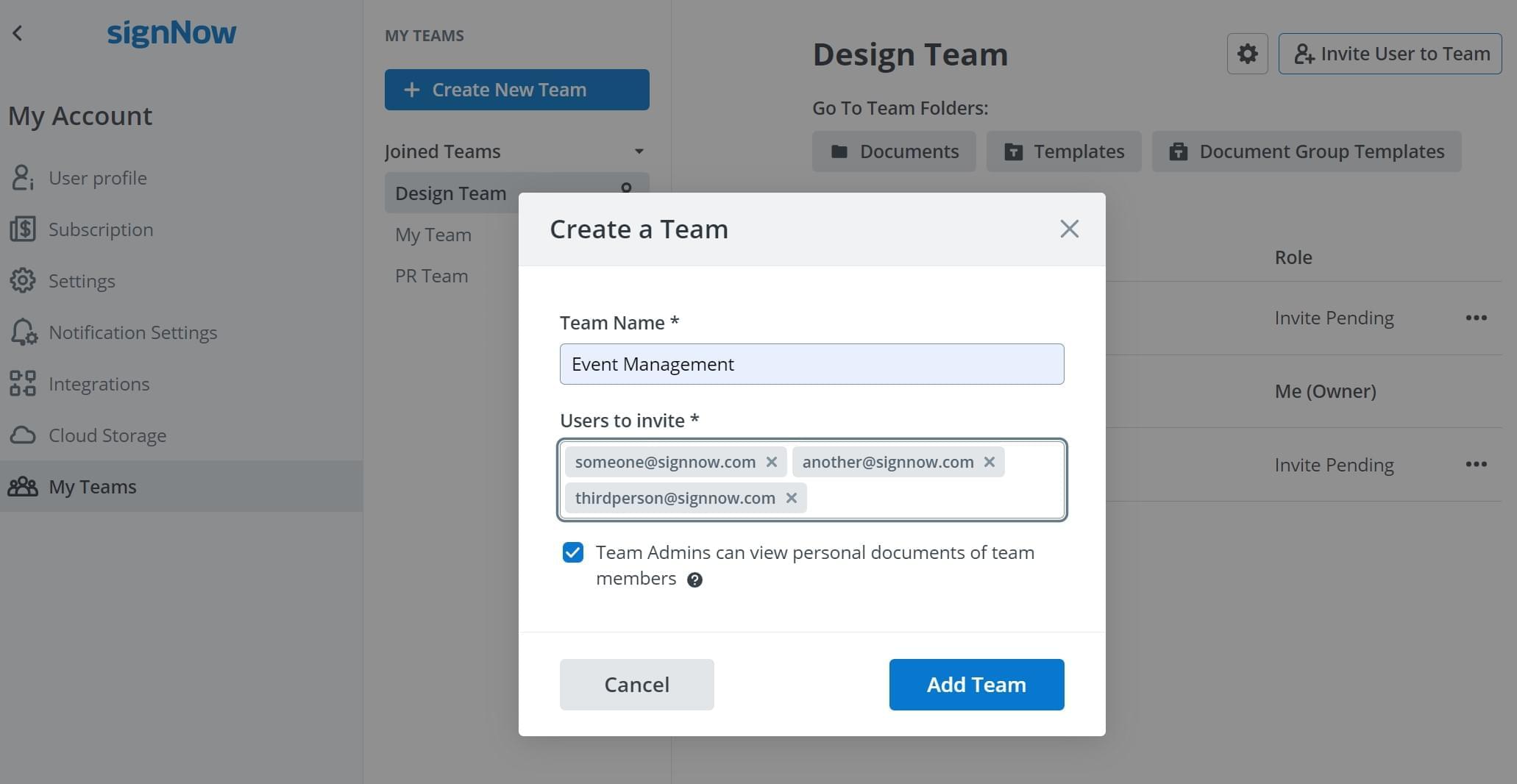
To start sharing folders with your colleagues, divide them into teams first. Having several teams in your airSlate SignNow account will help you establish the proper levels for accessibility across teams. Click Create New Team, name it, then type in the emails of your colleagues to invite them to join this team.
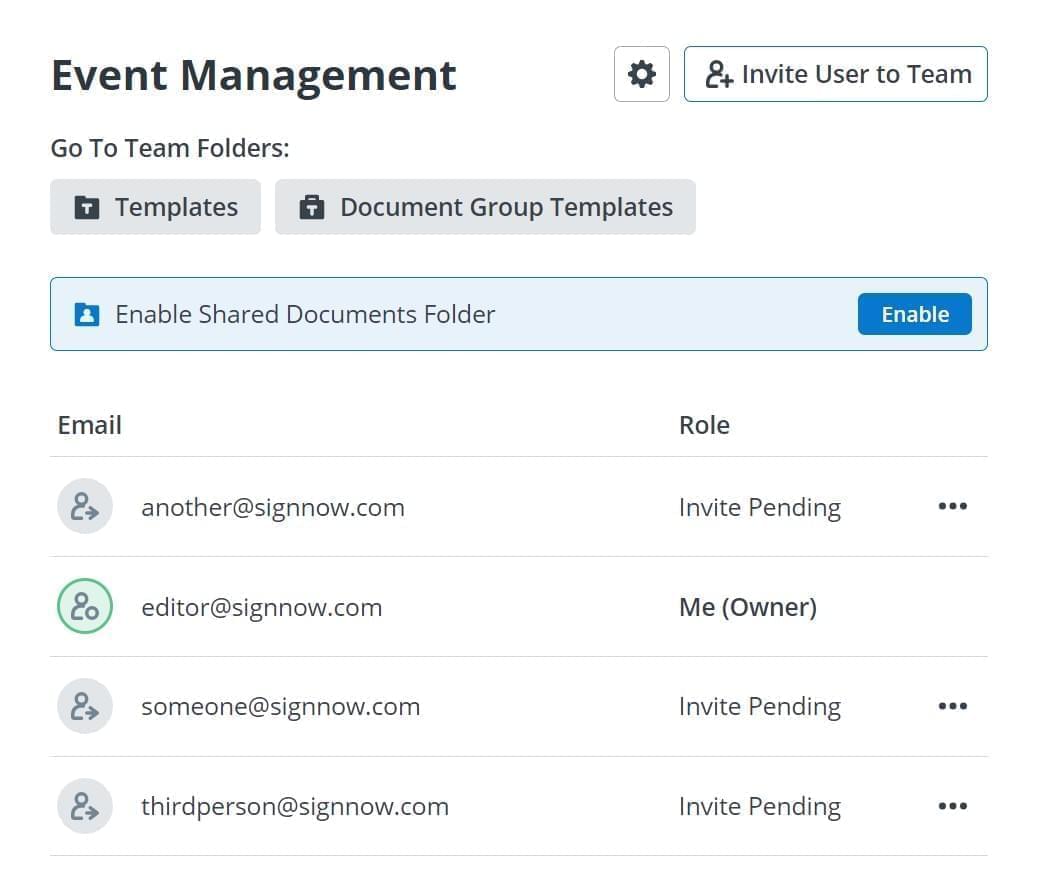
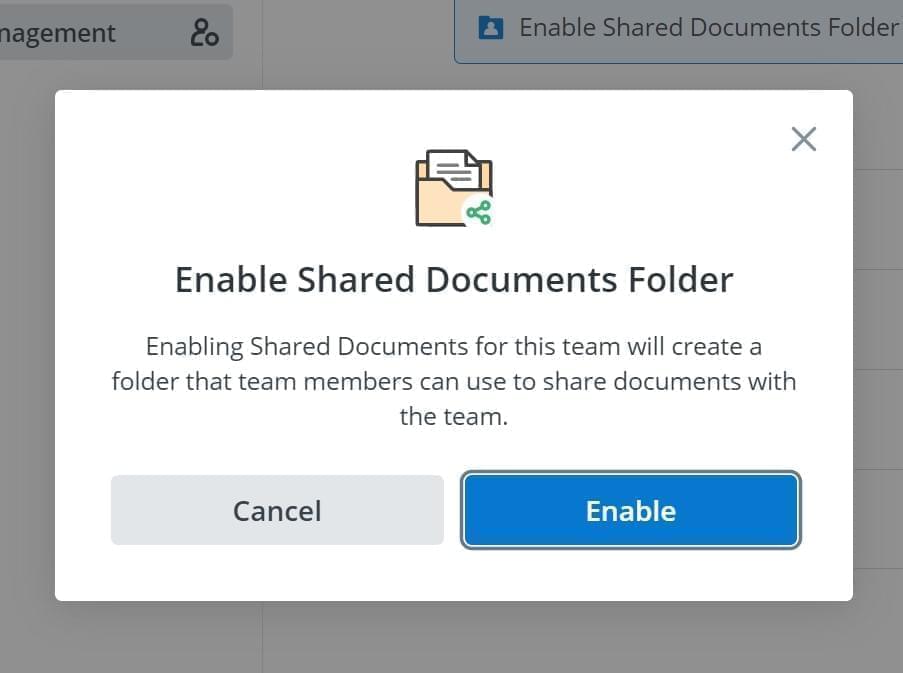
The team panel will show you the status of each member. You can also add other colleagues to your team or cancel invitations for existing members. To start exchanging documents and drafts inside your team, click Enable in the blue panel above the list of team members.
Exchanging documents and templates via airSlate SignNow shared folders is much more secure than sending documents via email. It also minimizes the possibility of error that is associated with paper-based document exchanges.
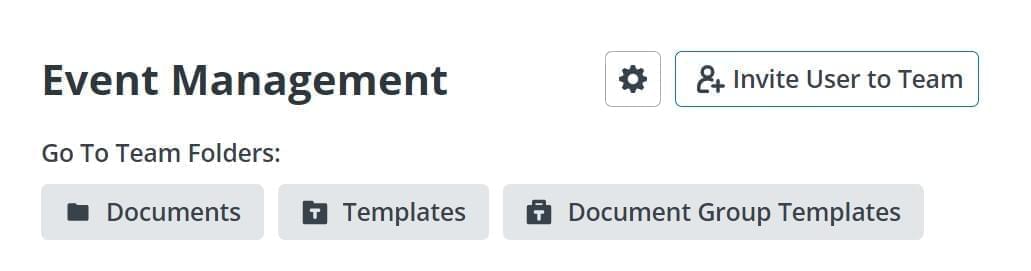
Note that there are three types of shared folders for teams in airSlate SignNow. The Documents folder is usually used for one-time, original documents. The Templates folder stores reusable drafts of the most frequently used types of documents. Document Group Templates allow for the sending of several documents in one batch. They are also reusable and feature re-editing functionality.