Scanner La Signature
- Démarrage rapide
- Facile à utiliser
- Support 24/7




Les entreprises qui pensent à l'avance dans le monde entier font confiance à airSlate pour le moment






Accélérez vos flux de travail documentaires avec la signature électronique par airSlate SignNow
Profitez de signatures électroniques valides
Configurez des ordres de signature
Utilisez des signatures électroniques en dehors d'airSlate SignNow
Améliorez votre travail d'équipe
Scanner la signature professionnellement
Gagnez du temps avec des liens partageables
Guide rapide sur comment scan signature
Chaque organisation a besoin de signatures, et chaque organisation souhaite optimiser le processus de collecte. Obtenez une gestion professionnelle des documents avec airSlate SignNow. Vous pouvez scan signature, créer des modèles remplissables, configurer des invitations à la signature électronique, envoyer des liens de signature, travailler en équipe, et plus encore. Découvrez des moyens d'améliorer la collecte de signatures numériquement.
Suivez les étapes suivantes énumérées ci-dessous pour scan signature en quelques minutes :
- Ouvrez votre navigateur web et accédez à signnow.com.
- Abonnez-vous pour un essai gratuit ou connectez-vous avec votre adresse électronique ou vos identifiants Google/Facebook.
- Sélectionnez Avatar Utilisateur -> Mon Compte dans le coin supérieur droit de la page web.
- Modifiez votre Profil Utilisateur en ajoutant des informations personnelles et en modifiant les configurations.
- Créez et gérez votre (vos) Signature(s) par Défaut.
- Retournez à la page du tableau de bord.
- Survolez le bouton Télécharger et Créer et sélectionnez l'option appropriée.
- Cliquez sur la touche Préparer et Envoyer à côté du titre du document.
- Entrez l'adresse e-mail et le nom de tous les signataires dans l'écran contextuel qui s'ouvre.
- Utilisez le menu Commencer à ajouter des champs pour commencer à modifier le fichier et à le signer vous-même.
- Cliquez sur ENREGISTRER ET INVITER lorsque vous avez terminé.
- Continuez à configurer votre flux de travail de signature électronique en utilisant des fonctionnalités supplémentaires.
Il ne peut pas être plus facile de scan signature que cela. De plus, vous pouvez installer l'application gratuite airSlate SignNow sur votre appareil mobile et accéder à votre compte où que vous soyez sans être lié à votre ordinateur ou à votre bureau. Passez au numérique et commencez à signer des formulaires en ligne.
Comment ça marche
Évaluez votre expérience
What is the signature scanner
A signature scanner is a digital tool that allows users to capture and convert handwritten signatures into electronic formats. This technology is vital for businesses and individuals who require a quick and efficient way to obtain signatures on documents without the need for physical paperwork. By using a signature scanner, users can create a scanned signature that can be easily integrated into various documents, facilitating a seamless eSignature process.
How to use the signature scanner
Using a signature scanner is straightforward. First, users need to have a clear image of their handwritten signature. This can be done by scanning the signature using a traditional scanner or capturing it with a smartphone camera. Once the signature is digitized, it can be uploaded to airSlate SignNow, where it can be used to sign documents electronically. Users can easily drag and drop the scanned signature onto the document, ensuring it appears exactly where needed.
Steps to complete the signature scanner
To complete the signature scanning process, follow these steps:
- Write your signature on a blank piece of paper.
- Scan the signature using a scanner or take a clear photo with your smartphone.
- Upload the scanned image to airSlate SignNow.
- Adjust the size and placement of the signature as necessary.
- Save the signature for future use in electronic documents.
Legal use of the signature scanner
Electronic signatures created using a signature scanner are legally recognized in the United States under the Electronic Signatures in Global and National Commerce (ESIGN) Act and the Uniform Electronic Transactions Act (UETA). This means that scanned signatures can be used for most business and legal documents, provided that both parties consent to use electronic signatures. It is crucial to ensure that the scanned signature is securely stored and that the signing process complies with relevant regulations to maintain its legal validity.
Security & Compliance Guidelines
When using a signature scanner, it is essential to follow security and compliance guidelines to protect sensitive information. Users should ensure that their scanned signatures are stored securely and that access is limited to authorized personnel only. Additionally, using airSlate SignNow's encryption and authentication features can help safeguard documents during the signing process. Regularly reviewing compliance with legal standards will ensure that electronic signatures remain valid and secure.
Examples of using the signature scanner
There are numerous scenarios where a signature scanner can be beneficial:
- Signing contracts and agreements in real estate transactions.
- Completing tax forms and financial documents.
- Authorizing employee documents in HR processes.
- Finalizing legal documents and agreements.
Each of these examples demonstrates the versatility of a signature scanner in facilitating efficient and legally binding electronic signatures.
Documents You Can Sign
With a signature scanner, users can sign a variety of documents electronically, including:
- Contracts and agreements
- Forms and applications
- Invoices and billing statements
- Legal documents and disclosures
This flexibility makes it an essential tool for businesses and individuals looking to streamline their document signing processes.
Solution eSignature primée





Obtenez dès maintenant des signatures juridiquement contraignantes !
-
Meilleur ROI. Nos clients obtiennent un ROI 7 fois en moyenne au cours des six premiers mois.
-
Échelle avec vos cas d'utilisation. De SMB à moyen marché, airSlate SignNow fournit des résultats pour les entreprises de toutes tailles.
-
Interface utilisateur intuitive et API. Signez et envoyez des documents depuis vos applications en quelques minutes.
Signature en ligne de la FAQ
-
What is the process to scan my signature using airSlate SignNow?
To scan your signature with airSlate SignNow, simply use your smartphone or scanner to capture an image of your handwritten signature. Once scanned, upload the image to your account, and you can easily insert it into documents as needed. This simplifies the signing process and ensures your signature looks authentic. -
Are there any costs associated with scanning a signature on airSlate SignNow?
Scanning a signature using airSlate SignNow is included in our subscription plans, which are designed to be cost-effective for businesses of all sizes. You can choose from various pricing tiers based on your needs. Each plan allows multiple users to scan signatures, making it a great value for teams. -
Can I scan my signature on mobile devices with airSlate SignNow?
Yes, you can easily scan your signature on mobile devices with airSlate SignNow. The mobile app allows you to capture your signature using your device’s camera, making it convenient to sign documents on the go. This feature enhances flexibility and ensures you can sign whenever and wherever you need. -
What are the benefits of using airSlate SignNow to scan my signature?
Using airSlate SignNow to scan your signature offers several benefits, including speed and convenience. You can quickly sign documents digitally, eliminating the need for printing and scanning. Additionally, your scanned signature remains secure and can be reused for future documents, saving you time. -
Is it safe to store my scanned signature with airSlate SignNow?
Absolutely! airSlate SignNow prioritizes security and compliance, ensuring that your scanned signature is stored safely. We utilize advanced encryption methods to protect your data and maintain confidentiality, so you can trust that your signature is secure. -
What file formats can I use to scan my signature for airSlate SignNow?
You can scan your signature and upload it in various file formats to airSlate SignNow, including JPEG, PNG, and GIF. This flexibility allows you to choose the best format that suits your scanning method, ensuring that your signature maintains its quality and clarity. -
Does airSlate SignNow integrate with other applications for scanned signatures?
Yes, airSlate SignNow offers seamless integrations with various applications, enhancing the functionality of your scanned signatures. You can integrate with tools like Google Drive, Dropbox, and CRM systems, allowing you to streamline your document workflows and enhance productivity.





Votre guide complet
Comment compléter et signer un document en ligne
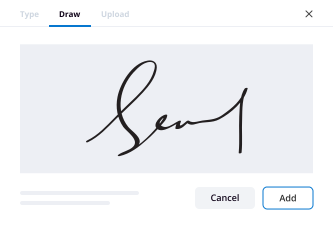
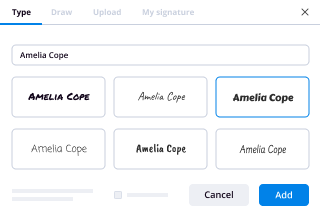
Alors, vous devez signer un document en ligne ? Gérez votre processus avec airSlate SignNow, une solution parfaite pour le temps perdu, la sécurité risquée et les processus inefficaces. Générez vos signatures en ligne de trois manières possibles : dessiner, taper ou télécharger une image d'une signature manuscrite. scannez la signature facilement.
Suivez les étapes pour scanner une signature en ligne :
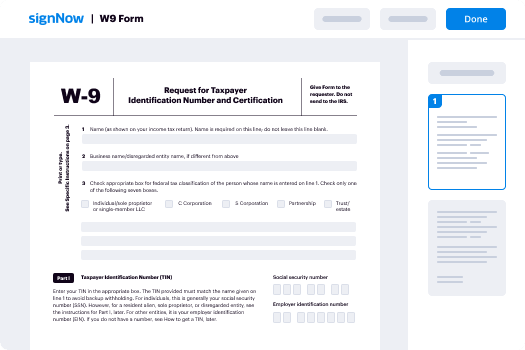
- Téléchargez un document.
- Une fois téléchargé, il s'ouvrira dans l'éditeur en ligne.
- Sélectionnez Ma signature.
- Choisissez l'une des trois options pour générer une signature : dessiner, taper ou télécharger une image d'une signature manuscrite.
- Une fois que vous avez créé une signature, cliquez sur Ok.
- Terminez le processus en cliquant sur Terminé.
airSlate SignNow prend en charge presque tous les formats : PDF, Word, etc. En plus de signer un document, vous pouvez le remplir en ajoutant une variété de champs : texte, date, liste déroulante. Envoyez un document pour signature par e-mail, SMS ou avec un lien public. Configurez des Bots qui rappelleront à un signataire de vérifier le fichier et notifieront un expéditeur une fois qu'il est signé. scannez la signature avec succès immédiatement.
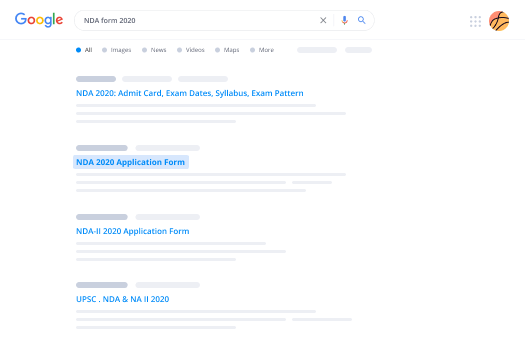
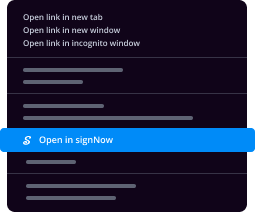
Comment générer une eSignature en utilisant Google Chrome
Google Chrome présente de nombreux avantages que les utilisateurs ne peuvent ignorer, ce qui en fait le meilleur navigateur aux États-Unis. Par exemple, c'est le navigateur numéro un pour sa vitesse et sa bibliothèque d'extensions. Avec Chrome, vous pouvez synchroniser vos favoris, votre historique et vos paramètres sur tous vos appareils. Pour signer un document dans Google Chrome, recherchez l'extension airSlate SignNow dans le Web Store et téléchargez-la. scannez la signature sans acheter de logiciel.
Concluez des affaires dans Google Chrome :
- Une fois que vous avez téléchargé l'extension airSlate SignNow, cliquez sur l'icône dans le menu supérieur.
- Téléchargez un document que vous souhaitez signer.
- Il s'ouvrira dans l'éditeur en ligne.
- Sélectionnez Ma signature.
- Générez une signature et cliquez sur Terminé.
- Après avoir scanné la signature, enregistrez le document exécuté sur votre appareil.
L'extension aide à rationaliser le processus de signature sans avoir besoin de logiciel supplémentaire. Elle est compatible avec les principaux systèmes (Mac et Windows) et offre aux utilisateurs une expérience de signature électronique rapide, sécurisée et efficace sans quitter votre fenêtre Google. scannez la signature de manière avantageuse.
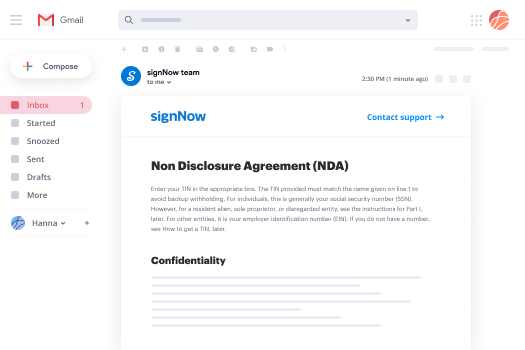
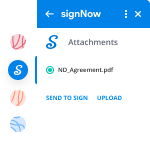

Comment signer électroniquement dans Gmail
Si vous êtes quelqu'un qui aime déjà l'expérience que propose airSlate SignNow, vous allez être ravi. Levez la main si vous trouvez qu'il est long et peu pratique de passer de votre Gmail à votre compte airSlate SignNow pour signer des documents. Devinez quoi. Maintenant, obtenez une nouvelle façon percutante de signer électroniquement directement depuis votre boîte de réception. scannez la signature pour la première fois directement depuis le message que vous avez reçu avec les pièces jointes à signer.
Scanner la signature dans Gmail :
- Depuis votre compte Gmail, cliquez sur Paramètres -> Obtenir des modules complémentaires.
- Une fois que vous avez trouvé le module complémentaire, installez-le. Il apparaîtra dans la barre latérale droite.
- Ouvrez un e-mail avec une pièce jointe que vous devez partager pour signature et cliquez sur airSlate SignNow.
- Cliquez sur Envoyer pour signer, entrez l'adresse e-mail du destinataire.
- Cliquez sur Télécharger pour ajouter le document à votre compte airSlate SignNow.
airSlate SignNow est l'une des principales solutions de signature électronique sur le marché. Elle se développe et améliore toujours sa fonctionnalité pour répondre à vos exigences les plus sophistiquées. L'intégration avec Gmail permet aux consommateurs de gérer rapidement, efficacement et en toute sécurité les signatures électroniques. Gagnez du temps et scannez la signature en quelques minutes.
Comment créer une signature sur un téléphone mobile
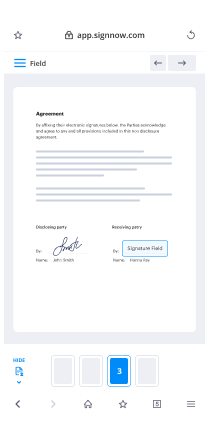
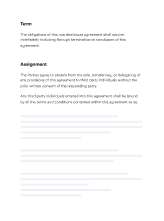
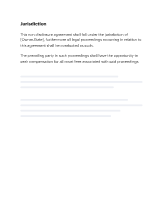
À l'ère de la révolution numérique et de la messagerie instantanée, les utilisateurs peuvent gérer et signer des documents en déplacement via des applications de signature électronique pour smartphones et tablettes. airSlate SignNow propose deux applications puissantes, une pour iOS et une autre pour Android, pour générer des signatures et scanner des formulaires de signature.
Élever les signatures mobiles à un niveau supérieur :
- Selon l'appareil que vous avez, trouvez l'application airSlate SignNow sur le Google Play Market ou l'AppStore.
- Connectez-vous si vous avez déjà un compte.
- Inscrivez-vous si vous n'avez pas encore de compte.
- Téléchargez un document que vous souhaitez scanner.
- Suivez les instructions pour ajouter une signature.
- Après avoir placé votre signature, enregistrez vos modifications et cliquez sur Terminé.
L'application airSlate SignNow vous permet de signer des documents hors ligne. Une fois que vous retrouvez l'accès à Internet, les fichiers que vous avez exécutés seront automatiquement envoyés aux destinataires prévus. airSlate SignNow est une application mobile pratique qui peut aider les clients à scanner des signatures et à maintenir les flux de travail de documents de manière efficace.
Comment créer une signature avec un iPhone
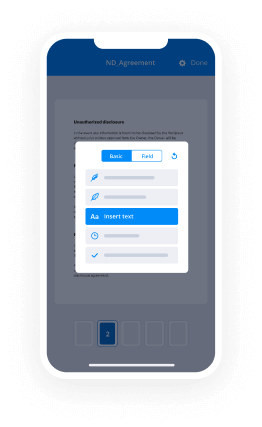
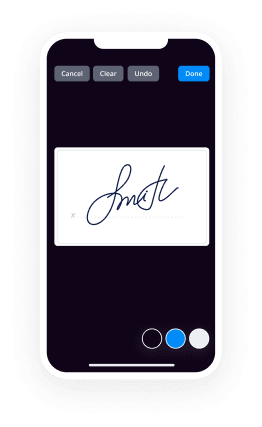
Si vous lisez ceci, vous devez probablement signer des documents. Mais vous devez le faire sur votre téléphone, n'est-ce pas ? Normalement, c'est une situation difficile. Cependant, l'application airSlate SignNow pour Apple rend la signature mobile très facile. Obtenez une solution puissante axée sur le mobile pour valider vos documents avec des signatures électroniques légalement contraignantes, négocier des contrats et automatiser votre flux de travail. Avec airSlate SignNow, vous pouvez scanner la signature depuis votre iPhone en déplacement.
Scanner la signature sur un iPhone et impressionner vos collègues :
- Installez l'application airSlate SignNow et enregistrez votre compte.
- Téléchargez un document.
- Modifiez le fichier si nécessaire.
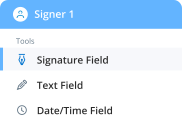
- Ajoutez des champs de signature et signez vous-même avant de l'envoyer à des partenaires ou des clients.
- Appuyez sur Terminé et générez des liens de signature.
L'application est bien adaptée pour le travail au sein d'une organisation ou pour la collaboration B2B et B2C. Elle peut être utilisée pour envoyer des contrats à signer même si les utilisateurs n'ont pas de comptes airSlate SignNow. Les Bots de notification tiennent les consommateurs informés des changements de statut des documents. L'application airSlate SignNow est une solution parfaite pour scanner des signatures rapidement, en toute sécurité et sans effort.
Comment valider des e-documents sur un téléphone mobile Android
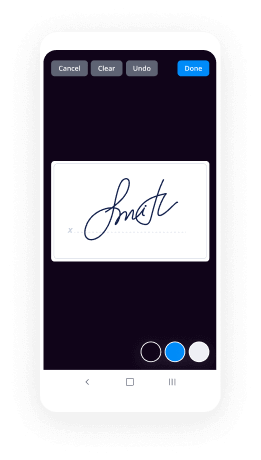
Non seulement vous pouvez signer électroniquement un contrat, mais vous pouvez également envoyer un lien vers le document à vos coéquipiers et fournisseurs grâce à airSlate SignNow pour Android. Utilisez la solution complète pour générer une eSignature et la réutiliser à l'avenir pour la vérification des documents. scannez la signature rapidement et commodément.
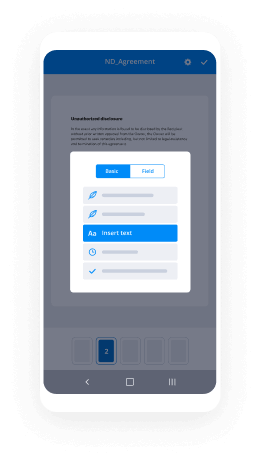
Voici les instructions pour scanner une signature sur Android :
- Téléchargez l'application et créez un compte.
- Importez le document qui doit être signé.
- Modifiez-le et ajoutez des champs, y compris un champ de signature.
- Définissez un ordre de signature.
- Signez-le vous-même après avoir créé une eSignature unique.
- Générez un lien et envoyez le document aux autres parties impliquées.
- Suivez le processus avec des notifications automatiques.
airSlate SignNow est une application holistique qui peut travailler avec des documents stockés dans votre compte, dans le cloud et sur votre appareil. En plus de ses fonctions de signature électronique, elle peut aider à gérer les flux de travail de l'entreprise de partout et à tout moment. L'interface conviviale de la plateforme rend le scan de signature rapide et facile.
Solution eSignature de confiance


Rejoignez plus de 28 millions d'utilisateurs airSlate
Obtenir plus
- Améliorez votre expérience Google : ajouter une ...
- Explorez la signature en ligne : ajouter une signature ...
- Améliorez votre expérience Google : ajouter une ...
- Profitez de flux de travail eSignature flexibles : ...
- Trouvez tout ce que vous devez savoir : ajouter une ...
- Explorez les fonctionnalités populaires des ...
- Explorez votre signature numérique – Questions ...
- Commencez avec eSignature : application pour signature