Establishing secure connection…Loading editor…Preparing document…

Alabama Notice of Lien for Furnishing of Materials

This template is fully customizable. Edit the text, fill out the fields, and send it for signature. Give it a try!
Alabama Notice of Lien for Furnishing of Materials

What the Alabama Notice of Lien for Furnishing of Materials Is

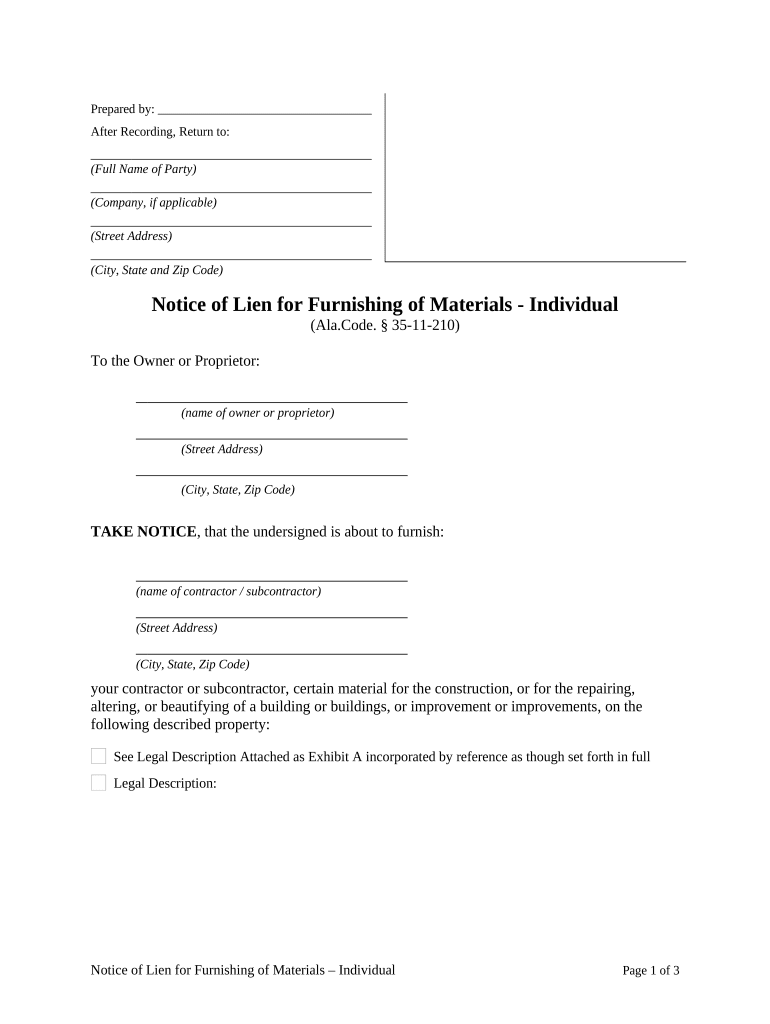
The Alabama Notice of Lien for Furnishing of Materials is a statutory document used by suppliers, subcontractors, and contractors to assert a claim against real property when payment for labor, materials, or services on a construction project is overdue. The notice identifies the claimant, the property, the contract or purchase order, and the amount owed, and it initiates the procedural steps necessary to perfect and record a mechanics' lien under Alabama law so the claimant preserves lien priority and enforces collection rights.

Why Filing This Notice Matters

Filing a proper Alabama Notice of Lien protects payment rights by preserving the claimant’s ability to record a mechanics' lien, establish priority against the property, and pursue foreclosure if necessary. It also creates a public record that can prompt resolution or payment negotiations.

Why Filing This Notice Matters

Who Typically Prepares and Uses This Notice

The notice is most commonly used by parties who supply labor or materials to improvement of real property and who risk nonpayment.

  • General contractors and subcontractors who performed on-site work and need to preserve lien rights within project timelines.
  • Material suppliers who delivered goods used in construction and require a recorded claim to secure payment.
  • Specialty trades and labor providers whose invoices remain unpaid and who want formal notice recorded against the property.

Use the notice as an early preservation tool; follow Alabama procedural steps exactly to avoid forfeiting filing or enforcement rights.

Core Elements to Include in a Professional Notice

A complete Alabama Notice of Lien must be clear, factual, and internally consistent so county recorders, owners, and courts can identify the claim and its basis without ambiguity.

Claimant Information

Full legal name, business entity type, mailing address, and a contact phone or email for service of notices and invoices.
Property Description

Accurate street address, parcel number or legal description, and county where the property is located so the recorder can index the claim.

Contract Details

Reference the prime contract or subcontract, purchase order numbers, contract dates, and the party who engaged the claimant.

Amount Claimed

State the precise unpaid principal, any accrued interest, retainage withheld, and a subtotal that matches supporting invoices.

Scope of Work

Concise description of labor, materials, or services furnished, including delivery or performance dates that establish when work was completed.

Verification and Signature

An authorized signer must sign and date; include a notarization or acknowledgment if state or county practice requires authentication.

Required Data Fields at a Glance

Claimant Name: Exact legal name
Claimant Address: Full mailing address
Owner Name: Property owner listed
Property ID: Parcel or legal description
Amount Due: Itemized sum
Date Filed: MM/DD/YYYY

Step-by-Step: Prepare and Serve the Notice

Follow these sequential steps to prepare, validate, and deliver the notice with minimal risk of technical rejection.

  • 01
    Gather Documents: Compile contracts, invoices, delivery tickets, and change orders that support the amount claimed.
  • 02
    Complete Notice: Populate all required fields and verify names, dates, addresses, and dollar amounts.
  • 03
    Notarize If Needed: Obtain notarization or acknowledgment per county requirements before filing.
  • 04
    Record and Serve: File with county recorder and provide copies to owner and general contractor as required by law.

Configuring an Online Workflow for This Notice

Set up a repeatable digital workflow that validates fields, captures signatures, and automates distribution to the required parties.

Field Configuration
Claimant Name Field Make required; enable autofill from business profile
Property ID Field Validate format; attach parcel lookup helper
Amount Field Use numeric validation and currency formatting
Signature Field Require signer role and optional notarization step

Where to File and Who to Notify

Recording and proper notice delivery are separate steps: record at the county level, and serve copies to statutory parties to preserve enforcement rights.

  • County Recorder: Record the notice in the county where the property is located to create public notice.
  • Property Owner: Serve a copy to the property owner at the address on record for constructive notice.
  • General Contractor: Notify the prime contractor or construction manager as required by contract or statute.
  • Lender / Trustee: Provide notice to known mortgagees where required to protect lien priority.

Digital Tools and Integration Requirements

Choose a platform that supports fillable PDFs, audit trails, secure storage, and authenticated signatures for legal records.

  • File Formats: PDF, DOCX supported
  • Authentication: Email, SMS, or advanced methods
  • Integrations: Connectors for cloud storage

Ensure the provider offers tamper-evident signed copies and an exportable certificate of completion so recorded documents can be reproduced for county clerks or courts.

Timing Considerations and Typical Deadlines

Timing rules for notices and lien filings vary by state and by the nature of the work; take immediate action when nonpayment appears to preserve rights.

Prompt Action:

Prepare notice as soon as payment is overdue to avoid forfeiting priority.

Record Without Delay:

Record with the county recorder as a primary step to create public notice.

Serve Required Parties:

Deliver copies to owner and contractor per statute or contract.

Monitor Limitations:

Be aware that statutory limitation periods apply to foreclosure and enforcement actions.

Verify Local Rules:

County practices influence acceptance and indexing of recorded notices.

Common Preparation Errors to Avoid

  • Using incorrect owner or parcel names that prevent proper indexing at the recorder and delay enforcement.
  • Failing to attach or reconcile supporting invoices and delivery records that substantiate the claimed amount.
  • Missing notarization or signature requirements where the county expects an acknowledgment, resulting in rejection.
  • Serving notices to the wrong parties or failing to use statutorily prescribed service methods required for enforcement.

Consequences of an Incorrect or Late Notice

Loss of Lien Rights: Missed deadlines may forfeit lien enforcement
Court Challenges: Claims can be contested and dismissed
Attorney Fees: Litigation can generate substantial legal costs
Interest Accrual: Debts may accrue interest while unpaid
Filing Costs: Additional fees for re-filing or corrections
Reputational Risk: Disputes can affect future contracting

How to Save, Export, and Share Completed Notices

Preserve a signed, tamper-evident copy and export it in formats acceptable to county recorders and project stakeholders.

PDF/A Export

Save a finalized PDF/A with embedded signature information and audit trail to ensure long-term reproducibility and acceptance by recorders.

DOCX Source

Keep an editable DOCX master copy for future amendments and to capture changes before final signing and recording.

CSV Indexing

Maintain a CSV register of notices filed, including parcel IDs, filing dates, and amounts, to track multiple claims across projects.

Certificate of Completion

Generate and archive a signing certificate showing timestamps, IP addresses, and signer identities for evidentiary support.

Real-World Examples of Document Use

Organizations use standardized notices to preserve rights and speed dispute resolution across multiple projects and properties.

Optica Ventures

Optica prepared a standardized notice for multiple subcontractor claims

  • The system ensured consistent formatting and signatures
  • The standardized approach reduced clerical errors and improved traceability when coordinating county filings and owner notifications.

Martin Properties

A property owner used digital workflows to collect vendor notices

  • Mobile signing enabled field crews to complete forms immediately
  • Faster completion and complete audit trails helped resolve outstanding payments and maintain project schedules.

eSignature Vendor Pricing and Feature Snapshot

Basic pricing and core feature availability for commonly considered eSignature vendors. Confirm vendor sites for plan specifics and enterprise options.

signNow DocuSign Adobe Sign PandaDoc HelloSign
Starting Price $8/user/mo $15/user/mo $14/user/mo $19/user/mo $15/user/mo
Free Trial 7-day free trial Varies by plan Varies by plan Varies by plan Varies by plan
Bulk Send Yes Yes Yes Yes No
Audit Trail Yes Yes Yes Yes Yes
HIPAA Compliant Yes Yes Yes No No

Frequently Asked Questions About the Alabama Notice of Lien for Furnishing of Materials

Answers to common procedural and validity questions that arise when preparing, filing, or enforcing a mechanics' lien notice in Alabama.


Need help? Contact support

be ready to get more
Join over 28 million airSlate SignNow users