Establishing secure connection… Loading editor… Preparing document…
Navigation

Fill and Sign the Alterations and Improvements Sample Clauses Law Insider Form
Fill and Sign the Alterations and Improvements Sample Clauses Law Insider Form

How it works

Open the document and fill out all its fields.
Apply your legally-binding eSignature.
Save and invite other recipients to sign it.

Rate template

4.6
42 votes
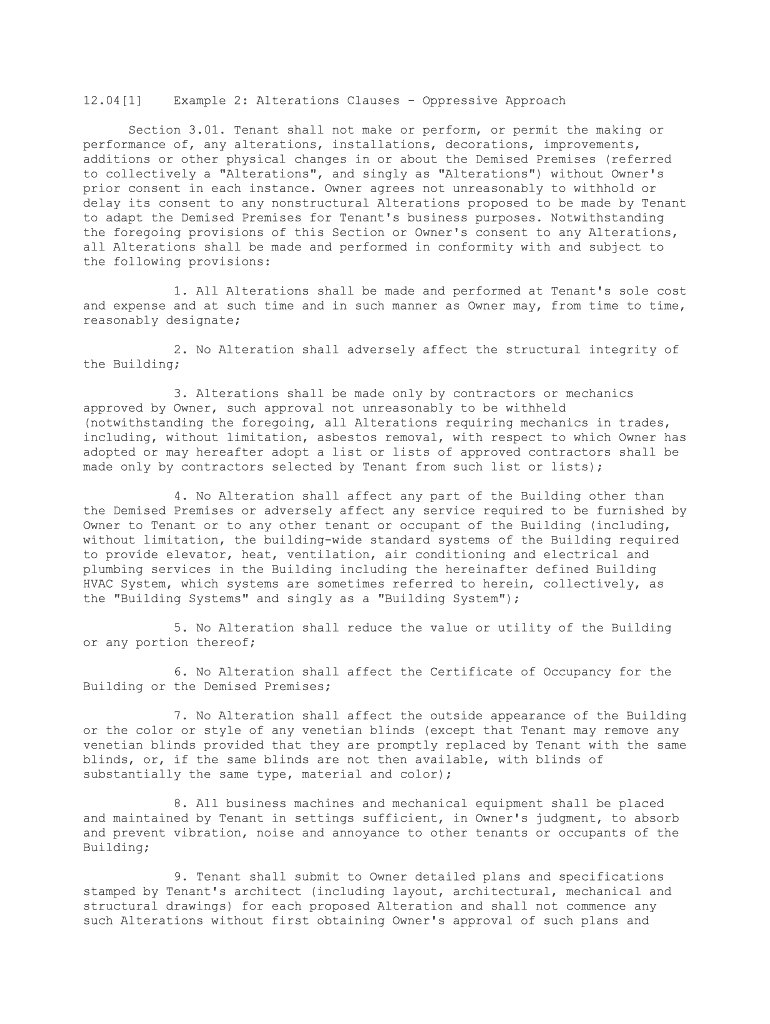
12.04[1] Example 2: Alterations Clauses - Oppressive ApproachSection 3.01. Tenant shall not make or perform, or permit the making or performance of, any alterations, installations, decorations, improvements, additions or other physical changes in or about the Demised Premises (referred to collectively a "Alterations", and singly as "Alterations") without Owner's prior consent in each instance. Owner agrees not unreasonably to withhold or delay its consent to any nonstructural Alterations proposed to be made by Tenant to adapt the Demised Premises for Tenant's business purposes. Notwithstanding the foregoing provisions of this Section or Owner's consent to any Alterations, all Alterations shall be made and performed in conformity with and subject to the following provisions: 1. All Alterations shall be made and performed at Tenant's sole cost and expense and at such time and in such manner as Owner may, from time to time, reasonably designate; 2. No Alteration shall adversely affect the structural integrity of the Building; 3. Alterations shall be made only by contractors or mechanics approved by Owner, such approval not unreasonably to be withheld (notwithstanding the foregoing, all Alterations requiring mechanics in trades, including, without limitation, asbestos removal, with respect to which Owner has adopted or may hereafter adopt a list or lists of approved contractors shall be made only by contractors selected by Tenant from such list or lists); 4. No Alteration shall affect any part of the Building other than the Demised Premises or adversely affect any service required to be furnished by Owner to Tenant or to any other tenant or occupant of the Building (including, without limitation, the building-wide standard systems of the Building required to provide elevator, heat, ventilation, air conditioning and electrical and plumbing services in the Building including the hereinafter defined Building HVAC System, which systems are sometimes referred to herein, collectively, as the "Building Systems" and singly as a "Building System"); 5. No Alteration shall reduce the value or utility of the Building or any portion thereof; 6. No Alteration shall affect the Certificate of Occupancy for the Building or the Demised Premises; 7. No Alteration shall affect the outside appearance of the Building or the color or style of any venetian blinds (except that Tenant may remove any venetian blinds provided that they are promptly replaced by Tenant with the same blinds, or, if the same blinds are not then available, with blinds of substantially the same type, material and color); 8. All business machines and mechanical equipment shall be placed and maintained by Tenant in settings sufficient, in Owner's judgment, to absorb and prevent vibration, noise and annoyance to other tenants or occupants of the Building; 9. Tenant shall submit to Owner detailed plans and specifications stamped by Tenant's architect (including layout, architectural, mechanical and structural drawings) for each proposed Alteration and shall not commence any such Alterations without first obtaining Owner's approval of such plans and specifications; with respect to such plans and specifications (i) Owner agrees not to unreasonably withhold or delay its approval of such plans and specifications provided that such plans and specifications are consistent with the Alteration previously approved by Owner, such plans and specifications are architecturally and engineeringly complete and comply with the requirements of this Lease and any rules of the Building with respect thereto and (ii) Owner's approval shall be deemed denied in the event that Owner fails to approve or disapprove such Tenant's plans and specifications within thirty (30) days following their submission by Tenant to Owner;10. Prior to the commencement of such proposed Alteration, Tenant shall have procured and paid for and exhibited to Owner, so far as the same may be required from time to time, all permits, approvals and authorizations of all "Governmental Authorities" having or claiming jurisdiction; 11. Any Alterations shall, to the extent necessary, be coordinated with any other work being performed by Owner or other tenants and occupants of the Building so that such Alterations shall not interfere with or delay the completion of any other work, and, to that end, Tenant and its contractors and subcontractors shall use only the Demised Premises for the performance of Tenant's work; 12. Tenant shall maintain continuous protection of any portion of the Building and, if applicable, the sidewalk adjacent thereto so as to prevent any damage to the Building and sidewalk as a result of any Alteration; 13. Any debris and rubbish created by or resulting from any Alteration shall be removed and disposed of, at Tenant's cost and expense, as frequently and in such manner as Owner may reasonably direct; in addition, upon completion of any Alteration, any surplus materials and temporary structures and barricades shall be promptly removed, at Tenant's cost and expense, and if at any time Tenant shall neglect, refuse or fail to so remove any such debris, rubbish, surplus materials, or temporary structures within two (2) days after Owner's demand (which may, notwithstanding any provisions of this Lease to the contrary, be orally made to Tenant), Owner, at its sole option, may remove the same at Tenant's expense for which Owner shall be promptly reimbursed upon Owner's demand; 14. Prior to the commencement of each proposed Alteration, Tenant shall furnish to Owner duplicate original policies of workmen's compensation insurance covering all persons to be employed in connection with such Alteration, including those to be employed by all contractors and subcontractors, and of comprehensive public liability insurance (including property 37.06), the holder of any hereinafter defined "Mortgage", and any lessor under any hereinafter defined "Mortgage", and any lessor under any hereinafter defined "Superior Lease" shall be named as parties insured, which policies shall be issued by companies, and shall be in form and amounts, satisfactory to Owner and shall be maintained by Tenant until the completion of such Alteration; unless otherwise directed or consented to by Owner, such comprehensive public library insurance shall conform to the requirements of Section 19.02(B); 15. All Alterations in or to the electrical facilities in or serving the Demised Premises shall be subject to the provisions of Section 29.05; 16. All fireproof wood test reports, electrical and air conditioning certificates, and all other permits, approvals and certificates required by any "Governmental Authority" (defined in Section 6.0) shall be timely obtained by Tenant and submitted to Owner;17. All Alterations, once commenced, shall be made promptly and in a good and workmanlike manner; 18. Notwithstanding Owner's approval of plans and specifications for any Alteration, all Alterations shall be made and performed in full compliance with all applicable "Legal Requirements", and with all applicable rules, orders, regulations and requirements of the New York Board of Fire Underwriters and the New York Fire Insurance Rating Organization or any similar body; 19. All Alterations shall be made and performed in accordance with the Building Rules and any rules and regulations of the Building for Alterations, including any such rules with respect to asbestos; 20. All materials and equipment to be installed, incorporated or located in the Demised Premises as a result of all Alterations shall be new and first quality; no such materials or equipment shall be subject to any lien, encumbrance, chattel mortgage or title retention or security agreement of any kind; 21. Upon completion of each Alteration, Tenant, at Tenant's expense, shall obtain certificates of final approval of such Alteration required by any "Governmental Authority" and shall furnish Owner with copies thereof, together with the "as-built" plans and specifications for such Alterations; and, if applicable, copies of all asbestos surveys and reports prepared by Tenant's asbestos consultants or contractors in connection with, or arising out of, the performance of such Alteration. Before commencement of such Alteration, Tenant shall furnish to Owner a performance bond or other security satisfactory to Owner in an amount at least equal to one hundred ten (110%) percent of the estimated cost of such Alteration guaranteeing the performance and payment thereof; no Alteration shall be commenced unless any preceding Alteration shall have been fully paid for and proof of such payment furnished to Owner. To the extent that the employees of Owner or its agents examine any plans or specifications submitted by Tenant to Owner in connection with any proposed Alteration, or to monitor the progress thereof, Tenant shall pay to Owner, promptly upon Owner's demand, a reasonable sum based upon the time incurred by such employees; however, if such examination or monitoring is by an independent architect or engineer employed by Owner or its agents, the Tenant shall pay to Owner, promptly upon Owner's demand, a sum equal to any reasonable fees charged to Owner in connection therewith. Owner reserves the right to disapprove the plans and specifications for any proposed Alteration in part, to reserve approval of items shown thereon pending its review and approval of other plans and specifications, and to condition its approval upon Tenant making revisions to the plans and specifications or supplying additional information. Any review or approval by Owner of any plans and/or specifications or preparation of any plans by an architect or engineer designated by Owner with respect to any Alteration is solely for Owner's benefit, and without any representation or warranty whatsoever to Tenant or any other person with respect to the adequacy, correctness or efficiency thereof or otherwise. Section 3.02. Nothing in this Lease shall be deemed or construed in any way as constituting the consent or request of Owner, express or implied, by inference or otherwise, to any contractor, subcontractor, laborer or materialmen, for the performance of any labor or the furnishing of any material for any specific Alteration to, or repair of, the Demised Premises, the Building, or any part of either. Any mechanic's or other lien filed against the Demised Premises or the Building or the Real Property for work claimed to have been done for, or materials claimed to have been furnished to, Tenant or any person claiming through or under Tenant or based upon any act or omission or alleged act or omission of Tenant or any such person shall be discharged by Tenant, at Tenant's sole cost and expense, within ten (10) days after the filing of such lien.Section 3.03. Tenant shall not, at any time prior to or during the Demised Term, directly or indirectly employ, or permit the employment of, any contractor, mechanic or laborer in the Demised Premises, whether in connection with any Alteration or otherwise, if such employment will (a) interfere with or cause an conflict with other contractors, mechanics, or laborers engaged in the construction, maintenance or operation of the Building by Owner, Tenant or others or (b) interfere with the use or occupancy of the Building by the occupants thereof. In the event of any such interference or conflict, Tenant, upon demand of Owner, shall cause all contractors, mechanics or laborers causing such interference or conflict to leave the Building immediately. Section 3.04. (A) Tenant shall pay to Owner on demand and as additional rent in connection with any Alteration a fee equal to ten (10%) percent of the total cost of such Alteration (referred to herein as the "Alternative Fee"). There shall be excluded from such computation the actual cost of "Tenant's Personal Property" (defined in Section 4.01), painting, carpeting, free-standing cabinetry and telephone installation. In addition, Tenant shall pay any fee charged by the lessor under any "Superior Lease" or the holder of any "Mortgage" in connection with reviewing the plans and specifications of such Alterations or inspecting the progress of completion of the same. (B) Prior to making any Alteration, Tenant shall submit to Owner a statement of Tenant's independent licensed architect, if employed, or contractor, estimating the total cost of such Alteration and the estimated time required to complete such Alteration. The Alteration Fee shall be calculated on the basis of such estimate and shall be paid, without offset or deduction, in equal monthly installments during the course of the performance of the Alteration on the first day of each month thereof. Within ten (10) "Business Days" after completion of the Alteration, Tenant shall pay to Owner the entire balance of the Alteration Fee if not theretofore paid in full. (C) (1) Upon completion of an Alteration, Tenant shall submit to Owner a statement of Tenant's independent licensed architect, if employed, or contractor, certifying the total cost of such Alteration. The Alteration Fee shall be adjusted, if necessary, based on the certification. If the Alteration Fee, as adjusted, shall be greater than the amount theretofore paid to Owner by Tenant on account of such Fee, Tenant shall pay such deficiency simultaneously with the delivery to Owner of the certification. If such Alteration Fee, as adjusted, is less than the amount theretofore paid to Owner by Tenant on account of such Fee, Owner, within ten (10) Business Days after Owner's receipt of the certification, shall pay to Tenant the amount of such overpayment. (2) If after receipt of the aforesaid certification Owner shall dispute the statement certifying the total costs of such Alteration, Owner shall have the right to employ an independent certified public accountant to review Tenant's books and records relating to such Alteration. The determination of such accountant shall be conclusively binding upon the parties, and if necessary, the Alteration Fee shall be adjusted accordingly based upon such determination. If such determination shall review that the Alteration Fee paid on account of such Alteration shall have been understated by more than five (5%) percent, then Tenant shall pay the fees of the accountant in connection with such review. The payment to be made to Owner as a result of any such understatement shall bear interest in accordance with the provisions of Section 19.04 from the date that the first installment of the Alteration Fee was due and payable until the date any such amounts are paid to Owner. Any adjustment in the Alteration Fee, together with interest thereon at a rate of two (2%) percent per annum above the then "Prime Rate", as well as any payment of the fees of such accountant, shall be paid by Tenant to Owner as additional rent within three (3) Business Days after such accountant's determination.Section 3.05. Without in any way limiting the generality of the provisions of Section 3.01, all Alterations shall be made and performed in full compliance with (a) New York City Local Law by Owner for fire safety in the Building; (b) all applicable laws, ordinances, statutes and regulations of all state, federal, municipal and local governments, departments and commissions; and (c) all provisions of the Americans With Disabilities Act and any successor law of like import then in force and effect insofar as it relates to the Demised Premises, including but not limited to, the performance of all Alterations, structural and otherwise, foreseen and unforeseen, in order to so comply. No Alteration shall affect all or any part of any Class E Fire Alarm and Communication system installed in the Demised Premises, except that in connection with any such Alteration Tenant may relocate certain components of such system, provided (i) such relocation shall be performed in a manner first approved by Owner, (ii) the new location of any such component shall be first approved by Owner, (iii) prior to any such relocation Tenant shall submit to Owner detailed plans and specifications therefor which shall be first approved by Owner and (iv) Owner shall have the election of relocating such components either by itself or by its contractors, in which event all expenses incurred by Owner shall be reimbursed by Tenant upon demand of Owner, as additional rent. Section 3.06. (A) Any dispute with respect to the reasonability of any failure or refusal of Owner to grant its consent or approval to any request for such consent or approval pursuant to the provisions of Section 3.01 with respect to which request Owner has agreed, in such Section not unreasonably to withhold such consent or approval, may be submitted to arbitration by either party, by notice to the other, and, if so submitted, shall be finally determined by arbitration in the City of New York in accordance with the rules and regulations then obtaining of the American Arbitration Association or its successor. Any determination pursuant to the foregoing provisions shall be final and binding upon the parties, whether or not a judgment shall be entered in any court. In making such determination, the arbitrators shall not subtract from, add to, or otherwise modify any of the provisions of this Lease. Owner and Tenant may, at their own expense, be represented by counsel and employ expert witness in any such arbitration. If the determination of any such arbitrator under this Section with respect to the reasonability of any failure or refusal of Owner to grant its consent or approval to any request for such consent or approval pursuant to the provisions of Section 3.01 shall be adverse to Owner, Owner shall be deemed to have granted the requested consent or approval but that shall be Tenant's sole remedy in such event and Owner shall not be liable to Tenant for a breach of Owner's covenant not unreasonably to withhold such consent or approval. (B) With respect to all Alterations, including, without limitation, all repair work and improvements made by Tenant pursuant to the provisions of this Lease, Owner shall have the right at all times to monitor the performance of an Alteration for compliance with Building regulations and procedures for Alterations, Legal Requirements, and "Building Rules" (as defined in Section 33.01). If Owner determines that any of such Building regulations and procedures for Alterations, Legal Requirements, or Building Rules are not being strictly complied with, and if such non-compliance is not corrected (i) Within five (5) days of Owner's notice thereof to Tenant, or (ii) immediately in cases of emergency or in cases where the safety of people or property is threatened, then Owner may immediately require the cessation of all work being performed in or around the Demised Premises until such time as Owner is reasonably satisfied that the applicable Building regulations and procedures for Alterations, Legal Requirements, and Rules and Regulations have been or will be observed. Owner's monitoring of any work in or around the Demised Premises shall not be deemed an acknowledgment by Owner of Tenant's compliance with any applicable Building regulations and procedures for Alterations, Legal Requirements, or Building rules and regulations with respect to Alterations, or a waiver by Owner of its right to require strict compliance with such Building regulations and procedures for Alterations, Legal Requirements, and Rules and Regulations, nor shall such monitoring relieve Tenant from any liabilities relating to such work.As can be seen from this example of a very oppressive alterations clause, very little can be done by the tenant without approval of the landlord. Approval of the landlord can be fairly arbitrary or can be withheld for almost no reason whatsoever. Whenever there are approvals granted, there are costs associated therewith to be reimbursed by the tenant. Throughout the alteration articles, any conceivable burden is placed on the tenant in the name of regulation under this clause and exactments of fees, profits, overhead and general requirements or conditions are heaped on liberally. This is not a clause where a tenant can operate for more than three or four years comfortably. Assuming the initial alterations can be installed with the minimum of grief, any repairs, alterations or renovations that may happen under a ten to twenty year lease would add a considerable number of dollars per square foot to the overall costs of a form containing a paragraph such as this.

Useful tips on preparing your ‘Alterations And Improvements Sample Clauses Law Insider’ online

Are you weary of the inconvenience of managing paperwork? Look no further than airSlate SignNow, the premier electronic signature solution for individuals and organizations. Bid farewell to the tedious process of printing and scanning documents. With airSlate SignNow, you can effortlessly complete and sign paperwork online. Take advantage of the extensive features embedded in this user-friendly and cost-effective platform and transform your method of document management. Whether you need to authorize forms or collect electronic signatures, airSlate SignNow manages everything smoothly, with just a few clicks.

Follow this detailed guide:

  1. Access your account or initiate a free trial with our service.
  2. Select +Create to upload a file from your device, cloud storage, or our form library.
  3. Edit your ‘Alterations And Improvements Sample Clauses Law Insider’ in the editor.
  4. Choose Me (Fill Out Now) to set up the form on your side.
  5. Introduce and assign fillable fields for others (if needed).
  6. Continue with the Send Invite settings to request eSignatures from additional parties.
  7. Save, print your version, or convert it into a reusable template.

Don’t fret if you need to collaborate with others on your Alterations And Improvements Sample Clauses Law Insider or send it for notarization—our platform has all you require to accomplish such tasks. Create an account with airSlate SignNow today and elevate your document management to a new level!

Here is a list of the most common customer questions. If you can’t find an answer to your question, please don’t hesitate to reach out to us.

Need help? Contact Support

The best way to complete and sign your alterations and improvements sample clauses law insider form


Save time on document management with airSlate SignNow and get your alterations and improvements sample clauses law insider form eSigned quickly from anywhere with our fully compliant eSignature tool.

How to Sign a PDF Online How to Sign a PDF Online

How to fill out and sign forms online

In the past, working with paperwork required lots of time and effort. But with airSlate SignNow, document management is fast and easy. Our powerful and easy-to-use eSignature solution allows you to effortlessly fill out and eSign your alterations and improvements sample clauses law insider form online from any internet-connected device.

Follow the step-by-step guide to eSign your alterations and improvements sample clauses law insider form template online:

  • 1.Register for a free trial with airSlate SignNow or log in to your account with password credentials or SSO authorization option.
  • 2.Click Upload or Create and add a form for eSigning from your device, the cloud, or our form library.
  • 3.Click on the file name to open it in the editor and utilize the left-side toolbar to complete all the empty areas appropriately.
  • 4.Put the My Signature field where you need to eSign your sample. Type your name, draw, or upload an image of your regular signature.
  • 5.Click Save and Close to finish modifying your completed form.

Once your alterations and improvements sample clauses law insider form template is ready, download it to your device, save it to the cloud, or invite other parties to electronically sign it. With airSlate SignNow, the eSigning process only requires several clicks. Use our robust eSignature tool wherever you are to handle your paperwork efficiently!


How to Sign a PDF Using Google Chrome How to Sign a PDF Using Google Chrome

How to complete and sign forms in Google Chrome

Completing and signing paperwork is easy with the airSlate SignNow extension for Google Chrome. Adding it to your browser is a quick and productive way to manage your paperwork online. Sign your alterations and improvements sample clauses law insider form template with a legally-binding eSignature in just a few clicks without switching between tools and tabs.

Follow the step-by-step guidelines to eSign your alterations and improvements sample clauses law insider form in Google Chrome:

  • 1.Go to the Chrome Web Store, search for the airSlate SignNow extension for Chrome, and install it to your browser.
  • 2.Right-click on the link to a document you need to eSign and select Open in airSlate SignNow.
  • 3.Log in to your account using your credentials or Google/Facebook sign-in buttons. If you don’t have one, you can start a free trial.
  • 4.Use the Edit & Sign menu on the left to complete your sample, then drag and drop the My Signature field.
  • 5.Upload a picture of your handwritten signature, draw it, or simply enter your full name to eSign.
  • 6.Make sure all the details are correct and click Save and Close to finish modifying your paperwork.

Now, you can save your alterations and improvements sample clauses law insider form sample to your device or cloud storage, email the copy to other people, or invite them to eSign your document with an email request or a secure Signing Link. The airSlate SignNow extension for Google Chrome enhances your document workflows with minimum effort and time. Start using airSlate SignNow today!


How to Sign a PDF in Gmail How to Sign a PDF in Gmail How to Sign a PDF in Gmail

How to fill out and sign forms in Gmail

When you receive an email containing the alterations and improvements sample clauses law insider form for signing, there’s no need to print and scan a document or download and re-upload it to another tool. There’s a better solution if you use Gmail. Try the airSlate SignNow add-on to rapidly eSign any paperwork right from your inbox.

Follow the step-by-step guidelines to eSign your alterations and improvements sample clauses law insider form in Gmail:

  • 1.Visit the Google Workplace Marketplace and look for a airSlate SignNow add-on for Gmail.
  • 2.Install the program with a corresponding button and grant the tool access to your Google account.
  • 3.Open an email with an attachment that needs approval and use the S key on the right sidebar to launch the add-on.
  • 4.Log in to your airSlate SignNow account. Select Send to Sign to forward the document to other people for approval or click Upload to open it in the editor.
  • 5.Place the My Signature option where you need to eSign: type, draw, or upload your signature.

This eSigning process saves efforts and only takes a couple of clicks. Utilize the airSlate SignNow add-on for Gmail to update your alterations and improvements sample clauses law insider form with fillable fields, sign documents legally, and invite other individuals to eSign them al without leaving your mailbox. Enhance your signature workflows now!


How to Sign a PDF on a Mobile Device How to Sign a PDF on a Mobile Device How to Sign a PDF on a Mobile Device

How to fill out and sign documents in a mobile browser

Need to quickly complete and sign your alterations and improvements sample clauses law insider form on a smartphone while working on the go? airSlate SignNow can help without needing to install additional software applications. Open our airSlate SignNow solution from any browser on your mobile device and create legally-binding electronic signatures on the go, 24/7.

Follow the step-by-step guidelines to eSign your alterations and improvements sample clauses law insider form in a browser:

  • 1.Open any browser on your device and go to the www.signnow.com
  • 2.Register for an account with a free trial or log in with your password credentials or SSO option.
  • 3.Click Upload or Create and pick a file that needs to be completed from a cloud, your device, or our form collection with ready-made templates.
  • 4.Open the form and fill out the blank fields with tools from Edit & Sign menu on the left.
  • 5.Place the My Signature field to the form, then type in your name, draw, or add your signature.

In a few easy clicks, your alterations and improvements sample clauses law insider form is completed from wherever you are. As soon as you're finished editing, you can save the document on your device, generate a reusable template for it, email it to other people, or ask them to eSign it. Make your documents on the go quick and effective with airSlate SignNow!


How to Sign a PDF on iPhone How to Sign a PDF on iPhone

How to fill out and sign forms on iOS

In today’s business community, tasks must be done quickly even when you’re away from your computer. With the airSlate SignNow application, you can organize your paperwork and sign your alterations and improvements sample clauses law insider form with a legally-binding eSignature right on your iPhone or iPad. Set it up on your device to conclude agreements and manage forms from just about anywhere 24/7.

Follow the step-by-step guidelines to eSign your alterations and improvements sample clauses law insider form on iOS devices:

  • 1.Go to the App Store, search for the airSlate SignNow app by airSlate, and set it up on your device.
  • 2.Launch the application, tap Create to add a form, and select Myself.
  • 3.Opt for Signature at the bottom toolbar and simply draw your autograph with a finger or stylus to eSign the form.
  • 4.Tap Done -> Save right after signing the sample.
  • 5.Tap Save or use the Make Template option to re-use this paperwork later on.

This method is so straightforward your alterations and improvements sample clauses law insider form is completed and signed in just a couple of taps. The airSlate SignNow app works in the cloud so all the forms on your mobile device are kept in your account and are available whenever you need them. Use airSlate SignNow for iOS to enhance your document management and eSignature workflows!


How to Sign a PDF on Android How to Sign a PDF on Android

How to complete and sign forms on Android

With airSlate SignNow, it’s easy to sign your alterations and improvements sample clauses law insider form on the go. Install its mobile application for Android OS on your device and start enhancing eSignature workflows right on your smartphone or tablet.

Follow the step-by-step guidelines to eSign your alterations and improvements sample clauses law insider form on Android:

  • 1.Go to Google Play, search for the airSlate SignNow application from airSlate, and install it on your device.
  • 2.Sign in to your account or create it with a free trial, then add a file with a ➕ option on the bottom of you screen.
  • 3.Tap on the imported file and select Open in Editor from the dropdown menu.
  • 4.Tap on Tools tab -> Signature, then draw or type your name to eSign the sample. Complete empty fields with other tools on the bottom if needed.
  • 5.Use the ✔ key, then tap on the Save option to end up with editing.

With an easy-to-use interface and full compliance with major eSignature standards, the airSlate SignNow app is the best tool for signing your alterations and improvements sample clauses law insider form. It even works offline and updates all form adjustments once your internet connection is restored and the tool is synced. Fill out and eSign forms, send them for approval, and create re-usable templates anytime and from anywhere with airSlate SignNow.

Sign up and try Alterations and improvements sample clauses law insider form
  • Close deals faster
  • Improve productivity
  • Delight customers
  • Increase revenue
  • Save time & money
  • Reduce payment cycles

