Establishing secure connection… Loading editor… Preparing document…
Navigation

Fill and Sign the Arkansas New State Resident Packageus Legal Forms
Fill and Sign the Arkansas New State Resident Packageus Legal Forms

How it works

Open the document and fill out all its fields.
Apply your legally-binding eSignature.
Save and invite other recipients to sign it.

Rate template

4.8
65 votes
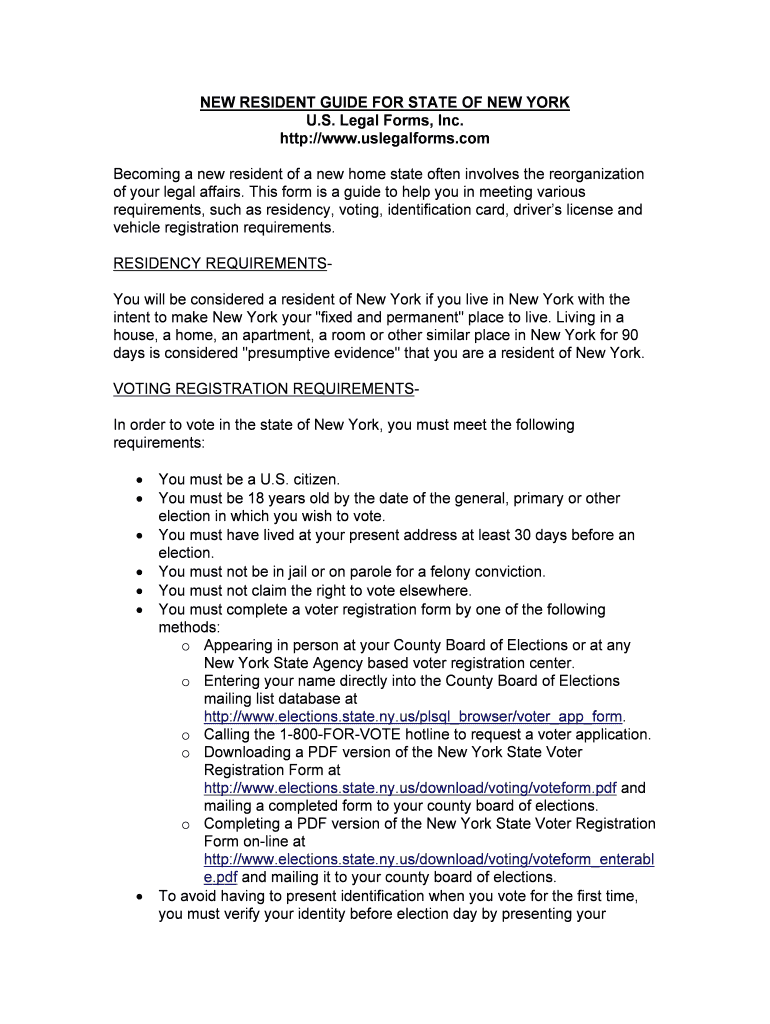
NEW RESIDENT GUIDE FOR STATE OF NEW YORK U.S. Legal Forms, Inc. http://www.uslegalforms.com Becoming a new resident of a new home state often involves the reorganization of your legal affairs. This form is a guide to help you in meeting various requirements, such as residency, voting, identification card, driver’s license and vehicle registration requirements. RESIDENCY REQUIREMENTS- You will be considered a resident of New York if you live in New York with the intent to make New York your "fixed and permanent" place to live. Living in a house, a home, an apartment, a room or other similar place in New York for 90 days is considered "presumptive evidence" that you are a resident of New York. VOTING REGISTRATION REQUIREMENTS-In order to vote in the state of New York, you must meet the following requirements: You must be a U.S. citizen. You must be 18 years old by the date of the general, primary or other election in which you wish to vote. You must have lived at your present address at least 30 days before an election. You must not be in jail or on parole for a felony conviction. You must not claim the right to vote elsewhere.You must complete a voter registration form by one of the following methods:o Appearing in person at your County Board of Elections or at any New York State Agency based voter registration center.o Entering your name directly into the County Board of Elections mailing list database at http://www.el ections.state.ny.us/plsql_browser/voter_app_form. oCalling the 1-800-FOR-VOTE hotline to request a voter application. oDownloading a PDF version of the New York State Voter Registration Form at http://www.e lections.state.ny.us/download/voting/voteform.pdf and mailing a completed form to your county board of elections. oCompleting a PDF version of the New York State Voter Registration Form on-line at http://www.ele ctions.state.ny.us/download/voting/voteform_enterabl e.pdf and mailing it to your county board of elections.  To avoid having to present identification when you vote for the first time, you must verify your identity before election day by presenting your driver’s license number, your non-driver identification number or the last four digits of your social security number. IDENTIFICATION CARD REQUIREMENTS- In order to obtain a non-driver identification card in New York that contains the same personal information, photo, signature and special protection against alteration and fraud as a photo driver’s license, you must meet the following requirements:You must apply for a non-driver identification card at the Department of Motor Vehicles. You must not have a driver’s license or your driver’s license must be suspended or revoked. You must surrender your driver’s license.You must provide acceptable proofs of identity and date of birth as discussed below for driver’s licenses. DRIVER’S LICENSE REQUIREMENTS -If you have a driver’s license from another state, you must get a New York driver’s license within 30 days after you become a resident of New York. In order to obtain a driver’s license card in New York, you must meet the following requirements:  You must exchange your out-of-state driver’s license or Canadian driver’s license for a New York driver’s license. Your out-of-state driver’s license must meet the following requirements: oIt must include your photograph.oIt must not be suspended or revoked.o It must have been valid for at least six months, or must have expired in the past 12 months, or must be a commercial driver’s license valid for any amount of time.o It must show the date that your driver’s license was issued. You must obtain an original driver’s license record or if your out-of-state photo driver’s license does not show the date of issue, a letter on letterhead of the Department of Motor Vehicles from the state that issued the driver’s license that indicates the date of issue.oIt must not be a learner permit, temporary driver’s license, interim driver’s license, hardship driver’s license or an "employment only driver’s license." o It must not be marked "non-renewable" or "non-transferable."  You must complete the application form MV-44 and apply at a local Department of Motor Vehicles office. You must pass a vision test at the Department of Motor Vehicles office, or bring a valid form MV-619 (Eye Test Report) completed by an eye-care professional.You must show proof of identity that equals a value of six points and proof of your date of birth. At least one document must include your signature and each document must be an original document or a copy of the original document certified by the issuing agency. You cannot use more than one document of a specific type for points. You may use the following documents (points are in parentheses) listed to show proof of identity:oA driver license, a learner permit, or a non-driver photo ID card issued by New York. The photo document must be valid or expired for less than two years. (6) o Department of Motor Vehicles form MV-45 (Statement of Identity), if you under the age of 21. Your parent or a legal guardian must sign the form in front of a Department of Motor Vehicle representative. (4) oA welfare card, a Medicaid card, or a New York Food Stamp Card without a photo. (2) oA U.S. marriage document, a U.S. divorce document, or a court- issued name change document. (2) oA U.S. college photo ID card and an academic transcript. (2) o A New York interim driver’s license or a computer-generated learner permit, without a photo. (2) oA U.S. high school ID card and a report card. (2) o A valid Saint Regis Mohawk Tribe ID card. (2) o A computer-printed pay stub or employee ID card issued in the U.S. that shows your name. (1) oA high school diploma or General Education Diploma issued in the U.S. (1)oA supermarket check-cashing card issued in the U.S. with your name pre-printed and your signature. (1) oA union card issued in the U.S. (1)oA health insurance card or a medical prescription card issued in the U.S. (1)o A life insurance policy issued in the U.S. and in effect for at least two years. (1) o A utility bill issued in the U.S. (1) oA Veterans Universal Access Photo ID Card. (1) o A W-2 Form that shows your Social Security Number. (1) o One of the following items issued by a financial institution in the U.S. (1):A bank statementA cancelled check (which displays your pre-printed name)An ATM card or a debit card (which displays your pre-printed name and your signature)A valid major U.S. credit card You may use the following documents (points listed in parentheses) to show proof of identity and/or proof of date of birth:o A U.S. passport. (4)oA Certificate of Citizenship (N-560, N-561, or N-645). (3)oA Certificate of Naturalization (N-550, N-570 or N-578). (3)o A foreign passport with a valid I-551 stamp or a statement on the visa. (3)oA Permanent Resident Card (form I-551). (3)oA foreign passport with your visa and form I-94. The I-94 must have been issued by the INS for a period of at least one year and must be valid for at least six more months when presented to the Department of Motor Vehicles. (3)oA foreign passport with your visa and form I-94 with status code J1 or J2 and with form IAP-66/DS-2019. If you received an extension, you must show your original entry document, form IAP-66/DS-2019, any extension document and, if appropriate, a "notice of approval." The IAP-66/DS-2019 must have been issued by the INS for a period of at least one year and must be valid for at least six more months when presented to the Department of Motor Vehicles. (3)o A foreign passport with your visa and form I-94 with status code F1 or F2 and form I-20. To be accepted, the school must be located in New York. If you received an extension, you must show your original entry document, form I-20, any extension document and, if appropriate, a "notice of approval." The I-20 must have been issued by the INS for a period of at least one year and must be valid for at least six more months when presented to the Department of Motor Vehicles. (3)oA foreign passport with your visa and form I-94 with status code G4. You must apply at the Department of Motor Vehicles Herald Square office only. The I-94 must have been issued by the INS for a period of at least one year and must be valid for at least six more months when presented to the Department of Motor Vehicles. (3)o A foreign passport with your visa and form I-94 with status code I and a letter from the Foreign Press Center. You must apply at the Department of Motor Vehicles Herald Square office only. The letter must state you will be in New York for a period of at least one year and must be valid for at least six more months when presented to the Department of Motor Vehicles. (3)oA U.S. Re-entry Permit (I-327). (3)o A U.S. Refugee Travel Document (I-571). (3)oA U.S. Employment Authorization Card (INS I-688B or I-766). The I-688B or I-766 must have been issued by the INS for a period of at least one year and must be valid for at least six more months when presented to the Department of Motor Vehicles. (3)oA U.S. Military Photo ID Card (issued to military personnel only). (3) oA welfare card, a Medicaid card, or a New York Food Stamp Card with a photo. (3)oA New York-issued pistol permit. (2)o A New York-issued professional license. (2)o A photo driver’s license issued by another state, jurisdiction or possession of the U.S., or issued by a province or territory of Canada. The driver’s license must be valid or expired less than one year. (2)o A U.S. Social Security card that shows your signature. (2)oA New York registration document for a vehicle or a boat only. (2)oA New York title certificate. (2)oA Military Dependent ID Card. (2)o A valid Saint Regis Mohawk Tribe ID card and a Canadian birth certificate. (2) You may use the following documents to show proof of date of birth only:oA birth certificate issued by the U.S. State Department or by a Board of Health or a Bureau of Vital Statistics in the U.S. or a U.S. Territory. o A Certificate of Birth Registration issued by the Department of Health of New York. The certificate must be an original certificate and must have the stamp or the embossed seal of the agency that issued the certificate. The certificate cannot contain any changes or any errors in your name or date of birth.  You must provide your Social Security Card. If you are not eligible for a Social Security Card, you must provide a letter or form SSA-L676 stating you are not eligible issued no more than 30 days before the date of your application. You must also show the Immigration and Naturalization Service documents that the Social Security Administration used to determine that you are not eligible for a Social Security Card. You must pay the $10 application fee and the driver’s license fee. VEHICLE TITLE AND REGISTRATION REQUIREMENTS-If you have a vehicle registration from another state, you must get a vehicle registration from New York within 30 days after you become a resident of New York. In order to title and register your vehicle in New York, you must meet the following requirements:  You must be at least 16 years old to register a vehicle in New York.You must bring the following to the Department of Motor Vehicles:oProof of Ownership.o Odometer and Damage Disclosure Statements. oA New York State Insurance Identification Card (FS-20).oProof of your identity and date of birth.o Form MV-82 (Vehicle Registration/ Title Application).oProof of sales tax payment, sales tax exemption, or purchase price. If the name of the owner that appears on the New York title certificate will not change, sales tax forms and proofs are not required. If you bought the vehicle from a New York automobile dealer or an out-of-state dealer that is authorized to collect New York sales tax, you must bring the dealer's bill of sale that shows that you paid New York sales tax. You must also bring form MV-50 (New York dealer only) or Form DTF-803 (out-of-state dealer). If New York sales tax was paid to a New York dealer, you will not need to pay sales tax when you apply for a vehicle registration, and the Department of Motor Vehicles will not issue you a sales tax receipt. If you bought your vehicle from another person in a private sale, both the buyer and the seller must complete form DTF-802 and you must bring the form to a Department of Motor Vehicles office to calculate and collect the sales tax. If the vehicle was a gift or was purchased from a family member, you must use form DTF- 802 to receive a sales tax exemption. If you paid out-of-state sales tax, you must present the out-of-state dealer bill of sale that shows the purchase price and the amount of out-of-state sales tax paid to the dealer. You must use form DTF-804 to claim credit for the state and local sales taxes you paid in another state. If you were not a New York resident when you purchased your vehicle, you must use form DTF-803 to receive a non-resident exemption from New York sales tax. oPayment for registration fees, fee to transfer the vehicle plates or registration, the title certificate fee and automobile use tax.If you do not have an out-of-state title that displays your name and the vehicle is new, does not have a registration document or a title certificate, and was purchased from an out-of-state dealer, you must provide the Manufacturer's Certificate of Origin and the dealer's bill of sale. If your vehicle is used, and was purchased from an out-of-state dealer, you must provide an out-of-state title certificate or transferable registration transferred to the dealer and the dealer's bill of sale that transfers ownership to you.  If the vehicle was purchased from a private owner, you must provide a bill of sale from the previous owner, and the title certificate or transferable registration that was transferred from the previous owner to you.  Any lien listed on your out-of state title certificate will be recorded on your New York title record and on your New York title certificate. To remove the lien, you must provide proof that the lien is satisfied.  If the original title certificate is in your name but is held by a lienholder, you must provide: oA copy of the title certificate that contains your name and a certification by the lienholder that it is a copy of the original title certificate. o A statement by the lienholder on letterhead identifying the owner, year, make and VIN of the vehicle. The statement must indicate that the lienholder holds the original title and knows that the owner will use the documents to register the vehicle in New York. The statement cannot require the Department to notify the lienholder when the vehicle is registered in New York. To get a New York title certificate, you must send the original out-of-state title certificate to the Department when the lien is satisfied and you receive the out-of-state title certificate from the lienholder.Please see the New York State Department of Motor Vehicles website at http://www.nydmv.state.ny .us/i ndex.htm and the New York State Board of Elections website at http://www.electi ons.st ate.ny.us/portal/page?_pageid=153,42096,153_53293&_d ad=portal&_schema=PORTAL for further new resident and contact information. Website source: May 11, 2006.

Useful Suggestions for Preparing Your ‘Arkansas New State Resident Packageus Legal Forms’ Online

Are you fed up with the difficulties of handling paperwork? Search no further than airSlate SignNow, the premier electronic signature solution for individuals and enterprises. Bid farewell to the tedious procedure of printing and scanning documents. With airSlate SignNow, you can effortlessly complete and sign forms online. Utilize the comprehensive features included in this intuitive and budget-friendly platform and transform your method of document management. Whether you need to approve forms or collect signatures, airSlate SignNow manages it all seamlessly, with just a few clicks.

Adhere to this detailed guide:

  1. Log into your account or sign up for a free trial with our service.
  2. Click +Create to upload a file from your device, cloud storage, or our template library.
  3. Open your ‘Arkansas New State Resident Packageus Legal Forms’ in the editor.
  4. Click Me (Fill Out Now) to prepare the document on your end.
  5. Add and assign fillable fields for others (if necessary).
  6. Continue with the Send Invite settings to request eSignatures from others.
  7. Download, print your copy, or convert it into a reusable template.

No need to stress if you need to collaborate with your colleagues on your Arkansas New State Resident Packageus Legal Forms or send it for notarization—our platform provides you with all the tools necessary to complete these tasks. Register with airSlate SignNow today and elevate your document management to a new level!

Here is a list of the most common customer questions. If you can’t find an answer to your question, please don’t hesitate to reach out to us.

Need help? Contact Support
how to get an arkansas driver's license from out-of-state
Arkansas DMV
Proof of residency Arkansas
Arkansas residency requirements income tax
Moving to Arkansas car registration
How to register a car in Arkansas from out of state
Moving to Arkansas Checklist
10 reasons not to move to Arkansas
Arkansas general contractor license reciprocity
Arkansas contractor license requirements
State of arkansas residential roofing registration
Arkansas contractor laws

The best way to complete and sign your arkansas new state resident packageus legal forms

Save time on document management with airSlate SignNow and get your arkansas new state resident packageus legal forms eSigned quickly from anywhere with our fully compliant eSignature tool.

How to Sign a PDF Online How to Sign a PDF Online

How to complete and sign forms online

Previously, coping with paperwork took pretty much time and effort. But with airSlate SignNow, document management is quick and easy. Our robust and user-friendly eSignature solution allows you to easily fill out and electronically sign your arkansas new state resident packageus legal forms online from any internet-connected device.

Follow the step-by-step guide to eSign your arkansas new state resident packageus legal forms template online:

  • 1.Register for a free trial with airSlate SignNow or log in to your account with password credentials or SSO authorization option.
  • 2.Click Upload or Create and add a form for eSigning from your device, the cloud, or our form collection.
  • 3.Click on the file name to open it in the editor and use the left-side toolbar to fill out all the blank fields properly.
  • 4.Put the My Signature field where you need to eSign your form. Type your name, draw, or import a photo of your regular signature.
  • 5.Click Save and Close to finish editing your completed document.

Once your arkansas new state resident packageus legal forms template is ready, download it to your device, save it to the cloud, or invite other individuals to electronically sign it. With airSlate SignNow, the eSigning process only takes several clicks. Use our powerful eSignature tool wherever you are to manage your paperwork successfully!


How to Sign a PDF Using Google Chrome How to Sign a PDF Using Google Chrome

How to fill out and sign paperwork in Google Chrome

Completing and signing documents is simple with the airSlate SignNow extension for Google Chrome. Installing it to your browser is a quick and effective way to manage your forms online. Sign your arkansas new state resident packageus legal forms sample with a legally-binding electronic signature in just a few clicks without switching between applications and tabs.

Follow the step-by-step guidelines to eSign your arkansas new state resident packageus legal forms template in Google Chrome:

  • 1.Navigate to the Chrome Web Store, locate the airSlate SignNow extension for Chrome, and add it to your browser.
  • 2.Right-click on the link to a form you need to sign and choose Open in airSlate SignNow.
  • 3.Log in to your account with your password or Google/Facebook sign-in option. If you don’t have one, sign up for a free trial.
  • 4.Use the Edit & Sign menu on the left to complete your template, then drag and drop the My Signature field.
  • 5.Insert a picture of your handwritten signature, draw it, or simply enter your full name to eSign.
  • 6.Make sure all information is correct and click Save and Close to finish editing your form.

Now, you can save your arkansas new state resident packageus legal forms sample to your device or cloud storage, send the copy to other people, or invite them to eSign your form with an email request or a secure Signing Link. The airSlate SignNow extension for Google Chrome enhances your document processes with minimum effort and time. Try airSlate SignNow today!


How to Sign a PDF in Gmail How to Sign a PDF in Gmail How to Sign a PDF in Gmail

How to fill out and sign paperwork in Gmail

Every time you receive an email with the arkansas new state resident packageus legal forms for signing, there’s no need to print and scan a document or download and re-upload it to a different program. There’s a better solution if you use Gmail. Try the airSlate SignNow add-on to promptly eSign any paperwork right from your inbox.

Follow the step-by-step guidelines to eSign your arkansas new state resident packageus legal forms in Gmail:

  • 1.Navigate to the Google Workplace Marketplace and find a airSlate SignNow add-on for Gmail.
  • 2.Set up the tool with a related button and grant the tool access to your Google account.
  • 3.Open an email containing an attachment that needs approval and utilize the S sign on the right panel to launch the add-on.
  • 4.Log in to your airSlate SignNow account. Select Send to Sign to forward the file to other people for approval or click Upload to open it in the editor.
  • 5.Drop the My Signature field where you need to eSign: type, draw, or upload your signature.

This eSigning process saves efforts and only requires a few clicks. Use the airSlate SignNow add-on for Gmail to update your arkansas new state resident packageus legal forms with fillable fields, sign forms legally, and invite other people to eSign them al without leaving your inbox. Boost your signature workflows now!


How to Sign a PDF on a Mobile Device How to Sign a PDF on a Mobile Device How to Sign a PDF on a Mobile Device

How to complete and sign paperwork in a mobile browser

Need to rapidly submit and sign your arkansas new state resident packageus legal forms on a mobile phone while working on the go? airSlate SignNow can help without needing to install additional software programs. Open our airSlate SignNow solution from any browser on your mobile device and create legally-binding eSignatures on the go, 24/7.

Follow the step-by-step guide to eSign your arkansas new state resident packageus legal forms in a browser:

  • 1.Open any browser on your device and follow the link www.signnow.com
  • 2.Register for an account with a free trial or log in with your password credentials or SSO authentication.
  • 3.Click Upload or Create and import a file that needs to be completed from a cloud, your device, or our form catalogue with ready-made templates.
  • 4.Open the form and fill out the empty fields with tools from Edit & Sign menu on the left.
  • 5.Put the My Signature field to the form, then type in your name, draw, or add your signature.

In a few easy clicks, your arkansas new state resident packageus legal forms is completed from wherever you are. When you're finished editing, you can save the file on your device, build a reusable template for it, email it to other individuals, or ask them to eSign it. Make your documents on the go fast and productive with airSlate SignNow!


How to Sign a PDF on iPhone How to Sign a PDF on iPhone

How to complete and sign forms on iOS

In today’s corporate environment, tasks must be completed quickly even when you’re away from your computer. With the airSlate SignNow app, you can organize your paperwork and approve your arkansas new state resident packageus legal forms with a legally-binding eSignature right on your iPhone or iPad. Set it up on your device to conclude contracts and manage forms from anywhere 24/7.

Follow the step-by-step guide to eSign your arkansas new state resident packageus legal forms on iOS devices:

  • 1.Go to the App Store, find the airSlate SignNow app by airSlate, and set it up on your device.
  • 2.Launch the application, tap Create to add a form, and choose Myself.
  • 3.Opt for Signature at the bottom toolbar and simply draw your signature with a finger or stylus to eSign the sample.
  • 4.Tap Done -> Save right after signing the sample.
  • 5.Tap Save or take advantage of the Make Template option to re-use this paperwork later on.

This process is so easy your arkansas new state resident packageus legal forms is completed and signed within a couple of taps. The airSlate SignNow application works in the cloud so all the forms on your mobile device are kept in your account and are available any time you need them. Use airSlate SignNow for iOS to boost your document management and eSignature workflows!


How to Sign a PDF on Android How to Sign a PDF on Android

How to complete and sign documents on Android

With airSlate SignNow, it’s easy to sign your arkansas new state resident packageus legal forms on the go. Set up its mobile application for Android OS on your device and start enhancing eSignature workflows right on your smartphone or tablet.

Follow the step-by-step guidelines to eSign your arkansas new state resident packageus legal forms on Android:

  • 1.Go to Google Play, search for the airSlate SignNow app from airSlate, and install it on your device.
  • 2.Log in to your account or register it with a free trial, then upload a file with a ➕ button on the bottom of you screen.
  • 3.Tap on the uploaded file and select Open in Editor from the dropdown menu.
  • 4.Tap on Tools tab -> Signature, then draw or type your name to eSign the form. Fill out empty fields with other tools on the bottom if necessary.
  • 5.Utilize the ✔ button, then tap on the Save option to finish editing.

With a user-friendly interface and full compliance with main eSignature standards, the airSlate SignNow app is the perfect tool for signing your arkansas new state resident packageus legal forms. It even operates offline and updates all record changes when your internet connection is restored and the tool is synced. Fill out and eSign forms, send them for approval, and make re-usable templates whenever you need and from anywhere with airSlate SignNow.

Sign up and try Arkansas new state resident packageus legal forms
  • Close deals faster
  • Improve productivity
  • Delight customers
  • Increase revenue
  • Save time & money
  • Reduce payment cycles

