Establishing secure connection…Loading editor…Preparing document…

Waiver, Release and Authorization to Use Names

This template is fully customizable. Edit the text, fill out the fields, and send it for signature. Give it a try!
Waiver, Release and Authorization to Use Names

What the Waiver, Release and Authorization to Use Names Is

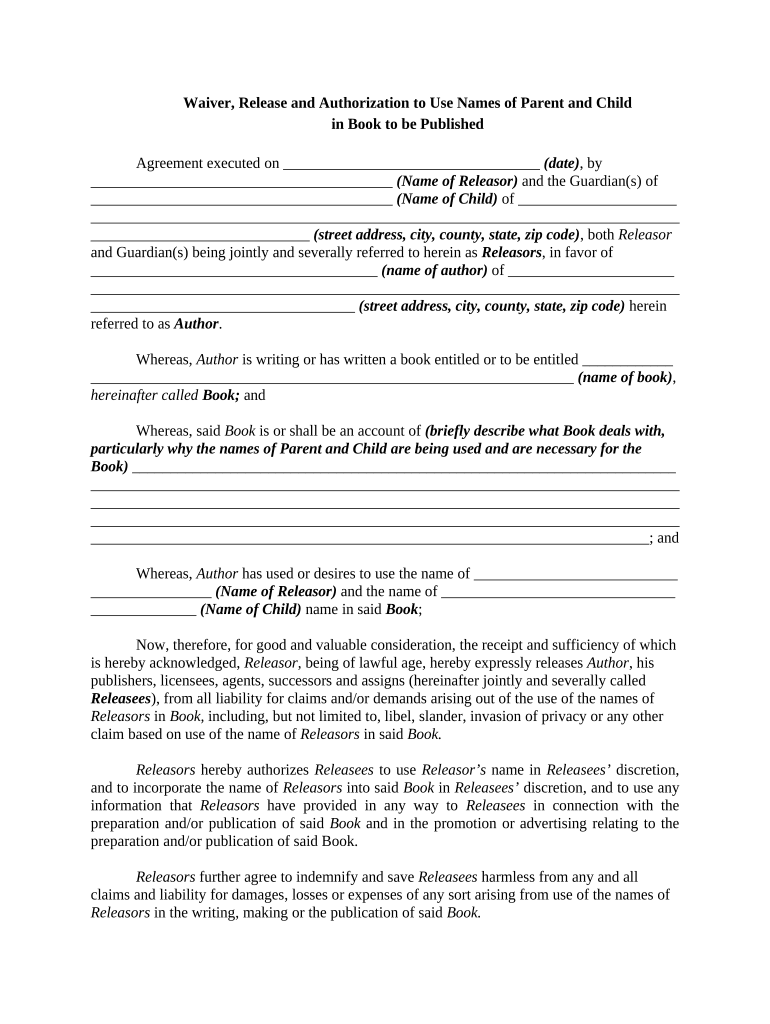
A Waiver, Release and Authorization to Use Names is a legal form where an individual grants permission for an organization to use their name for specified purposes such as publicity, program rosters, promotional materials, or online publications. The document clarifies scope, duration, and permitted uses, reduces dispute risk, and can be executed electronically when the parties meet ESIGN (15 U.S.C. ch. 96) and applicable state UETA requirements. It is commonly paired with photo or media releases and should state limitations, revocation procedures, and the governing law.

Why this Authorization Matters for Organizations and Individuals

The form documents consent to name usage, protects organizations from future claims, and informs signers of how their name will be used. Clear authorization helps avoid consumer protection or privacy disputes and supports compliant digital workflows under ESIGN and UETA.

Why this Authorization Matters for Organizations and Individuals

Who Typically Uses This Waiver and When

Organizations and individuals use this waiver where published names are needed: media outlets, event organizers, educational institutions, and service providers often request it.

  • Event organizers and venues requesting attendee or speaker name use for programs and signage.
  • Educational institutions collecting names for rosters, honor rolls, and graduation materials.
  • Healthcare or research programs when non-sensitive name attribution is needed with privacy safeguards.

Use the waiver whenever names will be publicly associated with an activity; for sensitive contexts (patient records, minors) add industry-specific safeguards and required disclosures.

Core Elements a Professional Waiver Should Include

A well-drafted Waiver, Release and Authorization to Use Names combines clear scope, signer identity, time limits, and legal notices so permissions are explicit and enforceable.

Scope of Use

Describe the exact contexts where the name may appear, such as print, social media, video, event programs, or promotional materials, and whether reuse or sublicensing is permitted.
Duration

Specify a start and end date or state that authorization is perpetual; include conditions for early termination or withdrawal of consent.

Signatory Identity

Require the signer’s full legal name, relationship to organization (if applicable), and any authority to consent for minors or third parties.

Limitations

List explicit exclusions (e.g., endorsements, political use, health-related contexts) and any geographic or media restrictions.

Revocation

Explain how a signer may revoke permission, any notice period required, and the effect of revocation on materials already published.

Governing Law

Name the state law that will govern the agreement and include any required consumer disclosures under ESIGN (15 U.S.C. §7001) when applicable.

How to Complete the Waiver, Release and Authorization to Use Names

Follow this concise sequence to prepare, present, and capture lawful authorizations with clear records for audit and compliance.

  • 01
    Prepare Document: Define scope, duration, and revocation terms.
  • 02
    Collect Identity: Record full legal name and role.
  • 03
    Obtain Consent: Signer signs and dates the form.
  • 04
    Retain Record: Store signed copy and audit trail securely.

Typical Signing Workflow for Electronic Completion

A standard e-signing flow minimizes friction while preserving legal safeguards such as consent, attribution, and retention.

  • Upload Document: Add the waiver to the signing platform.
  • Place Fields: Insert name, date, and consent checkboxes.
  • Send to Signer: Deliver via email or secure link.
  • Capture Audit Trail: Record timestamps, IP, and authentication.

How to Configure an Online Waiver Workflow

Recommended setup options help streamline signing and ensure the record meets ESIGN and UETA criteria.

Field Configuration
Name Field Required; auto-validate spelling where possible
Checkbox Consent Require explicit check for consent; timestamp when checked
Authentication Email link or SMS code for signer verification
Audit Trail Enable detailed action log and downloadability

Technical Considerations for eSigning and eSubmission

Choose a platform that records signer intent, consent, and an audit trail while supporting required integrations for your workflow.

  • File Formats: PDF and DOCX are widely supported
  • Integrations: Connect to CRMs, cloud storage, and ERPs
  • Security: TLS in transit; AES-256 at rest

Ensure the selected platform supports required legal and industry standards and can export the signed record and audit trail for retention.

Typical eSignature Pricing and Capabilities — signNow First

Comparison of base pricing and common capabilities for eSignature vendors. signNow is shown first per platform comparison conventions; verify plan details with each vendor before purchase.

signNow DocuSign Adobe Sign PandaDoc HelloSign
Starting Price $8/user/mo $15/user/mo $14/user/mo $19/user/mo $15/user/mo
Free Trial 7-day free trial Varies by plan Varies by plan Varies by plan Varies by plan
Bulk Send Yes (Premium tier) Yes Yes Yes No
Audit Trail Yes Yes Yes Yes Yes
HIPAA Compliant Yes (BAA) Yes (BAA) Yes (BAA) No No

Practical Tips for Accurate and Efficient Completion

Follow these best practices to reduce mistakes, avoid disputes, and ensure the waiver is enforceable across both paper and electronic formats.

Be Specific About Uses
List each permitted use and medium; specificity prevents downstream disagreement over what 'use' includes and protects both parties.
Collect Clear Identity Data
Require full legal name and contact details. For minor signers, collect guardian name, relationship, and contact information.
Record Consent Properly
For electronic signatures, capture intent, consent, and an audit trail that meets ESIGN’s four-prong test for validity.
Preserve the Audit Trail
Store signed documents and metadata (timestamps, IP, authentication method) in tamper-evident storage for the retention period.

Common Mistakes to Avoid When Preparing This Waiver

  • Using vague language on permitted uses, which leads to disputes over what was authorized.
  • Failing to record full legal names or authority when someone signs on behalf of another party.
  • Neglecting to include revocation mechanics, so signers don’t know how to withdraw consent.
  • Overlooking industry-specific rules (e.g., HIPAA safeguards for patient-related publicity).

Key Risks and Consequences of an Incorrect or Missing Authorization

Contract Invalidity: Ambiguous consent may render the release unenforceable
Privacy Claims: Unauthorized publicity can trigger state privacy or consumer protection actions
HIPAA Exposure: Improper patient-identifying usage risks HIPAA penalties
Reputational Harm: Misuse of names can cause public relations damage
Operational Delay: Missing signatures can halt marketing or publication plans
Legal Costs: Remedies and litigation costs may exceed prevention expenses

Required Information Elements and Security Notes

Full Legal Name: Essential for attribution
Contact Details: Email and phone for notifications
Signer Role: Indicates authority or relationship
Scope of Authorization: Defines permitted uses
Signature and Date: Shows intent and timing
Authentication Method: Email, SMS, or stronger

Real-World Use Examples

Sample scenarios show how organizations use the waiver to authorize name usage while preserving legal clarity and records.

Community Event

A local festival collects names for printed programs and social posts

  • Organizer records electronic consent via a mobile form
  • Signed records include name, role, date, and an audit trail to address later inquiries and remove names on revocation.

University Recognition

A university requests permission to list graduates’ names on its public website

  • Students sign during online enrollment
  • The school stores the signed release, limits use to graduation-related materials, and documents revocation requests.

Frequently Asked Questions and Troubleshooting

Answers to common legal and practical questions about drafting, executing, and withdrawing a Waiver, Release and Authorization to Use Names.


Need help? Contact support

be ready to get more
Join over 28 million airSlate SignNow users