Establishing secure connection…Loading editor…Preparing document…

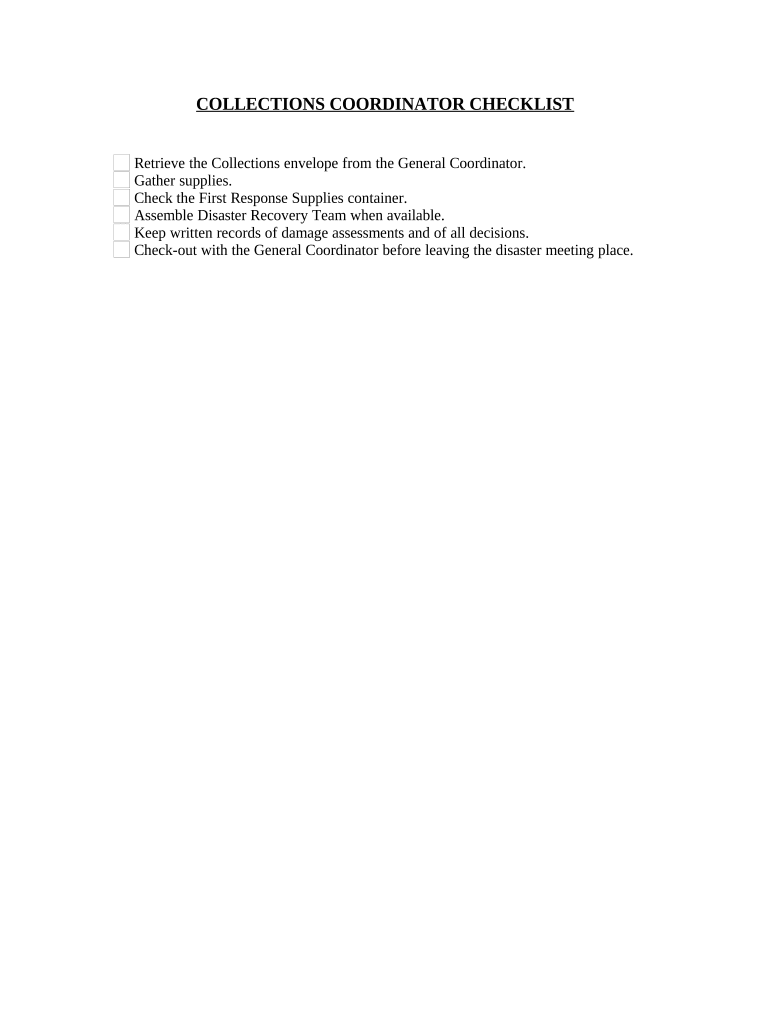
Collections Coordinator Checklist

This template is fully customizable. Edit the text, fill out the fields, and send it for signature. Give it a try!
Collections Coordinator Checklist

What the Collections Coordinator Checklist Is

The Collections Coordinator Checklist is a structured procedural document used by accounts receivable and collections teams to track delinquent accounts, log communication attempts, and document required compliance steps. It centralizes debtor contact data, account history, validation requests, payment arrangements, and escalation actions so each file shows a clear audit trail. The checklist promotes consistent decision-making, reduces missed follow-ups, and documents adherence to consumer protection and debt collection laws; when executed electronically it can be combined with secure eSignature platforms such as signNow to capture signed payment plans and acknowledgements.

Why a Standard Checklist Matters for Collections

A standardized Collections Coordinator Checklist ensures consistent outreach, preserves defensible documentation, and reduces operational and legal risk. It helps teams apply uniform escalation criteria and maintain evidence needed for audits, investor reporting, and dispute resolution.

Why a Standard Checklist Matters for Collections

Who Typically Completes This Checklist

Typical users include accounts receivable staff, collections coordinators, and billing managers responsible for tracking delinquent accounts and documenting actions.

  • Accounts receivable teams who manage invoices, aging reports, and payment reconciliations across multiple accounts.
  • Collections coordinators executing validation requests, monitoring responses, and arranging repayment plans with debtors.
  • Legal or compliance staff reviewing contact logs, FDCPA adherence, and escalation documentation for audits.

Core Elements Every Professional Checklist Should Include

A professional Collections Coordinator Checklist includes standardized fields, contact logs, escalation criteria, required attachments, signature blocks, and version control to support auditability and consistent practice.

Contact Log

Capture date, time, method, summary, and outcome for each contact. Include participant names and whether voicemail or live conversation occurred to preserve the sequence of events.
Account Details

Record account number, open date, original balance, current balance, charge-offs, payments received, and any adjustments. Include currency and billing cycle information to aid reconciliation and prevent errors.

Validation Documents

Attach contract copies, signed invoices, authorizations, and proof of service. Index each attachment and note filename, upload date, and the verifying party to maintain chain-of-evidence.

Escalation Rules

Define thresholds for escalation, notification lists, and legal referral criteria. Specify who approves litigation and the documentation required before external counsel engagement, including cost estimates and case summaries.

Signature Block

Provide signer name, title, date, and signature field. If executed electronically, capture audit trail details, authentication method, and IP address for attribution and attach signed PDF with certificate of completion.

Version Control

Include revision date, editor name, and change summary. Lock completed versions and preserve earlier iterations to support audits and regulatory inquiries and store with tamper-evident metadata.

Step-by-Step: Completing the Checklist for One Account

Follow these steps to complete the checklist for a single delinquent account from intake through escalation or closure.

  • 01
    Gather File: Collect account records, invoices, and prior correspondence.
  • 02
    Verify Debt: Confirm account balance and debtor identity.
  • 03
    Attempt Contact: Log calls, letters, and emails with outcomes.
  • 04
    Escalate or Close: Document settlement terms or close file per policy.

Where the Checklist Fits in the Collections Workflow

This sequence shows where the checklist fits into collection workflows and how tasks move from intake to final disposition.

  • Intake: Create checklist entry and attach account documents.
  • Contact Attempts: Execute scripted calls and mailings; log responses.
  • Negotiation: Record payment offers and create written agreements.
  • Finalization: Capture signatures and update account status to closed or monitored.

Configuring an Online Workflow for the Checklist

Configure an online workflow to route checklist items, enforce required fields, and notify stakeholders automatically.

Field Configuration
Required Fields Enabled; routing blocked until completed
Authentication Email verification; optional SMS code
Notifications Email alerts to AR and manager on updates
Retention Policy Auto-archive after 7 years; exportable PDF

Technical Requirements and Integration Considerations

Standard platforms support PDF/DOCX uploads, multi-signer routing, and basic authentication methods for secure electronic completion.

  • Formats: PDF, DOCX, and XLSX accepted
  • Integrations: CRM and cloud storage
  • Authentication: Email, SMS, optional KBA

Key Timelines and Response Expectations

Key compliance and internal deadlines help avoid statutory violations and ensure timely collection activities across accounts.

Initial Contact:

Make first contact within 7 days of payment default as company policy.

Debt Validation Period:

Provide validation rights and respond within 30 days to requests.

Payment Plan Confirmation:

Obtain signed repayment plan and dated acknowledgement before first payment.

Escalation Review:

Escalate accounts after defined missed payments per policy.

Retention and Archive:

Move closed or settled files to secure archive within 90 days.

Common Pitfalls to Avoid

  • Incomplete debtor data leads to failed service attempts, incorrect credit reporting, and longer resolution cycles; verify names, addresses, and contact numbers before outreach.
  • Failing to document each contact or upload validation documents creates weak audit trails and increases exposure during disputes or regulatory reviews.
  • Using inconsistent templates or missing signature fields can make agreements unenforceable and delay collections or legal remedies.
  • Overlooking statutory consumer protections, such as FDCPA requirements, risks civil penalties and increased litigation costs for the creditor organization.

Consequences of Incomplete or Incorrect Checklists

Regulatory Fines: Monetary penalties and administrative actions.
Civil Litigation: Lawsuits, damages, and attorney fees.
Credit Reporting Errors: Incorrect reporting penalties and disputes.
Business Reputation: Loss of customer trust and referrals.
Statutory Noncompliance: FDCPA or state law violations.
Operational Costs: Increased collection expenses and staff time.

Real-World Examples of Checklist Use

Real-world examples show how a checklist plus eSign reduces turnaround, improves compliance, and preserves audit trails for collections teams.

Martin Properties

Martin Properties standardized its collection checklist and distributed agreements electronically to speed payments and maintain records.

  • Adopted eSign and audit trails to reduce manual follow-up.
  • Tim Martin reported faster execution and improved compliance, noting the ability to process documents online with consistent security and recordkeeping. The unified workflow reduced staff time on each file and simplified evidence collection in disputes.

Xerox Operations

Xerox integrated the checklist into NetSuite, automating document generation and signature routing for high-volume receivables.

  • Integration reduced manual entry and improved tracking.
  • Director Kodi-Marie Evans noted the flexibility to get correct signatures in required formats and the benefit of API-driven workflows. The change decreased processing time per account and increased visibility for finance and operations teams.

eSignature Pricing and Feature Comparison

The table compares basic pricing and feature availability for common eSignature vendors to inform selection for Collections Coordinator Checklist workflows.

signNow DocuSign Adobe Sign PandaDoc HelloSign
Starting Price $8/user/month billed annually (Business plan) $15/user/month billed annually $14/user/month billed annually $19/user/month billed annually $15/user/month billed annually
Free Trial 7-day free trial, no credit card required Trial options vary by vendor and plan Trial options vary by vendor and plan Free tier available for basic usage Free tier available for basic usage
Bulk Send Bulk send available on Business Premium and above Bulk send available on select plans Bulk send available on business tiers Bulk send supported on paid plans Bulk send availability varies by plan
Audit Trail Comprehensive audit trail with timestamps and IP Comprehensive audit trail with timestamps and IP Comprehensive audit trail with timestamps and IP Comprehensive audit trail available Comprehensive audit trail available
HIPAA Compliant HIPAA compliant with BAA available on request HIPAA support available with appropriate agreements HIPAA support available with agreements Not positioned for HIPAA or BAA Not positioned for HIPAA or BAA
Envelope Cap No envelope cap; unlimited sending on paid plans Limits to 100 envelopes per user per year Envelope limits vary by plan Envelope limits depend on subscription tier Envelope limits vary by vendor plan

Frequently Asked Questions and Troubleshooting

Common questions about using and validating the Collections Coordinator Checklist, electronic signatures, and storage practices are answered below to reduce errors and compliance gaps.


Need help? Contact support

be ready to get more
Join over 28 million airSlate SignNow users