Establishing secure connection…Loading editor…Preparing document…

Notice to Buyer Objecting to Confirmation of Sale

This template is fully customizable. Edit the text, fill out the fields, and send it for signature. Give it a try!
Notice to Buyer Objecting to Confirmation of Sale

What the Notice to Buyer Objecting to Confirmation of Sale Is

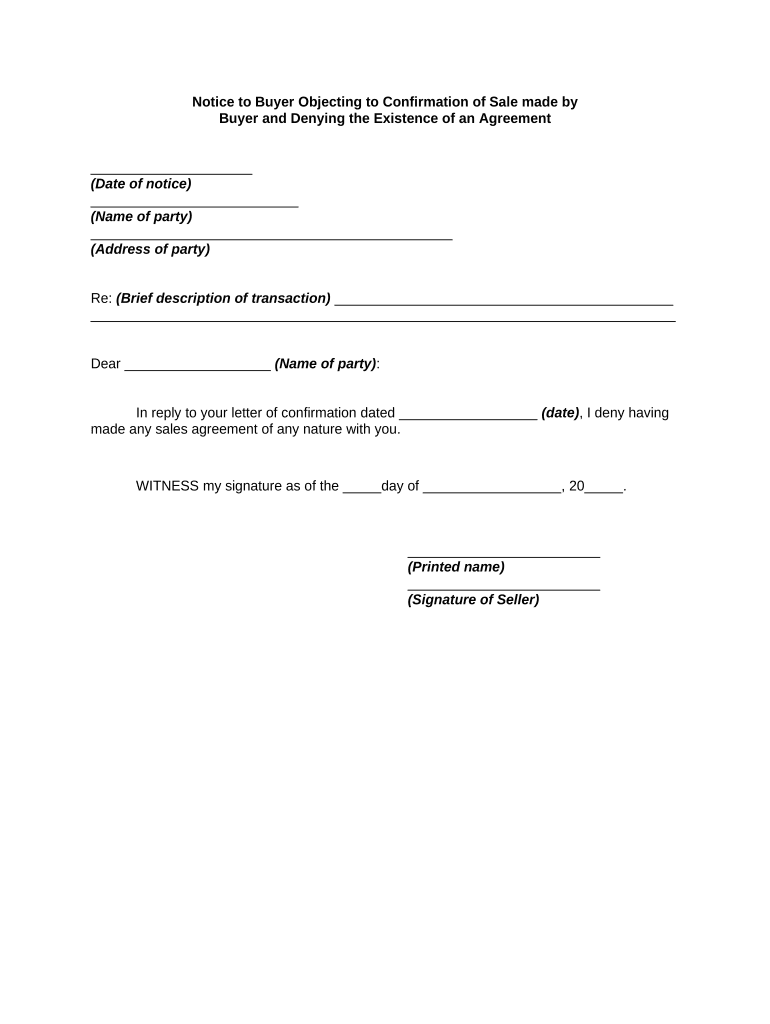
The Notice to Buyer Objecting to Confirmation of Sale is a formal written statement filed by a party who disputes the court or trustee's order confirming a foreclosure or sheriff sale. It identifies the buyer, describes the claimed defects in the sale or title transfer, and asks the court or sale officer to withhold final confirmation pending resolution. This notice preserves the objector's right to challenge confirmation, requests specific relief, and initiates any required procedural steps under local foreclosure or equity rules.

Why You Might File an Objection Notice

Filing this notice preserves legal rights to contest a sale, alerts the court and purchaser to factual or procedural defects, and can delay confirmation until issues are resolved under applicable state foreclosure rules and court practice.

Why You Might File an Objection Notice

Who Uses this Notice and Why it Matters

This notice is used by buyers, former owners, lienholders, and their attorneys to formally object to sale confirmation and preserve litigation rights.

  • Purchasers seeking to clear title before closing and transfer
  • Former owners disputing notice, sale irregularities, or redemption rights
  • Lienholders asserting priority errors or improper notice procedures

Timely filing and correct service are critical: improperly prepared or late objections may be dismissed, waiving the right to contest confirmation.

Step-by-Step: Completing the Notice to Object

Follow these steps to prepare and serve a clear, enforceable objection notice under typical U.S. foreclosure procedures.

  • 01
    Identify Parties: Enter buyer, seller, trustee, and court case names exactly.
  • 02
    Describe Sale: Provide sale date, location, and legal property description.
  • 03
    State Grounds: Concise legal and factual reasons for objection with facts.
  • 04
    Sign and Serve: Sign, notarize if required, and serve per local rules.

How the Objection Notice Moves Through the Process

A typical objection triggers a short sequence: filing, service, possible hearing, and court ruling on confirmation.

  • File Notice: Deliver the notice to the clerk or trustee per local filing rules.
  • Serve Parties: Serve the buyer, trustee, and interested lienholders according to the court's required method.
  • Request Hearing: If rules permit, request expedited hearing to prevent automatic confirmation.
  • Court Decision: Judge may deny, continue, or conditionally confirm the sale after hearing.

Practical eFiling and eSubmission Settings

Configure filing workflow to match court or trustee electronic submission requirements and preserve the audit trail.

Field Configuration
Document Format PDF/A with searchable text preferred for court systems.
Authentication Use signer identity verification and saved audit trail.
Service Method Select certified mail, e-service, or court e-service per rules.
Retention Archive signed PDF and audit trail for required retention period.

Technical and Integration Considerations for eSubmission

Confirm the court, trustee, or purchaser accepts electronically signed PDFs and retained audit trails before e-filing.

  • File Types: PDF, DOCX acceptable depending on recipient
  • Authentication: Email+SMS or advanced ID methods required
  • Integrations: Link with case management or cloud storage

Ensure platform logs timestamps, signer attribution, and tamper-evident seals to meet court evidentiary expectations.

Essential Elements of a Professional Objection Notice

A complete notice is factual, cites specific legal grounds, attaches supporting exhibits, and follows local form and service rules to be effective.

Case Caption

Accurate court and docket information to ensure the notice is associated with the correct foreclosure or sale proceeding; mismatches can lead to rejection.
Parties

Full legal names and contact details for buyer, seller, trustee, and any lienholders; clarity prevents service disputes and streamlines responses.

Legal Basis

Concise citation of procedural or substantive defects (example: insufficient notice, sale irregularity, priority errors) with factual support.

Facts Summary

Chronological factual statements tied to exhibits and documents that substantiate the objection and provide the court with context for relief.

Relief Requested

Clear statement of requested remedy—stay confirmation, rescission, quiet title hearing, or other equitable relief with proposed conditions.

Signatures and Notary

Signature lines for objector or counsel, printed name, date, and notary acknowledgment if the jurisdiction requires notarization for filing or service.

Security, Privacy, and Compliance Checklist

Encryption: TLS 1.2/1.3 in transit; AES-256 at rest
Audit Trail: Timestamp, IP, action log retention
HIPAA: BAA required for PHI handling
ESIGN/UETA: Supports ESIGN and UETA requirements
21 CFR Part 11: Support for FDA-regulated workflows
SOC 2 / ISO: SOC 2 Type II and ISO 27001 certifications

Common Preparation Errors to Avoid

  • Using an informal description rather than exact legal description causes ambiguity and rejection by title examiners.
  • Failing to serve all required parties on time can forfeit rights to challenge confirmation and result in dismissal.
  • Omitting supporting exhibits or identification documents weakens factual assertions and limits relief the court will consider.
  • Not confirming local court or trustee e-filing requirements leads to technical rejections or improper service.

Consequences of an Incorrect or Untimely Objection

Waived Rights: Missed deadlines may forfeit ability to contest confirmation
Court Sanctions: Frivolous objections risk sanctions or fee awards
Title Risk: Improper notice can fail to clear title for purchaser
Delay Costs: Extended litigation increases legal and administrative costs
Evidence Loss: Failure to preserve documents undermines factual claims
Service Defects: Incorrect service method may render filing ineffective

Typical Deadlines and Timing Considerations

Time limits vary by state and local court rule; confirm deadlines before filing to preserve objections and avoid forfeiture.

Post-Sale Objection Period:

Often measured in days after notice of sale or confirmation hearing date

Service Deadlines:

Many courts require service several days before any scheduled hearing

Hearing Request Window:

Request expedited hearing per local rules to prevent automatic confirmation

Appeal Period:

Appeal or motion deadlines begin after court confirmation order entry

Record Retention:

Retain copies of filings and service proofs per applicable retention rules

Key Processing Milestones from Sale to Final Order

Sequential milestones illustrate when to act, from sale completion to potential final confirmation and appeal windows.

01

Sale Occurs

Auction completes and purchaser identified; clock for certain objections may start.

02

Notice of Confirmation

Court or trustee publishes intent to confirm sale and schedules hearing.

03

File Objection

Serve and file objection within the stated period to preserve challenges.

04

Court Hearing

Judge reviews objections, hears evidence, and rules on confirmation.

eSignature Pricing Comparison Relevant to Objection Notices

Compare headline pricing and key commercial differences. Confirm plan details and enterprise terms with each vendor before purchase.

signNow DocuSign Adobe Sign PandaDoc HelloSign
Starting Price $8/user/mo $15/user/mo $14/user/mo $19/user/mo $15/user/mo
Free Trial 7-day free trial, no credit card Varies by plan Varies by plan Varies by plan Varies by plan
Bulk Send Yes (Business Premium) Varies by plan Varies by plan Varies by plan Varies by plan
Audit Trail Yes Yes Yes Yes Yes
HIPAA Compliant Yes Yes Yes Varies by plan No

Real-World Examples of Objecting to Confirmation

These examples show practical outcomes when objections are filed with clear facts and complete documentation.

Optica Ventures

A small investment firm needed a fast way to object to a trustee's confirmation after noticing a notice defect.

  • The firm attached detailed title exhibits and served all parties promptly.
  • The court continued confirmation and ordered supplemental notice; the purchaser's closing was delayed until curative steps were taken, preserving the firm's ability to secure clear title for a subsequent sale.

Martin Properties

A property manager disputed purchaser standing after a sheriff sale and filed an objection with supporting payment records.

  • The objection requested an evidentiary hearing.
  • The judge required the purchaser to prove bid validity and enforceability, resulting in negotiated resolution and clarified title transfer conditions that protected tenants and the owner's interests.

Frequently Asked Questions and Practical Answers

Common questions concern electronic signatures, timing, service methods, and whether notices must be notarized; concise answers follow to guide compliance.


Need help? Contact support

be ready to get more
Join over 28 million airSlate SignNow users