Establishing secure connection… Loading editor… Preparing document…
Navigation

Fill and Sign the Developers Agreement This Agreement Entered into This Day Form
Fill and Sign the Developers Agreement This Agreement Entered into This Day Form

How it works

Open the document and fill out all its fields.
Apply your legally-binding eSignature.
Save and invite other recipients to sign it.

Rate template

4.7
62 votes
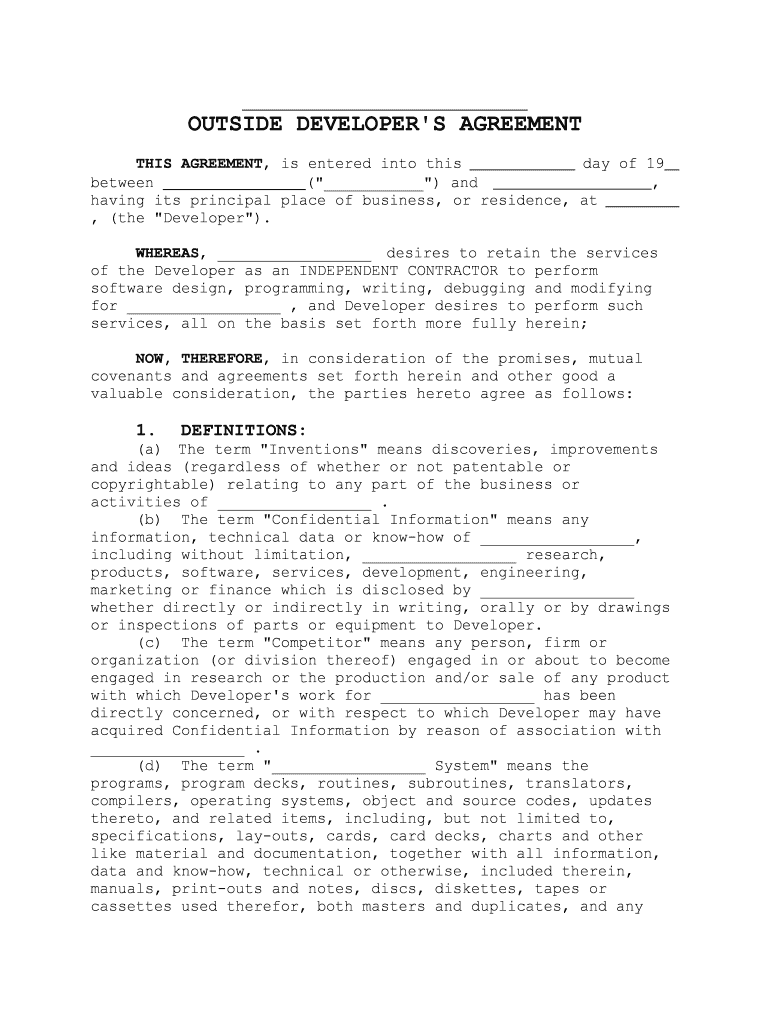
__________________________________ OUTSIDE DEVELOPER'S AGREEMENT THIS AGREEMENT , is entered into this day of 19 between _________________ ("___________") and , having its principal place of business, or residence, at , (the "Developer"). WHEREAS , _________________ desires to retain the services of the Developer as an INDEPENDENT CONTRACTOR to perform software design, programming, writing, debugging and modifying for _________________ , and Developer desires to perform such services, all on the basis set forth more fully herein; NOW, THEREFORE , in consideration of the promises, mutual covenants and agreements set forth herein and other good a valuable consideration, the parties hereto agree as follows: 1. DEFINITIONS: (a) The term "Inventions" means discoveries, improvements and ideas (regardless of whether or not patentable or copyrightable) relating to any part of the business or activities of _________________ . (b) The term "Confidential Information" means any information, technical data or know-how of _________________, including without limitation, _________________ research, products, software, services, development, engineering, marketing or finance which is disclosed by _________________ whether directly or indirectly in writing, orally or by drawings or inspections of parts or equipment to Developer. (c) The term "Competitor" means any person, firm or organization (or division thereof) engaged in or about to become engaged in research or the production and/or sale of any product with which Developer's work for _________________ has been directly concerned, or with respect to which Developer may have acquired Confidential Information by reason of association with _________________ . (d) The term "_________________ System" means the programs, program decks, routines, subroutines, translators, compilers, operating systems, object and source codes, updates thereto, and related items, including, but not limited to, specifications, lay-outs, cards, card decks, charts and other like material and documentation, together with all information, data and know-how, technical or otherwise, included therein, manuals, print-outs and notes, discs, diskettes, tapes or cassettes used therefor, both masters and duplicates, and any changes, modifications or improvements thereafter. 2. WARRANTIES, REPRESENTATIONS(a) The Developer, who has been hired solely as an independent contractor, warrants and represents that the Developer is capable of fulfilling the terms of this Agreement and is an expert in and fully acquainted with the hardware, operating system, other software and peripherals of the _________________ System. 3. NON-DISCLOSURE OF INFORMATION The Developer acknowledges and agrees that the _________________ System, its concept, the ideas associated with it, its form, and any and all ensuing series or derivations based upon it, constitute valuable trade secrets and proprietary information and data of _________________ and that they are and shall at all times remain the sole and exclusive property of _________________ and that _________________ has all right, title and interest therein. The Developer agrees to use reasonable efforts to hold in strict confidence all information which is in any manner related to the _________________ System. The Developer further agrees to use reasonable care in the selection and assignment of personnel to work with such information or any ideas related thereto. The Developer does not have and shall not be deemed to have any right, title or interest in the _________________ System, whether under trade secrecy, copyright, patent or related laws. The Developer further agrees that neither the Developer nor any of the Developer's employees, agents, independent contractors, or others will transfer, lease, license, publish, use, disclose or divulge the contents of, or any aspects of, the _________________ System to third parties unless specifically authorized in advance by the written consent of _______________. 4. RELATIONSHIP OF PARTIES It is understood and agreed that the Developer is an independent contractor and that Developer shall perform services under the general direction of _________________ as to the results of such activity, but that Developer shall determine, in Developer's sole discretion, the manner and means by which the services are accomplished, subject to the express condition that Developer shall at all times comply with applicable laws and regulations. It is also expressly understood that the Developer and Developer's employees and agents, if any, are not agents or employees of the _________________ , and have no authority whatsoever to bind _________________ by contract or otherwise. 5. EMPLOYMENT TAXES and BENEFITS The Developer acknowledges and agrees that it shall be the obligation of the Developer to report as income all compensation received by Developer pursuant to this Agreement. Developer shall indemnify _________________ and hold it harmless from and against any obligation imposed on Developer to pay withholding taxes, social security, unemployment, or disability or workers' compensation insurance or similar items in connection with any payments made to Developer by _________________ pursuant to this Agreement on account of Developer or Developer's agents or employees, if any. Neither Developer nor any of Developer's employees or agents, if any, shall be entitled to participate in any plans, arrangements or distributions by _________________ pertaining to any bonus, stock option, profit sharing, insurance, or similar benefits. 6. PROPERTY OF _________________ With respect to all Inventions made or conceived by Developer (either solely or jointly with others) during the period of Developer's service and work for _________________ , which utilizes _________________ ' Confidential Information; and with respect to Inventions made or conceived by Developer (either solely or jointly with others) within one (1) year after termination of such service which utilized _________________ ' Confidential Information: (a) The Developer will and hereby does assign to _________________ , or to such subsidiary corporation as _________________ may designate, all of Developer's rights to all such Inventions, and to all Applications for Letters Patent and Applications for Copyright and for all Letters Patent and Copyrights granted thereupon covering all such inventions. (b) The Developer will promptly upon request by _________________ (at the sole expense of _________________ ) execute, acknowledge and deliver to _________________ such written instruments and do such other lawful acts as may be necessary in the opinion of _________________ and/or its Counsel, to obtain and maintain Letters of Patent or Copyright and to vest the entire right, title and interest thereto in _________________ or in such subsidiary corporation as _________________ may designate. (c) The Developer hereby acknowledges and agrees that all works of authorship, included in the Inventions, shall be considered "WORKS MADE FOR HIRE " pursuant to §201(b) of the 1976 Copyright Act, and that all ownership of patent and/or copyright in such works shall vest entirely in _________________ . To the extent that the foregoing does not convey all rights in such works of authorship to _________________ , and in the event that the Inventions are not subject to copyright law, Developer agrees to assign, and does hereby assign to _________________ , all of Developer's entire right, title and interest in and to all such Inventions and all copyrights, copyright registrations, patent applications filed, and patents granted thereon. 7. INDEMNIFICATION AND LIABILITY INSURANCE The Developer does hereby indemnify and shall hold harmless(including all costs of litigation and reasonable attorney's fees) _________________ , its corporate affiliates, and any employee or agent thereof against all liability to third parties arising from the negligence of the Developer or its agents in providing services to _________________ under this Agreement. The Developer agrees to maintain adequate liability insurance, and to provide _________________ proof of same upon request. 8. PATENT AND COPYRIGHT INDEMNITY The Developer will indemnify and defend or settle any claim, suit, action or proceeding brought against _________________ , to the extent that such claim, suit, action or proceeding is based on a claim that Developer's services provided to _________________ under this Agreement constitutes an infringement or misappropriation of a patent, copyright or other proprietary right. Developer will pay resulting costs, damages and attorney's fees. 9. NON-COMPETITION (a) The Developer agrees that it will not, for a period of two (2) years from the date of termination of Developer's work for _________________ , render services, directly or indirectly, to ANY Competitor of _________________ . (b) The Developer may accept employment with a Competitor whose business is diversified, and which, as to part of its business, is not a Competitor with _________________ , provided _________________ shall receive, prior to Developer's employment, reasonable assurance that Developer will not be expected or required to render services directly or indirectly to any part of such organization which is a Competitor of _________________ . (c) In the event that the Developer is unable to obtain employment consistent with the Developer's technical qualifications SOLELY because of the provisions of this Section 9 and not because of any restrictions otherwise imposed by law, the provisions of this Section shall be binding upon the Developer only for so long as _________________ shall make payments to the Developer equal to eighty percent (80%) of Developer's monthly base pay at termination (exclusive of extra compensation) for each month in which Developer shall notify _________________ in writing setting forth Developer's efforts to obtain such employment and advising that although Developer conscientiously sought such employment, Developer has been unable to obtain the same SOLELY because of the provisions of this Section 9. (d) _________________ may at anytime relieve itself of the obligation to make or continue the payments herein provided: i) _________________ gives the Developer written permission to accept available employment with a specific prospective Competitor, or (ii)_________________ gives Developer a written release from all obligations under this Section 9. (e) _________________’s obligation to make the monthly payments herein specified shall in no event continue for more than 24 months immediately following termination of Developer's services with _________________ , and in no event shall _________________ be liable, under this Agreement, or any action relating thereto, for any amount greater than the aggregate of said monthly payments. (f) All payments due Developer hereunder shall be made in accordance with _________________'s established regular procedures. (g) Upon written notice by Developer to _________________ stating that the Developer desires to accept employment with a Competitor, naming him or it, _________________ will promptly advise Developer whether it will waive the requirements of this Section 9 paragraph (without waiving other sections or provisions of this Agreement). 10. NON-INTERFERENCE WITH _________________'S BUSINESS The Developer agrees that it will not, during the period of Developer's services to _________________ , and for a period of two (2) years thereafter, interfere with or attempt to impair the relationship between _________________ and any person or firm that is a customer of _________________ at the time of the termination of Developer's services. Nor will Developer attempt, directly or indirectly to solicit, entice, hire or to otherwise induce any customer or employee of _________________ to terminate such customer or employee relationship with _________________. 11. COMPENSATION; PERIOD OF SERVICE _________________ has hired Developer, and _________________ has agreed to compensate Developer for its services on a regular basis in accordance with the Payment Schedule described in Attachment A to this Agreement. The Developer's period of service with _________________ is not for any particular period; and it is agreed that Developer's services for _________________ my be terminated "at will", with or without cause, either by _________________ or by Developer, at any time. 12. SEVERABILITY It is understood that if any provision of this Agreement is declared to be invalid by a court of competent jurisdiction, such provision shall be severed from this Agreement and the other provisions hereof shall remain in full force and effect. 13. ENTIRE UNDERSTANDING It is understood that this Agreement contains the entire understanding of the parties with respect to the subject matter contained herein. There are no promises, covenants or understandings other than those expressly set forth herein. This Agreement may not be modified except by a writing signed by authorized representatives of _________________ and Developer. 14. ASSIGNMENT It is understood that Developer may not assign any rights under this Agreement. Subject to the foregoing sentence, this Agreement shall be binding upon _________________ , its successors and assigns, as well as upon Developer's heirs, executors and administrators. 15. WAIVER It is understood that no delay or omission in exercising any right or remedy identified herein shall constitute a waiver of such right or remedy, and shall not be construed as a bar to or a waiver of any such right or remedy on any other occasion. 16. CHOICE OF LAWS This Agreement shall be governed by and construed in accordance with the laws of the State of _______________________. In the event of any dispute under this Agreement, a suit may be brought only in a court of competent jurisdiction in the State of _______________________. Any dispute or controversy arising from or relating to this Agreement and its resolution shall be conducted, insofar as possible, in the utmost secrecy; and in the event of litigation, subject to a protective order where all documents, testimony, and records shall be received, heard, and maintained by the court sealed, available for inspection only by _________________ or by Developer, and by their respective attorneys and experts who shall agree, in advance and in writing, to receive all such information confidentially, and to maintain such information in secrecy until such information shall become generally known. 17. ACCEPTANCE It is understood that upon acceptance by _________________ as above provided, this instrument supersedes any former written agreement heretofore executed relating to the subject matter of this Agreement. IN WITNESS WHEREOF Developer agrees that it has carefully read and understands the terms of this Agreement and has signed this Agreement on the date written below. Developer agrees the provisions of this Agreement shall be applicable commencing with the date of Developer's signing of this Agreement. __________________________________ BY: TITLE: DATE: ______________________________ Developer PRINTED NAME: ADDRESS: DATE:

Valuable advice on finishing your 'Developers Agreement This Agreement Entered Into This Day ' online

Are you fed up with the inconvenience of managing paperwork? Look no further than airSlate SignNow, the leading eSignature platform for individuals and businesses. Wave farewell to the monotonous task of printing and scanning documents. With airSlate SignNow, you can effortlessly finalize and sign paperwork online. Utilize the extensive features packed into this simple and cost-effective platform and transform your method of document handling. Whether you need to sign documents or collect eSignatures, airSlate SignNow manages everything with ease, needing just a few clicks.

Adhere to this detailed guide:

  1. Log in to your account or register for a free trial with our service.
  2. Hit +Create to upload a file from your device, cloud storage, or our template collection.
  3. Open your 'Developers Agreement This Agreement Entered Into This Day ' in the editor.
  4. Click Me (Fill Out Now) to set up the form on your end.
  5. Add and designate fillable fields for others (if necessary).
  6. Proceed with the Send Invite settings to solicit eSignatures from others.
  7. Save, print your copy, or convert it into a reusable template.

Don’t fret if you need to collaborate with your teammates on your Developers Agreement This Agreement Entered Into This Day or send it for notarization—our platform provides everything you require to accomplish such tasks. Create an account with airSlate SignNow today and elevate your document management to new levels!

Here is a list of the most common customer questions. If you can’t find an answer to your question, please don’t hesitate to reach out to us.

Need help? Contact Support

The best way to complete and sign your developers agreement this agreement entered into this day form


Save time on document management with airSlate SignNow and get your developers agreement this agreement entered into this day form eSigned quickly from anywhere with our fully compliant eSignature tool.

How to Sign a PDF Online How to Sign a PDF Online

How to complete and sign paperwork online

Previously, dealing with paperwork required pretty much time and effort. But with airSlate SignNow, document management is easy and fast. Our powerful and easy-to-use eSignature solution allows you to effortlessly fill out and electronically sign your developers agreement this agreement entered into this day form online from any internet-connected device.

Follow the step-by-step guidelines to eSign your developers agreement this agreement entered into this day form template online:

  • 1.Sign up for a free trial with airSlate SignNow or log in to your account with password credentials or SSO authorization option.
  • 2.Click Upload or Create and add a form for eSigning from your device, the cloud, or our form collection.
  • 3.Click on the document name to open it in the editor and utilize the left-side menu to complete all the empty fields appropriately.
  • 4.Place the My Signature field where you need to eSign your form. Provide your name, draw, or upload an image of your regular signature.
  • 5.Click Save and Close to finish modifying your completed form.

Once your developers agreement this agreement entered into this day form template is ready, download it to your device, export it to the cloud, or invite other parties to eSign it. With airSlate SignNow, the eSigning process only takes a couple of clicks. Use our powerful eSignature solution wherever you are to handle your paperwork efficiently!


How to Sign a PDF Using Google Chrome How to Sign a PDF Using Google Chrome

How to complete and sign documents in Google Chrome

Completing and signing paperwork is simple with the airSlate SignNow extension for Google Chrome. Installing it to your browser is a fast and efficient way to manage your forms online. Sign your developers agreement this agreement entered into this day form template with a legally-binding electronic signature in just a few clicks without switching between applications and tabs.

Follow the step-by-step guidelines to eSign your developers agreement this agreement entered into this day form template in Google Chrome:

  • 1.Navigate to the Chrome Web Store, search for the airSlate SignNow extension for Chrome, and add it to your browser.
  • 2.Right-click on the link to a document you need to sign and select Open in airSlate SignNow.
  • 3.Log in to your account using your credentials or Google/Facebook sign-in option. If you don’t have one, you can start a free trial.
  • 4.Use the Edit & Sign menu on the left to complete your sample, then drag and drop the My Signature field.
  • 5.Insert a picture of your handwritten signature, draw it, or simply enter your full name to eSign.
  • 6.Verify all data is correct and click Save and Close to finish modifying your paperwork.

Now, you can save your developers agreement this agreement entered into this day form template to your device or cloud storage, send the copy to other individuals, or invite them to eSign your document via an email request or a secure Signing Link. The airSlate SignNow extension for Google Chrome enhances your document processes with minimum effort and time. Start using airSlate SignNow today!


How to Sign a PDF in Gmail How to Sign a PDF in Gmail How to Sign a PDF in Gmail

How to complete and sign paperwork in Gmail

When you get an email with the developers agreement this agreement entered into this day form for signing, there’s no need to print and scan a document or save and re-upload it to another tool. There’s a much better solution if you use Gmail. Try the airSlate SignNow add-on to quickly eSign any paperwork right from your inbox.

Follow the step-by-step guidelines to eSign your developers agreement this agreement entered into this day form in Gmail:

  • 1.Visit the Google Workplace Marketplace and find a airSlate SignNow add-on for Gmail.
  • 2.Set up the tool with a corresponding button and grant the tool access to your Google account.
  • 3.Open an email with an attachment that needs signing and utilize the S key on the right panel to launch the add-on.
  • 4.Log in to your airSlate SignNow account. Opt for Send to Sign to forward the file to other parties for approval or click Upload to open it in the editor.
  • 5.Drop the My Signature field where you need to eSign: type, draw, or upload your signature.

This eSigning process saves time and only takes a couple of clicks. Utilize the airSlate SignNow add-on for Gmail to update your developers agreement this agreement entered into this day form with fillable fields, sign forms legally, and invite other parties to eSign them al without leaving your mailbox. Improve your signature workflows now!


How to Sign a PDF on a Mobile Device How to Sign a PDF on a Mobile Device How to Sign a PDF on a Mobile Device

How to complete and sign documents in a mobile browser

Need to quickly fill out and sign your developers agreement this agreement entered into this day form on a mobile phone while doing your work on the go? airSlate SignNow can help without needing to install extra software apps. Open our airSlate SignNow solution from any browser on your mobile device and add legally-binding electronic signatures on the go, 24/7.

Follow the step-by-step guide to eSign your developers agreement this agreement entered into this day form in a browser:

  • 1.Open any browser on your device and follow the link www.signnow.com
  • 2.Create an account with a free trial or log in with your password credentials or SSO option.
  • 3.Click Upload or Create and add a file that needs to be completed from a cloud, your device, or our form library with ready-made templates.
  • 4.Open the form and fill out the empty fields with tools from Edit & Sign menu on the left.
  • 5.Place the My Signature field to the sample, then type in your name, draw, or add your signature.

In a few simple clicks, your developers agreement this agreement entered into this day form is completed from wherever you are. As soon as you're done with editing, you can save the file on your device, build a reusable template for it, email it to other individuals, or invite them electronically sign it. Make your documents on the go speedy and effective with airSlate SignNow!


How to Sign a PDF on iPhone How to Sign a PDF on iPhone

How to complete and sign forms on iOS

In today’s business world, tasks must be done quickly even when you’re away from your computer. Using the airSlate SignNow app, you can organize your paperwork and sign your developers agreement this agreement entered into this day form with a legally-binding eSignature right on your iPhone or iPad. Install it on your device to conclude contracts and manage forms from anyplace 24/7.

Follow the step-by-step guide to eSign your developers agreement this agreement entered into this day form on iOS devices:

  • 1.Go to the App Store, find the airSlate SignNow app by airSlate, and install it on your device.
  • 2.Launch the application, tap Create to upload a template, and choose Myself.
  • 3.Choose Signature at the bottom toolbar and simply draw your autograph with a finger or stylus to eSign the sample.
  • 4.Tap Done -> Save after signing the sample.
  • 5.Tap Save or take advantage of the Make Template option to re-use this document in the future.

This method is so straightforward your developers agreement this agreement entered into this day form is completed and signed in a couple of taps. The airSlate SignNow application works in the cloud so all the forms on your mobile device remain in your account and are available any time you need them. Use airSlate SignNow for iOS to enhance your document management and eSignature workflows!


How to Sign a PDF on Android How to Sign a PDF on Android

How to complete and sign documents on Android

With airSlate SignNow, it’s simple to sign your developers agreement this agreement entered into this day form on the go. Install its mobile application for Android OS on your device and start boosting eSignature workflows right on your smartphone or tablet.

Follow the step-by-step guide to eSign your developers agreement this agreement entered into this day form on Android:

  • 1.Go to Google Play, find the airSlate SignNow application from airSlate, and install it on your device.
  • 2.Sign in to your account or register it with a free trial, then add a file with a ➕ key on the bottom of you screen.
  • 3.Tap on the imported file and select Open in Editor from the dropdown menu.
  • 4.Tap on Tools tab -> Signature, then draw or type your name to eSign the form. Fill out blank fields with other tools on the bottom if required.
  • 5.Use the ✔ button, then tap on the Save option to finish editing.

With an easy-to-use interface and full compliance with main eSignature requirements, the airSlate SignNow app is the best tool for signing your developers agreement this agreement entered into this day form. It even works without internet and updates all form adjustments once your internet connection is restored and the tool is synced. Fill out and eSign documents, send them for approval, and make multi-usable templates anytime and from anyplace with airSlate SignNow.

Sign up and try Developers agreement this agreement entered into this day form
  • Close deals faster
  • Improve productivity
  • Delight customers
  • Increase revenue
  • Save time & money
  • Reduce payment cycles

