Establishing secure connection…Loading editor…Preparing document…

Motion to Declare Unconstitutional the Discriminatory Exclusion of Illiterates from the Jury

This template is fully customizable. Edit the text, fill out the fields, and send it for signature. Give it a try!
Motion to Declare Unconstitutional the Discriminatory Exclusion of Illiterates from the Jury

What this motion is and why it matters

A Motion to Declare Unconstitutional the Discriminatory Exclusion of Illiterates from the Jury challenges jury selection practices or statutes that categorically bar illiterate persons from serving. The motion argues that such exclusion denies equal protection and impairs the defendant’s Sixth Amendment right to a representative jury, seeks judicial review of the rule or practice, and requests appropriate relief such as striking the exclusion, ordering remedial voir dire, or providing alternative accommodations to preserve a fair jury pool.

Why filing this motion can be necessary

This motion preserves constitutional rights and ensures juries reflect community diversity; it focuses the court on discriminatory effects and seeks remedies that protect trial fairness and the integrity of verdicts.

Why filing this motion can be necessary

Who typically files or supports this motion

Typical filers and supporters include defense counsel, civil-rights organizations, and prosecutors in jurisdictions where exclusion practices are contested.

  • Defense attorneys and public defenders representing defendants who identify discriminatory juror exclusion
  • Civil-rights groups seeking systemic relief or classwide remedies in jurisdictions with exclusionary practices
  • Prosecutors or amici concerned with upholding constitutional jury standards and preserving verdict integrity

Core parts to include in a professionally drafted motion

A complete motion combines factual proof, legal authority, and a clear remedy request so the court can evaluate both discriminatory effect and appropriate relief.

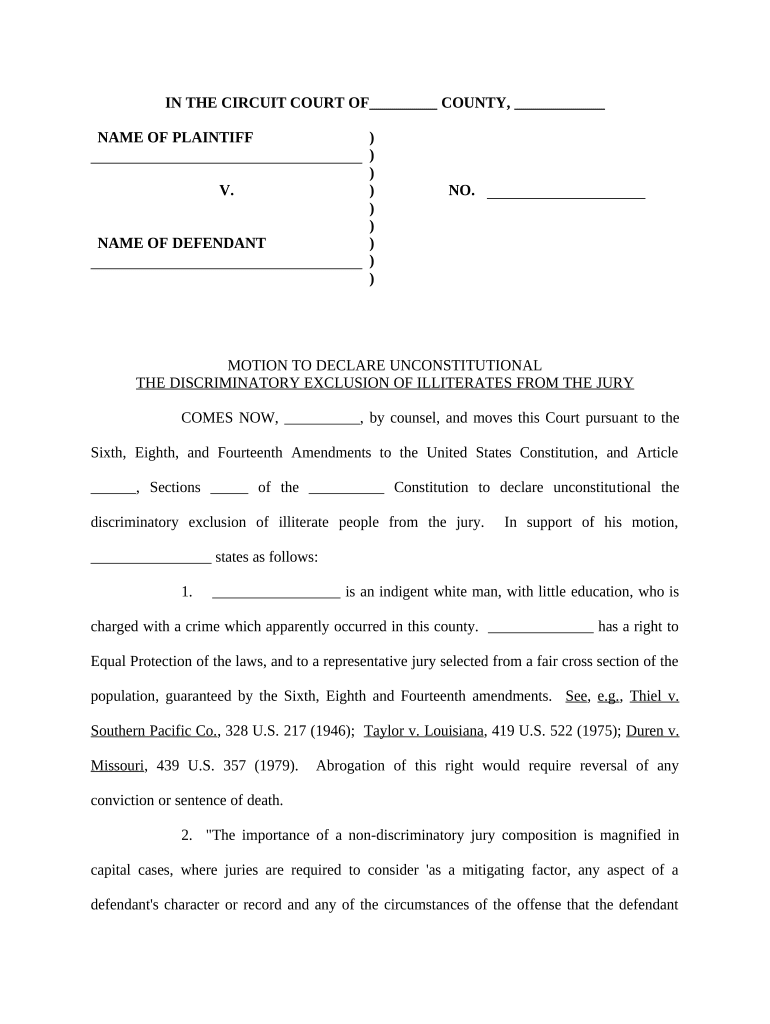
Caption

Court heading, case number, parties, and title of the motion so the filing is docket-ready and easily identified by the clerk and judge.
Statement of Facts

Concise factual account showing how illiteracy-based exclusion operates in jury selection, including dates, locations, local rules, and specific instances or statistical disparities.

Legal Argument

Direct constitutional claims (Equal Protection, Sixth Amendment) and supporting precedent or statutory interpretation demonstrating why the exclusion is unconstitutional.

Evidence

Affidavits, statistical analysis, juror questionnaires, and exhibits tied to the motion that prove discriminatory effect or disparate impact.

Requested Relief

Specific remedies sought (injunction, alternative selection procedure, remedial voir dire, declaratory judgment) with proposed order language for court convenience.

Proposed Order

Draft order attached as an exhibit that implements requested relief and specifies timelines, reporting, and monitoring if the court grants relief.

Essential information to provide

Party Names: Full legal names
Court and Case No.: Correct court/unit
Title of Motion: Exact motion title
Relief Sought: Clear remedy listed
Supporting Exhibits: Numbered exhibit list
Signature Block: Counsel name, bar number

Step-by-step: preparing and filing the motion

Follow these sequential steps to assemble facts, craft legal argument, and meet filing and service rules before jury selection begins.

  • 01
    Gather Facts: Collect juror lists, questionnaires, and incident reports showing exclusion.
  • 02
    Draft Motion: Write concise facts, legal claims, and attach numbered exhibits.
  • 03
    File with Court: File via local e-filing or clerk’s office consistent with rules.
  • 04
    Serve Parties: Serve opposing counsel and any amici per procedural rules.

How to adapt the motion for online drafting and e-filing

Configure an editable workflow so evidence and signatures are captured, tracked, and formatted for the court's e-filing system.

Field Configuration
Document Template Reusable Word or PDF template with numbered exhibits
Signature Type Typed or digital signature with audit trail
Authentication Email or MFA for counsel identity
Storage Secure PDF/A archive with versioning

Where to file, serve, and record the motion

Confirm destination and routing for both filing and service to avoid procedural defects that could waive the issue.

  • Court Filing: File via the court’s e-filing portal or in-person clerk’s office.
  • Opposing Counsel: Serve counsel electronically if permitted, otherwise serve per local rules.
  • Judge’s Chambers: Provide courtesy copies when local rules require or judge requests them.
  • Case File Archive: Retain lodged originals and electronic certificates of filing.

Digital delivery and file-format considerations

Courts and parties increasingly accept PDF/A or court-approved e-filing formats; verify local e-filing and exhibit rules before submission.

  • File Formats: PDF/A and native Word
  • Integrations: Google Workspace, Microsoft 365
  • Authentication: Email verification or MFA

Timing and deadlines to watch for

Timing is critical: motions that challenge jury selection should be filed early enough to allow discovery, briefing, and potential remedial action before trial begins.

Pretrial Cutoff:

File before the court’s pretrial motion deadline.

Discovery Time:

Allow time for statistical or juror questionnaire discovery.

Opposition Period:

Expect typical briefing windows per local rules.

Hearing Schedule:

Request expedited hearing when trial is imminent.

Service Deadline:

Serve parties according to local service rules.

Common drafting and procedural mistakes to avoid

  • Relying on general assertions instead of sworn affidavits or concrete juror data undermines the motion’s factual foundation and credibility.
  • Failing to cite constitutional or statutory authority specific to jury selection practices leaves the court without a legal framework for relief.
  • Not following local exhibit or e-filing rules can cause clerk rejection or procedural waiver of the claim.
  • Waiting until voir dire or after verdict often forfeits procedural remedies and narrows available corrective actions.

Risks if the motion is deficient or procedurally improper

Denial of Relief: Court may deny motion
Procedural Waiver: Issue may be deemed waived
Sanctions Risk: Potential fee or sanction exposure
Appeal Limits: Appellate review may be narrowed
Trial Delay: Late filings can delay trial
Prejudice to Client: Client rights may be harmed

How this motion differs from related filings

Compare primary purpose and timing of this constitutional motion with other procedural remedies to select the correct vehicle for relief.

Document Feature Motion to Declare Unconstitutional Voir Dire Challenge
Primary Purpose declare rule invalid strike juror
Timing pretrial or expedited during jury selection
Relief Sought systemic remedy individual juror exclusion
Standard constitutional analysis factual voir dire

Representative eSignature vendor comparison for document signing and tracking

Basic vendor pricing and feature indicators to consider when choosing an eSignature provider for legal forms and exhibit management.

signNow DocuSign Adobe Sign PandaDoc HelloSign
Starting Price $8/user/mo $15/user/mo $14/user/mo $19/user/mo $15/user/mo
Free Trial 7-day free trial Check vendor Check vendor Check vendor Check vendor
Bulk Send Yes (Business Premium) Check vendor Check vendor Check vendor Check vendor
Audit Trail Yes Yes Yes Yes Yes
Envelope Cap No cap 100 envelopes/user/year Varies Varies Varies

Frequently asked questions and quick answers

Common practitioner questions about standing, evidence, filing, and electronic handling when challenging illiteracy-based juror exclusion.


Need help? Contact support

be ready to get more
Join over 28 million airSlate SignNow users