Establishing secure connection…Loading editor…Preparing document…

Easement Agreement

This template is fully customizable. Edit the text, fill out the fields, and send it for signature. Give it a try!
Easement Agreement

What an Easement Agreement Is and When It Applies

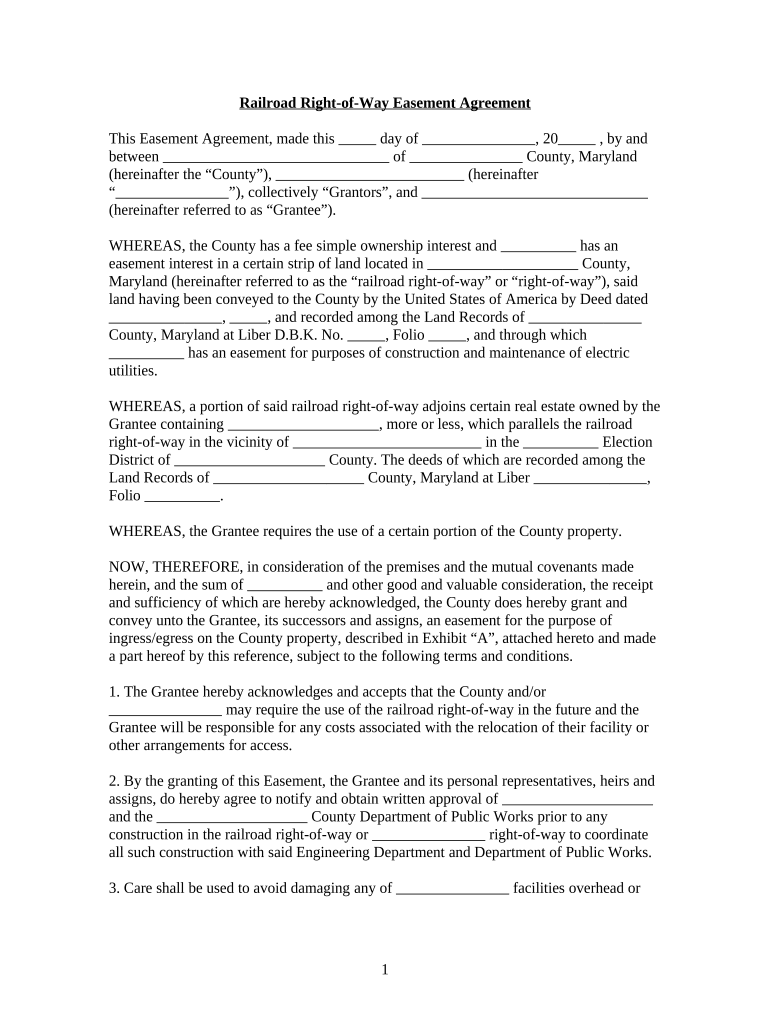
An Easement Agreement is a written legal instrument creating a nonpossessory property interest that allows one party limited use of another party’s real property for a specified purpose, such as access, utilities, or drainage. The document identifies the grantor (property owner), grantee (party receiving the right), a precise legal description of the property, the scope and limitations of permitted uses, duration, maintenance responsibilities, and recording instructions. In the United States, easements are governed by state property law and typically must be signed, properly witnessed/notarized when required, and recorded in the county recorder’s office to provide public notice.

Why a Clear Easement Agreement Matters

A professionally drafted Easement Agreement reduces title risk, prevents disputes over scope or access, clarifies maintenance and cost allocation, and improves marketability by enabling recording in the land records. It establishes the parties’ legal rights and the boundaries of permitted activity, which is essential for title insurance and future transfers.

Why a Clear Easement Agreement Matters

Who Typically Prepares and Signs an Easement Agreement

Each signer should confirm their authority to bind the party and follow state-specific notarization and recording practices before execution.

  • Property owners and developers who grant rights for access, utilities, or encroachments.
  • Title companies and closing agents preparing recording and title endorsement materials.
  • Municipalities, utilities, and contractors needing permanent or temporary access for infrastructure.

Essential Elements to Include in a Professional Easement Agreement

A complete agreement protects all parties by describing rights, limits, obligations, and recording steps in clear, enforceable language.

Grant Language

Precise language that conveys the easement interest being granted, including whether it is exclusive or nonexclusive and any express limitations on use.
Legal Description

Full legal description of the servient estate by metes and bounds or recorded parcel reference to avoid ambiguity in the land records.

Scope & Limitations

Detailed permitted uses, hours or seasonal limitations, size or location of improvements, and explicit prohibitions to prevent future disputes.

Access & Maintenance

Who may access for maintenance, who pays for repairs or improvements, and processes for resolving maintenance disputes.

Duration

Definite term, perpetual status, or termination triggers, including conditions for abandonment or reconveyance.

Recording & Exhibits

Instructions to record the agreement, attachments such as plats or surveys, and reference to county recorder book/page or instrument number.

Step-by-Step: Completing and Recording an Easement Agreement

A clear sequence helps ensure enforceability: identify parties and property, define the easement precisely, obtain signatures and authentication, then record promptly.

  • 01
    Gather Title Records: Obtain recorded deed, current title commitment, and recent survey or plat for accuracy.
  • 02
    Define Scope: Draft precise use, dimensions, and restrictions to limit future disputes.
  • 03
    Execute & Authenticate: Have authorized signers sign before a notary or via approved RON where permitted.
  • 04
    Record with County: Submit the signed instrument and required recording fee to the county recorder to provide public notice.

How to Configure an Online Easement Workflow

Set up an e-signing workflow that preserves audit trails, enforces signer order, and collects required authentication for recording and title review.

Field Configuration
Document Upload Upload final PDF with exhibits and survey attachments for consistent record copies.
Place Signature Fields Add signature, date, and initials fields for each party in the correct order.
Signer Order Enforce signer sequence (grantor first, grantee second, witnesses/notary last).
Authentication Require email and optional SMS code or KBA for higher-assurance signers.

Digital Signing and File Format Considerations

Confirm the chosen workflow meets the county recorder’s electronic filing requirements and supports long-term preservation of signatures and audit trails.

  • Supported Formats: PDF, Word DOCX
  • Key Integrations: Salesforce | NetSuite | Google Workspace | Box
  • Authentication Options: Email, SMS code, KBA, SSO

Where to File and Who to Send the Executed Easement

After execution, primary destinations include the county recorder for recordation, the title insurer for endorsement, and any affected mortgagee or utility company.

  • County Recorder: Record the executed instrument to create public notice and update title records.
  • Title Company: Provide copy for endorsement and to update the title commitment.
  • Mortgagee / Lienholders: Notify lienholders per mortgage clauses to avoid subordination issues.
  • Affected Utilities: Send recorded easement to utility or municipality for operational use.

Timing and Processing Expectations

Key timing items focus on the effective date, prompt recording, and any tax or title notifications; local recording processing times vary by county.

Effective Date:

Document’s MM/DD/YYYY effective date determines when rights commence.

Recommended Recording:

Record as soon as practicable; counties vary in processing speed and fee schedules.

Title Endorsement:

Allow 5–10 business days for title insurer review after recording in many markets.

Tax Assessment:

Notify tax authority if easement alters parcel valuation before the next tax cycle.

Survey Update:

Expect survey or plat updates to be processed within the closing or recordation period.

Common Pitfalls to Avoid When Preparing an Easement Agreement

  • Using an informal address instead of an exact legal description, which can make the easement ambiguous or unrecordable.
  • Failing to specify maintenance and cost-sharing, which often leads to disputes over repairs and access.
  • Not confirming signer authority for entities, potentially rendering the agreement unenforceable against the organization.
  • Skipping recording or delay in recording, leaving subsequent buyers unaware of the easement and increasing title risk.

Security, Compliance, and Evidence to Preserve with an Easement

Encryption: TLS 1.2/1.3; AES-256 at rest
Audit Trail: Capture IP, timestamp, and signer actions
ESIGN / UETA: Compliant with federal and state e-signature law
Notary / RON: Support for in-person and remote notarization
HIPAA Considerations: BAA required for PHI in easement attachments
Document Integrity: Tamper-evident signed PDFs

Consequences of an Incorrect or Unrecorded Easement

Unrecorded Risk: Title disputes and potential loss of priority
Ambiguous Scope: Litigation over permitted uses and limits
Wrong Description: Deed may be void or ineffective
Missing Notarization: Recording office may reject instrument
Unauthorized Signer: Agreement may be unenforceable
Tax Impacts: Valuation changes or reassessment risk

eSignature Vendor Comparison for Easement Workflows

Below is a concise pricing and capability comparison to help choose an eSignature vendor for executing and preserving Easement Agreements.

signNow DocuSign Adobe Sign PandaDoc HelloSign
Starting Price $8/user/mo $15/user/mo $14/user/mo $19/user/mo $15/user/mo
Free Trial 7-day free trial Varies by plan Varies by plan Varies by plan Varies by plan
Bulk Send Yes (Business Premium) Yes Yes Yes No
Audit Trail Yes Yes Yes Yes Yes
HIPAA Compliant Yes (BAA) Yes (BAA) Yes (BAA) No No

How to Amend or Revise an Existing Easement Agreement

Amendments require clear drafting, mutual consent, proper execution, and recording to modify recorded rights effectively.

01

Draft Amendment:

Describe precise changes and reference the original instrument by book/page or instrument number.
02

Obtain Consent:

Secure signatures from all parties with recorded interests in the easement.
03

Notarize:

Have signatures notarized if required by the recording jurisdiction.
04

Record Amendment:

File the amendment with the county recorder to update public records.
05

Notify Title:

Provide the recorded amendment to the title insurer for updated endorsements.
06

Update Taxes:

Inform tax assessor if the amendment affects parcel valuation or use.

Supporting Documents, Export Options, and How to Save the Agreement

Include supporting attachments and choose durable file formats when saving or sharing the executed agreement for long-term evidence and title needs.

Supporting Documents

Attach a certified survey, plat map, title commitment, and any related utility drawings to the easement agreement for clarity and recording reference.

Export Formats

Save final executed records as PDF/A for archival; maintain an editable DOCX copy for internal updates before recording.

Naming Convention

Use a consistent filename with parcel ID, grantor, grantee, and date to simplify retrieval for title searches.

Long-Term Storage

Store recorded instruments and audit trails in secure document management with redundant backups and access controls.

Frequently Asked Questions About Easement Agreements

Answers to common practical and legal questions encountered when drafting, signing, and recording easements.


Need help? Contact support

be ready to get more
Join over 28 million airSlate SignNow users