Caption
Case caption or cover heading naming the estate/trust, court (if any), docket number, and the parties to clearly tie the demand to the matter at issue and avoid ambiguity in formal proceedings.
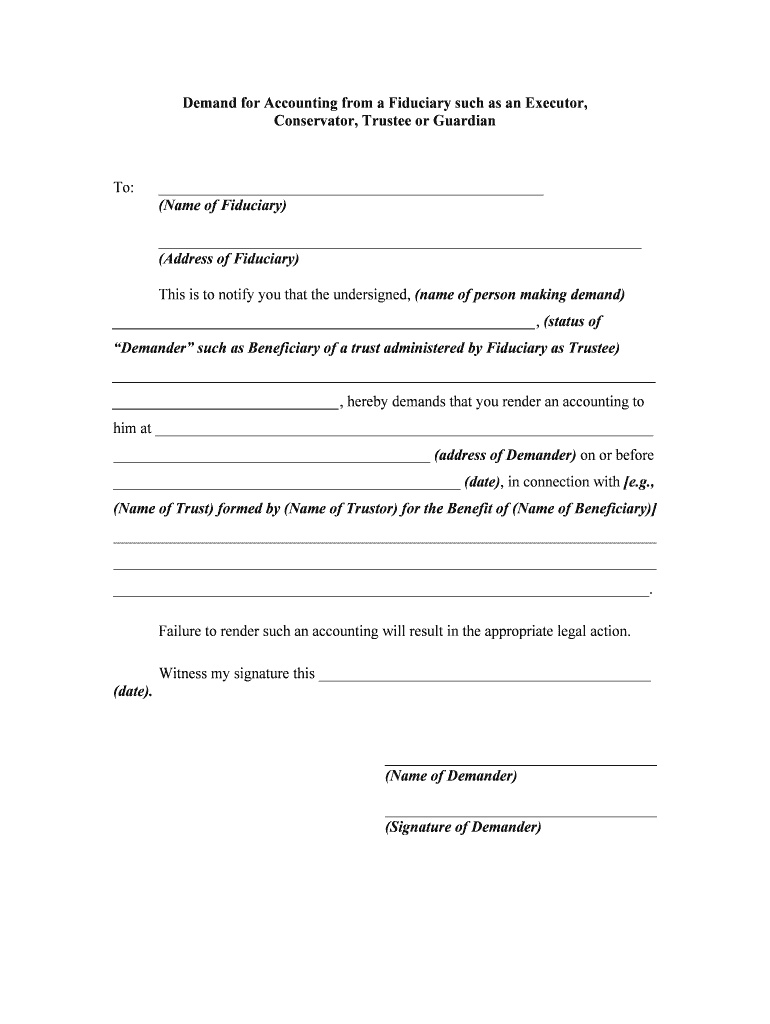
A formal demand documents entitlement to review fiduciary actions, creates a record for courts or mediators, and often resolves questions without litigation. It helps beneficiaries verify distributions, identify possible self-dealing, and preserve rights by creating a documented timeline of requests.

Use professional counsel when the estate is complex, includes business interests, or when court enforcement may be necessary.
Preserve copies of electronic audit trails, certified mail receipts, and any returned or signed acknowledgements for future enforcement or court filings.
| Field | Configuration |
|---|---|
| Signer Authentication | Email link, SMS code, or two-factor authentication |
| Attachments | Attach indexed exhibits as PDF files |
| Audit Trail | Enable timestamps, IP capture, and delivery receipts |
| Retention | Set automatic archival for signed copies and logs |
| signNow | DocuSign | Adobe Sign | PandaDoc | HelloSign | |
|---|---|---|---|---|---|
| Starting Price | $8/user/mo | $15/user/mo | $14/user/mo | $19/user/mo | $15/user/mo |
| Free Trial | 7-day free trial | Varies | Varies | Varies | Varies |
| Bulk Send | Available on higher tiers | Available | Available | Available | Limited |
| Audit Trail | Yes | Yes | Yes | Yes | Yes |
| HIPAA Compliant | Yes | Yes | Yes | No | No |
| Envelope Cap | No cap | 100 envelopes/user/year | Varies by plan | Varies by plan | Varies by plan |
Often 30–90 days depending on local practice
Follow the specific timetable in any court order
Keep originals until dispute resolution
Send reminders and document delivery attempts
File if fiduciary fails to produce records
Case caption or cover heading naming the estate/trust, court (if any), docket number, and the parties to clearly tie the demand to the matter at issue and avoid ambiguity in formal proceedings.
Full legal name of the fiduciary, contact details, appointment date, and capacity (executor, trustee) so the demand precisely identifies who must produce accounts and under what authority they act.
Explicit start and end dates in MM/DD/YYYY format that define the scope of the accounting request and limit the records fiduciary must assemble and produce for inspection or copying.
A numbered list of specific documents and transaction categories requested, including bank statements, check copies, ledgers, receipts, tax returns, and asset inventories to prevent overly broad disputes.
A statement certifying the demand is made in good faith, the requester’s interest in the estate or trust, and the steps taken to obtain records informally prior to serving the demand.
Clear notice of intended next steps if records are not produced, such as a petition to probate court to compel accounting, and any request for costs or sanctions permitted by law.
Attach an exhibit index listing requested documents and examples to guide the fiduciary and reduce scope disputes during production.
Include testamentary or beneficiary documentation such as a copy of the will, trust instrument, or letters testamentary proving standing to request an accounting.
Use certified mail receipts, personal service affidavits, or secure e-delivery audit logs to document when and how the fiduciary was served.
Specify acceptable formats for production (PDF, native spreadsheets) and whether certified or original copies are required for evidentiary use.
A beneficiary in a small estate requests bank statements for a two-year period to reconcile distributions and fees.
After repeated noncompliance, a co-beneficiary petitions probate court for an order compelling an accounting and sanctions.