Establishing secure connection…Loading editor…Preparing document…

Grievance Procedure

This template is fully customizable. Edit the text, fill out the fields, and send it for signature. Give it a try!
Grievance Procedure

What a Grievance Procedure Is and Why It Matters

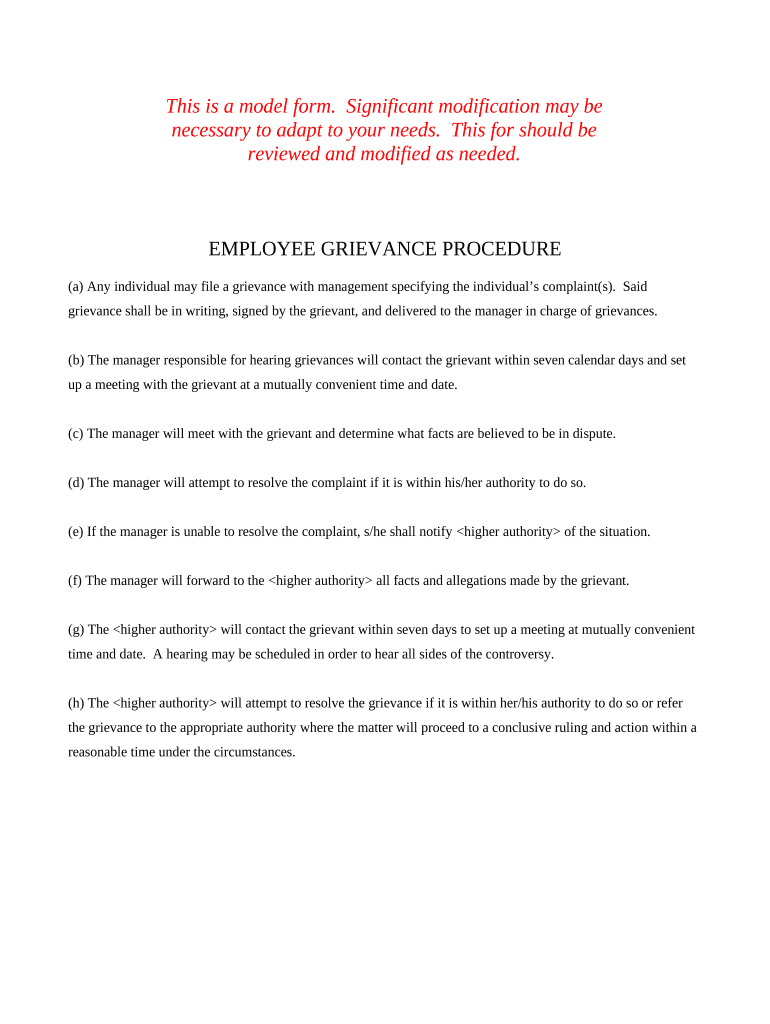
A grievance procedure is a formal, documented process organizations use to receive, investigate, and resolve complaints from employees, students, patients, or other stakeholders. It sets clear steps for filing a grievance, assigning investigative responsibility, preserving evidence, conducting interviews, documenting findings, and communicating outcomes. Grievance procedures often include timelines, appeal rights, confidentiality safeguards, and criteria for escalation to external bodies or legal counsel. Properly drafted procedures promote fairness, ensure legal compliance with employment and civil rights statutes, and create an auditable record to support due process and risk management.

How a Clear Procedure Reduces Risk and Improves Outcomes

A clear grievance procedure reduces disputes, protects individual rights, and documents organizational responses. It helps meet legal obligations under employment and anti-discrimination laws, reduces liability by demonstrating procedural fairness, and supports consistent resolution across cases.

How a Clear Procedure Reduces Risk and Improves Outcomes

Who Relies on a Grievance Procedure

Employers, schools, healthcare providers, and public agencies use grievance procedures to ensure complaints are handled consistently and transparently.

  • Human resources and compliance teams managing employment disputes, discrimination claims, or policy breaches.
  • School administrators and student affairs staff addressing academic or conduct grievances and appeals.
  • Healthcare privacy officers and patient advocates handling care complaints and HIPAA-related concerns.

Step-by-Step: Filing to Final Determination

Follow these sequential steps to file, investigate, decide, and close a grievance while preserving evidence and controlling access to records.

  • 01
    Prepare: Collect names, dates, and any supporting documents.
  • 02
    Submit: File via the designated intake channel and confirm receipt.
  • 03
    Investigate: Assign an impartial investigator and gather evidence.
  • 04
    Decide: Issue a written outcome with remedies and appeal instructions.

Core Components Every Grievance Procedure Should Include

Essential components of a professional Grievance Procedure define roles, steps, timelines, and documentation standards to ensure fair, timely, and auditable resolutions.

Scope

Describe who may file grievances, covered issues, internal vs external complaints, and any exclusions such as matters subject to collective bargaining or ongoing criminal investigations.
Filing Steps

Specify submission methods (written, online form, email), required fields, supporting documentation, intake acknowledgement, and initial timeframe for response to the complainant and assignment of an investigator.

Investigation

Outline investigator duties, evidence collection procedures, interview protocols, confidentiality limits, standard of proof, and deadlines for completing the investigation and reporting findings to decision-makers promptly.

Decision & Remedies

Define how decisions are made, authorized remedies, disciplinary measures, corrective actions, and how outcomes are communicated to both complainant and respondent, including timelines for implementation.

Appeal

Provide grounds for appeal, timeline for submitting appeals, appellate decision-maker, process for reconsideration, whether new evidence will be accepted, and expected timeframe for final determination.

Recordkeeping

Specify what records to retain, retention periods, access controls, confidentiality safeguards, destruction procedures, and how records support regulatory reporting or litigation, including audit trail and chain-of-custody details.

Key Data & Security Controls to Protect Confidentiality

Confidentiality: Limit disclosures to need-to-know parties.
Access Controls: Role-based permissions and audit logs.
Audit Trail: Record timestamps, user IDs, and actions.
Data Encryption: TLS in transit; AES-256 at rest.
HIPAA Considerations: BAA needed for PHI handling.
Document Copies: Store signed and redacted versions separately.

Configuring an Online Grievance Workflow

Set up intake, authentication, routing, and notifications to reduce manual touchpoints while preserving privacy.

Field Configuration
Authentication Method Email link or SMS code; consider stronger options for sensitive complaints
Conditional Logic Show follow-up questions only when relevant to reduce errors
Notifications Auto-acknowledgement and investigator alerts on submission
Retention Policy Automatic archival per retention schedule and access controls

Technical Requirements for eSubmission and Secure Storage

Choose a platform that supports secure uploads, strong authentication, and a detailed audit trail for every action.

  • Authentication: Multi-factor options
  • Integrations: CRM and storage connectors
  • File Formats: PDF, DOCX supported

Where to File and How Submissions Flow

Outlining submission destinations and routing ensures each grievance reaches the appropriate intake and investigative team quickly.

  • Designated Intake: HR portal or centralized complaint inbox
  • Intake Acknowledgement: Automated receipt and case number
  • Assignment: Case routed to investigator or unit
  • Escalation: Policy-defined steps for serious allegations

Typical Timelines and Response Expectations

Include realistic deadlines that reflect organizational capacity, legal requirements, and the need to protect complainants and respondents equally.

Acknowledgement:

Acknowledge receipt within 3–5 business days of submission.

Preliminary Assessment:

Complete intake review within 7–10 business days.

Investigation Completion:

Aim to finish most investigations within 30 calendar days.

Decision Issued:

Provide a written outcome within 10 business days after investigation.

Appeal Window:

Allow 14 days to file an appeal from decision date.

Common Mistakes to Avoid When Preparing a Procedure

  • Unclear scope that fails to identify who may file or which incidents are covered, leading to inconsistent intake decisions and frustration.
  • Missing timetables or unrealistic deadlines that cause delays, loss of evidence, and increased legal exposure for mishandled or stale complaints.
  • Poor confidentiality controls that allow information leaks, retaliation risk, and potential HIPAA or privacy violations in regulated settings.
  • Insufficient recordkeeping practices that make it hard to demonstrate compliance or defend decisions in appeals or litigation.

Risks and Potential Consequences of a Deficient Procedure

Regulatory Action: Fines or enforcement for noncompliance
Litigation Exposure: Increased risk of civil suits
Reputational Harm: Publicized mishandling damages trust
Evidence Loss: Poor preservation undermines defenses
Retaliation Claims: Inadequate protections invite secondary claims
HIPAA Violations: Improper PHI handling triggers penalties

Realistic Use Cases for a Grievance Procedure

These illustrative scenarios show common organizational benefits from having a documented grievance workflow and clear recordkeeping.

University Case

A mid‑size public university standardized its grievance procedure to centralize complaints, reduce duplicate investigations, and improve transparency.

  • Centralized intake reduced processing delays.
  • The protocol included online forms, clear timelines, and designated review officers; the university documented every step to support appeals and provide defensible records in Title IX and student conduct matters.

Healthcare Case

A regional health system implemented a coded grievance workflow for patient complaints and privacy incidents to align with HIPAA and internal risk controls.

  • Enabled faster resolution and audit trails.
  • Investigations tracked evidence, preserved chain-of-custody, and used secure storage; this reduced repeat complaints and provided documentation for compliance audits.

Typical Signatories and Decision-Makers

HR Manager

HR managers typically intake complaints, coordinate investigations, and approve corrective actions. They must follow policy, maintain confidentiality, and document outcomes for legal and compliance review.

Compliance Officer

Compliance officers assess systemic risk, ensure regulatory requirements are met, and may review high-risk decisions. They help design procedures, audit records, and recommend policy updates when recurring issues appear.

eSignature Pricing Comparison for Grievance Workflows

Compare typical vendor starting prices and core capabilities relevant to secure grievance intake, audit trails, and compliance.

signNow DocuSign Adobe Sign PandaDoc HelloSign
Starting Price $8/user/mo $15/user/mo $14/user/mo $19/user/mo $15/user/mo
Free Trial 7-day free trial Varies by plan Varies by plan Varies by plan Varies by plan
Bulk Send Yes Yes Yes Yes No
Audit Trail Yes Yes Yes Yes Yes
HIPAA Compliant Yes Yes Yes No No

Practical Tips for Accurate, Efficient Handling

Small procedural choices improve fairness, reduce processing time, and strengthen legal defensibility.

Acknowledge Quickly
Send an automated receipt within 3–5 business days to confirm intake and provide a case number for tracking.
Preserve Evidence
Capture and lock related digital files immediately; document chain-of-custody to support investigations and potential legal review.
Maintain Neutrality
Assign impartial investigators and avoid conflicts of interest; rotate panels for sensitive or high-stakes matters.
Document Decisions
Record rationale, evidence considered, and applicable policy provisions to support appeals and external scrutiny.

Frequently Asked Questions About Grievance Procedures

Answers to the most common questions help users file correctly and administrators apply the procedure consistently.


Need help? Contact support

be ready to get more
Join over 28 million airSlate SignNow users