Establishing secure connection…Loading editor…Preparing document…

Hauling Contract

This template is fully customizable. Edit the text, fill out the fields, and send it for signature. Give it a try!
Hauling Contract

What a Hauling Contract Covers

A Hauling Contract is a written agreement that sets the rights and responsibilities between a shipper and a carrier for transporting goods. It clarifies scope of services, pickup and delivery points, rates, insurance and liability limits, claims procedures, and payment terms. Properly drafted hauling contracts reduce disputes, define timing and routing expectations, and document carrier obligations for loss or damage during transit.

Why a Clear Hauling Contract Matters

A clear hauling contract allocates risk, defines pricing and claim timelines, and preserves enforcement options. It creates predictable payment schedules, sets insurance minimums, and documents who is responsible for cargo at each stage of transit.

Why a Clear Hauling Contract Matters

Who Typically Uses a Hauling Contract

The hauling contract is used by parties involved in transporting goods to formalize expectations and liabilities before shipping.

  • Shippers and Consignors who arrange freight and need liability, pickup, and delivery terms documented.
  • Carriers and Freight Brokers who require agreed rates, routing, and claims procedures before accepting loads.
  • Third-party Logistics Providers coordinating multi-leg shipments and vendor responsibilities across carriers and terminals.

Primary Signers and Their Roles

Carrier Representative

The carrier signatory (operations manager or authorized agent) accepts routing, liability limits, insurance provisions, and pick-up/delivery windows. Their signature binds the carrier to perform and subject it to contractual remedies for nonperformance or cargo loss.

Shipper Representative

The shipper signatory (logistics manager or consignor) confirms shipment details, declared value, payment terms, and any special handling instructions. Their signature establishes the shipper's obligations and authorizes carrier actions under the contract.

Core Clauses to Include in a Professional Hauling Contract

A comprehensive hauling contract groups operational, commercial, and legal provisions so parties understand performance expectations and remedies.

Parties

Identify legal names, business types, and contact information for shipper, carrier, and any brokers to ensure enforceability and proper notice receipt.
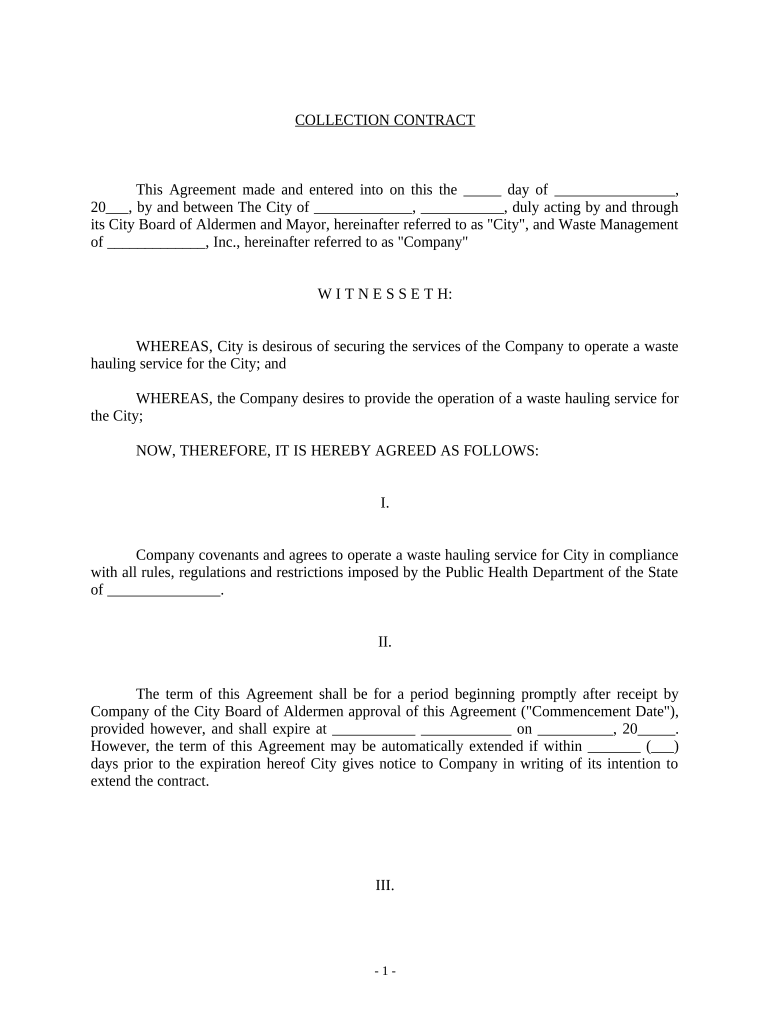
Scope of Services

Specify pickup and delivery points, routing conventions, permitted delays, handling instructions, and any transloading or warehousing responsibilities.

Rates and Payment

Define freight charges, accessorial fees, billing cadence, payment terms (for example Net 30), and interest or penalties for late payments.

Liability and Insurance

State cargo liability limits, required insurance coverages, certificates to be provided, and how declared value affects carrier exposure.

Claims and Notice

Set deadlines and procedures for damage or loss claims, documentation required, inspection windows, and escalation pathways.

Governing Law and Dispute Resolution

Choose the governing state law, venue or arbitration clauses, and any indemnity obligations to limit unexpected jurisdictional costs.

Essential Contract Data Fields

Shipment ID: Unique identifier
Pickup Address: Street, city, state, ZIP
Delivery Address: Street, city, state, ZIP
Declared Value: Dollar amount
Carrier Name: Legal entity name
Payment Terms: Net terms or COD

Step-by-Step: Completing a Hauling Contract

Follow these sequential steps to prepare, review, and finalize a hauling contract to minimize ambiguity and exposure.

  • 01
    Gather Details: Collect shipment addresses, commodity description, and declared value.
  • 02
    Set Terms: Specify rates, accessorial charges, and payment timing.
  • 03
    Allocate Risk: Agree liability limits, insurance, and required certificates.
  • 04
    Sign and Exchange: Obtain authorized signatures and distribute executed copies to parties.

How to Configure an Online Hauling Contract Workflow

Configure online fields and signer order to mirror the physical review and approval process for faster execution.

Field Configuration
Signer Authentication Email link or SMS code; consider stronger ID for high-value loads
Signature Fields Placement Place named signature and date fields for each party in clear locations
Conditional Fields Show insurance or declared value fields only when applicable
Routing Order Set sequential or parallel signing based on review needs

Typical Processing Flow for a Hauling Contract

A simple online flow speeds execution and preserves an audit trail required for later claims or disputes.

  • Upload: Upload the contract template or draft document
  • Prepare: Place fields and set signer order
  • Send: Send signing links or invite by email
  • Complete: Collect signatures and store executed copy with audit trail

Digital Signing and Delivery Requirements

Choose a platform that supports secure e-signatures, audit trails, and common file formats like PDF and DOCX.

  • File Formats: PDF and DOCX supported
  • Integrations: Connectors for CRMs and cloud storage
  • Security: TLS and AES-256 encryption

Ensure the chosen solution provides signer authentication options, tamper-evident signed files, and retention features to meet contract and regulatory obligations.

Key Timeframes to Include in the Contract

Specify hard dates and relative deadlines so parties have clear expectations for performance, payment, and claim notices.

Pickup Date and Window:

Specify scheduled pickup date and allowable delay window

Delivery Date and Window:

State expected delivery date and tolerance for delays

Invoice Payment Terms:

Commonly Net 30 from invoice date

Damage Inspection Window:

Require inspection and notice within 7 days of delivery

Claim Filing Deadline:

Specify carrier claim period, commonly within months

Milestones from Negotiation to Cargo Release

Track milestone progression so each party knows the next action and associated timing between negotiation and final settlement.

01

Negotiation Complete

Terms agreed and draft contract prepared by parties

02

Execution

Authorized signers sign the agreement

03

Pickup

Carrier collects cargo per shipping instructions

04

Delivery and Close

Cargo delivered and any claims or invoicing begins

Common Preparation Mistakes to Avoid

  • Failing to specify declared value or insurance minimums, which can leave cargo exposure unclear and complicate claims.
  • Leaving payment terms vague or absent, causing disputes over invoicing cycles and late fees between shipper and carrier.
  • Omitting precise pickup or delivery windows, which leads to demurrage disputes, missed appointments, and routing confusion.
  • Using inconsistent party names or unsigned exhibits, resulting in ambiguity over who is contractually bound and when obligations begin.

Potential Penalties and Contractual Risks

Late Payment: Interest charges apply
Cargo Loss: Limited recovery by contract
Missed Pickup: Demurrage or detention fees
Incorrect Delivery: Return and redelivery costs
Noncompliant Info: Claims denial risk
Unauthorized Subcontracting: Breach of contract

How a Hauling Contract Differs from a Bill of Lading

A hauling contract and a bill of lading serve different commercial roles; compare core attributes to select the right document for your need.

Criteria Hauling Contract Bill of Lading
Primary purpose ongoing services receipt and title
Signature required
Carrier liability contractual limits statutory and contractual
Typical use rate and service terms evidence of carriage

Compare eSignature Pricing and Key Features

This neutral pricing snapshot compares signNow and common alternatives on starting price, trials, feature availability, and HIPAA support.

signNow DocuSign Adobe Sign PandaDoc HelloSign
Starting Price $8/user/mo $15/user/mo $14/user/mo $19/user/mo $15/user/mo
Free Trial 7-day free trial Yes, limited Yes, limited Yes, limited Yes, limited
Bulk Send Yes Yes Yes Yes No
Audit Trail Yes Yes Yes Yes Yes
HIPAA Compliant Yes Yes Yes No No

Real-World Examples of Digital Contract Use

Practical examples show how digital workflows help organizations execute hauling contracts without in-person meetings.

Tim Martin — Martin Properties

Many of our shipping contracts moved online to speed operations and reduce errors.

  • Signed on mobile in minutes.
  • I can process and execute all of these documents online with 100% compliance and built-in security. Whether on mobile or working offline, I can get forms back to their necessary parties efficiently.

Brian Fitzgibbons — Optica Ventures LLC

Simplifying signature steps improved turnaround on freight terms.

  • Customers sign without calling operations.
  • The interface is simple and easy-to-use for our team; more importantly, it is just as easy for our customers.

Frequently Asked Questions about Hauling Contracts

Answers to common execution, enforceability, and digital signing questions for hauling contracts in the United States.


Need help? Contact support

be ready to get more
Join over 28 million airSlate SignNow users