Purpose
State the affidavit’s purpose plainly (e.g., to identify heirs for property transfer) and reference the decedent’s death as the triggering event.
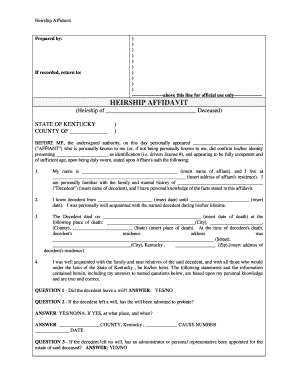
An heirship affidavit can streamline title transfer, avoid full probate for small or uncontested estates, and provide a clear, notarized record of heirs for banks, title companies, and county property records.

Common users include family members of the decedent, property purchasers, title companies, and county clerks handling conveyance or record corrections.
State the affidavit’s purpose plainly (e.g., to identify heirs for property transfer) and reference the decedent’s death as the triggering event.
Provide the decedent’s full legal name, last known address, date of death, and any aliases to avoid identity confusion.
Enumerate heirs with full names, relationships, ages if minor, and contact addresses; include disclaimers for unknown or unlocatable heirs.
Include the exact legal description, parcel identification, and any deed references to ensure record linkage and prevent ambiguity.
Attach a certified copy of the death certificate and any prior wills, previous conveyances, or probate entries that confirm title history.
Affiant must swear to truth under penalty of perjury and sign before a notary; include notary acknowledgment per Kentucky notary rules.
| Field | Configuration |
|---|---|
| Upload | Accept PDF or DOCX; require death certificate upload. |
| Signature Type | Require typed or drawn signature with timestamped audit trail. |
| Authentication | Use email plus SMS code for signer verification. |
| Attachments | Mandate certified death certificate and ID copy. |
When preparing an electronic affidavit, use a platform that supports standard file formats and provides tamper-evident audit trails.
Retain a copy of the notarized, recorded affidavit and keep the audit trail and attachments in a secure archive for the retention period required by law.
A neighbor provided family information to the affiant
An estate had limited assets and no probate opened