Establishing secure connection…Loading editor…Preparing document…

Letter Announcing Company Representative Visit

This template is fully customizable. Edit the text, fill out the fields, and send it for signature. Give it a try!
Letter Announcing Company Representative Visit

What the Letter Announcing Company Representative Visit Is

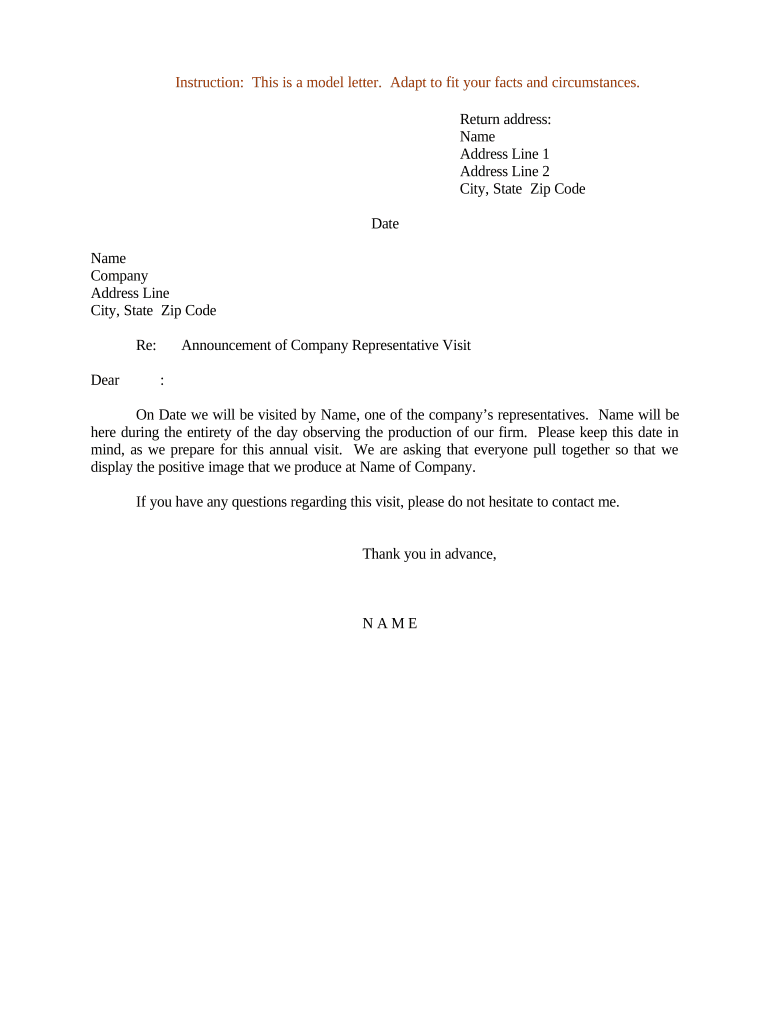
A Letter Announcing Company Representative Visit is a written notice sent to a client, tenant, customer, or partner informing them that an authorized company representative will attend their premises or a scheduled meeting for inspection, service, consultation, delivery, or verification. The letter identifies the representative, states the purpose and scope of the visit, gives date and time windows, explains access or identification requirements, and provides contact information for questions or rescheduling. Use this letter to set clear expectations, reduce confusion, and create a documented record of the planned visit.

Why Send a Formal Visit Notice

A clear announcement protects operational efficiency and reduces disputes by documenting who will visit, why, and when. It helps recipients prepare access, arrange staff, and confirm safety or privacy requirements ahead of the visit.

Why Send a Formal Visit Notice

Who Typically Sends and Receives This Letter

This letter is used by companies across departments whenever a representative must visit a third-party site or client location.

  • Operations teams and field services coordinators who schedule on-site maintenance and inspections.
  • Real estate agents or property managers arranging showings, repairs, or inspections.
  • Compliance and audit teams notifying regulated entities of an upcoming review or verification.

Typical Sender and Recipient Roles

Facilities Manager

Facilities managers coordinate access, secure building clearance, and ensure on-site staff availability; they rely on written notices to schedule vendors and log visits for operational records.

Compliance Officer

Compliance officers issue visit letters to document regulatory checks or audits; these notices preserve a contemporaneous record showing the company gave advance notice and listed credentials and scope of review activities.

Essential Elements to Include in the Letter

A professional visit notice organizes the practical and legal details so recipients can verify identity, grant access, and prepare relevant records or personnel.

Header

Company name and official letterhead; date of issuance; reference number if used for tracking or internal records.
Representative Details

Full name, job title, company affiliation, and expected identification method (badge, uniform, vehicle description) to allow recipient verification.

Purpose

Concise explanation of the visit purpose (inspection, maintenance, delivery, audit) and the scope of activities to be performed while on site.

Date and Time

Scheduled date and arrival window, plus an alternative date if applicable, and expected duration of the visit.

Access Instructions

Any access requirements, security procedures, permit needs, or PPE expectations the representative must meet while on site.

Contact and Next Steps

Primary contact name, telephone and email for last-minute changes, plus instructions for rescheduling or denying access if necessary.

Step-by-Step: Prepare and Send the Visit Letter

Follow these steps to create a clear, authoritative visit notice and confirm recipient understanding.

  • 01
    Draft Notice: Populate the template fields with accurate names, dates, and purpose details.
  • 02
    Verify Authorization: Confirm the representative is authorized and has required credentials before scheduling.
  • 03
    Send in Advance: Deliver the letter at least 72 hours before the visit where practical.
  • 04
    Confirm Receipt: Request acknowledgement and document any agreed changes in writing.

How the Visit Notice Gets Processed

A standard workflow ensures the notice is drafted, approved internally, delivered to the recipient, and acknowledged before the visit.

  • Create Draft: Sender fills template and selects recipient contact details.
  • Obtain Approval: Supervisor or legal reviews and approves the planned visit scope.
  • Deliver Notice: Send letter via email, certified mail, or secure eDelivery as required.
  • Record Acknowledgement: Save confirmation of receipt and any recipient instructions for the visit.

Configuring an Online Notice Workflow

Set up a simple digital workflow to reduce manual steps and preserve an audit trail of delivery and receipt.

Field Configuration
Authentication Method Use email confirmation or SMS code for recipient acknowledgement.
Template Management Store an approved template with required fields and placeholders.
Approval Routing Route drafts to a supervisor or compliance reviewer for sign-off.
Delivery Record Capture delivery timestamp, read receipts, and replies in the record.

Delivery Channels and Technical Considerations

Choose delivery methods that match recipient preferences and compliance needs, and ensure receipt is logged.

  • Email: Fast delivery; include read receipt when available.
  • Certified Mail: Useful when a signed physical acknowledgement is required.
  • Secure eDelivery: Supports attachments, access controls, and traceable receipt events.

Typical Timelines and Response Windows

Set and communicate clear timing expectations so recipients can prepare and grant access without last-minute disputes.

Advance Notice:

Send at least 72 hours before the planned visit when possible.

Acknowledgement Deadline:

Request confirmation within 48 hours to keep planning on schedule.

Rescheduling Window:

Provide alternate dates and request recipient response within 72 hours.

On-Site Arrival:

Allow a 15–30 minute arrival window for check-in procedures.

Follow-Up Report:

Deliver any visit findings or service reports within 7 business days after the visit.

Typical eSignature Vendor Comparison for Visit Notices

Comparison of common price and capability criteria for eSignature vendors; signNow is listed first per table convention.

signNow DocuSign Adobe Sign PandaDoc HelloSign
Starting Price $8/user/mo $15/user/mo $14/user/mo $19/user/mo $15/user/mo
Free Trial Yes, 7-day trial No No Yes, limited Yes, limited
Bulk Send Yes Yes Yes Yes No
Audit Trail Yes Yes Yes Yes Yes
HIPAA Compliant Yes Yes Yes No No
Envelope Cap No cap 100 env/user/yr Varies Varies Varies

Common Mistakes to Avoid When Preparing the Letter

  • Using vague purpose descriptions that leave recipients unsure about required preparations and access permissions.
  • Failing to provide contact details or a confirmation channel, which delays scheduling and increases no-shows.
  • Neglecting identity and credential instructions that cause building security to deny entry to the representative.
  • Not documenting acknowledgement or rescheduling agreements, creating later disputes about whether proper notice was given.

Risks and Legal Consequences to Consider

Privacy Violations: Potential HIPAA exposure if patient data is mishandled
Contract Breach: Unauthorized access may trigger contract remedies
Regulatory Fines: Industry regulators may impose fines for noncompliance
I-9 Documentation: I-9 errors can result in $281–$2,789 fines (8 CFR §274a.2)
Tax Reporting Errors: Incorrect payee info can trigger IRC §6721 penalties
Evidence Gaps: Lack of delivery proof weakens defensibility in disputes

Real-World Examples of Visit Notices in Use

These condensed examples show how organizations craft visit notices to match operational and compliance needs.

Optica Ventures — Site Coordination

The operations team issued a scheduled visit notice for equipment inspection, specifying badge ID and vehicle details.

  • The recipient confirmed availability within 24 hours.
  • The clear instructions and recorded acknowledgement reduced check-in delays and ensured the inspector completed work within the allotted window, improving turnaround on the maintenance ticket.

Martin Properties — Remote Signing

A property manager sent an electronic visit notice with representative credentials and access instructions.

  • The tenant confirmed via secure eDelivery link.
  • Documented delivery timestamps and the attached signed acknowledgement eliminated later disputes about when access was requested and who authorized entry, streamlining property maintenance.

Practical Tips for Accurate and Efficient Notice Delivery

Adopt consistent templates and recordkeeping practices to reduce errors, save time, and maintain proof of delivery.

Use a standardized template
Maintain one approved template that includes all required fields and internal approval steps so every notice is consistent and legally defensible.
Confirm recipient identity
Request a named onsite contact and require recipients to confirm the representative's name and identification method before allowing access.
Log delivery and acknowledgement
Capture timestamps, read receipts, or signed confirmations and store them with the notice for future audits or dispute resolution.
Include contingency instructions
Provide clear rescheduling steps, emergency contact information, and instructions for denying access to protect both parties.

Frequently Asked Questions About Visit Notices

Answers to common operational and legal questions help you prepare, deliver, and preserve a visit notice correctly.


Need help? Contact support

be ready to get more
Join over 28 million airSlate SignNow users