Establishing secure connection…Loading editor…Preparing document…

Letter of Persuasion for Telecommuting

This template is fully customizable. Edit the text, fill out the fields, and send it for signature. Give it a try!
Letter of Persuasion for Telecommuting

What the Letter of Persuasion for Telecommuting Is

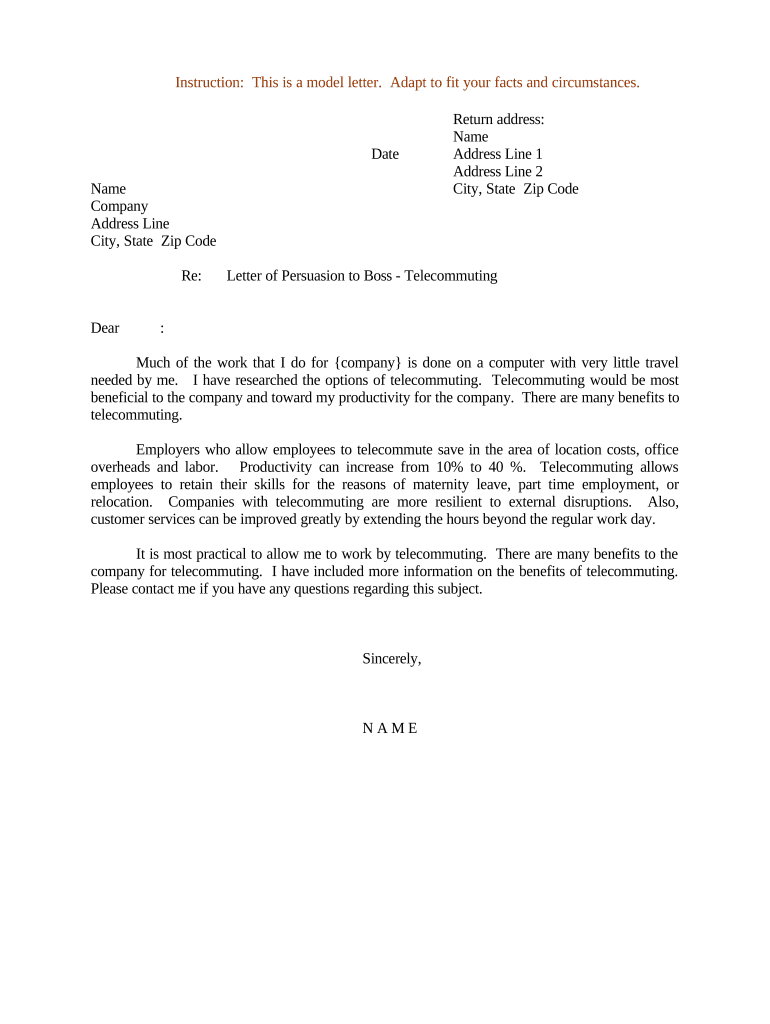
A Letter of Persuasion for Telecommuting is a formal written request from an employee to a manager or HR that explains why remote work is appropriate for a specific role. It summarizes job duties that can be performed off-site, a proposed schedule, productivity metrics or evidence, and any technology or security needs. Employers use the letter to evaluate operational impact, legal and tax considerations, and reasonable accommodations. When approved, the letter can form the basis for a telecommuting agreement with defined review and retention terms.

Why a Focused, Evidence-Based Letter Matters

A concise, evidence-based letter clarifies the request, reduces back-and-forth with managers and HR, and surfaces compliance or security items early. It helps decision-makers weigh productivity, supervision, and accommodation needs on a consistent basis and creates a record for later review.

Why a Focused, Evidence-Based Letter Matters

Who Prepares and Reviews These Letters

Typical users who prepare or receive this letter include employees requesting telework, HR professionals reviewing accommodations, and managers evaluating operational fit.

  • Employees with job duties suitable for remote work, including knowledge, administrative, and client-facing roles.
  • Human resources staff assessing policy, accommodation requests, and compliance with federal or state laws.
  • Supervisors deciding on schedules, productivity metrics, equipment needs, and team coordination for telework.

Use role-specific review criteria to ensure consistent evaluation and document retention for audit and HR records.

Core Sections to Include in the Letter

Include clear sections so reviewers can quickly assess the request, covering scope, measurable expectations, security, impact mitigation, and signatures for formal acknowledgement.

Opening Summary

State the specific telecommuting request, preferred schedule, and primary rationale in one concise opening paragraph to set reviewer expectations and frame subsequent evidence.
Job Duties

Describe which tasks will be performed remotely, how responsibilities and deliverables will be managed, and any in-office exceptions or required on-site meetings.

Performance Plan

Propose measurable productivity metrics, reporting cadence, communication protocols, and how outcomes will be tracked during the trial or ongoing arrangement.

Technology & Security

List hardware, software, VPN or access controls, and steps to maintain confidentiality and data security consistent with HIPAA or company policies when applicable.

Impact & Mitigation

Address potential operational or team impacts and propose mitigations such as overlapping hours, core meeting availability, and backup coverage plans.

Signatures & Dates

Include employee signature, manager acknowledgement, effective date, and a review or sunset date for reassessment to document agreement terms.

Essential Information to Provide

Employee Name: Full legal name as on ID
Job Title: Official position title on payroll
Department: Business unit or team
Proposed Schedule: Days, hours, time zone
Work Address: Primary remote work street address
Manager Name: Supervisor or approving manager

Step-by-Step: Prepare and Submit the Letter

Follow these steps to prepare, submit, and track a telecommuting persuasion letter through HR and management review.

  • 01
    Draft the Letter: Summarize request, duties, schedule, and supporting evidence.
  • 02
    Attach Documents: Include performance data, equipment lists, and accommodation notes.
  • 03
    Submit to Manager: Send to direct supervisor and HR per company process.
  • 04
    Follow-up: Request a decision deadline and confirm next steps in writing.

How to Configure an Online Review Workflow

Configure online workflow fields and reviewer routing to match company approval steps and record retention policies.

Field Configuration
Signature Routing Employee then manager then HR for approval
Authentication Email link with optional SMS code for sensitive roles
Retention Tag Apply HR: Telework Request, retain per policy
Notifications Auto-notify approvers and store signed PDF in HR folder

Document Flow: From Submission to Storage

This flow shows how the completed letter moves from employee to HR, through approvals, and into record storage.

  • Employee Upload: Employee uploads signed letter and attachments to HR portal.
  • Manager Review: Manager evaluates operational fit and adds comments or conditions.
  • HR Evaluation: HR checks policy, legal compliance, and coordinates accommodations.
  • Record Storage: Approved letter stored as PDF with retention tags in document system.

Platform and File Requirements for eSubmission

Ensure your eSignature platform supports audit trails, secure access, and exportable signed PDFs before submitting telecommute requests.

  • File Formats: PDF and DOCX supported
  • Authentication: Email, SMS code, or SSO
  • Audit Trail: Timestamps, IP, signer identity

Timelines and Typical Processing Windows

Key dates and typical processing times for telecommuting requests, trial periods, and formal reassessments under company policy.

Submission Deadline:

Follow company HR policy; some teams request at least two weeks' notice.

Manager Response:

Typical review within 5–10 business days depending on workload.

Trial Period:

Commonly 30–90 days to confirm performance and fit.

Annual Review:

Include telework arrangement in annual performance review.

Urgent Requests:

Expedited review may be required for medical accommodations.

Common Mistakes to Avoid

  • Failing to quantify productivity metrics or provide recent performance data makes it difficult for managers to assess remote work viability and raises the chance of denial.
  • Omitting details about technology, security controls, or required VPN access can delay IT approval and create unresolved compliance concerns, especially in regulated industries.
  • Using vague schedules like 'flexible' without core hours or time-zone clarity leads to coordination issues and complicates team collaboration planning.
  • Neglecting to propose mitigation for coverage, meetings, or on-site needs signals poor planning and increases the likelihood of conditional approval or denial.

Potential Consequences and Compliance Risks

Policy Violation: Disciplinary action possible
Security Breach: Data exposure and liability
Tax Implications: State withholding/residency issues
I-9 Compliance: Maintain employer I-9 obligations
Accommodation Risk: Failure to engage ADA process
Recordkeeping: Missing records may hinder audits

eSignature Pricing and Feature Comparison

This vendor comparison lists typical plan-level features and pricing for eSignature solutions commonly used to sign telecommuting letters.

signNow DocuSign Adobe Sign PandaDoc HelloSign
Starting Price $8/user/mo $15/user/mo $14/user/mo $19/user/mo $15/user/mo
Free Trial 7-day free trial Varies by vendor Varies by vendor Varies by vendor Varies by vendor
Bulk Send Yes Yes Yes Yes No
Audit Trail Yes Yes Yes Yes Yes
HIPAA Compliant Yes Yes Yes No No

Practical Examples of Remote Work Requests

Real examples show how a well-structured Letter of Persuasion for Telecommuting can influence managerial decisions across different roles and industries.

Optica Ventures

Optica Ventures formalized remote work by sending and signing telecommuting requests electronically to speed approvals.

  • Result: approvals processed faster with fewer follow-ups.
  • Brian Fitzgibbons, COO, noted the interface is simple and easy to use for the team and customers, reducing friction when collecting signatures and supporting documents.

Fertility Centers of Illinois

Fertility Centers of Illinois used digital signatures to capture approvals for hybrid scheduling and telework accommodations across clinical and administrative teams.

  • Result: consistent compliance and secure recordkeeping.
  • John Butler, Founder, said secure workflows and API integration helped maintain compliance while enabling managers to approve telework without interrupting clinical operations.

Frequently Asked Questions and Practical Answers

Answers to frequent questions about preparing, signing, legal validity, and storing a Letter of Persuasion for Telecommuting in HR records.


Need help? Contact support

be ready to get more
Join over 28 million airSlate SignNow users