Establishing secure connection…Loading editor…Preparing document…

Letter Announcing Change of Employment

This template is fully customizable. Edit the text, fill out the fields, and send it for signature. Give it a try!
Letter Announcing Change of Employment

What the Letter Announcing Change of Employment Is

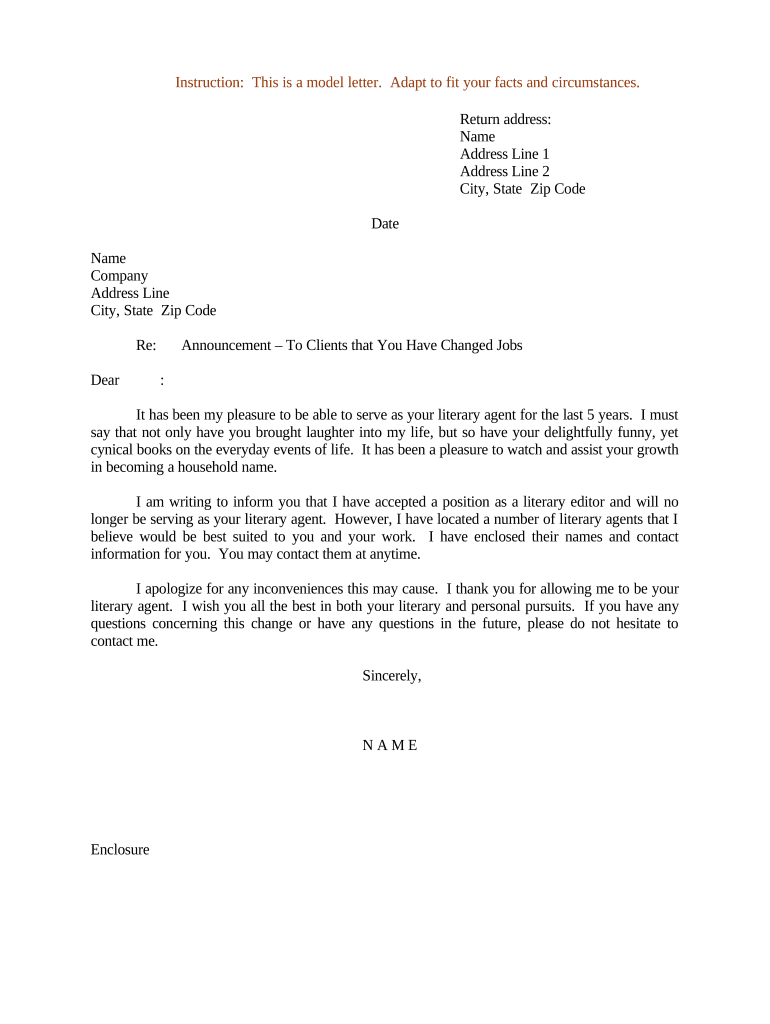
A Letter Announcing Change of Employment formally notifies an employer, coworker group, client list, or external partner that an employee’s role, status, or employer relationship is changing. Typical uses include promotions, transfers, terminations, reassignments, or changes to employment status such as part-time to full-time. The letter states the effective date, new title or status, reporting line, and any immediate administrative effects on payroll, benefits, access, or confidential responsibilities. It creates a clear record of the change for personnel files, payroll, and third-party contacts.

Why a Clear Employment-Change Letter Matters

A well-written letter reduces confusion, documents the effective date, and aligns internal and external stakeholders on responsibilities and next steps.

Why a Clear Employment-Change Letter Matters

Who Typically Issues or Receives This Letter

Human resources, hiring managers, payroll teams, and legal or compliance departments commonly prepare and distribute these letters.

  • Current employee: receives official notice and records the effective date and new responsibilities.
  • Hiring manager: communicates team-level changes and updates reporting structures and access.
  • External contacts: clients or vendors informed when account management or contact persons change.

Core Parts of a Professional Employment-Change Letter

Use a concise, structured format so recipients can quickly identify the reason for change, effective date, and any actions required. Keep tone factual and avoid speculative language.

Header

Company name, date, and recipient contact information at top of page.
Purpose Line

One-sentence statement explaining the change (promotion, transfer, termination, etc.).

Effective Date

Exact MM/DD/YYYY effective date for the status or role change.

New Role Details

New title, responsibilities, reporting line, and location if applicable.

Administrative Effects

Payroll, benefits, access, and equipment changes to expect and who to contact.

Signature Block

Authorized signer, printed name, title, and date of signature.

How to Complete the Letter, Step by Step

Follow this sequence to ensure the letter is accurate, authorized, and delivered to all necessary recipients.

  • 01
    Draft: Write concise details including reason and effective date.
  • 02
    Review: HR and manager confirm facts and approvals.
  • 03
    Sign: Authorized person signs with date.
  • 04
    Distribute: Deliver to employee, payroll, IT, and external contacts as needed.

Typical Online Delivery Flow for This Letter

Using an eSignature workflow keeps a time-stamped record while simplifying distribution to internal stakeholders and third parties.

  • Upload Document: Upload the letter draft to the eSignature platform in PDF or DOCX format.
  • Add Fields: Place signature, date, and initial fields as required for signers.
  • Set Recipients: Add employee, HR, manager, and any external recipients in signing or CC order.
  • Send & Audit: Send for signature and retain the audit trail for records.

Recommended eSignature Configuration for Secure Delivery

Configure workflow settings to balance signer convenience with authentication strength and record retention.

Field Configuration
Authentication Email verification or SMS code for signer identity
Document Fields Signature, date, employee ID, and optional initials
Notifications Reminder cadence and completion notifications to CC list
Storage Automatic PDF archival and audit trail retention

Technical Needs and Integrations for eDelivery

Choose a platform that supports common document formats, secure authentication, audit trails, and your organization’s integration needs.

  • File Types: PDF, DOCX supported
  • Integrations: HRIS, Microsoft 365, Google Workspace
  • Security: AES-256 at rest

eSignature Pricing Snapshot for Letter Delivery

Compare common vendor pricing and fundamental capabilities relevant to sending and storing employment-change letters; signNow is listed first per platform comparison conventions.

signNow DocuSign Adobe Sign PandaDoc HelloSign
Starting Price $8/user/mo $15/user/mo $14/user/mo $19/user/mo $15/user/mo
Free Trial 7-day free trial Varies Varies Varies Varies
Bulk Send Yes Yes Yes Yes No
Audit Trail Yes Yes Yes Yes Yes
HIPAA Compliant Yes Yes Yes No No
Envelope Cap No cap 100 envelopes/user/year Varies Varies Varies

Timing and Delivery Expectations

Plan delivery to align with payroll cycles, benefit enrollment windows, and statutory notice obligations where applicable.

Effective Date Entry:

Specify exact MM/DD/YYYY effective date

Payroll Cutoffs:

Submit before next payroll cutoff to adjust withholding

Benefits Changes:

Notify benefits administrator at least 30 days when possible

Access Changes:

Coordinate IT and badge access within 1–3 business days

External Notices:

Inform clients or vendors prior to the first billing cycle under new contact

Key Processing Milestones

These sequential milestones describe the core stages from drafting through archival for an employment-change letter.

01

Draft Completion

Compose letter and capture required fields and approvals.

02

Internal Approval

Manager and HR review and authorize the final text.

03

Execution

Signatures collected and effective date confirmed.

04

Recordkeeping

File signed copy with personnel and payroll records.

Essential Data Elements to Include

Employee Name: Full legal name
Employee ID: Payroll or HRIS identifier
Effective Date: MM/DD/YYYY
New Title: Official job title
Manager: Direct manager name
Signature: Authorized signer/date

Risks of an Incorrect or Missing Letter

Payroll Errors: Incorrect withholding
Benefit Gaps: Delayed coverage changes
Access Failures: Security or access issues
Dispute Risk: Potential employment disputes
Tax Consequences: Backup withholding 24%
Regulatory Exposure: HIPAA or state violations

Common Pitfalls to Avoid When Preparing the Letter

  • Failing to specify an exact effective date, which can create payroll and benefits processing errors and legal ambiguity.
  • Using informal or ambiguous language about duties, which may lead to misunderstandings about responsibilities and performance expectations.
  • Not updating downstream systems (payroll, IT, access control), causing delays in benefits, pay, or facility access.
  • Omitting an authorized signature or using initials only, which can make the document hard to verify in audits or disputes.

Practical Tips for Accuracy and Efficiency

Adopt standardized templates and a checklist-based review to reduce rework and ensure consistent records across HR systems.

Use a Standard Template
Maintain a single template for change notices to ensure consistent fields and phrasing; version and control templates in your document management system.
Confirm Identifiers
Verify employee name and HRIS ID against payroll records before finalizing the letter to avoid mismatched tax or benefits updates.
Coordinate with Teams
Notify payroll, benefits, IT, and security simultaneously so system updates align with the effective date and avoid service gaps.
Retain Audit Logs
Keep signed PDFs and an audit trail showing signer identity, timestamp, and IP address to support compliance or dispute resolution.

Real-World Examples of Employment-Change Letters

These short examples illustrate typical scenarios and how to state the change clearly and professionally.

Promotion Notice

We are pleased to notify you of a promotion effective 07/01/2026.

  • New title: Senior Product Manager.
  • The promotion carries a new salary and updated responsibilities; HR will update your payroll and benefits records and your manager will schedule a transition meeting to review objectives and deliverables.

Transfer to Different Location

This letter confirms your transfer to the Austin office effective 08/15/2026.

  • Reporting line remains with Director of Operations.
  • The transfer includes reimbursement for approved relocation expenses; coordinate with HR for travel arrangements and update your contact and payroll address on file.

Typical Signatories and Their Roles

HR Manager

An HR manager usually prepares and authorizes the letter, ensures payroll and benefits updates occur, and maintains the signed record for retention and audit purposes.

Employee (Recipient)

The employee acknowledges receipt—often by signing—so the employer has proof of notice and a clear record of the effective date and any agreed terms.

Frequently Asked Questions About Employment-Change Letters

Answers to common practical and legal questions help ensure letters are enforceable, properly delivered, and retained.


Need help? Contact support

be ready to get more
Join over 28 million airSlate SignNow users