Establishing secure connection…Loading editor…Preparing document…

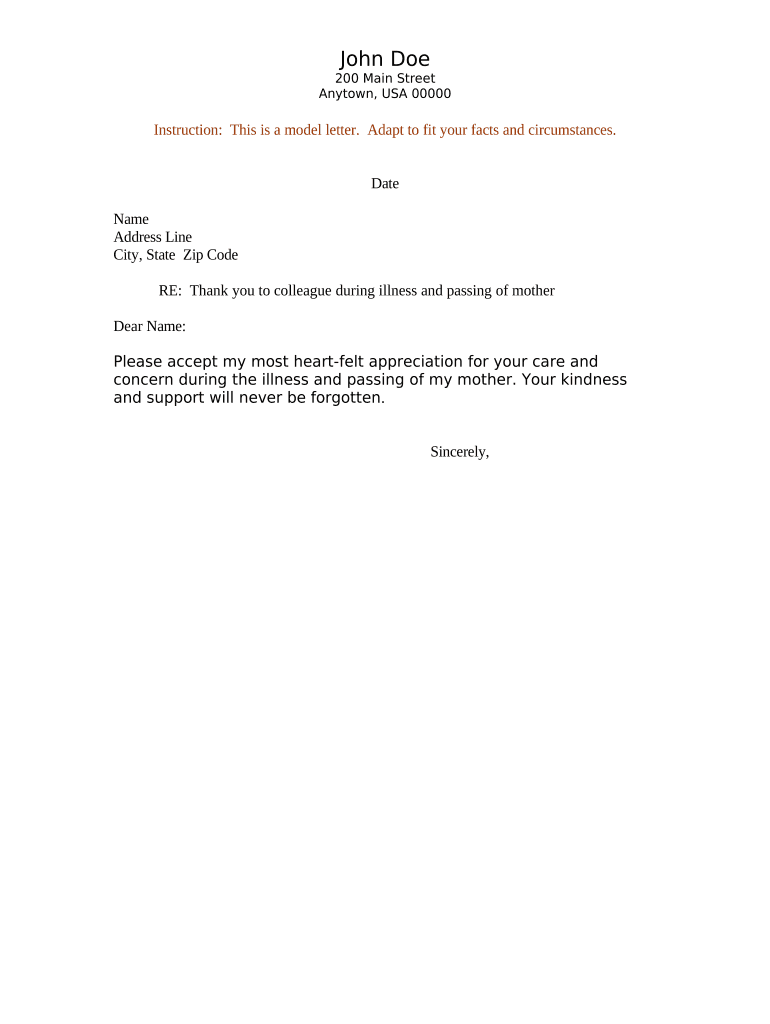
Letter of Condolence

This template is fully customizable. Edit the text, fill out the fields, and send it for signature. Give it a try!
Letter of Condolence

What a Letter of Condolence Is and When to Use It

A Letter of Condolence is a formal written message expressing sympathy to a bereaved individual, family, or organization after a death or significant loss. It documents compassion, acknowledges the loss, and may offer practical support or information about next steps such as memorial arrangements or memorial fund details. While primarily a personal and emotional communication, organizations sometimes send standardized condolence letters for recordkeeping or to notify stakeholders. The Letter of Condolence is not typically a legal instrument, but accuracy and sensitivity are important for tone and any factual details included.

Why a Clear, Professional Condolence Letter Matters

A well-composed Letter of Condolence preserves respectful communication, avoids misunderstandings about arrangements, and records offers of support. For organizations, consistent letters demonstrate care while reducing compliance risk when factual logistics are shared.

Why a Clear, Professional Condolence Letter Matters

Who Typically Sends or Prepares These Letters

Individuals and organizations prepare Letters of Condolence to communicate sympathy and share practical information following a death or serious loss.

  • Family members and close friends — Personal messages focusing on relationship, memories, and support; may include funeral details or offers of help.
  • Employers and HR departments — Formal letters acknowledging an employee's loss, outlining leave policies, benefits contact points, and available support resources.
  • Faith leaders and community groups — Pastoral or organizational notes offering spiritual support, service times, and community resources.

Choose the sender and tone to match the relationship; organizations should coordinate messaging with HR or legal if benefits or actions are referenced.

Common Sender Profiles

Family Member

A close relative or friend who writes a personal, memory-focused message. Tone is intimate; factual details (dates, times) should be confirmed with the family before distribution.

Organization Representative

An HR manager, supervisor, or community leader who issues a formal condolence letter. Messages often include practical information such as leave options, benefit contacts, and memorial arrangements; accuracy prevents confusion.

Essential Parts of a Professional Letter of Condolence

A simple structure keeps the message respectful and clear. Include identification of sender, an expression of sympathy, a brief memory or acknowledgement, practical details if relevant, any offers of assistance, and a courteous closing.

Sender ID

Name and role of the sender. For organizations, include department and a contact method so recipients can follow up with questions about benefits or arrangements.
Sympathy Statement

A concise expression of condolence that avoids speculation about cause of death. Keep sentences empathetic and nonjudgmental to respect family privacy and feelings.

Personal Memory

A brief, specific remembrance if appropriate. One or two sentences referencing a positive quality or memory humanizes the message without overwhelming the recipient.

Practical Details

Funeral or memorial logistics, donation instructions, or benefit contact information. Verify dates, times, and links before publishing to prevent misinformation.

Offer of Support

Specific offers such as meals, temporary help, or HR leave assistance. Vague promises can create expectation; state what is realistically available.

Closing

A respectful sign-off that includes sender contact information, and if organizational, the official signature block and title for records.

Required Information to Include

Recipient Name: Full legal name
Deceased Name: Full name as known
Date: MM/DD/YYYY
Sender Identity: Name and role
Contact Info: Phone or email
Logistics: Service date/time

Step-by-Step: Writing and Sending the Letter

Follow a short checklist to draft, verify, and distribute a condolence letter respectfully and accurately.

  • 01
    Draft: Compose a brief, empathetic message; avoid medical or speculative details.
  • 02
    Verify Facts: Confirm names, dates, and logistics with a reliable source before sending.
  • 03
    Approve: If organizational, get HR or leadership sign-off for content referencing benefits.
  • 04
    Send: Choose an appropriate delivery method and record the sent copy for your files.

How to Customize and Complete the Letter Online

Configure online fields, approval steps, and distribution settings before sending the letter to ensure accuracy and auditability.

Template Selection Choose a pre-approved condolence template to maintain tone and compliance.
Field Mapping Map recipient and event fields to ensure automatic population from records.
Approval Flow Add an HR or leadership approver when the letter references benefits or policies.
Authentication Method Set signer authentication (email, SMS) based on sensitivity and recipient preference.
Audit Settings Enable audit trail capture for record retention and legal traceability.

Delivery Channels and Technical Considerations

Choose distribution methods that match the recipient relationship and privacy needs; electronic delivery can be appropriate for many recipients.

  • Email Delivery: Common, fast; confirm correct address.
  • Printed Mail: More formal; requires postal accuracy.
  • Hand Delivery: Highly personal; use only when appropriate.

When sending electronically, enable secure links and retention of a signed copy for records; coordinate with HR or legal if the letter references policies or benefits.

Where to Send or File the Completed Letter

Decide immediate recipients and internal filing locations before sending; maintain one retained copy for organizational records when applicable.

  • Primary Recipient: Send to the bereaved person or family contact first.
  • Secondary Recipients: Inform close colleagues or community leaders if appropriate.
  • Internal Records: Store a copy in HR files or a secure contact folder.
  • Archive: Retain a signed or final copy for mandatory retention periods.

Timing Considerations and Recommended Deadlines

Timely delivery matters; balance urgency with confirmation of facts. Organizations should set internal deadlines for draft, approval, and distribution.

Draft Completion:

Within 24–72 hours of notification to acknowledge promptly.

Internal Approval:

Allow 24–48 hours for HR or leadership review if needed.

Recipient Distribution:

Send as soon as facts are confirmed; prioritize speed balanced with accuracy.

Record Filing:

File the sent copy within 7 days in organizational records.

Follow-up:

Check in with the recipient within 1–2 weeks if appropriate.

Common Mistakes to Avoid

  • Including unverified cause-of-death details which can be insensitive and potentially inaccurate; always confirm before mentioning.
  • Using overly legal or corporate language in a personal message; balance professionalism with warmth to avoid sounding impersonal.
  • Promise commitments (financial help, services) without coordination; undocumented offers create expectations and potential liability.
  • Failing to record sent communications in organizational files, making it difficult to track what was conveyed to the family or stakeholders.

Risks of an Incorrect or Insensitive Letter

Reputational Harm: Offense to recipient
Confidentiality Breach: Unauthorized medical details
Contractual Confusion: Incorrect benefit references
Record Discrepancy: Inaccurate archival data
Emotional Distress: Unintended upset
Regulatory Exposure: HIPAA risk if PHI disclosed

Practical Examples of Use

Two brief scenarios illustrate common organizational and personal uses of a Letter of Condolence and how to structure content appropriately.

Organization Example

A supervisor drafts a concise, factual note acknowledging an employee's loss and listing HR leave contacts.

  • The message is formal and supportive.
  • The clear tone, verified logistics, and HR contact details reduce follow-up questions and provide documented support for leave accommodations.

Personal Example

A close friend writes a short, memory-centered letter offering specific help with meals.

  • The message is intimate and practical.
  • Specifying realistic support and confirming service details before sending ensures the gesture is welcome and genuinely helpful without creating false expectations.

How a Letter of Condolence Differs from Similar Documents

Compare common related documents to choose the right format and level of formality for your purpose.

Document Type Condolence Letter Sympathy Note
Purpose formal acknowledgment brief personal message
Tone professional and respectful informal and personal
Typical Sender organization or family leader close friend or relative
Recordkeeping often retained by organization usually personal, not retained

eSignature Vendor Comparison for Sending and Archiving Letters

Basic vendor features and starting prices for eSignature solutions commonly used to send, sign, and archive condolence letters and related HR documents.

signNow DocuSign Adobe Sign PandaDoc HelloSign
Starting Price $8/user/mo $15/user/mo $14/user/mo $19/user/mo $15/user/mo
Free Trial 7-day free trial Varies Varies Varies Varies
Bulk Send Yes Yes Yes Yes No
Audit Trail Yes Yes Yes Yes Yes
HIPAA Compliant Yes Yes Yes No No

Frequently Asked Questions and Troubleshooting

Answers to common questions about drafting, sending, and retaining Letters of Condolence, with practical troubleshooting tips.


Need help? Contact support

be ready to get more
Join over 28 million airSlate SignNow users