Establishing secure connection…Loading editor…Preparing document…

Invitation to Christening

This template is fully customizable. Edit the text, fill out the fields, and send it for signature. Give it a try!
Invitation to Christening

What an Invitation to Christening Is and When to Use It

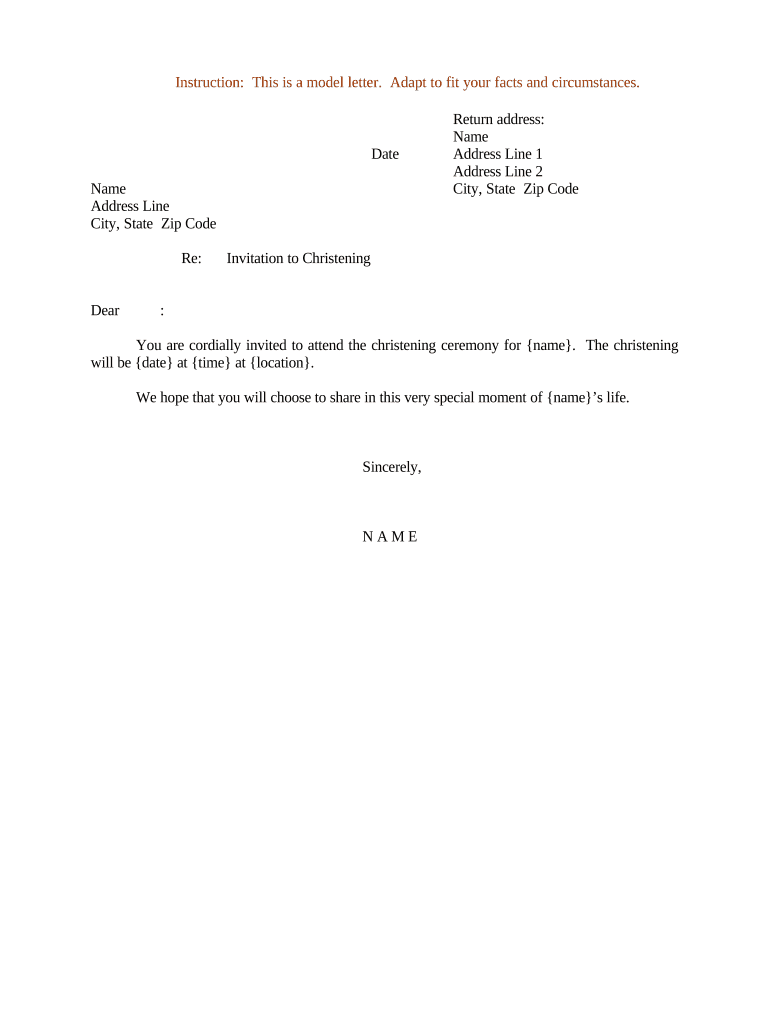
An Invitation to Christening is a formal notice sent to family, friends, and community members inviting them to a baptism or christening ceremony and any associated reception. It typically includes the child's name, date and time of the service, location details, RSVP instructions, dress code or special requests, and directions or parking notes. Invitations may be printed, emailed, or distributed as digital e-invitations. When using electronic distribution, retain a clear record of recipients and RSVPs to avoid misunderstandings and to coordinate seating, catering, and church or facility requirements.

Why a Clear Invitation Matters for a Christening

A well-prepared invitation ensures guests have essential logistical and ceremonial information, reduces last-minute changes, and helps hosts manage capacity and hospitality. Clear RSVP instructions and contact details streamline planning and reduce administrative follow-up.

Why a Clear Invitation Matters for a Christening

Who Typically Prepares and Receives These Invitations

Families hosting a christening, church administrators, and professional event planners commonly prepare invitations and handle RSVPs.

  • Parents and godparents coordinating ceremony details and guest lists.
  • Parish or church offices sending notices to congregation and registrants.
  • Event planners or venues managing receptions, seating, and catering.

Essential Elements to Include in the Invitation to Christening

A complete invitation covers who, what, when, where, and how: the child and family names, ceremony and reception details, RSVP process, directions, and any special instructions. Use concise language and confirm official facility names and contact information before distribution.

Child Details

Full given name of the child as to be used in the ceremony, including any middle names or preferred spelling.
Hosts

Names of the parents and godparents or sponsoring family members so invitees know who is hosting.

Ceremony Time

Date and start time using MM/DD/YYYY and a clear time zone or AM/PM indicator.

Location

Venue name and street address, plus room or chapel information and any access instructions.

RSVP Instructions

How to reply (email, phone, web form), deadline for responses, and any dietary or seating questions.

Additional Notes

Dress code, parking guidance, childcare arrangements, and reception specifics if applicable.

Step-by-Step: Preparing and Sending the Invitation

Follow these steps to create, review, and distribute a clear Invitation to Christening with minimal rework.

  • 01
    Draft Content: Compose core details and special notes; keep language concise.
  • 02
    Confirm Logistics: Verify venue availability, officiant time, and reception arrangements.
  • 03
    Collect Guest Info: Assemble names, addresses, and preferred contact methods for RSVPs.
  • 04
    Send and Track: Distribute via chosen channels and monitor replies to adjust planning.

Typical Delivery and Response Flow for Invitations

This sequence shows how an invitation moves from preparation to confirmed attendance.

  • Create Invitation: Design the invitation and populate required fields with accurate details.
  • Choose Delivery: Select printed mail, email, or digital invite platform based on guest preferences.
  • Send to Guests: Dispatch invitations with clear RSVP instructions and deadline.
  • Record Responses: Log RSVPs and follow up on incomplete replies for final headcounts.

Online Customization Options for Digital Invitations

Configure these settings in your chosen template or e-invitation tool to match your ceremony's needs and privacy considerations.

Field Configuration
Guest List CSV import or manual entry; include email and phone columns
RSVP Form Custom questions for meal choice and attendance
Reminder Schedule Automated reminders 14 and 3 days before RSVP deadline
Privacy Limit guest list visibility and disable public sharing

Delivery Channels and Technical Requirements

Select delivery methods based on guest tech comfort and the level of tracking required.

  • Email Invitations: Requires reliable email addresses; supports read receipts and direct RSVP links
  • Printed Cards: Requires accurate postal addresses and lead time for mailing
  • Digital RSVP Pages: Requires web hosting or an event platform and a mobile-responsive form

Typical Timelines and RSVP Deadlines to Plan Around

Set deadlines that allow time for confirmations, seating, and catering adjustments. State or venue rules may require earlier cutoffs for religious facilities or private reception spaces.

Invitation Send Date:

4–8 weeks before the ceremony for local guests

RSVP Deadline:

10–14 days before event to finalize catering and seating

Final Guest List:

7 days before event for venue and service staff

Printed Materials:

3–4 weeks lead time for custom printing

Reminder Notices:

1–2 weeks before event as courtesy reminders

Common Mistakes to Avoid When Preparing Invitations

  • Using informal nicknames that confuse guests or program printers
  • Missing or incorrect venue details causing late arrivals or missed services
  • Unclear RSVP methods or deadlines that delay headcount confirmation
  • Failing to verify officiant or church availability before publicizing a date

Risks and Consequences of Inaccurate Invitations

Guest Confusion: Errors in time or location can reduce attendance and disrupt scheduling
Catering Shortfalls: Late RSVPs may lead to insufficient meals or higher last-minute charges
Venue Penalties: Some venues charge fees for changes made on short notice
Program Errors: Incorrect names or spellings can require reprinting at cost
Accessibility Issues: Not providing access details may exclude guests with mobility needs
Legal Notices: If a private facility has contractual notice requirements, missing them can cause breach claims

Real-World Examples of Digital Document Workflows

Organizations and teams use digital platforms to manage invitations, permissions, and confirmations for events of all sizes.

Optica Ventures

Optica used online document workflows to coordinate customer-facing events efficiently.

  • The interface was easy to use.
  • Brian Fitzgibbons, COO, said the platform is simple for teams and customers, highlighting reduced coordination time and consistent communication for multi-guest events.

Tech Data

Tech Data applied digital signatures to standardize internal approvals for event spending.

  • This improved turnaround.
  • Bob Dutkowsky, CEO, noted it improved internal and external customer service while increasing speed to revenue, useful context for larger church or community receptions requiring vendor contracts.

eSignature Pricing Comparison for Invitation Workflows

Compare typical starting prices and key plan features for common eSignature providers to evaluate cost for sending and tracking invitations or RSVP forms.

signNow DocuSign Adobe Sign PandaDoc HelloSign
Starting Price $8/user/mo $15/user/mo $14/user/mo $19/user/mo $15/user/mo
Free Trial Yes, 7-day free trial No No Yes, limited Yes, limited
Bulk Send Yes Yes Yes Yes No
Audit Trail Yes Yes Yes Yes Yes
HIPAA Compliant Yes Yes Yes No No

Frequently Asked Questions About Invitations to Christening

Answers to common questions about wording, distribution, and recordkeeping for christening invitations.


Need help? Contact support

be ready to get more
Join over 28 million airSlate SignNow users