Establishing secure connection…Loading editor…Preparing document…

Letter Requesting Execution of Affidavit of Subscribing Witness

This template is fully customizable. Edit the text, fill out the fields, and send it for signature. Give it a try!
Letter Requesting Execution of Affidavit of Subscribing Witness

What this letter is and when it’s used

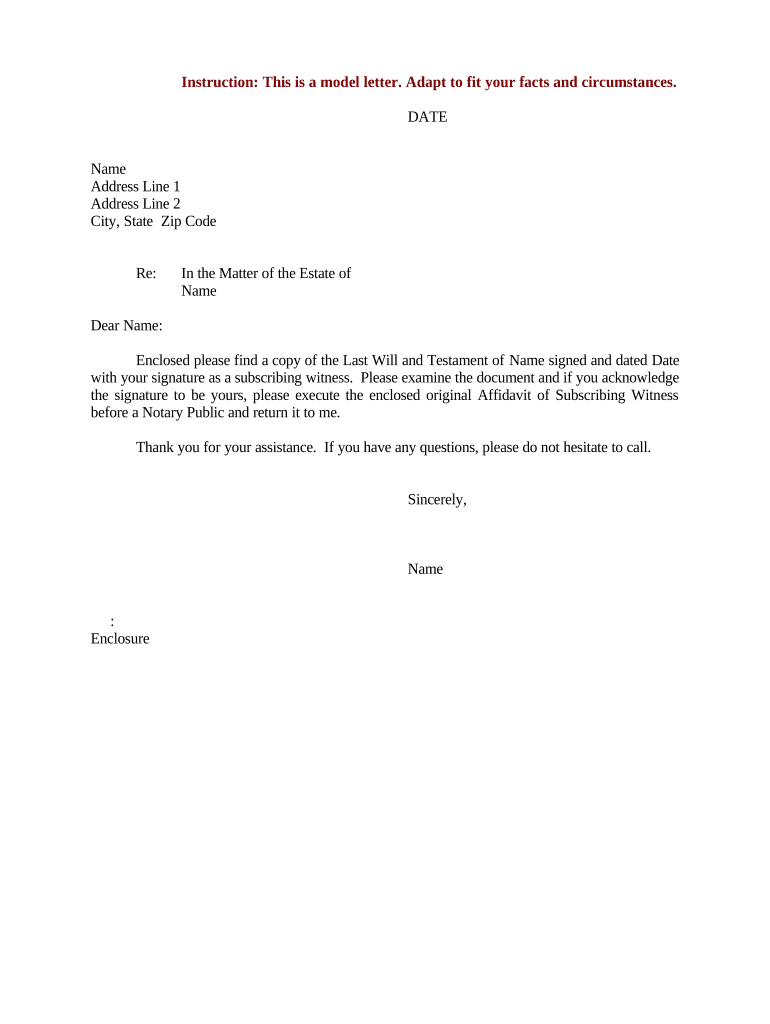
A Letter Requesting Execution of Affidavit of Subscribing Witness asks a witness to sign and swear to an affidavit that verifies their role in witnessing a signature on a primary document, commonly a will, deed, or power of attorney. The letter identifies the document, the signer, the witness, the date and place of signing, and requests that the witness execute a sworn affidavit or a self-proving affidavit before a notary or other authorized official. It helps probate or title authorities confirm the validity of the original signature when in-person testimony is impractical or when a self-proving form is preferred.

Why a clear request letter matters

A concise, correctly completed request letter reduces follow-up, preserves witness memory, and supports smooth probate or recordation by documenting why the affidavit is required.

Why a clear request letter matters

Who typically prepares and receives this letter

Many parties prepare these letters when original documents need verification: attorneys, title companies, estate executors, and corporate compliance officers commonly request subscribing witness affidavits.

  • Estate Executors and Attorneys — Request affidavits to support probate filings when witnesses cannot appear in court or when a self-proving affidavit will speed probate.
  • Title and Escrow Companies — Use the letter to obtain witness affidavits that clear title issues or permit recordation where original witness testimony would otherwise be required.
  • Corporate Compliance and Legal Departments — Seek attestations from witnesses on official corporate documents, especially when originals are stored offsite or overseas.

Recipients are typically individual witnesses named in the letter; they may be asked to meet a notary, complete a sworn statement, and return a scanned or original executed affidavit as directed.

How to prepare and send the request letter

Follow these practical steps to prepare a complete, legally coherent request and to collect the executed affidavit efficiently.

  • 01
    Identify Document: List the document title, date, and any recording numbers to avoid confusion.
  • 02
    Address Witness: Use the witness’s legal name and provide a clear explanation of what to sign and swear.
  • 03
    Specify Notarial Steps: State whether a notary or RON session is required and any authentication procedures.
  • 04
    Provide Return Details: Explain how and where to return the executed affidavit and whether an original is required.

Core elements to include in a professional request letter

A well-structured letter reduces confusion and ensures the affidavit will meet probate, title, or court requirements; include identification, clear instructions, and a polite but firm request for signature and notarization.

Opening Statement

Briefly state the purpose of the letter and reference the document for which the affidavit is requested, including dates and parties.
Witness Identification

Provide the witness’s full name, last known address, and any contact details needed to schedule a notarization or RON session.

Affidavit Wording

Include the exact affidavit template or indicate where the witness can download the standard self-proving affidavit form.

Notary and Authentication

Specify whether a traditional notary or Remote Online Notarization (RON) is acceptable and detail required ID and authentication steps.

Submission Instructions

State whether scanned copies are acceptable for initial review and whether the original must follow by mail.

Deadline and Follow-up

Provide a clear due date and describe the follow-up process if the affidavit is not returned by the deadline.

Information elements the letter should record

Witness Name: Full legal name
Witness Address: Street, city, state, ZIP
Document Title: Exact document name
Document Date: MM/DD/YYYY
Notary Requirement: Notary or RON
Return Method: Email or mail address

Typical routing and processing steps

This sequence shows how a request letter moves from sender to witness, through notarization, then back to the requesting party for filing or probate.

  • Send Request: Sender mails or emails the request to the witness with the affidavit template.
  • Schedule Notary: Witness arranges in-person notary or a RON session per instructions.
  • Affidavit Execution: Witness signs and swears before the notary; notary completes certificate.
  • Return Documents: Witness returns executed affidavit per the letter’s instructions.

Configuring a digital workflow for requests and affidavits

Set up a simple digital flow to send the letter, capture the signed affidavit, and record completion metadata for audit purposes.

Field Configuration
Sender Identity Use organization legal name and contact info
Affidavit Template Attach standardized self-proving affidavit PDF
Authentication Require ID verification or SMS code for signer
Return Channel Accept secure upload or physical mail for originals

Technical considerations for e-signing and notarization

Confirm whether remote notarization, scanned copies, or fully paper-based originals are permitted by the receiving authority before selecting a signing method.

  • File Formats: PDF and DOCX supported
  • Integrations: Cloud storage and email
  • Security: Audit trail and tamper evidence

Common preparation pitfalls to avoid

  • Vague document references — failing to identify the primary document by title and date can cause the affidavit to be rejected by courts or recorders.
  • Incorrect witness name or ID instructions — mismatched identity details lead to notarization refusal or later challenges in probate.
  • Unclear return instructions — not specifying whether a scanned copy suffices or if an original must arrive by mail can delay filing.
  • Improper notarization method — requiring RON when the receiving jurisdiction does not accept it, or vice versa, may invalidate the affidavit.

Consequences of incomplete or incorrect letters

Document Rejection: Recorders or probate courts may refuse filings
Probate Delay: Delays in estate administration
Title Issues: Clouded title or escrow holdbacks
Additional Costs: Travel, re-notarization, or attorney fees
Potential Litigation: Contested authenticity claims
Regulatory Noncompliance: If records require special retention rules

Timing and typical deadlines to include

Specify realistic deadlines for execution and return; include time for scheduling notary appointments and mailing originals if required.

Reasonable Response Date:

Allow 7–21 days depending on witness location and notary access

Notary Scheduling Buffer:

Add 3–7 days to permit appointment scheduling

Mail Transit Time:

Allow 3–10 additional days for originals

Court or Recorder Deadline:

Match any statutory filing deadlines if applicable

Follow-up Reminder:

Send a reminder 3–5 days before the due date

Real-world scenarios where the letter is used

Examples below illustrate common practical uses and outcomes when a subscribing witness affidavit is requested.

Probate Support

An executor requested a self-proving affidavit when witnesses lived out of state to avoid in-court testimony

  • Witness used RON to execute the affidavit
  • The probate court accepted the self-proving affidavit and the estate avoided multiple witness summons and travel costs.

Title Clearance

A title company asked for a witness affidavit to confirm a deed signature after the original witness moved abroad

  • The witness completed a notarized affidavit and returned the original by mail
  • The title insurer removed an exception and the sale closed without further delay.

Representative eSignature platform comparison for handling affidavit workflows

When choosing an eSignature provider for sending letters and collecting notarized affidavits, consider starting price, bulk send, audit trail, HIPAA support, and any envelope or session caps.

signNow DocuSign Adobe Sign PandaDoc HelloSign
Starting Price $8/user/mo $15/user/mo $14/user/mo $19/user/mo $15/user/mo
Free Trial 7-day trial Varies Varies Varies Varies
Bulk Send Yes Yes Yes Yes No
Audit Trail Yes Yes Yes Yes Yes
HIPAA Compliant Yes Yes Yes No No

Frequently asked questions about requesting a subscribing witness affidavit

Answers to common questions about form content, notarization options, timing, and record retention to help avoid common obstacles.


Need help? Contact support

be ready to get more
Join over 28 million airSlate SignNow users