Establishing secure connection…Loading editor…Preparing document…

Letter of Support for Bill

This template is fully customizable. Edit the text, fill out the fields, and send it for signature. Give it a try!
Letter of Support for Bill

What a Letter of Support for Bill Is and When It's Used

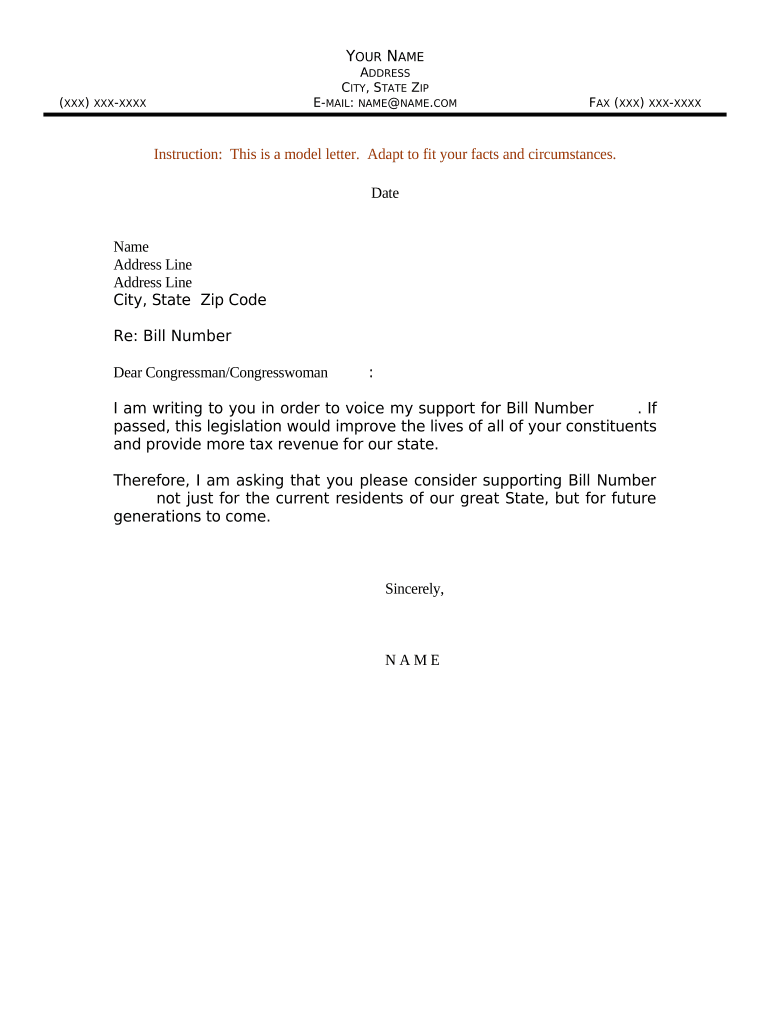
A Letter of Support for Bill is a written statement from an individual, organization, or public official that endorses proposed legislation or a specific amendment. It explains why the author supports the measure, summarizes relevant evidence or constituent impact, and identifies the author’s authority or stake. These letters are typically provided to legislators, committee staff, or regulatory bodies during bill drafting, committee review, or public comment periods to inform deliberations with factual context.

Why a Clear Letter of Support for Bill Matters

A Letter of Support for Bill documents stakeholder backing, provides factual context to lawmakers, and clarifies anticipated community or sector impacts. Well-prepared letters help committees assess practical consequences and compile an accurate public record.

Why a Clear Letter of Support for Bill Matters

Who Typically Prepares and Submits These Letters

Common authors include advocacy groups, municipal officials, business associations, nonprofit leaders, and private citizens who have direct interest in legislation.

  • Advocacy groups advocating policy changes on behalf of members and stakeholders.
  • Elected officials or municipal staff submitting constituent feedback or local government positions.
  • Businesses and trade associations outlining economic impacts and industry perspectives.

Representative Authors and Their Roles

Advocacy Director

An Advocacy Director from a nonprofit prepares Letters of Support for Bill to influence committee deliberations. They summarize constituent data, coordinate endorsements, and provide concise evidence to legislative staff. Accuracy and organizational authorization are essential to maintain credibility and admissibility.

Local Official

A Local Official (mayor, council member) may submit a Letter of Support for Bill on municipality letterhead. Such letters carry institutional weight, should state the governing body's position and must follow local rules about endorsements and official signatures to avoid procedural challenges.

Security and Compliance Considerations

Encryption: TLS 1.2/1.3 in transit; AES-256 at rest
Access Controls: Role-based permissions and SSO support
Audit Trail: Timestamps, IP, signer actions recorded
BAA Availability: HIPAA BAA available upon request
Certifications: SOC 2 Type II, ISO 27001, PCI DSS
Accessibility: WCAG 2.0 Level AA compliance

Consequences of Errors or Misrepresentation

Inaccurate Signatory: May invalidate letter
Missing Authorization: Organizational rejection risk
Late Submission: Reduced legislative influence
False Statements: Legal liability possible
Incorrect Dates: Confusion on applicability
Tampering Concerns: Evidentiary weight diminishes

Common Preparation Pitfalls to Avoid

  • Unclear authorship or missing organizational letterhead reduces the persuasive value and makes verification by legislative staff more time-consuming.
  • Overly emotional language or unsubstantiated claims can undermine credibility; prefer factual evidence, citations, and measurable impacts where possible.
  • Submitting multiple conflicting endorsements without coordination confuses decision-makers and dilutes the perceived consensus among stakeholders.
  • Failing to follow formatting instructions, signature blocks, or required attachments may cause administrative rejection or delay in committee consideration.

Illustrative Scenarios Showing Practical Use

Real-world scenarios illustrate how Letters of Support for Bill affect legislative review and stakeholder engagement.

Municipal Endorsement

A city council submits a Letter of Support for Bill endorsing funding for stormwater infrastructure citing projected flood reduction and public safety improvements.

  • Supports budget allocation and project timelines.
  • Council includes local data, estimated cost savings, and contact information for the public works director so legislative staff can validate assumptions and coordinate follow-up. The letter helped secure committee consideration within the first hearing cycle.

Advocacy Coalition

A statewide health coalition files Letters of Support for Bill accompanying clinical studies and patient testimony to highlight anticipated benefits for access to care.

  • Aggregates stakeholder endorsements into unified testimony.
  • The coalition organized standardized templates, collected signed authorizations from member organizations, and offered a single point of contact for legislative questions. This streamlined staff review and provided clear, verifiable evidence during committee hearings.

Step-by-Step: Prepare and Submit a Letter of Support for Bill

Follow these steps to prepare and deliver a compliant Letter of Support for Bill efficiently.

  • 01
    Draft: State your position clearly and summarize supporting facts.
  • 02
    Authorize: Use official letterhead and include organizational authorization or signature.
  • 03
    Attach: Include supporting evidence, data, or endorsements as separate exhibits.
  • 04
    Submit: Send to committee clerks, legislator offices, and archive copies.

Who Receives a Letter of Support for Bill and How It’s Routed

Routing options and typical recipients for a Letter of Support for Bill are shown below.

  • Primary Recipient: Chair of the relevant legislative committee or assigned staff.
  • Secondary Recipients: Other committee members, sponsoring legislators, and constituent services offices.
  • Public Record: Submit as part of the hearing record when requested.
  • Follow-up: Provide contact details for verification and additional information.

Essential Elements of a Professional Letter of Support for Bill

Core elements that make a professional Letter of Support for Bill credible and usable by legislative staff are listed here.

Clear Position

Begin with a concise statement of support or opposition, identify the bill by number, and summarize the principal reasons in plain language so staff can quickly grasp the core argument.
Author Details

Provide the author’s full legal name, organization, job title, mailing address, email, and phone number; include organizational letterhead and an authorization line if representing an entity.

Evidence

Attach concise, verifiable evidence such as local data, citations to studies, budget estimates, or signed endorsements; label exhibits clearly and reference them at the point where they support assertions.

Conflict Disclosure

Declare any potential conflicts of interest, funding sources, or prior positions that could affect perceived impartiality, and disclose these to maintain transparency and public trust.

Formatting

Use a formal letter format, dated and signed, with a concise subject line referencing the bill number; avoid attachments that are not clearly labeled or paginated.

Signature Block

Include printed name, title, organization, signature, and date; if representing an organization, add an authorization statement, official letterhead, and contact person for verification, telephone, and email.

Configuring an Electronic Workflow for Submission

Configure online workflow fields, signer roles, and routing rules for electronic submission and tracking and retention.

Field Configuration
Signer Role Primary signer; specify role and email
Field Type Signature, date, or text field
Authentication Email link or SMS code option
Routing Order Sequential routing or parallel approvers

Delivery Options and Technical Requirements

Electronic Letters of Support for Bill can be distributed by email, portal upload, or submitted to committee clerks per office instructions.

  • Email: PDF attachment or secure link
  • Legislative Portal: Upload per clerk or committee request
  • Public Comment: Submit through hearing record process

Timing Considerations and Key Deadlines

Key timing considerations for submitting a Letter of Support for Bill include committee deadlines and hearing schedules.

Before Drafting Deadline:

Confirm committee submission deadlines and internal review timelines.

Hearing Submission Cutoff:

Submit requested materials before the published cutoff to be included in the record.

Committee Meeting Date:

Provide copies to committee staff on or before the meeting date.

Legislator Office Response:

Allow time for staff follow-up and requests for clarification.

Archival Retention Start:

Retention period begins on the effective date or submission date.

Milestones from Draft to Legislative Outcome

Milestones in the lifecycle of a Letter of Support for Bill help track drafting through legislative outcome.

01

Draft Completed

Author finalizes content and attachments for review.

02

Organizational Approval

Entity leadership signs or authorizes distribution.

03

Submission Filed

Document submitted to committee clerk and archived.

04

Follow-up Response

Staff may request clarifications, meetings, or additional exhibits.

eSignature Pricing and Feature Comparison for Letter Collection

Compare common eSignature pricing and basic feature availability for preparing and collecting Letters of Support for Bill.

signNow DocuSign Adobe Sign PandaDoc HelloSign
Starting Price $8/user/mo $15/user/mo $14/user/mo $19/user/mo $15/user/mo
Free Trial Yes, 7-day free trial Varies Varies Varies Varies
Bulk Send Yes Yes Yes Yes No
Audit Trail Yes Yes Yes Yes Yes
HIPAA Compliant Yes Yes Yes No No
Envelope Cap No envelope cap — unlimited per plan Limited to 100 envelopes per user per year Envelope limits vary by plan and contract Envelope limits vary by subscription tier Envelope limits vary by selected plan

Frequently Asked Questions About Letters of Support for Bill

Answers to common questions about preparing, signing, and submitting a Letter of Support for Bill are provided below.


Need help? Contact support

be ready to get more
Join over 28 million airSlate SignNow users