Establishing secure connection…Loading editor…Preparing document…

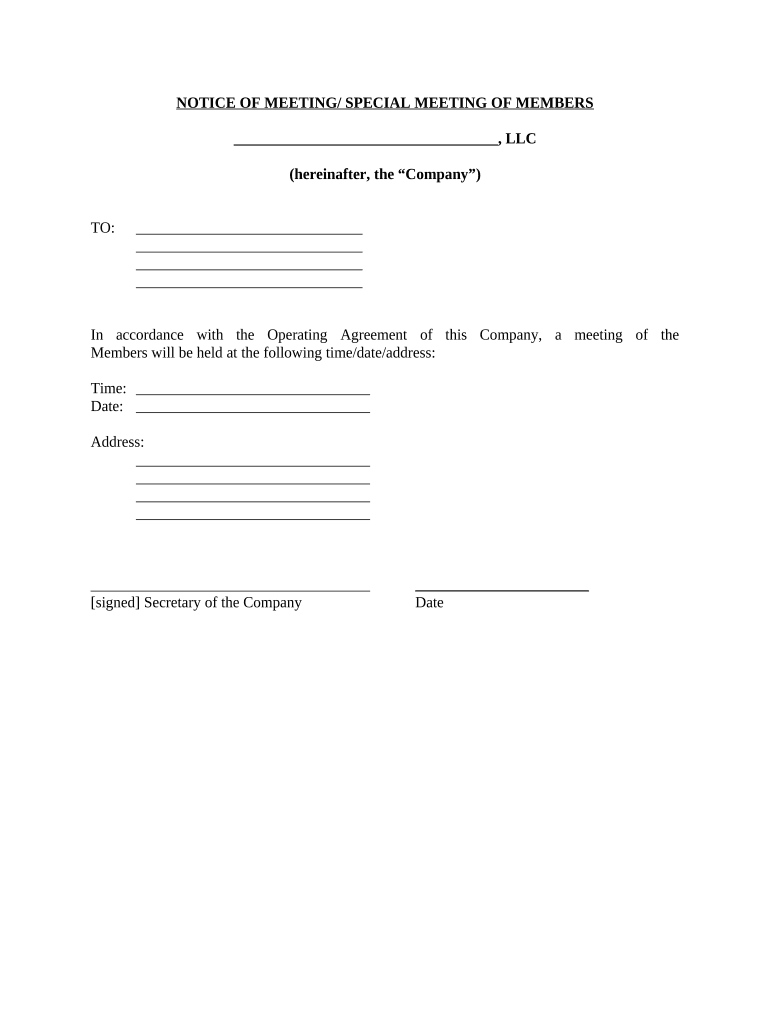
Notice of Special Meeting of Members

This template is fully customizable. Edit the text, fill out the fields, and send it for signature. Give it a try!
Notice of Special Meeting of Members

What the Notice of Special Meeting of Members Is

A Notice of Special Meeting of Members is a formal communication used by corporations, LLCs that treat members akin to shareholders, and other member-governed entities to announce a meeting convened outside the regular annual schedule. It specifies the meeting date, time, location or virtual access instructions, the specific matters to be addressed, and any proxy, quorum, or voting rules. The notice gives members the information required to participate meaningfully and preserves legal rights to challenge actions taken if statutory notice or procedural requirements are not met.

Why a Clear, Compliant Notice Matters

Issuing a timely, accurate notice protects governance processes, preserves member voting rights, and reduces litigation risk. Precise language limits ambiguity about meeting scope, quorum, and voting, and supports enforceability of decisions taken at the special meeting.

Why a Clear, Compliant Notice Matters

Who Prepares and Relies on This Notice

Corporate officers, board chairs, corporate secretaries, managers, and in-house counsel commonly prepare and distribute special meeting notices.

  • Corporate Secretary: Typically drafts the notice and tracks delivery to meet statutory timing and form requirements.
  • Board Chair or Manager: Requests the meeting and provides the agenda items that trigger a special meeting notice.
  • Members and Shareholders: Receive the notice, determine attendance or proxy voting, and rely on its accuracy to assert rights.

Members use the notice to decide participation, and organizations keep copies to document compliance with bylaws and state law.

Representative Roles and Responsibilities

Corporate Secretary

The corporate secretary typically prepares the notice text, confirms the date and quorum rules with counsel, routes the notice for approval, and records proof of delivery. This role maintains the notice record and files it with corporate minutes.

Member/Shareholder

Members use the notice to assess agenda items, decide whether to attend or appoint a proxy, and exercise voting rights. A clear notice enables members to challenge actions if notice or content requirements were not satisfied.

Essential Information to Include

Meeting Date: MM/DD/YYYY format
Start Time: Include time zone
Location: Physical address or virtual link
Purpose: Specific agenda item(s)
Quorum Rules: Number or percentage required
Delivery Proof: Method and date recorded

Step-by-Step: Preparing and Issuing the Notice

Follow a short checklist to prepare, approve, deliver, and record the notice to comply with bylaws and state law.

  • 01
    Draft the Notice: Use clear agenda language and precise dates
  • 02
    Obtain Approval: Board or authorized officer signs off
  • 03
    Deliver Notice: Send via required method: mail, email, or both
  • 04
    Record Delivery: Retain proof and update corporate minutes

Digital Workflow Settings for Online Notices

Configure delivery, authentication, and reminders to match bylaws and member expectations when using an e-delivery workflow.

Setting Configuration
Delivery Method Email, postal mail, or both
Authentication Email link or SMS code
Reminder Schedule Optional: 3 days before meeting
Recordkeeping Attach signed affidavit or delivery log

Technical Considerations for e-Delivery and e-Signature

Ensure your platform supports secure delivery, signer authentication, and audit trails required by your bylaws or state law.

  • Formats Supported: PDF, DOCX, HTML
  • Integrations: Salesforce, Microsoft 365, NetSuite, Google Workspace
  • Authentication: Email link, SMS code, or KBA

Choose settings that capture signer intent and retention metadata without introducing friction; preserve proof of delivery and the complete audit trail for meeting records.

How Electronic Notice and eSigning Work

A concise online workflow can create, route, collect signoffs, and archive notices while preserving audit details.

  • Prepare Document: Draft notice and attach supporting materials
  • Place Fields: Add signature/date or acknowledgement fields
  • Send to Members: Deliver via chosen e-delivery method
  • Capture Records: Store signed notice and audit trail securely

Typical Timing and Deadlines to Watch

Deadlines vary by entity type and state; confirm bylaws and statute before issuing a Notice of Special Meeting.

Record Date:

Date that determines eligible voters

Notice Issuance:

Deliver within bylaws or statutory period

Proxy Cutoff:

Deadline for submitting proxies, if allowed

Adjournment Rules:

Notice may specify adjournment procedures

Minute Entry:

Enter meeting record promptly after adjournment

Key Milestones from Draft to Archive

Track discrete steps so notice preparation, delivery, and record retention are auditable and defensible.

01

Draft Finalized

Finalize agenda and legal wording before approvals

02

Board Authorization

Obtain required sign-off to call the meeting

03

Notice Distributed

Deliver to all entitled members by required method

04

Records Archived

Store notice, proof of delivery, and minutes securely

Risks of Defective or Late Notices

Voidable Actions: Meetings may be invalidated
Member Challenges: Legal challenges to corporate acts
Fines or Sanctions: State penalties in some cases
Lost Rights: Members may lose voting opportunity
Operational Delay: Decisions may be postponed
Reputational Harm: Stakeholder trust may erode

Practical Examples of Notice Use

Two concise scenarios show why clarity and timing matter when issuing a Notice of Special Meeting of Members.

Real Estate Association Example

An HOA board calls a special meeting to approve a capital assessment

  • Urgent vote required on funding
  • The notice specified the assessment amount, provided budget exhibits, and documented delivery; this avoided member disputes and expedited project funding.

Nonprofit Board Example

A nonprofit engages members to approve bylaw amendments outside the annual meeting

  • Amendments required member quorum and proxy options
  • The notice included amendment text, proxy instructions, and extended electronic delivery to reach dispersed members, enabling an authoritative vote outcome.

How a Special Meeting Notice Differs from an Annual Meeting Notice

Comparing core characteristics clarifies when to use a special meeting notice versus routine annual meeting communications.

Criteria Special Meeting Annual Meeting
Trigger specific event routine schedule
Notice Period bylaw-driven often bylaw-driven
Agenda Scope limited to stated items broad or standard items
Frequency ad hoc typically yearly

Practical Tips for Accurate and Efficient Notices

Follow consistent templates, confirm authority, and preserve proof of delivery to reduce disputes and administrative rework.

Use a Standard Template
Create a template that includes date/time format, quorum rules, and precise agenda fields. Templates reduce drafting errors and ensure required items are never omitted.
Confirm Authorization
Verify bylaws or charter authorizing who may call a special meeting. Include a succinct statement of authority in the notice to prevent challenges.
Choose Clear Delivery Methods
Select delivery methods permitted by bylaws and state law. Where electronic notice is used, capture evidence of delivery and any consent to electronic records.
Retain Complete Records
Store the notice, signatures or acknowledgements, proof of delivery, and minutes together to support future audits or any legal review.

Common Preparation Pitfalls to Avoid

  • Vague agenda language that permits unlisted business to be debated, risking invalidation of votes taken at the meeting.
  • Failing to follow bylaw notice periods or delivery methods, which can lead to successful member challenges and rehearings.
  • Not preserving proof of delivery or e-audit logs when relying on electronic notice, creating gaps in the record if contested.
  • Using inconsistent entity names or lacking authorized signatures, which may cast doubt on the meeting's legitimacy and authority.

Frequently Asked Questions About Special Meeting Notices

Answers to common questions about when notices are needed, acceptable delivery methods, and legal validity for electronic notices.


Need help? Contact support

eSignature Vendor Pricing Snapshot for Notices and eDelivery

A concise pricing and capability comparison to help assess eSignature platforms suitable for distributing and collecting acknowledgements of meeting notices.

signNow DocuSign Adobe Sign PandaDoc HelloSign
Starting Price $8/user/mo $15/user/mo $14/user/mo $19/user/mo $15/user/mo
Free Trial 7-day free trial Varies by vendor Varies by vendor Varies by vendor Varies by vendor
Bulk Send Yes Yes Yes Yes No
Audit Trail Yes Yes Yes Yes Yes
HIPAA Compliant Yes Yes Yes No No
Envelope Cap No cap 100 envelopes/user/year Varies by plan Varies by plan Varies by plan
be ready to get more
Join over 28 million airSlate SignNow users