Establishing secure connection…Loading editor…Preparing document…

Military Leave Policy

This template is fully customizable. Edit the text, fill out the fields, and send it for signature. Give it a try!
Military Leave Policy

What a Military Leave Policy Covers

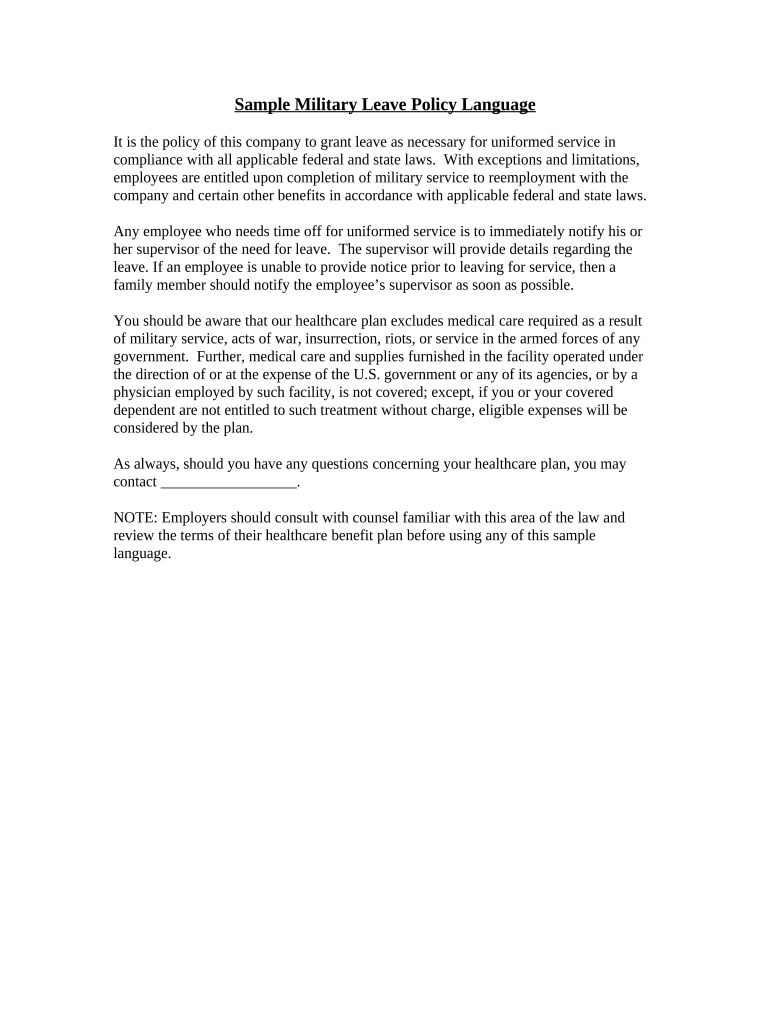
A Military Leave Policy explains an employer's procedures and employee rights when an employee takes leave for active duty, training, or related military service. It describes notice and documentation expectations, pay and benefit treatment, job protection and reemployment rights under federal law, and internal steps for requesting, approving, and returning from military leave. The policy should reference USERRA (38 U.S.C. §§4301 et seq.) and any overlapping state requirements, and describe required records and timelines for HR and payroll to ensure compliance and consistent administration.

Why a Clear Military Leave Policy Matters

A written policy reduces legal risk, ensures consistent treatment of uniformed service members, and streamlines HR workflows for leave requests, documentation, and reemployment under USERRA and related laws.

Why a Clear Military Leave Policy Matters

Who Needs This Policy and Who Implements It

Employers of all sizes, HR teams, and managers use a Military Leave Policy to administer leave requests and protect returning employees.

  • Human resources professionals responsible for benefits and compliance oversight, ensuring documentation and reemployment steps are followed.
  • Front-line managers who approve leaves, coordinate coverage, and communicate timelines with employees and payroll.
  • Employees who serve in the uniformed services and need to understand notice, pay continuation, benefits, and reemployment rights.

A clear policy helps avoid inconsistent treatment and demonstrates compliance with federal rights and any state-specific benefits or notice rules.

Essential Elements to Include in a Professional Policy

A complete Military Leave Policy contains specific sections that cover eligibility, notice and documentation, pay and benefits treatment, job protection and reemployment, internal procedures, and contact points for questions or appeals.

Eligibility

Define who qualifies (active duty, Reserve, National Guard, training, drills), link to USERRA protections, and state any employer-specific eligibility distinctions for paid or unpaid leave.
Notice and Documentation

Specify employee notice expectations, acceptable supporting documents (orders, DD-214, military ID), timing for submission, and HR procedures for receipt and recordkeeping to support reemployment claims.

Pay and Benefits

Explain paid leave options, pay continuation, differential pay policies if any, continuation of group benefits, employer contributions, and how leave affects accruals such as vacation or seniority.

Reemployment Rights

Summarize USERRA reemployment protections, required employee reapplication or reporting steps, any probation or credentialing rules, and the employer's obligations on reinstatement and accommodations.

Internal Procedures

Describe the step-by-step workflow for submitting requests, manager approvals, payroll adjustments, and documentation retention, including who in HR reviews and signs off at each stage.

Appeals & Contacts

Provide escalation steps, HR contact information, and guidance for employees who believe their rights were violated, including external agency contacts such as the U.S. Department of Labor for USERRA inquiries.

Key Data Fields to Collect

Employee Name: Full legal name
Service Dates: Start and end dates
Military Unit: Branch and unit
Order Type: Active duty or training
Documentation: Orders or DD-214
Return Notice: Intent to return date

Step-by-Step: Submitting a Military Leave Request

Follow these steps to submit and process a military leave request so HR can confirm benefits and reemployment procedures promptly.

  • 01
    Notify Employer: Provide notice as soon as practicable
  • 02
    Submit Documentation: Upload or deliver orders to HR
  • 03
    HR Acknowledges: HR confirms receipt and next steps
  • 04
    Track Benefits: HR updates payroll and benefits

How to Configure the Online Approval Workflow

Set up a consistent digital workflow so requests route to the right approvers and records are preserved for compliance and reemployment.

Field Configuration
Request Form Employee portal form with required uploads
Approval Routing Manager → HR automated emails
Payroll Notification Automated payroll ticket on approval
Record Retention Store signed PDF with audit trail

Where to Send or File Military Leave Documents

Designate a central HR intake method and document repository to ensure consistent handling and retrievability of military leave records.

  • HR Portal Upload: Preferred central intake location
  • Email to HR: Use HR mailbox with secure attachments
  • In-Person Delivery: Accept originals at HR office
  • Retain Copies: Store signed copies in personnel file

Digital Submission and eSignature Considerations

Use secure digital workflows for submissions and signatures to reduce processing time and maintain an auditable record.

  • Formats: PDF, DOCX accepted
  • Security: TLS 1.2/1.3 and AES-256
  • Integrations: HRIS and payroll integrations

Choose a platform that supports secure uploads, audit trails, optional advanced signer authentication, and the ability to attach military orders to personnel records while meeting HIPAA or other relevant compliance needs.

Typical Timelines and Response Targets

Adopt internal response windows that align with USERRA notice expectations and ensure timely payroll and benefits handling.

Employee Notice:

Provide notice as soon as practicable before leave begins

Documentation Submission:

Submit orders or verification within 30 days when available

HR Acknowledgement:

HR to confirm receipt within 5 business days

Benefits Update:

Payroll adjusts benefits within one pay cycle after approval

Reemployment Process:

Follow USERRA reemployment steps; employee must report timely per service length

Common Mistakes to Avoid

  • Failing to document receipt of orders or notice, which can hamper reemployment or benefits claims.
  • Applying inconsistent pay or benefit treatment across employees returning from similar military service.
  • Requiring unnecessary paperwork beyond accepted military documentation, delaying approvals and creating legal risk.
  • Not preserving signed records and audit trails, which impedes dispute resolution and compliance reviews.

Consequences of Noncompliance

Loss of Rights: Employee may lose reemployment protections
Civil Liability: Potential damages under USERRA
Regulatory Scrutiny: State labor agency inquiries possible
Benefit Disputes: Claims for denied benefits
Operational Disruption: Coverage gaps and staffing issues
Reputational Risk: Negative employee relations outcomes

eSignature Pricing and Feature Comparison for Military Leave Workflows

Compare common vendor plans and capabilities to choose an eSignature provider that supports secure forms, audit trails, and integrations for HR and payroll workflows.

signNow DocuSign Adobe Sign PandaDoc HelloSign
Starting Price $8/user/mo $15/user/mo $14/user/mo $19/user/mo $15/user/mo
Free Trial Yes, 7-day trial No No Yes, limited Yes, limited
Bulk Send Yes Yes Yes Yes No
Audit Trail Yes Yes Yes Yes Yes
Envelope Cap No cap 100 envelopes/user/year Varies Varies Varies

Frequently Asked Questions about Military Leave Policy

Answers to common questions about notice, documentation, benefits, reemployment, and eSignature use for military leave forms.


Need help? Contact support

be ready to get more
Join over 28 million airSlate SignNow users