Missouri name change instructions and forms package for a minor missouri
Fill and Sign the Missouri Name Change Instructions and Forms Package for a Minor Missouri
How it works
Open the document and fill out all its fields.
Apply your legally-binding eSignature.
Save and invite other recipients to sign it.
Rate template
4.6
Satisfied
47 votes
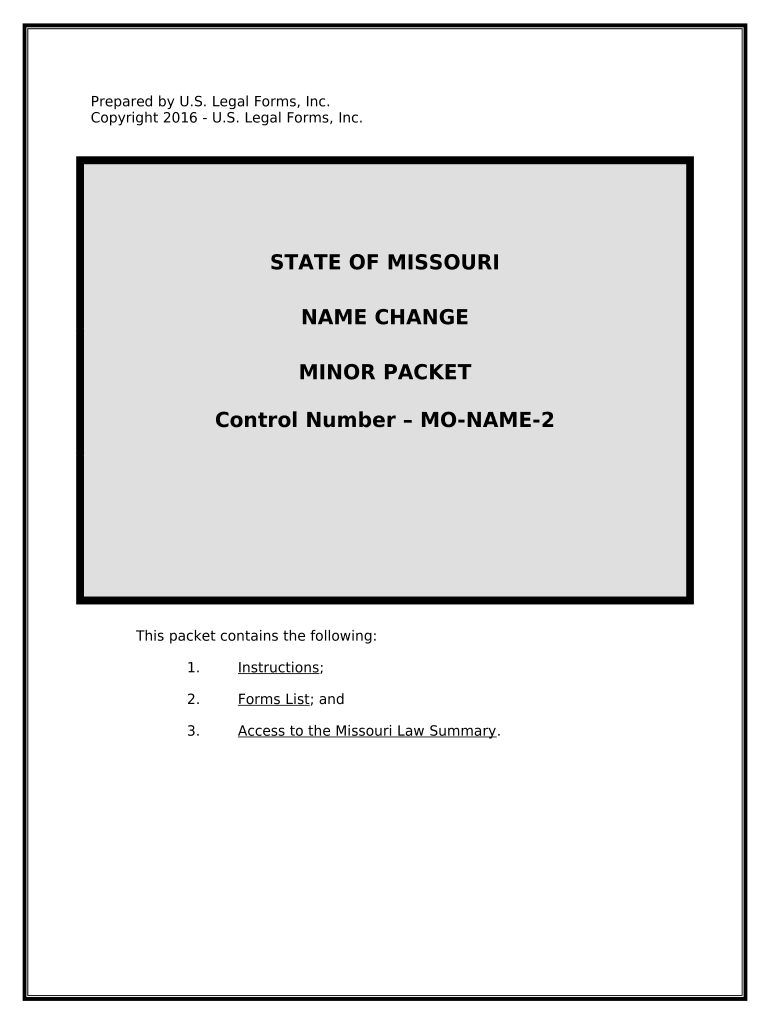
Prepared by U.S. Legal Forms, Inc.
Copyright 2016 - U.S. Legal Forms, Inc.
STATE OF MISSOURI
NAME CHANGE
MINOR PACKET
Control Number – MO-NAME-2
This packet contains the following:
1. Instructions ;
2. Forms List ; and
3. Access to the Missouri Law Summary .
I. EXPLANATION OF PETITION FOR CHANGE OF NAME
A. In Missouri, an action for a court ordered Change of Name begins with
the fling of a Petition in the Circuit Court. The Petition must contain
certain information. The forms in this packet include the necessary
information for a Minor Name Change in the State of Missouri.
B. You can use this packet if:
► You are less than 18 years of age.
► You have proper and reasonable cause for the requested change of
name.
► You are not changing your name to avoid debts or defraud
creditors.
II. WHAT FORMS ARE INCLUDED
A. Family Court Coversheet - (MO-NC-17) The document in which you
provide the court certain information about the parties.
B. Verifed Petition for Change of Name - (MO-NC-103) This document states
the reasons and other required details for your name change.
C. Order of Name Change - (MO-NC-105) This is the fnal statement of the
legalities and terms of your name change. Once this form is signed by
the Judge and fled with the court, the name change is efective.
D. Public Notice of Name Change - (MO-NC-106) This certifes that the name
change has been ordered. This is signed by the clerk and can be used
as proof of the Judgment.
E. Consent to Name Change - (MO-NC-200) This document provides the
written consent of any necessary individuals who are not party to the
action.
F. Application for Appointment of Next Friend - (MO-NC-107) The document
in which you request that the court appoint a next friend for the minor
child.
If you did not order a completion package and need access to the download
page again for any of the above forms, please check your email for a link to
that will redisplay the page for you.
III. PROCEDURE FOR CHANGE OF NAME (MINOR) FOR THE STATE OF
MISSOURI
A. Preliminary Note:
1. The attached forms may be completed by:
a. Printing the forms and completing by hand. Use black ink
and print neatly.
b. Printing the forms and completing using a typewriter.
c. By completing the forms on your computer using a word
processing program and then printing the forms.
2. Use complete names and not initials.
3. Print three (3) complete sets of forms.
4. All forms with a heading – the name of the court, the Minor
Petitioner’s name, the case number, and the name of the
document – require that the heading be completed. You will
need to add the name of the court and the full name of the
Minor Petitioner. The “Case No.” will be assigned by the court
clerk at the time of fling.
5. Forms that require you signature and include a notary block
MUST be signed in the presence of the notary or court clerk who
will complete the acknowledgement. Use your complete name –
frst name, middle name, last name.
6. When a form is fled with the court, request the clerk “fle-
stamp” one copy of the form for your fle.
7. A Law Summary has been included at the end of this form
packet. Review the Law Summary before beginning the
process of completing the forms.
B. Procedure
Step 1: Complete all the forms using complete names – middle
names instead of middle initials.
Step 2: File the Petition, the written Consent of both Parents, if
living, and the Order in the Circuit Court in the county in
which the Minor Petitioner resides. The Court Clerk will
inform you of the hearing date.
Step 3: If the written consent of a parent is not fled, the Minor
Petitioner must serve the non-consenting parent with a
copy of the Petition and give written notice of the date of
the hearing. This notice must be served by certifed or
registered mail not less than 30 days prior to the hearing
to the last known address of the non-consenting parent.
Step 4: At the hearing, any persons objecting to the requested
Name Change will be heard by the Court; and the Court
may examine, upon oath, the Parent or Guardian of the
Minor Petitioner, the Minor Petitioners(s), or other persons
concerning the Petition.
Step 5: If the Court is satisfed (1) that the Minor Petitioner has
complied with the statutory requirements concerning the
contents of the Petition; (2) that the desired change
would be proper; and, (3) that it would not be detrimental
to the interests of any other person, the Court will issue
the Order of Name Change.
Step 6: After the Court signs the Order of Name Change, take the
Notice of Name Change to the designated newspaper and
request publication at least three (3) times within the 20
days following the signing of the Order. At the end of the
publication period, you will be able to obtain from the
newspaper an Afdavit of Publication with an attached
copy of the published Notice of Hearing. An afdavit form
is included in this package but many newspapers supply
this form. The afdavit and attachment are then fled
with the Clerk of the Court.
NOTE ABOUT COMPLETING THE FORMS
The forms in this packet contain “form felds” created using Microsoft Word. “Form
felds” facilitate completion of the forms using your computer. They do not limit
you ability to print the form “in blank” and complete with a typewriter or by hand.
If you do not see the gray shaded form felds, go the View menu, click on Toolbars,
and then select Forms. This will open the forms toolbar. Look for the button on the
forms toolbar that resembles a shaded letter “a”. Click in this button and the form
felds will be visible.
The forms are locked which means that the content of the forms cannot be
changed. You can only fll in the information in the felds.
If you need to make any changes in the body of the form, it is necessary for you
“unlock” or “unprotect” the form. IF YOU INTEND TO MAKE CHANGES TO THE
CONTENT, DO SO BEFORE YOU BEGIN TO FILL IN THE FIELDS. IF YOU
UNLOCK THE DOCUMENT AFTER YOU HAVE BEGUN TO COMPLETE THE
FIELDS, WHEN YOU RELOCK, ALL INFORMATION YOU ENTERED WILL BE
LOST. To unlock click on “Tools” in the Menu bar and then selecting “unprotect
document”. You may then be prompted to enter a password. If so, the password is
“uslf”. That is uslf in lower case letters without the quotation marks . After
you make the changes relock the document before you being to complete the
felds.
After any required changes and re-protecting the document, click on the
first form field and enter the required information. You will be able to
navigate through the document from form field to form field using your
tab key. Tab to a form field and insert your data. If problems, please let
us know.
LAW SUMMARY
The law summary for this package may be located and printed from the following
address:
http://www.uslegalforms.com/mo/MO-NAME-2.htm
DISCLAIMER
These materials were developed by U.S. Legal Forms, Inc. based upon statutes and
forms for the State of Missouri. All Information and Forms are subject to this
Disclaimer: All forms in this package are provided without any warranty, express or
implied, as to their legal efect and completeness. Please use at your own risk. If
you have a serious legal problem we suggest that you consult an attorney. U.S.
Legal Forms, Inc. does not provide legal advice. The products ofered by U.S. Legal
Forms (USLF) are not a substitute for the advice of an attorney.
THESE MATERIALS ARE PROVIDED "AS IS" WITHOUT ANY EXPRESS OR IMPLIED
WARRANTY OF ANY KIND INCLUDING WARRANTIES OF MERCHANTABILITY,
NONINFRINGEMENT OF INTELLECTUAL PROPERTY, OR FITNESS FOR ANY
PARTICULAR PURPOSE. IN NO EVENT SHALL U.S. LEGAL FORMS, INC. OR ITS
AGENTS OR OFFICERS BE LIABLE FOR ANY DAMAGES WHATSOEVER (INCLUDING,
WITHOUT LIMITATION DAMAGES FOR LOSS OF PROFITS, BUSINESS INTERRUPTION,
LOSS OF INFORMATION) ARISING OUT OF THE USE OF OR INABILITY TO USE THE
MATERIALS, EVEN IF U.S. LEGAL FORMS, INC. HAS BEEN ADVISED OF THE
POSSIBILITY OF SUCH DAMAGES.
Useful advice on organizing your ‘Missouri Name Change Instructions And Forms Package For A Minor Missouri’ online
Are you fed up with the complications of managing paperwork? Look no further than airSlate SignNow, the leading eSignature platform for individuals and enterprises. Bid farewell to the monotonous routine of printing and scanning documents. With airSlate SignNow, you can effortlessly complete and sign paperwork online. Utilize the extensive features included in this user-friendly and affordable platform and transform your method of document management. Whether you need to authorize forms or collect electronic signatures, airSlate SignNow can handle it all seamlessly, needing just a few clicks.
Follow this comprehensive guide:
Log into your account or sign up for a complimentary trial with our service.
Click +Create to upload a file from your device, cloud storage, or our library of templates.
Open your ‘Missouri Name Change Instructions And Forms Package For A Minor Missouri’ in the editor.
Click Me (Complete Now) to prepare the document on your end.
Add and designate fillable fields for others (if needed).
Proceed with the Send Invite settings to solicit eSignatures from others.
Download, print your copy, or convert it into a reusable template.
Don’t fret if you need to collaborate with others on your Missouri Name Change Instructions And Forms Package For A Minor Missouri or send it for notarization—our platform offers everything you require to achieve such objectives. Sign up with airSlate SignNow today and take your document management to a higher level!
FAQs
Here is a list of the most common customer questions. If you can’t find an answer to your question, please don’t hesitate to reach out to us.
The Missouri Name Change Instructions And Forms Package For A Minor Missouri includes all the necessary legal documents and step-by-step instructions to facilitate a name change for your child. This comprehensive package simplifies the process, ensuring you have everything required for a successful application.
The Missouri Name Change Instructions And Forms Package For A Minor Missouri is affordably priced, providing excellent value compared to hiring an attorney. By using this package, you can save on legal fees while ensuring that you have all the essential forms and instructions at your fingertips.
Yes, the Missouri Name Change Instructions And Forms Package For A Minor Missouri is designed to be user-friendly. With clear instructions and organized forms, even those without legal experience can navigate the name change process with confidence.
To increase the chances of approval, carefully follow the guidelines provided in the Missouri Name Change Instructions And Forms Package For A Minor Missouri. Ensure all forms are completed accurately and submitted with the required supporting documents.
While the Missouri Name Change Instructions And Forms Package For A Minor Missouri provides all necessary paperwork, there may be court fees associated with filing the name change application. It's important to check with your local court for any additional costs.
Yes, the forms in the Missouri Name Change Instructions And Forms Package For A Minor Missouri are editable, allowing you to personalize them to fit your specific situation. This flexibility ensures that you can accurately represent your child’s name change request.
The time it takes to complete the name change process using the Missouri Name Change Instructions And Forms Package For A Minor Missouri can vary. Generally, it can take a few weeks to a few months, depending on the court's processing times and any additional requirements.
The best way to complete and sign your missouri name change instructions and forms package for a minor missouri
Save time on document management with airSlate SignNow and get your missouri name change instructions and forms package for a minor missouri eSigned quickly from anywhere with our fully compliant eSignature tool.
How to fill out and sign forms online
Previously, coping with paperwork required pretty much time and effort. But with airSlate SignNow, document management is quick and easy. Our robust and user-friendly eSignature solution allows you to effortlessly complete and eSign your missouri name change instructions and forms package for a minor missouri online from any internet-connected device.
Follow the step-by-step guide to eSign your missouri name change instructions and forms package for a minor missouri template online:
1.Sign up for a free trial with airSlate SignNow or log in to your account with password credentials or SSO authentication.
2.Click Upload or Create and import a form for eSigning from your device, the cloud, or our form library.
3.Click on the file name to open it in the editor and utilize the left-side menu to complete all the empty areas properly.
4.Drop the My Signature field where you need to approve your sample. Type your name, draw, or import a picture of your handwritten signature.
5.Click Save and Close to accomplish modifying your completed document.
As soon as your missouri name change instructions and forms package for a minor missouri template is ready, download it to your device, export it to the cloud, or invite other parties to eSign it. With airSlate SignNow, the eSigning process only requires a few clicks. Use our robust eSignature tool wherever you are to handle your paperwork efficiently!
How to fill out and sign documents in Google Chrome
Completing and signing documents is simple with the airSlate SignNow extension for Google Chrome. Adding it to your browser is a fast and productive way to manage your paperwork online. Sign your missouri name change instructions and forms package for a minor missouri sample with a legally-binding electronic signature in a few clicks without switching between tools and tabs.
Follow the step-by-step guide to eSign your missouri name change instructions and forms package for a minor missouri form in Google Chrome:
1.Go to the Chrome Web Store, find the airSlate SignNow extension for Chrome, and install it to your browser.
2.Right-click on the link to a form you need to eSign and choose Open in airSlate SignNow.
3.Log in to your account with your credentials or Google/Facebook sign-in option. If you don’t have one, you can start a free trial.
4.Use the Edit & Sign menu on the left to fill out your template, then drag and drop the My Signature option.
5.Upload a picture of your handwritten signature, draw it, or simply enter your full name to eSign.
6.Verify all information is correct and click Save and Close to finish modifying your paperwork.
Now, you can save your missouri name change instructions and forms package for a minor missouri sample to your device or cloud storage, email the copy to other individuals, or invite them to eSign your document via an email request or a secure Signing Link. The airSlate SignNow extension for Google Chrome enhances your document workflows with minimum time and effort. Try airSlate SignNow today!
How to complete and sign forms in Gmail
Every time you get an email with the missouri name change instructions and forms package for a minor missouri for signing, there’s no need to print and scan a file or download and re-upload it to another tool. There’s a better solution if you use Gmail. Try the airSlate SignNow add-on to quickly eSign any paperwork right from your inbox.
Follow the step-by-step guide to eSign your missouri name change instructions and forms package for a minor missouri in Gmail:
2.Set up the tool with a corresponding button and grant the tool access to your Google account.
3.Open an email with an attachment that needs signing and utilize the S sign on the right sidebar to launch the add-on.
4.Log in to your airSlate SignNow account. Opt for Send to Sign to forward the document to other parties for approval or click Upload to open it in the editor.
5.Put the My Signature field where you need to eSign: type, draw, or upload your signature.
This eSigning process saves time and only requires a couple of clicks. Utilize the airSlate SignNow add-on for Gmail to update your missouri name change instructions and forms package for a minor missouri with fillable fields, sign paperwork legally, and invite other parties to eSign them al without leaving your inbox. Enhance your signature workflows now!
How to complete and sign paperwork in a mobile browser
Need to rapidly fill out and sign your missouri name change instructions and forms package for a minor missouri on a mobile phone while working on the go? airSlate SignNow can help without needing to set up additional software programs. Open our airSlate SignNow tool from any browser on your mobile device and create legally-binding eSignatures on the go, 24/7.
Follow the step-by-step guidelines to eSign your missouri name change instructions and forms package for a minor missouri in a browser:
1.Open any browser on your device and follow the link www.signnow.com
2.Sign up for an account with a free trial or log in with your password credentials or SSO authentication.
3.Click Upload or Create and import a file that needs to be completed from a cloud, your device, or our form collection with ready-to go templates.
4.Open the form and fill out the blank fields with tools from Edit & Sign menu on the left.
5.Place the My Signature field to the sample, then enter your name, draw, or add your signature.
In a few simple clicks, your missouri name change instructions and forms package for a minor missouri is completed from wherever you are. As soon as you're finished editing, you can save the file on your device, create a reusable template for it, email it to other individuals, or ask them to eSign it. Make your paperwork on the go prompt and effective with airSlate SignNow!
How to complete and sign documents on iOS
In today’s corporate environment, tasks must be completed quickly even when you’re away from your computer. With the airSlate SignNow app, you can organize your paperwork and sign your missouri name change instructions and forms package for a minor missouri with a legally-binding eSignature right on your iPhone or iPad. Install it on your device to conclude contracts and manage documents from anyplace 24/7.
Follow the step-by-step guide to eSign your missouri name change instructions and forms package for a minor missouri on iOS devices:
1.Open the App Store, search for the airSlate SignNow app by airSlate, and install it on your device.
2.Launch the application, tap Create to add a form, and choose Myself.
3.Choose Signature at the bottom toolbar and simply draw your autograph with a finger or stylus to eSign the sample.
4.Tap Done -> Save right after signing the sample.
5.Tap Save or use the Make Template option to re-use this document in the future.
This process is so straightforward your missouri name change instructions and forms package for a minor missouri is completed and signed within a couple of taps. The airSlate SignNow app works in the cloud so all the forms on your mobile device remain in your account and are available whenever you need them. Use airSlate SignNow for iOS to boost your document management and eSignature workflows!
How to fill out and sign paperwork on Android
With airSlate SignNow, it’s simple to sign your missouri name change instructions and forms package for a minor missouri on the go. Install its mobile app for Android OS on your device and start improving eSignature workflows right on your smartphone or tablet.
Follow the step-by-step guidelines to eSign your missouri name change instructions and forms package for a minor missouri on Android:
1.Go to Google Play, find the airSlate SignNow app from airSlate, and install it on your device.
2.Log in to your account or register it with a free trial, then upload a file with a ➕ option on the bottom of you screen.
3.Tap on the uploaded document and select Open in Editor from the dropdown menu.
4.Tap on Tools tab -> Signature, then draw or type your name to electronically sign the sample. Fill out empty fields with other tools on the bottom if necessary.
5.Use the ✔ key, then tap on the Save option to finish editing.
With a user-friendly interface and full compliance with primary eSignature requirements, the airSlate SignNow application is the perfect tool for signing your missouri name change instructions and forms package for a minor missouri. It even operates offline and updates all document changes when your internet connection is restored and the tool is synced. Complete and eSign forms, send them for eSigning, and make re-usable templates whenever you need and from anyplace with airSlate SignNow.
Related links missouri name change instructions and forms package for a minor missouri
We use cookies to improve security, personalize the user experience, enhance our marketing activities (including cooperating with our 3rd party partners) and for other business use. Click here to read our Cookie Policy. By clicking “Accept“ you agree to the use of cookies.... Read moreRead less