Establishing secure connection…Loading editor…Preparing document…

Motion to Exclude

This template is fully customizable. Edit the text, fill out the fields, and send it for signature. Give it a try!
Motion to Exclude

What a Motion to Exclude Is and where it fits

A Motion to Exclude is a formal court filing asking a judge to prevent specified evidence from being considered at trial or in pretrial proceedings. Common grounds include lack of relevance, unfair prejudice, hearsay, improper expert methodology, and broken chain of custody. The motion frames legal arguments, cites controlling law and precedent, and identifies the contested exhibits or witness testimony. It is typically filed pretrial under the court’s scheduling order, but judges may also decide exclusion requests at hearings or during trial when objections arise.

Why filing a Motion to Exclude matters

A clear Motion to Exclude narrows trial issues, preserves objections for appeal, and protects clients from admission of unreliable or prejudicial evidence while focusing the factfinder on admissible material.

Why filing a Motion to Exclude matters

Who typically prepares or files this motion

Preparation often involves collaboration among trial counsel, evidence custodians, and litigation support to ensure a complete record.

  • Defense attorneys seeking to prevent prejudicial or illegally obtained evidence from reaching the jury.
  • Prosecutors or plaintiff counsel aiming to exclude defense evidence lacking proper foundation.
  • Discovery counsel or paralegals assembling exhibits, logs, and chain-of-custody documentation for the court.

Core sections a professional Motion to Exclude should include

A concise, well-structured motion speeds judicial review and reduces risk of waiver; include factual, legal, and procedural elements.

Caption

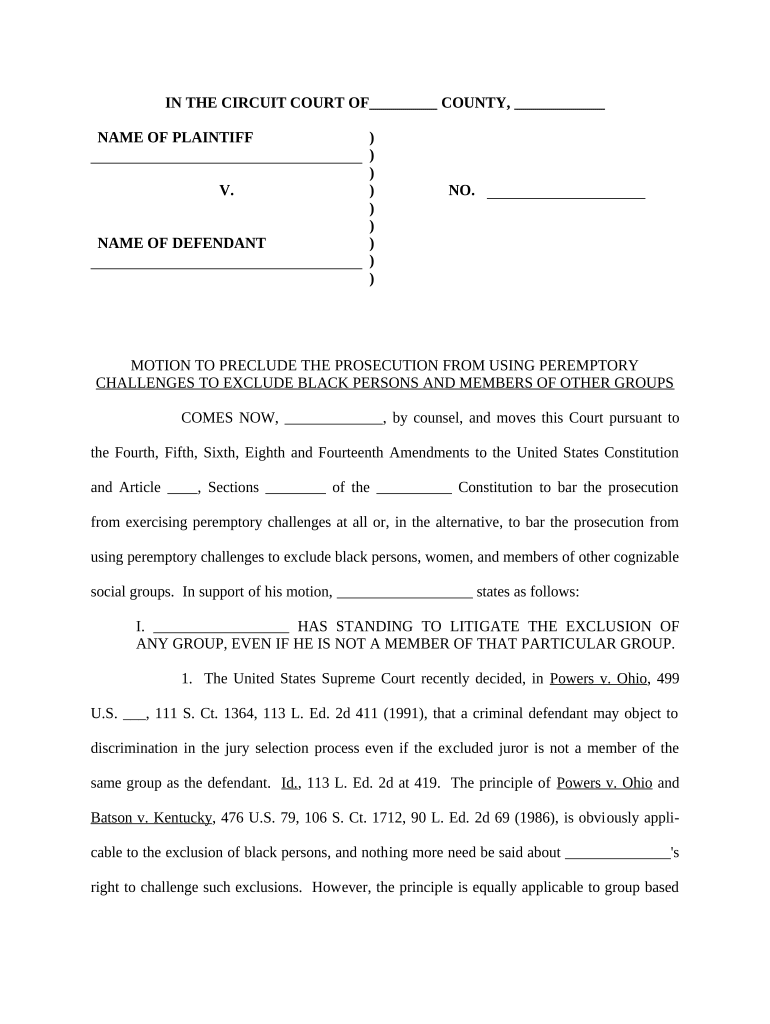
Court name, case title, docket number, and motion title presented exactly as court records require to ensure proper assignment and filing.
Statement of Facts

A focused factual recitation identifying the evidence at issue, the custody history, and the specific events or documents being challenged.

Legal Grounds

Cite the precise evidentiary rules and controlling precedent (for example, relevance and prejudice under FRE 401, 402, 403; hearsay under FRE 802).

Evidence Description

Describe the challenged item(s) with exhibit numbers, Bates ranges, or witness designations so the court can readily identify the material.

Supporting Authorities

Include case law, treatises, Daubert or Frye analysis for expert testimony, and any relevant statutes to back admissibility arguments.

Relief Requested

State the specific remedy: total exclusion, redaction, limiting instruction, in limine ruling, or conditions for admission (foundation, authentication).

Required case and filing identifiers

Court and Division: Full court name
Case Caption: Party names as listed
Docket Number: Exact case number
Exhibit Identifiers: Exhibit numbers or Bates ranges
Signature Block: Counsel name and bar number
Certificate of Service: Method and date served

Step-by-step: drafting and submitting the motion

Follow a consistent sequence to support admissibility challenges and preserve the record.

  • 01
    Draft the Motion: State facts, law, and specific items to exclude.
  • 02
    Assemble Exhibits: Attach exhibits, affidavits, and chain-of-custody proof.
  • 03
    File and Serve: E-file with the court and serve opposing counsel per local rules.
  • 04
    Request Hearing: Seek a pretrial hearing or in limine ruling if needed.

How to set up a digital workflow for this motion

A repeatable online workflow ensures consistent filing, secure evidence handling, and auditable signatures when permitted.

Field Configuration
Template Create a motion template with required sections and placeholders
Signer Roles Assign counsel, paralegal, and approver roles for review and signature
Authentication Require email or SMS codes for signer attribution
Retention Settings Set automatic archival and export to court-ready PDF

Where to file and how documents move through the system

Filing and service paths differ by court; adopt a workflow that matches local electronic filing and service rules.

  • E-file (Court): Upload PDF to CM/ECF or state e-filing portal
  • Serve Opposing Counsel: Email, e-service portal, or physical service per local rule
  • Submit to Judge: Request in limine hearing or calendared motion slot
  • Archive Case File: Store final PDF and audit trail in litigation repository

Digital filing and signing requirements to consider

Validate platform integrations with your e-filing provider and set retention to preserve the court-ready record with audit metadata.

  • File Format: PDF/A is widely accepted
  • Signature Acceptance: Check whether the court accepts electronic signatures
  • Audit Trail: Maintain IP, timestamp, and signer ID

Timing and deadline considerations

Deadlines are set by the court’s scheduling order and local rules; missing them can waive objections or require emergency relief.

Pretrial Deadlines:

Follow the scheduling order for motions in limine and discovery-related exclusion motions

Response Window:

Commonly 14–21 days; verify local rule for exact timing

Hearing Date:

Request a hearing if factual disputes require live testimony

Trial-Time Objections:

Preserve objections at trial if pretrial motion is denied

Emergency Motions:

File ex parte relief when immediate exclusion is necessary

Common drafting and procedural mistakes to avoid

  • Vague identification of evidence — failing to specify exhibit numbers or Bates ranges can prevent the court from ruling.
  • Insufficient legal analysis — asserting exclusion without citing controlling authorities or applying rules like FRE 401–403 weakens the motion.
  • Incomplete foundation — failing to attach affidavits, chain-of-custody records, or authentication exhibits may lead to denial.
  • Late filing or improper service — missing the scheduling order or using the wrong service method can waive objections.

Consequences of an incorrect or untimely motion

Waiver of Objection: May occur if objection not timely asserted
Adverse Inference: Court may draw negative inference against movant
Sanctions: Possible monetary or procedural sanctions
Evidentiary Harm: Relevant evidence may be admitted
Appeal Risk: Weak record preservation harms appellate review
Cost Exposure: Increased attorney fees and litigation expense

Practical examples of how teams use Motion to Exclude workflows

Two concise examples show how digital processes help prepare and preserve exclusion motions and supporting evidence.

Optica Ventures

A small litigation team used a standardized motion template and exhibit index to accelerate drafting.

  • The template reduced drafting time.
  • The structured package allowed quick judge review and clear in-court presentation, improving readiness for the in limine hearing.

Martin Properties

A real estate firm assembled chain-of-custody records and photo metadata for a deed authentication challenge.

  • Metadata supported authenticity.
  • Presenting organized digital exhibits and an audit trail streamlined the court’s review and strengthened the authentication argument.

Comparing eSignature vendors for Motion to Exclude workflows

Vendor pricing and core capabilities affecting motion preparation, signature workflow, and evidence handling are summarized below without dated claims.

signNow DocuSign Adobe Sign PandaDoc HelloSign
Starting Price $8/user/mo $15/user/mo $14/user/mo $19/user/mo $15/user/mo
Free Trial 7-day free trial Varies Varies Varies Varies
Bulk Send Yes (Business Premium) Yes Yes Yes No
Audit Trail Yes Yes Yes Yes Yes
HIPAA Compliant Yes Yes Yes No No
Envelope Cap No cap 100 envelopes/user/year Varies by plan Varies by plan Varies by plan

Frequently asked questions about Motions to Exclude and electronic handling

Answers to common procedural and technical questions about drafting, signing, and filing exclusion motions.


Need help? Contact support

be ready to get more
Join over 28 million airSlate SignNow users