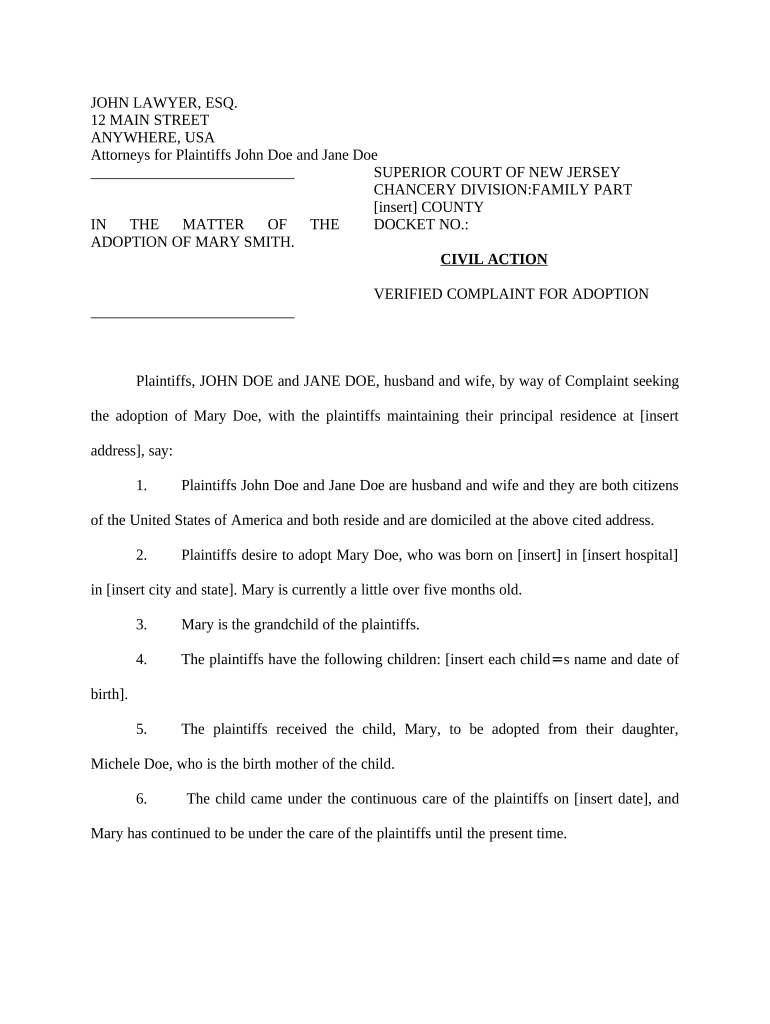
New Jersey Adoption Agreement
What the New Jersey Adoption Agreement Covers
Why a Formal Agreement Matters in Adoption Cases
Use an Adoption Agreement to document consent, clarify temporary arrangements, and create a clear record for court review and agency compliance. A written agreement reduces disputes, supports best-interest determinations, and streamlines adoption petition preparation.
Who Typically Prepares and Signs These Agreements
Typical users include adoptive parents, birth parents, agencies, and attorneys involved in New Jersey placements.
- Adoptive parents documenting placement terms, parental responsibilities, and future custody expectations.
- Birth parents recording consent, reunification plans, medical disclosures, and timelines.
- Child-placing agencies and attorneys preparing court submissions and supporting social histories.
Representative Signer Profiles
Adoptive Parent
An individual or couple seeking legal custody of a child. They use the agreement to confirm placement conditions, acknowledge counseling and medical disclosures, and provide information needed for the petition. Accurate personal data and signatures are required for court review.
Agency Attorney
A licensed attorney representing a child-placing agency or a party. Responsibilities include drafting and reviewing the agreement, ensuring statutory consent language is present, preparing supporting affidavits and social histories, and submitting documents to family court for review and adoption finalization.
Stepwise Process to Complete and Submit
-
01Prepare Draft: Collect identities, disclosures, and home-study attachments.
-
02Review with Counsel: Attorney reviews consent language and statutory compliance.
-
03Sign and Date: All parties sign; capture dates and initials.
-
04Submit to Court: File with family court along with agency reports.
How to Configure an Online Signing Workflow
| Field | Configuration |
|---|---|
| Signature Field | Require full legal name and date |
| Consent Checkbox | Must be checked by signer with timestamp |
| Authentication | Email link default; SMS code optional for higher verification |
| Attachments | Require home-study and medical records as PDFs |
Where to Send and File the Final Agreement
-
Agency Intake: Submit signed agreement to child-placing agency records.
-
Attorney Review: Attorney prepares petition and supporting affidavits for court.
-
Family Court: File petition, agreement, and social study with court clerk.
-
Court Hearing: Judge reviews documents, interviews parties, and may finalize decree.
Digital Signing and File Export Requirements
Use an eSignature platform that supports secure authentication, tamper-evident PDF output, and audit trails for court and agency review.
- File Formats: PDF/A and DOCX supported
- Integrations: Works with NetSuite, Google Workspace, Salesforce
- Authentication: Email, SMS, KBA, and SSO options
Typical Timing Considerations for Adoption Documents
Consent Revocation Window:
State law may allow a limited period to revoke consent; check statutes.
File Adoption Petition:
Submit petition after placement or as statute requires; timing varies.
Post-Placement Reports:
Social worker reports often required at intervals before finalization.
Finalization Hearing:
Court schedules hearing after reports and home study review.
Vital Records Update:
Amend birth certificate after court decree per state registry.
Key Milestones in the Adoption Process
Pre-Placement Review
Home study and agency approval completed before placement.
Placement & Consent
Signed consent and placement documents executed by parties.
Post-Placement Monitoring
Scheduled social-worker reports and evaluations submitted to court.
Court Finalization
Hearing held and judge issues final adoption decree.
Consequences of an Incorrect or Incomplete Agreement
Common Errors to Avoid When Preparing the Agreement
- Ambiguous consent language that does not clearly identify the consenting party, date, or scope frequently causes court requests for clarification and delays finalization.
- Failing to attach the home-study report, medical records, or required affidavits often leads to administrative rejection and additional agency follow-up.
- Mismatched names, incorrect dates, and inconsistent addresses across documents create identity verification issues and can delay court processing significantly.
- Assuming electronic signatures suffice for every step; some courts or agencies may require notarized originals or specific witness procedures.
Practical Tips for Accurate and Efficient Completion
eSignature Vendor Comparison for Adoption Workflows
| signNow | DocuSign | Adobe Sign | PandaDoc | HelloSign | |
|---|---|---|---|---|---|
| Starting Price | $8/user/mo | $15/user/mo | $14/user/mo | $19/user/mo | $15/user/mo |
| Free Trial | Yes, 7-day trial | Varies by vendor | Varies by vendor | Varies by vendor | Varies by vendor |
| Bulk Send | Yes | Yes | Yes | Yes | No |
| Audit Trail | Yes | Yes | Yes | Yes | Yes |
| HIPAA Compliant | Yes | Yes | Yes | No | No |
Common Questions About Execution, Validity, and Filing
-
Can the agreement be executed electronically?
Electronic signatures are generally legally valid under the federal ESIGN Act (15 U.S.C. §7001) and UETA where adopted; however, family law decrees and certain court filings may be exceptions. Verify whether the specific court or agency accepts e-signed consent for adoption.
-
Is notarization or RON required?
Notarization requirements vary. Many jurisdictions accept notarized consent and permit remote online notarization (RON). Check state notary commission guidance before relying on RON and confirm whether the court requires a physical notary acknowledgement for adoption consent.
-
Are witnesses required for adoption consent?
Witness requirements differ by state and by the type of consent or affidavit. Do not assume uniform witness rules; consult the local family court rules or agency requirements to determine whether one or more witnesses must sign.
-
What supporting documents are typically required?
Common attachments include the home-study report, medical records, social-worker reports, identity documents, and any counseling acknowledgements. Include dates and copies of exhibits to prevent administrative requests for supplemental material.
-
How do I amend or update the agreement after signing?
Amendments generally require a written modification signed and dated by all original parties, and may need attorney approval or court notice. Material changes affecting consent or custody often require court review or supplemental filings.
-
How long must adoption records be retained?
Retain signed agreements and supporting records for multiple years. Federal baselines include IRS records (IRC §6501(a)) and HIPAA retention (45 CFR §164.530(j)); state-specific retention can be longer, so consult local rules when setting retention policy.