Establishing secure connection… Loading editor… Preparing document…
Navigation

Fill and Sign the No Fault Agreed Uncontested Divorce Package for Dissolution of Marriage for Persons with No Children with or Without Property 497309542 Form
Fill and Sign the No Fault Agreed Uncontested Divorce Package for Dissolution of Marriage for Persons with No Children with or Without Property 497309542 Form

How it works

Open the document and fill out all its fields.
Apply your legally-binding eSignature.
Save and invite other recipients to sign it.

Rate template

4.8
46 votes
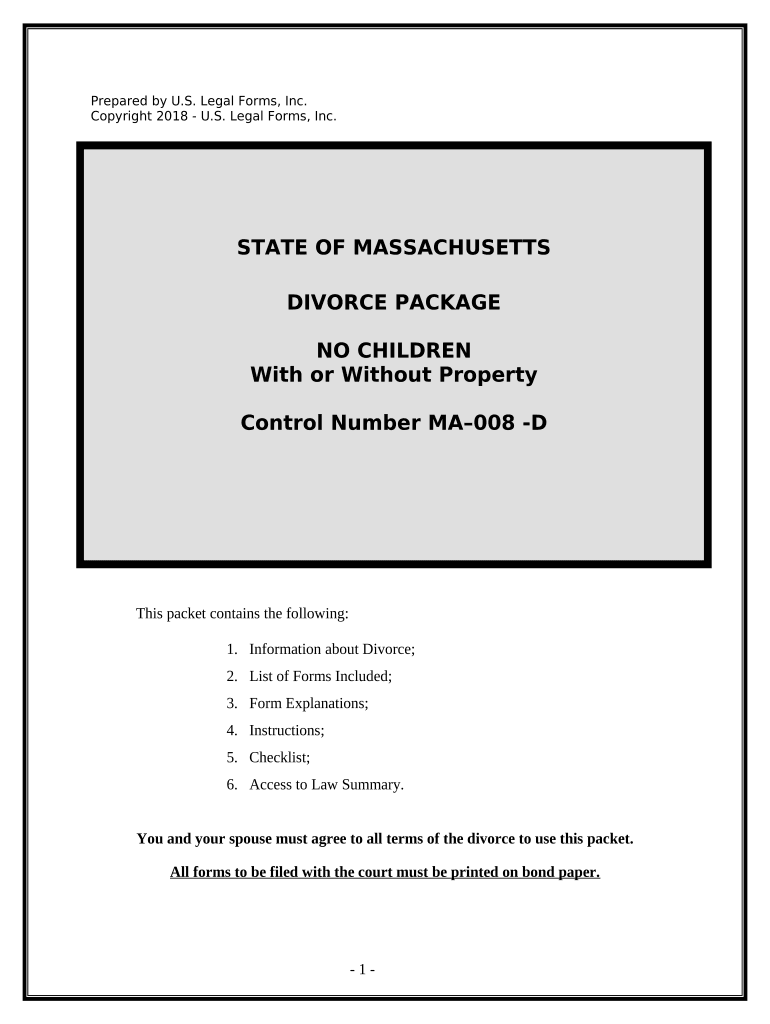
Prepared by U.S. Legal Forms, Inc. Copyright 2018 - U.S. Legal Forms, Inc. STATE OF MASSACHUSETTS DIVORCE PACKAGE NO CHILDREN With or Without Property Control Number MA–008 -D This packet contains the following: 1. Information about Divorce; 2. List of Forms Included; 3. Form Explanations; 4. Instructions; 5. Checklist; 6. Access to Law Summary. You and your spouse must agree to all terms of the divorce to use this packet. All forms to be filed with the court must be printed on bond paper. - 1 - INFORMATION ABOUT DIVORCE 1. WHO CAN USE THESE FORMS: You and your spouse’s marriage has suffered an irretrievable breakdown and both parties agree to file jointly for divorce; (a) There were no children born to or adopted by you and your spouse; wife is not pregnant. (b) You and your spouse agree to all issues of property and debts, etc. (c) You and/or your spouse are a bona fide resident of Massachusetts. 2. RESIDENCY REQUIREMENTS: If the cause of the divorce occurred outside of Massachusetts, the plaintiff must have resided in Massachusetts for at least one year prior to the filing of the action. If the cause of the divorce occurred within Massachusetts, at least one of the parties must be a Massachusetts resident. 3. GROUNDS FOR DIVORCE: A divorce may be granted in the Massachusetts on the following grounds: (a) Adultery. (b) Impotency. (c) Desertion for at least one year. (d) Addiction to drugs/alcohol. (e) Cruel and abusive treatment. (f) Refusal to support spouse when able. (g) Confinement for period of 5 years or more in penal institution. (h) Irretrievable breakdown of the marriage. This divorce package is based upon the irretrievable breakdown of the marriage. 4. LEGAL SEPARATION : The court may issue an order of legal separation of the parties and make provisions for the reasonable separate maintenance and support of the party seeking separation from the other. If you desire a legal separation do not use this package. 5. MEDIATION: When the parties file for divorce under the no-fault provisions of irretrievable breakdown of the marriage, the court may at any time prior the issuance of the judgment of divorce require the parties to participate in family or marriage counseling. Mediation is generally not required in an agreed uncontested divorce. 6. ALIMONY/SUPPORT: Either party to a divorce may be ordered to pay alimony to the other spouse. Since this is an agreed divorce you will decide if alimony is to be paid or waived. If the case were contested, then in determining the amount and nature of the - 2 - alimony award, the court will consider the following factors: - 3 - (a) The length of the marriage; (b) The conduct of the parties during the marriage; (c) The age, health, station, occupation, amount and sources of income; (d) The vocational skills and employability of the parties; (e) The estate, liabilities and needs of each party; (f) The opportunity of each party for future acquisition of capital assets and income; (g) The present and future needs of any dependent children of the marriage; (h) The contribution of each party to the acquisition, preservation or appreciation in value of their respective estates. (i) The contribution of each of the parties as a homemaker to the family unit. In addition, the court shall also determine whether the spouse ordered to pay alimony has health insurance or whether health insurance is reasonably available. If so, the court will order that health insurance be extended to cover the other spouse or purchased for the other spouse when reasonably available. 7. DISTRIBUTION OF PROPERTY: Since this is an agreed divorce you will decide on property distributions. In a contested case, t he court may assign to either spouse all or part of the estate of the other spouse after consideration of the following factors: (a) The length of the marriage; (b) The conduct of the parties during the marriage; (c) The age, health, station, occupation, amount and sources of income; (d) The vocational skills and employability of the parties; (e) The estate, liabilities and needs of each party; (f) The opportunity of each party for future acquisition of capital assets and income; (g) The present and future needs of any dependent children of the marriage; (h) The contribution of each party to the acquisition, preservation or appreciation in value of their respective estates. (i) The contribution of each of the parties as a homemaker to the family unit. 8. FINANCIAL STATEMENT: Unless otherwise ordered by the court, each party to a divorce action in Massachusetts must file with the court and deliver to the other party a complete and accurate financial statement showing the assets, liabilities and current income and expenses of the parties. Depending upon the annual income of the parties, either the “Long Form” or “Short Form” Financial Affidavit must be used. 9. NAME CHANGE: Upon the granting of a divorce, the court may allow a woman to resume the use of her former or maiden name. 10. JOINT COMPLAINT ACTIONS: This package is a Joint Petition action where both parties agree to all matters and the divorce. The information below is the joint petition statute with notes. This type of divorce is referred to as a Section 208 1A Divorce. - 4 - G.L.c. 208, § 1A. Irretrievable breakdown of marriage; commencement of action; complaint accompanied by statement and dissolution agreement; procedure. Section 1A. An action for divorce on the ground of an irretrievable breakdown of the marriage may be commenced with the filing of: (a) a petition signed by both joint petitioners or their attorneys; (b) a sworn affidavit that is either jointly or separately executed by the petitioners that an irretrievable breakdown of the marriage exists; and (e) a notarized separation agreement executed by the parties except as hereinafter set forth and no summons or answer shall be required. After a hearing on a separation agreement which has been presented to the court, the court shall, within thirty days of said hearing, make a finding as to whether or not an irretrievable breakdown of the marriage exists and whether or not the agreement has made proper provisions for custody, for support and maintenance, for alimony and for the disposition of marital property, where applicable. In making its finding, the court shall apply the provisions of section thirty-four, except that the court shall make no inquiry into, nor consider any evidence of the individual marital fault of the parties. In the event the notarized separation agreement has not been filed at the time of the commencement of the action, it shall in any event be filed with the court within ninety days following the commencement of said action. If the finding is in the affirmative, the court shall approve the agreement and enter a judgment of divorce nisi. The agreement both shall be incorporated and merged into said judgment or by agreement of the parties, it shall be incorporated and not merged, but shall survive and remain as an independent contract. In the event that the court does not approve the agreement as executed or modified by agreement of the parties, said agreement shall become null and void and of no further effect between the parties; and the action shall be treated as dismissed, but without prejudice. Following approval of an agreement by the court but prior to the entry of judgment nisi, said agreement may be modified in accordance with the foregoing provisions at any time by agreement of the parties and with the approval of the court, or by the court upon the petition of one of the parties after a showing of a substantial change of circumstances; and the agreement, as modified, shall continue as the order of the court. Thirty days from the time that the court has given its initial approval to a dissolution agreement of the parties which makes proper provisions for custody, support and maintenance, alimony, and for the disposition of marital property, where applicable, notwithstanding subsequent modification of said agreement, a judgment of divorce nisi shall be entered without further action by the parties. Nothing in the foregoing shall prevent the court, at any time prior to the approval of the agreement by the court, from making temporary orders for custody, support and maintenance, or such other temporary orders as it deems appropriate, including referral of the parties and the children, if any, for marriage or family counseling. Prior to the entry of judgment under this section the petition may be withdrawn by mutual agreement of the parties. - 5 - An action commenced under this section shall be placed by the register of probate for the county in which the action is so commenced on a hearing list separate from that for all other actions for divorce brought under this chapter, and shall be given a speedy hearing on the dissolution agreement insofar as that is consistent with the wishes of the parties. 11. COMPUTER GENERATED FORMS: By Court rule, computer forms must meet certain requirements. This package will identify the forms which have special requirements. Most of the forms in this package will be available from the Clerk except the Property and Settlement agreement but they will require that you complete them by hand or on a typewriter, unlike the forms contained in this package. The rule with notes provides: Mass Rules of Domestic Relations Procedure § 1.3(9) Computer Generated Forms Unif.Pract.Prob.Ct. Practice XXXIII Adopted effective Jan. 1, 1992, Amendment effective September 4, 2007 Preamble: This Uniform Practice governs the use of computer-generated forms by counsel and parties. Definition: For the purposes of this Uniform Practice XXXIII, the "official form" shall be defined as either: (i) the paper form promulgated and distributed by the Administrative Office of the Probate and Family Court or (ii) the electronic form most recently posted on the Massachusetts Judiciary web site, www.mass.gov/courts and approved by the Administrative Office of the Probate and Family Court. I. Use. The Use of computer-generated forms is hereby permitted, except where the Court blank ("official form") is a multi-part form, such as the G.L. c. 209A Complaint for Protection from Abuse form. II. Specifications. A. Paper. Twenty-pound, 8 1/2 X 11, acid free paper shall be used for all computer- generated forms. Acid free paper is specified to ensure archival quality and permanence. B. Paper and Ink Color. A computer-generated form shall be printed with black ink on white paper. C. Printing. All computer-generated forms shall be printed with "letter quality" or "near letter quality" output. "Draft" quality output is not acceptable. III. Consequences of Failing to Follow These Standards. The Register of Probate may reject any form that fails to comply with these standards. In the event that a Register deems a submitted form to be outside these standards, such determination may be reviewed by the Chief Justice of the Probate and Family Court at the request of the - 6 - submitting counsel or party. It is the responsibility of the submitting party to ensure that the form adheres to the above standards. If the form is rejected, the submitting party shall forfeit the filing fee. The submitting party-s attorney shall not be allowed to pass this cost on to his/her client, but shall bear the financial burden personally. Accordingly, the submitting party's attorney shall either reimburse the client for the forfeited fee or the attorney shall personally pay the filing fee when he/she refiles the form. - 7 - FORMS LIST 1. Joint Petition for Divorce. ( MA-CJ-D-101A ) 2. Joint Affidavit in Support of Divorce. ( MA-801D ) 3. Separation and Property Settlement Agreement. ( MA-803D ) 4. Financial Statement (short form) – Page 1 ( MA-CJ-D-301S ) 4a. Financial Statement (long form) ( MA-CJ-D-301L ) 5. Request for Trial ( MA-804D ) 6. Statistical Reporting Form ( MA-R-408 ) - 8 - FORM EXPLANATIONS All forms included in this package are identified and described below. 1. Joint Petition for Divorce ( MA-CJ-D-101A ) - The Joint Petition for Divorce is the document in which you and your spouse are asking the court to grant the divorce along with any other relief requested. 2. Joint Affidavit in Support of Complaint for Divorce ( MA-801D ) - This document is used to state that the allegations contained in the Petition are true, and that a judgment may be entered according to the information stated in the Petition, Separation Agreement and Decree. 3. Separation and Property Settlement Agreement ( MA-803D ) – This document provides for the final distribution of any assets and debts of the parties and any other matters reached between the parties. This form can be modified to include all matters that need to be resolved between the parties. 4. Financial Statement (Short Form) ( MA-CJ-D-301S ) – This document is used to identify the income and expenses and the assets and debts of the parties. This form may only be used if the party completing the form has an annual income of less than $75,000. 4a. Financial Statement (Long Form) ( MA-CJ-D-301L ) – This document is used to identify the income and expenses and the assets and debts of the parties. This form is for use by parties with an annual income equal to or greater than $75,000. 5. Request for Trial ( MA-804D ) – This document is used to notify the Court that all documents necessary for judgment have been filed and requests that the matter be set for trial. 6. Statistical Information Form ( MA-R-408 ) – This form is required by the State department of health. The form will be provided by the Clerk. - 9 - The ninety day period is governed by the following code section: CHAPTER 208. DIVORCE. Chapter 208: Section 21. Divorce judgments; entry. Section 21 . Judgments of divorce shall in the first instance be judgments nisi, and shall become absolute after the expiration of ninety days from the entry thereof, unless the court within said period, for sufficient cause, upon application of any party to the action, otherwise orders. After the entry of a judgment nisi, the action shall not be dismissed or discontinued on motion of either party except upon such terms, if any, as the court may order after notice to the other party and a hearing, unless there has been filed with the court a memorandum signed by both parties, wherein they agree to such disposition of the action. - 10 - INSTRUCTIONS AND STEPS STEP 1: The parties complete the Joint Petition for Divorce and Sworn Affidavit stating that an irretrievable breakdown of the marriage has occurred . STEP 2: A Statistical Report form must be obtained from the Office of Register of Probate. STEP 3: A certified copy of the parties’ Marriage Certificate must be obtained. STEP 4: Both parties complete the Separation and Property Settlement Agreement and attach the Agreement to the Petition as Exhibit “A”. STEP 5: Each party must complete a Financial Statement . The Financial Statement “Short Form” for use by parties whose is less than $75,000. If either party’s income is greater than $75,000, the “Long Form Financial Statement” must be used. The financial statement must be filed with the court and delivered to the other party. STEP 6: The Petition , Affidavit , Marriage Certificate , Statistical Report form, Separation and Property Settlement Agreement and Financial Statement for each party are then filed with the Clerk of the Circuit court in your County. A filing fee is paid. STEP 7: In order to schedule a hearing in the matter, the parties must complete and file the Request for Trial form. This form is enclosed but may be completed by the Clerk on their on form. You may complete this form at the Clerks office when you file the other papers. Both parties must attend on the hearing date to answer any questions from the judge. STEP 8: Both parties attend the hearing date and answer any questions from the Court. STEP 9: If the Judge approved your divorce, a Findings will be signed by the Judge and copies will be sent to both parties. Thirty days after the findings are entered; the Court will enter the Judgment of Divorce Nisi form automatically. Copies of the - 11 - Judgment Nisi will be sent to both parties. The divorce is final 90 days after entry of the divorce nisi. The Court will complete the Judgment Nisi. STEP 10: Obtain a Certificate of Divorce from the Clerk showing that the divorce is final. You must request this from the Clerk after the ninety days has past. It will not be issued automatically. There is a fee of approximately $10.00 for this form. Notes: When presenting Pleadings to the Clerk make sure you have at least 4 copies for the Clerk. The Clerk will return the copies to you that the Court does not need. If a Certificate of Mailing is on any form, a copy of the form should be mailed to the person indicated. - 12 - CHECKLIST Joint Petition for Divorce completed. Affidavit in Support of Complaint for Divorce completed. Statistical report form obtained from the Office of Register of Probate and completed. Separation Agreement completed by the parties. Marriage Certificate obtained. Each party completes a copy of the appropriate Financial Statement. Above listed documents presented to Clerk of Court for filing and filing fee paid. Request for Trial form completed and filed with Court. Findings approving the divorce entered by the Court. Copies are mailed to the parties by the Court. Judgment of Divorce Nisi entered by the court within 30 days of entry of the findings. Copies are mailed to the parties by the Court. After 90 days, Certificate of Divorce is issued by the Clerk upon your request. - 13 - NOTE ABOUT COMPLETING THE FORMS The forms in this packet contain “form fields” created using Microsoft Word or Adobe Acrobat (PDF format). “Form fields” facilitate completion of the forms using your computer. They do not limit your ability to print the form “in blank” and complete with a typewriter or by hand. If you do not see the gray shaded form fields in the forms available in Word format, go the View menu, click on Toolbars, and then select Forms. This will open the forms toolbar. Look for the button on the forms toolbar that resembles a shaded letter “a”. Click in this button and the form fields will be visible. To complete the forms click on the gray area and type the required information. Some forms are locked which means that the content of the forms cannot be changed. You can only fill in the information in the fields. If you need to make any changes in the body of the forms available in Word format, it is necessary for you “unlock” or “unprotect” the form. IF YOU INTEND TO MAKE CHANGES TO THE CONTENT, DO SO BEFORE YOU BEGIN TO FILL IN THE FIELDS. IF YOU UNLOCK THE DOCUMENT AFTER YOU HAVE BEGUN TO COMPLETE THE FIELDS, WHEN YOU RELOCK, ALL INFORMATION YOU ENTERED WILL BE LOST. To unlock click on “Tools” in the Menu bar and then selecting “unprotect document”. You may then be prompted to enter a password. If so, the password is “uslf”. That is uslf in lower case letters without the quotation marks . After you make the changes relock the document before you begin to complete the fields. If you have the Professional version of Adobe Acrobat and need to make any changes in the body of the forms available in PDF format, go to the Tools menu, click on Advanced Editing, and then select Touchup Text Tool. Once you have made the changes, click on the hand tool on your tool bar. After any required changes and re-protecting the document (for documents in Word format), click on the first form field and enter the required information. You will be able to navigate through the document from form field to form field using your tab key. Tab to a form field and insert your data. If you experience problems, please let us know. - 14 - LAW SUMMARY You may access the law summary for your State by using the link below: http://secure.uslegalforms.com/lawsummary/MA/MA-008-D.htm - 15 - DISCLAIMER These materials were developed by U.S. Legal Forms, Inc. based upon statutes and forms for your state. All Information and Forms are subject to this Disclaimer: All forms in this package are provided without any warranty, express or implied, as to their legal efect and completeness. Please use at your own risk. If you have a serious legal problem we suggest that you consult an attorney. U.S. Legal Forms, Inc. does not provide legal advice. The products ofered by U.S. Legal Forms (USLF) are not a substitute for the advice of an attorney. THESE MATERIALS ARE PROVIDED "AS IS" WITHOUT ANY EXPRESS OR IMPLIED WARRANTY OF ANY KIND INCLUDING WARRANTIES OF MERCHANTABILITY, NONINFRINGEMENT OF INTELLECTUAL PROPERTY, OR FITNESS FOR ANY PARTICULAR PURPOSE. IN NO EVENT SHALL U. S. LEGAL FORMS, INC. OR ITS AGENTS OR OFFICERS BE LIABLE FOR ANY DAMAGES WHATSOEVER (INCLUDING, WITHOUT LIMITATION DAMAGES FOR LOSS OF PROFITS, BUSINESS INTERRUPTION, LOSS OF INFORMATION) ARISING OUT OF THE USE OF OR INABILITY TO USE THE MATERIALS, EVEN IF U.S. LEGAL FORMS, INC. HAS BEEN ADVISED OF THE POSSIBILITY OF SUCH DAMAGES. THESE FORMS WERE PREPARED FOR STATEWIDE USE FROM STATEWIDE OFFICIAL FORMS. HOWEVER, SOME COUNTIES OR JUDGES MAY REQUIRE CERTAIN MODIFICATIONS TO THE FORMS FOR USE IN YOUR PARTICULAR COUNTY AND MAY REQUIRE SPECIAL FORMS NOT INCLUDED. - 16 -

Useful tips for preparing your ‘No Fault Agreed Uncontested Divorce Package For Dissolution Of Marriage For Persons With No Children With Or Without Property 497309542’ online

Are you fed up with the inconvenience of handling paperwork? Look no further than airSlate SignNow, the top electronic signature solution for individuals and businesses. Bid farewell to the lengthy routine of printing and scanning documents. With airSlate SignNow, you can effortlessly fill out and sign documents online. Utilize the robust features incorporated into this user-friendly and cost-effective platform to transform your method of document management. Whether you need to sign forms or collect electronic signatures, airSlate SignNow manages it all smoothly, with just a few clicks.

Follow this step-by-step instruction:

  1. Log into your account or sign up for a complimentary trial with our service.
  2. Click +Create to upload a file from your device, cloud storage, or our template repository.
  3. Open your ‘No Fault Agreed Uncontested Divorce Package For Dissolution Of Marriage For Persons With No Children With Or Without Property 497309542’ in the editor.
  4. Click Me (Fill Out Now) to prepare the document on your side.
  5. Add and designate fillable fields for others (if needed).
  6. Proceed with the Send Invite options to request eSignatures from others.
  7. Download, print your copy, or convert it into a reusable template.

No need to worry if you have to collaborate with your colleagues on your No Fault Agreed Uncontested Divorce Package For Dissolution Of Marriage For Persons With No Children With Or Without Property 497309542 or send it for notarization—our platform provides you with everything necessary to accomplish such tasks. Create an account with airSlate SignNow today and elevate your document management to a new level!

Here is a list of the most common customer questions. If you can’t find an answer to your question, please don’t hesitate to reach out to us.

Need help? Contact Support

The best way to complete and sign your no fault agreed uncontested divorce package for dissolution of marriage for persons with no children with or without property 497309542 form


Save time on document management with airSlate SignNow and get your no fault agreed uncontested divorce package for dissolution of marriage for persons with no children with or without property 497309542 form eSigned quickly from anywhere with our fully compliant eSignature tool.

How to Sign a PDF Online How to Sign a PDF Online

How to fill out and sign forms online

In the past, working with paperwork took pretty much time and effort. But with airSlate SignNow, document management is quick and simple. Our robust and user-friendly eSignature solution lets you effortlessly fill out and electronically sign your no fault agreed uncontested divorce package for dissolution of marriage for persons with no children with or without property 497309542 form online from any internet-connected device.

Follow the step-by-step guide to eSign your no fault agreed uncontested divorce package for dissolution of marriage for persons with no children with or without property 497309542 form template online:

  • 1.Register for a free trial with airSlate SignNow or log in to your account with password credentials or SSO authorization option.
  • 2.Click Upload or Create and add a form for eSigning from your device, the cloud, or our form catalogue.
  • 3.Click on the document name to open it in the editor and use the left-side menu to fill out all the blank fields accordingly.
  • 4.Place the My Signature field where you need to approve your sample. Type your name, draw, or import a photo of your regular signature.
  • 5.Click Save and Close to accomplish editing your completed form.

As soon as your no fault agreed uncontested divorce package for dissolution of marriage for persons with no children with or without property 497309542 form template is ready, download it to your device, export it to the cloud, or invite other people to eSign it. With airSlate SignNow, the eSigning process only takes a few clicks. Use our robust eSignature tool wherever you are to handle your paperwork successfully!


How to Sign a PDF Using Google Chrome How to Sign a PDF Using Google Chrome

How to complete and sign documents in Google Chrome

Completing and signing documents is easy with the airSlate SignNow extension for Google Chrome. Adding it to your browser is a quick and efficient way to manage your forms online. Sign your no fault agreed uncontested divorce package for dissolution of marriage for persons with no children with or without property 497309542 form template with a legally-binding eSignature in just a few clicks without switching between programs and tabs.

Follow the step-by-step guidelines to eSign your no fault agreed uncontested divorce package for dissolution of marriage for persons with no children with or without property 497309542 form in Google Chrome:

  • 1.Go to the Chrome Web Store, find the airSlate SignNow extension for Chrome, and add it to your browser.
  • 2.Right-click on the link to a document you need to eSign and select Open in airSlate SignNow.
  • 3.Log in to your account with your password or Google/Facebook sign-in buttons. If you don’t have one, sign up for a free trial.
  • 4.Use the Edit & Sign toolbar on the left to fill out your sample, then drag and drop the My Signature field.
  • 5.Upload a picture of your handwritten signature, draw it, or simply enter your full name to eSign.
  • 6.Verify all data is correct and click Save and Close to finish modifying your paperwork.

Now, you can save your no fault agreed uncontested divorce package for dissolution of marriage for persons with no children with or without property 497309542 form template to your device or cloud storage, email the copy to other individuals, or invite them to electronically sign your form with an email request or a protected Signing Link. The airSlate SignNow extension for Google Chrome enhances your document processes with minimum effort and time. Try airSlate SignNow today!


How to Sign a PDF in Gmail How to Sign a PDF in Gmail How to Sign a PDF in Gmail

How to complete and sign forms in Gmail

Every time you get an email containing the no fault agreed uncontested divorce package for dissolution of marriage for persons with no children with or without property 497309542 form for signing, there’s no need to print and scan a document or save and re-upload it to another program. There’s a better solution if you use Gmail. Try the airSlate SignNow add-on to rapidly eSign any paperwork right from your inbox.

Follow the step-by-step guide to eSign your no fault agreed uncontested divorce package for dissolution of marriage for persons with no children with or without property 497309542 form in Gmail:

  • 1.Visit the Google Workplace Marketplace and find a airSlate SignNow add-on for Gmail.
  • 2.Install the program with a related button and grant the tool access to your Google account.
  • 3.Open an email with an attachment that needs signing and utilize the S sign on the right panel to launch the add-on.
  • 4.Log in to your airSlate SignNow account. Opt for Send to Sign to forward the file to other parties for approval or click Upload to open it in the editor.
  • 5.Put the My Signature option where you need to eSign: type, draw, or import your signature.

This eSigning process saves time and only takes a few clicks. Use the airSlate SignNow add-on for Gmail to update your no fault agreed uncontested divorce package for dissolution of marriage for persons with no children with or without property 497309542 form with fillable fields, sign documents legally, and invite other individuals to eSign them al without leaving your inbox. Enhance your signature workflows now!


How to Sign a PDF on a Mobile Device How to Sign a PDF on a Mobile Device How to Sign a PDF on a Mobile Device

How to fill out and sign forms in a mobile browser

Need to quickly submit and sign your no fault agreed uncontested divorce package for dissolution of marriage for persons with no children with or without property 497309542 form on a smartphone while working on the go? airSlate SignNow can help without needing to install additional software apps. Open our airSlate SignNow tool from any browser on your mobile device and create legally-binding electronic signatures on the go, 24/7.

Follow the step-by-step guide to eSign your no fault agreed uncontested divorce package for dissolution of marriage for persons with no children with or without property 497309542 form in a browser:

  • 1.Open any browser on your device and follow the link www.signnow.com
  • 2.Register for an account with a free trial or log in with your password credentials or SSO option.
  • 3.Click Upload or Create and pick a file that needs to be completed from a cloud, your device, or our form library with ready-to go templates.
  • 4.Open the form and fill out the blank fields with tools from Edit & Sign menu on the left.
  • 5.Place the My Signature field to the form, then enter your name, draw, or add your signature.

In a few easy clicks, your no fault agreed uncontested divorce package for dissolution of marriage for persons with no children with or without property 497309542 form is completed from wherever you are. When you're finished editing, you can save the document on your device, build a reusable template for it, email it to other individuals, or ask them to electronically sign it. Make your paperwork on the go fast and efficient with airSlate SignNow!


How to Sign a PDF on iPhone How to Sign a PDF on iPhone

How to fill out and sign documents on iOS

In today’s corporate environment, tasks must be completed quickly even when you’re away from your computer. Using the airSlate SignNow mobile app, you can organize your paperwork and sign your no fault agreed uncontested divorce package for dissolution of marriage for persons with no children with or without property 497309542 form with a legally-binding eSignature right on your iPhone or iPad. Set it up on your device to close deals and manage forms from anyplace 24/7.

Follow the step-by-step guidelines to eSign your no fault agreed uncontested divorce package for dissolution of marriage for persons with no children with or without property 497309542 form on iOS devices:

  • 1.Open the App Store, find the airSlate SignNow app by airSlate, and set it up on your device.
  • 2.Open the application, tap Create to import a template, and select Myself.
  • 3.Select Signature at the bottom toolbar and simply draw your signature with a finger or stylus to eSign the sample.
  • 4.Tap Done -> Save right after signing the sample.
  • 5.Tap Save or utilize the Make Template option to re-use this paperwork in the future.

This process is so simple your no fault agreed uncontested divorce package for dissolution of marriage for persons with no children with or without property 497309542 form is completed and signed in just a few taps. The airSlate SignNow app works in the cloud so all the forms on your mobile device are kept in your account and are available whenever you need them. Use airSlate SignNow for iOS to enhance your document management and eSignature workflows!


How to Sign a PDF on Android How to Sign a PDF on Android

How to complete and sign paperwork on Android

With airSlate SignNow, it’s easy to sign your no fault agreed uncontested divorce package for dissolution of marriage for persons with no children with or without property 497309542 form on the go. Install its mobile application for Android OS on your device and start improving eSignature workflows right on your smartphone or tablet.

Follow the step-by-step guide to eSign your no fault agreed uncontested divorce package for dissolution of marriage for persons with no children with or without property 497309542 form on Android:

  • 1.Navigate to Google Play, find the airSlate SignNow app from airSlate, and install it on your device.
  • 2.Log in to your account or create it with a free trial, then upload a file with a ➕ option on the bottom of you screen.
  • 3.Tap on the imported document and select Open in Editor from the dropdown menu.
  • 4.Tap on Tools tab -> Signature, then draw or type your name to eSign the template. Complete empty fields with other tools on the bottom if needed.
  • 5.Utilize the ✔ button, then tap on the Save option to finish editing.

With an easy-to-use interface and total compliance with main eSignature requirements, the airSlate SignNow app is the best tool for signing your no fault agreed uncontested divorce package for dissolution of marriage for persons with no children with or without property 497309542 form. It even works offline and updates all form modifications once your internet connection is restored and the tool is synced. Complete and eSign forms, send them for approval, and generate re-usable templates anytime and from anyplace with airSlate SignNow.

Sign up and try No fault agreed uncontested divorce package for dissolution of marriage for persons with no children with or without property 497309542 form
  • Close deals faster
  • Improve productivity
  • Delight customers
  • Increase revenue
  • Save time & money
  • Reduce payment cycles

