Establishing secure connection…Loading editor…Preparing document…

Letter Regarding Trial Setting

This template is fully customizable. Edit the text, fill out the fields, and send it for signature. Give it a try!
Letter Regarding Trial Setting

What the Letter Regarding Trial Setting Is

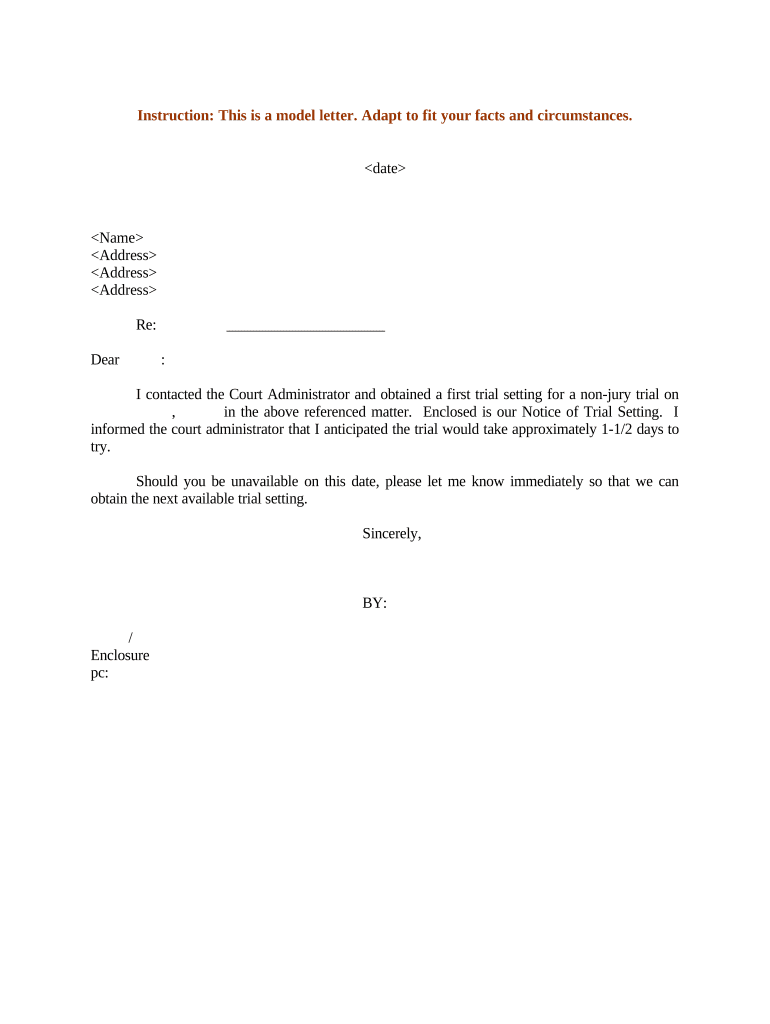
The Letter Regarding Trial Setting is a formal written request used in civil litigation to ask a court to set or adjust a trial date, notify opposing parties of scheduling proposals, and record estimated trial length and resource needs. It typically includes the case caption, case number, presiding judge or department, proposed dates or availability windows, anticipated number of trial days, and a concise statement of any scheduling conflicts or special requirements. Parties may file this letter with the court clerk and serve opposing counsel; many courts accept electronic submission consistent with ESIGN and local e-filing rules.

Why a Clear Scheduling Letter Matters

A precise Letter Regarding Trial Setting clarifies availability, reduces scheduling conflicts, preserves a written record for the docket, and helps the court manage calendars and courtroom resources efficiently.

Why a Clear Scheduling Letter Matters

Who Prepares and Relies on This Letter

Attorneys, pro se litigants, and court clerks commonly prepare or review Letters Regarding Trial Setting when coordinating trial dates and availability.

  • Plaintiff and defense counsel use the letter to propose dates and disclose scheduling constraints.
  • Pro se litigants file scheduling letters when representing themselves and communicating availability to the court.
  • Court clerks rely on the letter for docket entries and to coordinate with judicial calendars.

Step-by-Step: Prepare and File the Letter

Follow these sequential steps to prepare, serve, and file a compliant Letter Regarding Trial Setting with the court clerk.

  • 01
    Prepare header: Enter full case caption, court, judge, and case number.
  • 02
    Draft request: State proposed dates, availability windows, and trial length estimate.
  • 03
    Attach exhibits: Include calendar conflicts, stipulations, and any supporting declarations.
  • 04
    Serve and file: File with clerk and serve all parties; include certificate of service.

How Electronic Submission Works

Typical e-submission workflows combine an eSignature provider with court e-filing to send, sign, and file Letters Regarding Trial Setting.

  • Upload: Upload the letter as PDF or DOCX to the e-sign platform.
  • Add fields: Place signature, date, and contact fields for each signer.
  • Send to signers: Notify counsel and signers via email link or SMS code.
  • File with clerk: Submit the signed PDF through the court's e-filing portal or as the clerk requires.

Recommended eSignature Workflow Settings

Configure these settings before sending to ensure secure signing and proper court records when submitting the letter electronically.

Field Configuration
Authentication Email plus optional SMS code for signer verification
Retention Save signed PDF/A with audit trail and timestamp
Notifications Notify clerk and counsel automatically on completion
Notarization Enable RON where notarization is required by court

Platform and Integration Considerations

Confirm integrations and file-format support for e-filing and counsel exchange before initiating signatures.

  • Google Workspace: Attach documents directly from Drive for streamlined upload
  • Microsoft 365: Use Outlook for sending and archiving signed letters
  • Court E-Filing: Follow the clerk portal's file format and naming rules

Timing and Filing Deadlines to Watch

Deadlines vary by court and local rule; confirm timing with the court calendar and the clerk prior to filing a scheduling letter.

Service on Opposing Counsel:

Serve the letter on opposing counsel on the same day it is filed, unless local rules state otherwise.

Court Scheduling Window:

Some courts require scheduling letters within the case management or pretrial conference timeframe; verify local rules.

Continuance Requests:

File motions to continue promptly if dates conflict; include good cause and available alternatives.

E-Filing Requirements:

Confirm the clerk's accepted formats and any page or exhibit limits before submitting electronically.

Certificate of Service:

Include a certificate with the filing that lists recipients, method of service, and the date served.

Key Security and Compliance Features to Expect

In-Transit Encryption: TLS 1.2 and 1.3 encryption
At-Rest Encryption: AES-256 at rest
SOC 2: SOC 2 Type II report available on request
HIPAA: HIPAA compliant; BAA available
ESIGN / UETA: Compliant with ESIGN and UETA
ISO: ISO 27001 certified

Penalties and Risks of Incorrect Letters

Missed Deadline: Loss of preferred date
Improper Service: Waiver of objections possible
Wrong Caption: Clerk may reject filing
Incomplete Dates: Court may deny proposed schedule
Unauthorized Disclosure: Privacy or HIPAA violations
No Audit Trail: Attribution disputes in discovery

Common Preparation Mistakes to Avoid

  • Using an incorrect case caption or failing to include the full docket number can cause the clerk to mis-file or reject the submission and delay scheduling.
  • Failing to attach a required certificate of service or documenting how counsel were served often results in the clerk requesting corrective filing.
  • Listing vague availability (for example, "late summer") instead of MM/DD/YYYY dates creates ambiguity and can prolong scheduling discussions.
  • Not checking the judge's standing orders or local rules for required content, format, or page limits can lead to rejection or supplemental requests.

Real-World Examples of Digital Scheduling Correspondence

These examples show how secure e-signature and document management have been used to submit scheduling letters and maintain audit-ready records in litigation.

Optica Ventures

A litigation practice used secure e-signature and digital delivery to submit scheduling letters and track responses across counsel and court staff.

  • Result: faster acknowledgement and clear audit trail.
  • Staff reported reduced administrative burden and consistent records, according to the COO: "The interface is simple and easy-to-use for our team; more importantly, it is just as easy for our customers."

BIS

An enterprise legal operations team used digital correspondence to centralize scheduling and preserve audit records for complex matters.

  • Result: audit-ready records and consistent procedures.
  • Legal leadership cited security certifications and legal conformity in vendor selection: "We felt most comfortable with airSlate SignNow given their SOC 2 certification and strict focus on ESIGN and UETA act compliance."

Comparing eSignature Pricing and Capabilities for Court Correspondence

Compare common eSignature plan criteria and pricing relevant to submitting a Letter Regarding Trial Setting. signNow is listed first to show plan-level differences across vendors.

signNow DocuSign Adobe Sign PandaDoc HelloSign
Starting Price $8/user/mo $15/user/mo $14/user/mo $19/user/mo $15/user/mo
Bulk Send Yes (plan-dependent) Varies by plan Varies by plan Varies by plan Varies by plan
Audit Trail Yes Yes Yes Yes Yes
HIPAA Compliant Yes (BAA available) Varies by plan Varies by plan Varies by plan Varies by plan
Envelope Cap No cap 100 envelopes/user/year Varies by plan Varies by plan Varies by plan

Template and Automation Settings to Save Time

Use a saved template and automation to standardize scheduling letters and reduce repetitive entry when multiple matters require trial setting correspondence.

Field Configuration
Template Save a reusable letter template with placeholders
Authentication Require email verification and optional SMS code
Audit Trail Preserve timestamps, IP addresses, and signer events
Notifications Auto-notify counsel and court contacts on completion

Frequently Asked Questions

[INTRO] Answers to common procedural and e-signature questions about the Letter Regarding Trial Setting are below.


Need help? Contact support

be ready to get more
Join over 28 million airSlate SignNow users