Establishing secure connection…Loading editor…Preparing document…

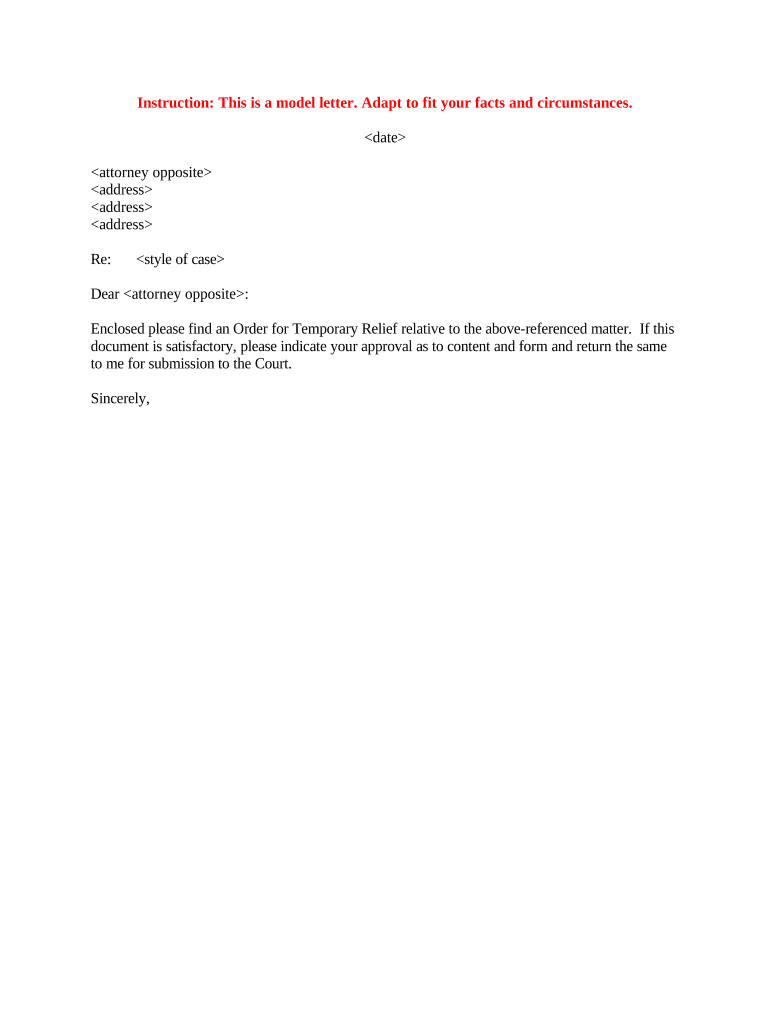
Order for Temporary Relief

This template is fully customizable. Edit the text, fill out the fields, and send it for signature. Give it a try!
Order for Temporary Relief

What an Order for Temporary Relief Is and when it’s used

An Order for Temporary Relief is a court-issued directive that provides interim remedies while a case is pending, such as temporary custody, possession, injunctions, or payment obligations. It is typically requested at the outset of litigation when immediate, short-term action is needed to prevent irreparable harm or preserve the status quo. The order remains effective only for the specified temporary period or until the court modifies it. Because this document interferes with rights and court procedures, drafting it carefully and supplying accurate supporting evidence are essential for enforceability and judicial review.

Why an Order for Temporary Relief matters

An Order for Temporary Relief preserves rights, prevents harm, and maintains the status quo while the underlying dispute proceeds. It can secure immediate protections before a final judgment, reduce risk of asset loss or irreparable injury, and set enforceable interim terms that the parties must follow.

Why an Order for Temporary Relief matters

Who typically prepares and files this order

The following parties commonly prepare, sign, or receive an Order for Temporary Relief.

  • Plaintiffs and petitioners seeking immediate relief during litigation or administrative proceedings.
  • Defense counsel responding to or opposing temporary relief requests and proposing alternative terms.
  • Clerks, judges, and court clerical staff who enter, review, and serve the signed order.

Accurate preparation and timely filing by the correct party or attorney improves chances the court will grant appropriate interim measures.

Core parts of a professional Order for Temporary Relief

A complete order includes the court caption, the temporary relief language, specific obligations, duration and renewal terms, notice and service instructions, and signatures with dates. Clear, concise drafting reduces ambiguity for the court and for parties charged with compliance.

Court Caption

Includes court name, case number, parties, and docket identifier at the top for official filing and reference.
Relief Granted

Precise description of the temporary remedy (possession, injunction, custody, stay of execution) with actionable directives.

Effective Dates

Start and end dates or milestone triggers that define the order’s temporary scope and any automatic expiration.

Conditions

Specific obligations, prohibitions, bond requirements, or reporting duties imposed on one or more parties.

Service Instructions

How the order is to be served, who must be notified, and timelines for doing so to create enforceability.

Signatures

Judge’s signature, date, and clerk stamp plus any counsel or party certifications required by local rules.

Essential information required on the form

Court Name: Full tribunal designation
Case Number: Assigned docket identifier
Party Names: Full legal names
Relief Type: Injunction/custody/possession
Effective Period: Start and end dates
Judge Signature: Judge's sign and date

Step-by-step: drafting, filing, and serving the order

Follow these sequential steps to prepare and place an Order for Temporary Relief before the court and opposing parties.

  • 01
    Prepare Draft: Draft order in court caption format
  • 02
    Attach Evidence: Include declarations and exhibits
  • 03
    File with Clerk: Submit per local filing rules
  • 04
    Serve Parties: Serve opposing counsel and parties

How to customize and complete the order online

Set up a digital workflow that mirrors court steps: draft, attach exhibits, request judge review if supported, file, and serve.

Field Configuration
Document Template Use standardized court-caption template
Supporting Docs Attach PDFs for exhibits
Signer Authentication Email or multi-factor for attorneys
Delivery Automate service notifications

Where to file, how the order is routed, and who receives it

After entry by the judge, the order is filed with the court clerk and must be served on the opposing party to become enforceable; certain courts require electronic filing via their e-filing system.

  • Court Filing: File with the county or federal e-filing system
  • Clerk Processing: Clerk stamps and assigns entry date
  • Service on Parties: Deliver per local rule (mail, electronic, or personal)
  • Enforcement: Order enforceable after proper service

Digital delivery and eSubmission considerations

Many courts accept electronically prepared orders but local e-filing rules determine permitted formats and submission channels.

  • File Format: PDF or court-specified format
  • Authentication: Attorney bar authentication often required
  • Service Method: E-service or physical service rules

Confirm the local court’s e-filing and service rules before submitting; incorrect format or service can invalidate enforcement.

Common deadlines and timing expectations

Deadlines for temporary relief vary by court and relief type; emergency hearings can be scheduled within days, while regular temporary hearings follow local calendars and notice periods.

Emergency Hearing Window:

Same day to several days

Standard Hearing Notice:

Often 7–14 days' notice

Order Duration:

Specified period or until modification

Renewal Filings:

File before expiration to extend

Appeal Time:

Follow state appellate deadlines

Common mistakes that delay or weaken temporary orders

  • Using vague relief descriptions that courts cannot enforce
  • Failing to attach supporting declarations and exhibits
  • Missing the court’s required service procedure or timeframe
  • Entering incorrect case captions or docket numbers

Consequences and legal risks of an incorrect order

Contempt: Civil contempt penalties
Order Voided: Judge may vacate order
Sanctions: Monetary sanctions possible
Service Defect: Enforcement barred
Appeal Risk: Creates grounds for appeal
Delay: Postpones relief

Comparing eSignature vendor pricing and capabilities for court-related documents

Vendor pricing and feature availability affect cost and workflow for preparing court documents and service. signNow appears first to allow immediate comparison across common criteria.

signNow DocuSign Adobe Sign PandaDoc HelloSign
Starting Price $8/user/mo $15/user/mo $14/user/mo $19/user/mo $15/user/mo
Free Trial 7-day free trial, no card Varies by vendor Varies by vendor Varies by vendor Varies by vendor
Bulk Send Available (premium tier) Varies by plan Varies by plan Varies by plan Varies by plan
Audit Trail Yes Yes Yes Yes Yes
HIPAA Compliant Yes Yes Yes No No
Envelope Cap No cap 100 envelopes/user/year Varies Varies Varies

Frequently asked questions about Orders for Temporary Relief

Answers to common procedural and drafting questions to help avoid rejection or enforcement issues when seeking temporary relief.


Need help? Contact support

be ready to get more
Join over 28 million airSlate SignNow users