Establishing secure connection…Loading editor…Preparing document…

Waiver and Release from Liability for Infant Massage

This template is fully customizable. Edit the text, fill out the fields, and send it for signature. Give it a try!
Waiver and Release from Liability for Infant Massage

What the Waiver and Release from Liability for Infant Massage Is

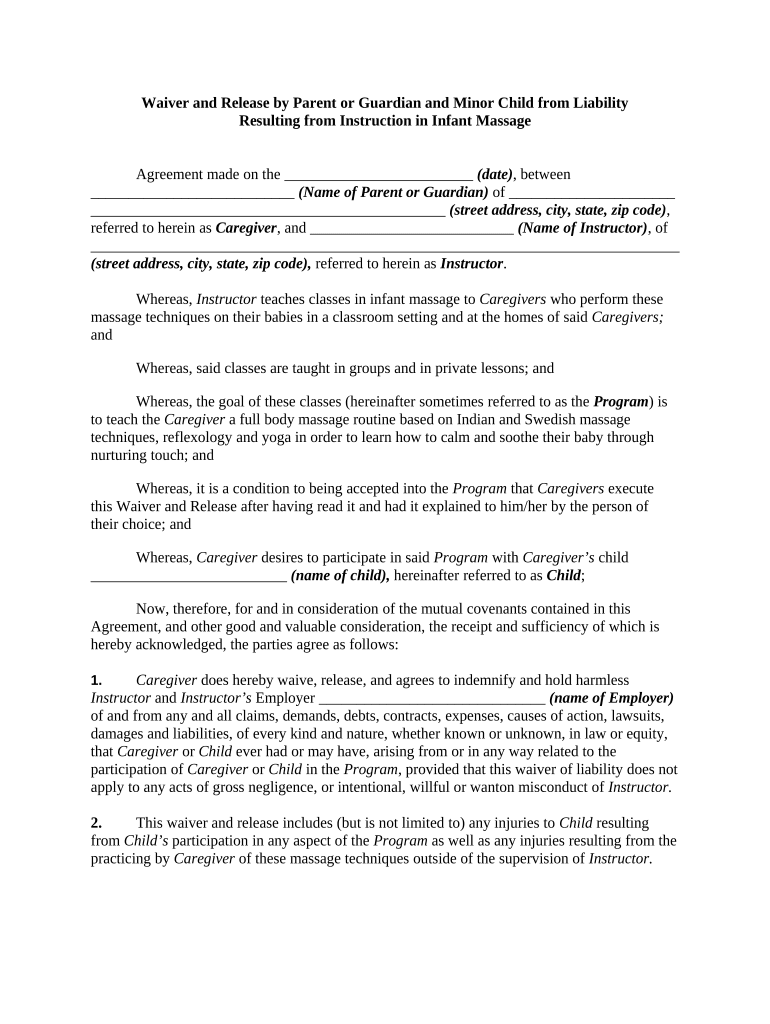
A Waiver and Release from Liability for Infant Massage is a written agreement in which a parent or legal guardian acknowledges the nature of infant massage activities, discloses relevant medical information, accepts assumed risks, and releases the provider from certain claims arising from ordinary care. The form clarifies responsibilities, documents informed consent, and records emergency contact and medical details. It is typically used by massage therapists, pediatric physical therapists, childcare providers, and wellness studios offering infant massage classes or sessions, and is designed to support clear expectations while preserving evidence of consent.

Why a Clear Waiver Matters for Infant Massage

A well-drafted waiver documents informed consent, reduces ambiguity about responsibilities, and helps manage foreseeable risks while supporting client-provider communication.

Why a Clear Waiver Matters for Infant Massage

Who Typically Completes This Waiver

The Waiver and Release from Liability for Infant Massage is completed by the adult with legal authority for the child before the first session or class.

  • Parents or legal guardians who provide consent and medical disclosures for the infant
  • Massage therapists, instructor-led studios, and pediatric clinics collecting documented consent
  • Childcare centers or community health programs providing infant massage as part of services

Step-by-step: Completing the Waiver and Release from Liability for Infant Massage

Follow these steps to ensure a complete, enforceable waiver and to collect essential contact and health details.

  • 01
    Identify parties: Enter parent/guardian and provider full legal names.
  • 02
    Describe services: Specify session type, duration, and location.
  • 03
    Disclose health: List infant medical conditions and medications.
  • 04
    Sign and date: Parent/guardian signs and dates in MM/DD/YYYY.

Essential Data Fields to Collect on the Waiver

Infant Name: Full legal name
Parent Name: Full legal name
Date of Birth: MM/DD/YYYY format
Medical Details: Allergies/conditions
Emergency Phone: Primary contact number
Consent Statement: Signed acknowledgement

Core Clauses to Include in a Professional Infant Massage Waiver

Include clear, specific clauses to document consent, allocate risk, and explain medical disclosures to make the waiver practical and defensible.

Service Description

Describe the infant massage activity, duration, location, and whether instruction is individual or group-based; specificity helps set expectations and define the scope of consent.
Assumption of Risk

A clear statement that the signer understands potential risks associated with gentle touch and movement and accepts those risks within the described activities.

Medical Disclosure

A requirement that the parent lists medical conditions, allergies, and current medications so the provider can adapt techniques and respond to emergencies appropriately.

Release Language

A release of claims against the provider for ordinary negligence limited to the activity described; avoid overbroad language that purports to waive gross negligence or intentional acts.

Indemnification

If included, specify the scope and whether the guardian agrees to indemnify the provider for third-party claims arising from the child’s participation in the activity.

Data & Privacy

Explain how health information is stored, whether HIPAA protections apply, and how long records are retained; include consent for emergency medical treatment if appropriate.

Typical Workflow for Collecting and Storing a Signed Waiver

This sequence describes a common lifecycle from issuing the waiver to retaining the signed record for compliance and incident response.

  • Issue Form: Provider sends waiver before first session.
  • Sign & Return: Parent signs electronically or on paper.
  • Verify Info: Provider confirms medical details and ID as needed.
  • Store Securely: Keep signed copy in secure records with access controls.

How to Configure an Online Waiver Workflow

Set up a straightforward digital process so parents can review, sign, and receive a copy without friction while preserving an audit trail.

Field Configuration
Document Upload PDF or DOCX; preserve original formatting
Signature Field Add signature and date fields; require both
Authentication Use email link or SMS code for signer identity
Retention Enable secure storage and searchable audit trail

Digital Signing Considerations for the Waiver

Choose a platform that supports clear signature attribution, tamper-evident PDFs, and secure storage to preserve legal effect.

  • Authentication: Email, SMS, or stronger
  • Audit Trail: IP, timestamp, and event log
  • Data Protection: Encryption at rest and transit

Ensure the chosen workflow can produce a reproducible record that meets ESIGN/UETA standards and applicable privacy rules such as HIPAA where relevant.

Common Mistakes to Avoid When Preparing the Waiver

  • Using vague or overly broad release language that attempts to waive gross negligence or intentional misconduct, which may be unenforceable in many jurisdictions.
  • Failing to collect current medical information and emergency contact details, leaving the provider unable to respond safely during an adverse event.
  • Using initials in place of full signatures where the document does not explicitly authorize initials as valid execution.
  • Ignoring platform audit trails or storing only a scanned copy without metadata, which makes proving timing and intent difficult if contested.

Risks and Legal Consequences from an Incorrect Waiver

Invalid Waiver: May be unenforceable
Civil Claims: Negligence or injury suits
HIPAA Exposure: Privacy fines if PHI mishandled
Insurance Denial: Policy may refuse coverage
State Liability: Unenforceable clauses vary by state
Recordkeeping Fail: Loss of evidence in disputes

How This Waiver Differs from a Parental Consent Form

Compare the Waiver and Release from Liability for Infant Massage against a standard parental consent form to understand purpose and enforceability differences.

Criteria Waiver Parental Consent
Primary Purpose risk allocation permission for activity
Typical Content release language authorizing treatment or attendance
Enforceability Focus depends on clarity generally stronger for permission
Common Use liability management administrative consent

eSignature Platform Pricing and Feature Snapshot

Typical vendor choices for signing and storing waivers vary in price and compliance features; signNow is shown first for comparison purposes.

signNow DocuSign Adobe Sign PandaDoc HelloSign
Starting Price $8/user/mo $15/user/mo $14/user/mo $19/user/mo $15/user/mo
Free Trial Yes, 7-day Yes Yes Yes Yes
Bulk Send Yes Yes Yes Yes No
Audit Trail Yes Yes Yes Yes Yes
HIPAA Compliant Yes Yes Yes No No
Envelope Cap No cap 100 envelopes/user/yr Varies Varies Varies

Frequently Asked Questions about the Waiver and Release from Liability for Infant Massage

Answers address common legal, operational, and technical questions about preparing, signing, and storing infant massage waivers.


Need help? Contact support

be ready to get more
Join over 28 million airSlate SignNow users