MScBA
Major in Management of
Information Systems
An Overview of Speech Based Interfaces
PART II: Applications and Business Cases
Dr. Jean Hennebert, HES-SO
MScBA
Major in Management of
Information Systems
Overview
PART I Fundamentals of
Speech Technologies
PART II Applications and
Business Cases
•
•
Introduction
– Speech as a source of
information
– Speech production process
– Speech signal analysis
•
Overview of Speech
Technologies
–
–
–
–
2
Audio Coding
Speaker Recognition
Text to Speech Systems
Speech Recognition
•
•
•
•
•
Text-to-speech providers
and applications
Dictation Systems –
Example in the medical
domain
Telephony Dialog Systems
Automatic indexation of
audio and video documents
Mobile Services –
translation, car systems
Conclusions - What’s next?
MScBA
Major in Management of
Information Systems
TEXT-TO-SPEECH PROVIDERS
AND APPLICATIONS
MScBA
Major in Management of
Information Systems
Commercial TTS providers
• Text-to-speech synthesis
– Nuance Vocalizer 5 – www.nuance.com
– Acapela group – www.acapela-group.com
• Voice as a service
– Loquendo – www.loquendo.com
• Emotion in the TTS
– SVOX – www.svox.com
• Focus on car systems
4
MScBA
Major in Management of
Information Systems
TTS applications
• Over the phone information applications
• Environments where hands are busy
– Cars: vehicule information, voice guiding in GPS
– Warehouse: stock management, parcel delivery
• Sight disabled / blind people
– Web pages automated readings
•
•
W3c recommendations exist
Legal aspects enforce accessibility for blinds to public services
• Places where visual display would be too expensive or too
intrusive
– Museum
– Train
• Places where there is a sense of emergency about the
information
– Train stations
5
MScBA
Major in Management of
Information Systems
DICTATION SYSTEMS FOR
VERTICAL SEGMENTS
MScBA
Major in Management of
Information Systems
Dictation systems
• Unconstrained dictation is difficult
– You need
•
•
•
•
To train the system to your voice
To train yourself to the system
To speak the “standard” version of the language
A quite environment
– 3 times faster as a novice keyboard user
– Not worthwhile if you are a good keyboard user
MScBA
Major in Management of
Information Systems
Dictation systems for vertical markets
• Reducing the vocabulary search space
makes the application more viable
• For legal domain
• For medical domain
MScBA
Major in Management of
Information Systems
Typical medical installation
1.
Collect documents from the
doctor
–
–
2.
3.
make the system learn the
vocabulary and grammar
Provide phonetic transcriptions
for unknown words
Train the system on the voice
of the doctor
Repeat the operation if needed
Companies are coaching this
procedure
MScBA
Major in Management of
Information Systems
TELEPHONY DIALOG
SYSTEMS
MScBA
Major in Management of
Information Systems
Classification of automatic
speech recognition systems
Signal
Quality
• Application control
- Speaker (in)dependent
- Runs on PDA
- Web navigation, ...
- A couple hundred words
• Dictation System
- Speaker dependent
- Runs on laptop
- Word processing, ...
- Up to 50K words
CPU
• Keyword recognition
- Word-print based
- Runs on mobile phones
- Voice dialing appl., ...
- A few dozen words
• Server-side ASR
- Speaker independent
- Runs on big servers
- Dialog based appl.
- Up to 10K words
Dialog Machines
11
MScBA
Major in Management of
Information Systems
Dialog Machine
IVR system
Information
Dialogs
DTMF
TTS
ASR
V-commerce
SV
Automatic
Attendant
IVR = Interactive Voice Response
DTMF = Dual Tone Multiple Frequency
TTS = Text-to-Speech
ASR = Automatic Speech Recognition
SV = Speaker Verification
12
!"#$%&'()*$#'+*'!#,-.'
13
Difficulties (1/2)
!
Due to telephony channel
!
!
!
!
homophone, ambiguities
coarticulation
Due to the user
!
14
Speaker independence
Barge-In capability
Due to the language
!
!
!
limited bandwidth, channel variability
environmental noise
Due to service constraints
!
!
MScBA
Major in Management of
Information Systems
Next slide!
MScBA
Major in Management of
Information Systems
Difficulties (2/2)
Difficulties (2/2)
•
•
•
•
•
•
•
•
•
Not used to this new Human
Computer Interface
High expectations
Easily frustrated
No discipline
Short-term auditive memory
Hesitations, fillers, breathings
Phone from any place
Poor language skills
Technology rejection
Users should be
educated and motivated
15
MScBA
Major in Management of
Information Systems
Strategy to face these difficulties
1. Reduce the vocabulary search space
2. Split the inputs through directed dialogs
3. Plan for fall-back strategies
–
Operator pool
Dialog design – Finite
State Automaton
MScBA
Major in Management of
Information Systems
Dialog Module
Start
End
Dialog State
17
MScBA
Major in Management of
Information Systems
Open questions
–
–
–
–
•
“When do you want to fly?”
Grammar dates.grammar
Prompt Design (1/4)
•
Prompt
Example: How may I help you?
Trigger many different answers. Make grammar design more difficult (see later).
Make search space larger thus decreasing speech recognition accuracy;
Are more user-convenient and implement fast dialogs.
Closed questions
– Example: Chose one of the following option: check plane
arrival time or book a flight
– Trigger few different answers. Make grammar design easier;
– Make search space smaller this increasing speech recognition accuracy;
– Are less user-convenient and make long dialogs.
18
MScBA
Major in Management of
Information Systems
Prompt Design (2/4)
The risk associated to a dialog state influences the prompt design.
Information
versus
Transaction
High user tolerance
Low user tolerance
Large vocabulary
Medium vocabulary
No need for operator
assistance
Need for operator
assistance
Closed questions
Risk
Open questions
19
MScBA
Major in Management of
Information Systems
Prompt design (3/4)
Low risk
High risk
•
•
•
•
Welcome to United Airlines. I
will help you getting information
on flight schedules. For what
flight would you like
information?
Flight from Boston to San
Francisco arriving approximately
at 6 PM tomorrow.
We have two flights corresponding
to your request. Flight number 1,
leaving from Boston to San
Francisco, departure tomorrow at
3 PM and arriving ...
•
•
•
•
•
•
•
•
•
•
20
Welcome to MyBank. Please say
your 7 digits identification
number.
1 2 3 4 5 6 7
1 2 3 4 5 6 7, is that correct?
Yes
What would you like to do: check
your balance or transfer money?
Transfer money
Transfer money. From which
account would you like to
transfer money.
My checking account
From your checking account, is
that correct?
Yes
How much would you like to
transfer?
Prompt Design (4/4)
MScBA
Major in Management of
Information Systems
• Prompt design follows usability design
rules
–
–
–
–
–
Low cognitive load
Efficiency
Accuracy
Graceful error recovery
Clarity
21
Grammar design
!
!
!
(1/4)
MScBA
Major in Management of
Information Systems
A grammar defines the set of phrases/words that
the caller can speak to interact with the system;
A grammar is tied to each dialog state;
A grammar is intimately designed with the dialog
question;
^ Large grammars come with open questions;
^ Small grammars come with closed questions;
!
Grammars can be static or dynamic
22
Grammar design
!
(2/4)
MScBA
Major in Management of
Information Systems
Grammars are defined using Grammar Specification
Languages (Nuance GSL, GRXML, …):
Example with Nuance GSL
OR
[ ... ]
AND
( ... )
OPTIONAL
?...
EXAMPLE: yes/no grammar
[ yes
no ]
[ (yes ?please)
REPETITIVE +...
(no ?(thank you)) ]
23
Grammar design
(3/4)
MScBA
Major in Management of
Information Systems
.YES_NO
(?[um uh]
[([
(yes ?(it ?[sure certainly] is))
(it ?[sure certainly] is)
yup
yeah
okay
sure
(you got it)
(?(?yes that's) [right correct])
] ?[please thanks (thank you)])
{return(yes)}
([
nope
(absolutely not)
(no ?[[(it isn't) (it's not) (it is not)] way])
[(it isn't) (it's not) (it is not)]
(?(?no that's)
[wrong
(not [correct right])
incorrect
]
)
] ?[thanks (thank you)])
{return(no)}
]
)
24
414 ways to say yes or no
MScBA
Major in Management of
Information Systems
Grammar design (4/4)
• Grammar design is iterative
– Start with a reasonable a priori coverage of
potential answers
– Collect production logs
– Tune the grammar to cover up coverage and
remove un-probable answers
VoiceXML 2.0
MScBA
Major in Management of
Information Systems
VoiceXML 2.0: markup language designed for
creating audio dialogs that feature synthesized
speech, digitized audio, recognition of spoken and
DTMF key input, recording of spoken input, telephony,
and mixed initiative conversations.
• In W3C Voice Browser activity
• VoiceXML 2.0
• www.w3c.org/Voice
26
MScBA
Major in Management of
Information Systems
Comparison to HTML
•
•
« VoiceXML = language for writing Web pages you interact with by
listening to spoken prompts and jingles, and control by means of
spoken input. »
« HTML was designed for visual Web pages and lacks the control over
the user-application interaction that is needed for a speech-based
interface. With speech you can only hear one thing at a time (kind of
like looking at a newspaper with a times 10 magnifying glass).
VoiceXML has been carefully designed to give authors full control over
the spoken dialog between the user and the application. The
application and user take it in turns to speak: the application prompts
the user, and the user in turn responds. »
From Dave Raggett, W3C
27
MScBA
Major in Management of
Information Systems
System architecture
HTML
IP"
users!
IP"
PSTN"
IP"
PBX!
Voice
platform
Application
server
VXML
Lexicon
Grammars
Waves
28
Content
database
MScBA
Major in Management of
Information Systems
VoiceXML
interpreter
PBX
web
Voice platform
ASR
Speech
resources
TTS
Telephony
SV
Voice platform
29
MScBA
Major in Management of
Information Systems
VoiceXML features
VoiceXML documents describe:
•
•
•
•
•
•
•
30
spoken prompts (synthetic speech)
output of audio files and streams
recognition of spoken words and phrases
recognition of touch tone (DTMF) key presses
recording of spoken input
control of dialog flow
telephony control (call transfer and hang-up)
MScBA
Major in Management of
Information Systems
Cloud speech services providers
• Full remote voice xml platform
– Speech recognition services
– Speech synthesis services
• Providers:
– www.tellme.com
– www.voxpilot.com
MScBA
Major in Management of
Information Systems
Some telephony voice-activated
application examples
MScBA
Major in Management of
Information Systems
Directory Assistance
33
MScBA
Major in Management of
Information Systems
Directory Assistance
• Business Driver
– Human operators are costly
– Call centers are difficult to manage – turn rate
– Clients are shifting to less costly technologies (web)
• Solution
– Dedicated text-to-speech engine to pronounce correctly
names and cities
– Multilingual system
– Cost = 1 tenth of operator cost
– However: a large part of the cost is in the marketing of the
phone number
34
MScBA
Major in Management of
Information Systems
PHONE BANKING UBS
• Business Driver
–
–
–
–
6 Mio calls to the branches with the question: account balance
Reduction of the number of branches
Consequence " more calls in contact center " more agents
600 K e-banking customers – only 300 K active – 2.8 Mio retail
customers
• The Solution
–
–
–
–
Natural language understanding software
150 Ports - Multilingual (German, English, French, Italian)
Secure call transfer to call center agent
Seamless integration in multi-channel infrastructure
35
MScBA
Major in Management of
Information Systems
NEW 163
• Relies only on spoken commands
–
–
–
–
Highways: « summary », « A12 »
Cantons: « Tessin »
Passes: « Nüfenen Pass »
Train: « summary »
• Up-to-date information from ViaSuisse
• Pre-recorded speech elements and text-to-speech
• Ideal for hand-free phones in cars
36
MScBA
Major in Management of
Information Systems
0848-football
• Subscription to
sms services
MScBA
Major in Management of
Information Systems
SNOWPHONE [0900 11 0900]
• Delivers up-to-date snow information
for all Swiss ski ressorts
• Just name a ski ressort
• Available in German, French & English
• Collaboration with Seilbahnen Schweiz
SNOWPHONE
0900 11 0900
Bei Anruf Schnee!
EXCELSIS
Business Technology
38
MScBA
Major in Management of
Information Systems
• http://www.google.com/goog411/
• Yellow pages on the phone
• Will probably follow the same business model
as Google ads
MScBA
Major in Management of
Information Systems
Voice mail to text
• Transform voice mail to email or
sms
• http://www.google.com/googlevoice/about.html
SMS or email to voice
• For the blinds
• For car drivers
MScBA
Major in Management of
Information Systems
Other known systems
• Airline reservation
• Phonebanking
• Ikea, UPS, AOL, Daimler Chrysler, Ford,
General Electric, LG, Nokia, SBC, United
41 Airlines, Verizon and Vodafone.
MScBA
Major in Management of
Information Systems
Demos
• Airline reservation
• Phonebanking
42
MScBA
Major in Management of
Information Systems
Persona creation
• Concept of Sub-Servant Alien
– Sub-servant: it is a human-like
service
– Alien: the service do not replace a
human
• Celebrity voices are sometimes
used to create a “persona”, image
of the enterprise offering the service
MScBA
Major in Management of
Information Systems
AUTOMATIC INDEXING OF
AUDIO DOCUMENTS
MScBA
Major in Management of
Information Systems
Classification of automatic
speech recognition systems
Signal
Quality
• Application control
- Speaker (in)dependent
- Runs on PDA
- Web navigation, ...
- A couple hundred words
Automatic Indexing
• Dictation System
- Speaker dependent
- Runs on laptop
- Word processing, ...
- Up to 50K words
CPU
• Keyword recognition
- Word-print based
- Runs on mobile phones
- Voice dialing appl., ...
- A few dozen words
• Server-side ASR
- Speaker independent
- Runs on big servers
- Dialog based appl.
- Up to 10K words
45
MScBA
Major in Management of
Information Systems
Applications
• Audio indexing for search engines
– Text query for broadcast video
– Audio query
• Automatic subtitles
– Off-line
– Direct
• Copyright infringement detection
46
MScBA
Major in Management of
Information Systems
Audio indexing for search engines
• Google Audio Indexing – Gaudi
– http://labs.google.com/gaudi
– limited to political channels
47
48
MScBA
Major in Management of
Information Systems
49
Nouveaux métiers
Perroquet
Souffleur
Correcteur
50
MScBA
Major in Management of
Information Systems
MScBA
Major in Management of
Information Systems
MOBILE PHONE SYSTEMS
CAR SYSTEMS
MScBA
Major in Management of
Information Systems
Speech synthesis
• Is going mobile
• iPhone demo
– Coupling machine
translation with
speech synthesis
52
MScBA
Major in Management of
Information Systems
Speech recognition on smart phones
• We reach almost
the same
capacities as on
desktop machines
• Constraining the
vocabulary makes
application
“viable”
MScBA
Major in Management of
Information Systems
Email dictation on mobile is showing up
MScBA
Major in Management of
Information Systems
Constrained dictation for vertical
segments
MScBA
Major in Management of
Information Systems
ARTISTIC APPLICATIONS
MScBA
Major in Management of
Information Systems
Speech to musical arrangement
• Demo from Microsoft
– Pitch detection
– Voice prosody pattern
modeling
– Automatic arrangement
http://research.microsoft.com/en-us/um/redmond/projects/songsmith/research.html
MScBA
Major in Management of
Information Systems
TTS technologies for extending voice
capabilities
• New voice creation
– Castrato Farinelli
– Mix of countertenor
(male) and soprano
(female)
– Timber
homogenisation
• Celebrity voice
dubbing
Conclusions
•
MScBA
Major in Management of
Information Systems
Speech technologies is a large market
– Maybe not in generalistic dictation systems
– Rather in TTS, vertical segment dictation, speech recognition over
telephony lines
•
Equivalent of html for voice activated dialog systems: VoiceXML
•
Speech as a service is showing up
– TTS
– Speech recognition
•
Speech applications are coming in the market of mobile and
embedded systems
59
MScBA
Major in Management of
Information Systems
Further Readings
• M. Cohen et al. , « Voice User Interface Design »,
Addison Wesley, 2004, ISBN 0-321-18576-5
60
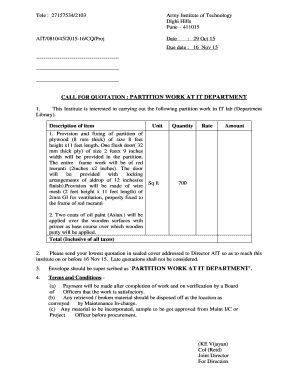
Essential advice on setting up your ‘Partition Quotation’ online
Are you weary of the complications that come with handling paperwork? Look no further than airSlate SignNow, the premier electronic signature solution for individuals and organizations. Wave goodbye to the lengthy process of printing and scanning documents. With airSlate SignNow, you can effortlessly complete and sign documents online. Take advantage of the extensive features embedded in this intuitive and cost-effective platform and transform your approach to paperwork management. Whether you need to approve forms or collect signatures, airSlate SignNow simplifies it all in just a few clicks.
Follow this detailed guideline:
Access your account or register for a complimentary trial with our service.
Select +Create to upload a file from your device, cloud storage, or our form library.
Open your ‘Partition Quotation’ in the editor.
Click Me (Fill Out Now) to prepare the document on your end.
Introduce and assign fillable fields for other participants (if necessary).
Continue with the Send Invite options to solicit eSignatures from others.
Save, print your copy, or convert it into a reusable template.
Don’t fret if you need to collaborate with your teammates on your Partition Quotation or send it for notarization—our platform is equipped to assist you with everything you need to complete such tasks. Create an account with airSlate SignNow today and elevate your document management to new levels!
FAQs
Here is a list of the most common customer questions. If you can’t find an answer to your question, please don’t hesitate to reach out to us.
A Partition Quotation in airSlate SignNow refers to a detailed estimate that outlines the costs associated with partitioning services. This includes materials, labor, and any additional services required. By utilizing our platform, you can easily create, send, and manage your Partition Quotations electronically.
Creating a Partition Quotation with airSlate SignNow is straightforward. Simply log in to your account, select the 'Create Document' option, and choose our customizable template for partition quotes. Once you've filled in the necessary details, you can send it directly for eSignature.
airSlate SignNow offers a range of features for managing Partition Quotations, including customizable templates, automated reminders for signers, and real-time tracking of document status. These tools ensure that your quotations are not only professional but also efficiently managed throughout the signing process.
Absolutely! airSlate SignNow provides a cost-effective solution for generating Partition Quotations, allowing businesses to save time and resources. Our pricing plans are designed to cater to businesses of all sizes, ensuring you get the best value for your investment.
Yes, airSlate SignNow seamlessly integrates with various tools and platforms to enhance your workflow for Partition Quotations. You can connect with CRM systems, project management tools, and cloud storage services to streamline your document management process.
Using airSlate SignNow for Partition Quotations offers numerous benefits, including increased efficiency, reduced paperwork, and enhanced collaboration. Our eSignature capabilities ensure that your quotations are signed quickly, helping you close deals faster.
airSlate SignNow prioritizes your security by employing advanced encryption and compliance measures to protect the information in your Partition Quotations. You can rest assured that your data is safe and secure while being processed through our platform.
We use cookies to improve security, personalize the user experience, enhance our marketing activities (including cooperating with our 3rd party partners) and for other business use. Click here to read our Cookie Policy. By clicking “Accept“ you agree to the use of cookies.... Read moreRead less