Establishing secure connection…Loading editor…Preparing document…

Personnel Handbook

This template is fully customizable. Edit the text, fill out the fields, and send it for signature. Give it a try!
Personnel Handbook

What a Personnel Handbook Is and when it matters

A Personnel Handbook is a centralized employee facing document that sets workplace rules, policies, benefits, and expectations. It typically covers employment status, attendance, pay practices, leave, workplace conduct, anti-discrimination and harassment policies, safety protocols, and data privacy notices. Employers use the handbook to communicate day-to-day procedures, disciplinary processes, and performance expectations while creating a consistent baseline for managers and staff. A clear, well-maintained handbook helps align operations with federal and state labor laws and supports defensible treatment of employees in personnel matters and disputes.

Why a concise Personnel Handbook matters for compliance and clarity

A handbook reduces ambiguity by documenting policies consistently across the organization, supports regulatory compliance, and provides a reference for managers and employees. It helps reduce disputes, standardize disciplinary steps, and preserve evidence of policy notice and acknowledgment if legal issues arise.

Why a concise Personnel Handbook matters for compliance and clarity

Who relies on a Personnel Handbook

Employees and contractors also use the handbook as a primary source for benefits, leave, and conduct rules; acknowledgements document receipt and understanding.

  • Human resources teams handling onboarding, training, and policy updates for all employee groups.
  • Operations managers enforcing attendance, safety, and conduct standards in day-to-day work.
  • Legal and compliance staff reviewing handbook language to meet federal and state obligations.

Simple step-by-step to prepare and issue your handbook

Follow a consistent sequence: draft policy text, review for legal compliance, collect signatory acknowledgements, and store signed copies securely.

  • 01
    Draft: Assemble policies and standard procedures for review.
  • 02
    Review: Have HR and legal vet language for federal/state compliance.
  • 03
    Distribute: Share the handbook and request signed acknowledgements.
  • 04
    Retain: Store signed copies and version history securely.

Frequently asked questions and common resolutions

Answers to common questions about distribution, signatures, and legal validity when preparing and maintaining a Personnel Handbook.


Need help? Contact support

Security and compliance considerations for handbook records

Encryption: TLS 1.2/1.3 in transit; AES-256 at rest
Access controls: Role-based permissions
Audit trail: Detailed signing logs and timestamps
Compliance scope: ESIGN, UETA, and HIPAA (BAA required)
Certifications: SOC 2 Type II and ISO 27001
Accessibility: WCAG 2.0 Level AA support

Key risks if handbook procedures are incorrect or not followed

Payroll Errors: Wage disputes and state penalties
I-9 Violations: $281–$2,789 per violation
Tax Reporting: $60 | $130 | $330 per 1099 late
HIPAA Breach: Civil penalties and corrective plans
Discrimination Claims: Elevated litigation risk
Recordkeeping Failures: Lost evidence in disputes

Common preparation errors to avoid

  • Using ambiguous language that leaves managers to interpret key procedures differently across teams, creating inconsistent enforcement.
  • Failing to update effective dates and version numbers after substantive policy changes, which complicates which rules applied at a given time.
  • Collecting signatures but not preserving a tamper-evident audit trail or version history that proves when an employee received a given edition.
  • Neglecting to align handbook policies with state-specific wage, leave, or discrimination statutes that create mandatory employee notices.

Essential sections to include in a professional Personnel Handbook

A complete handbook organizes policies into clear sections so employees and managers can find rules and procedures quickly and consistently.

Employment Status

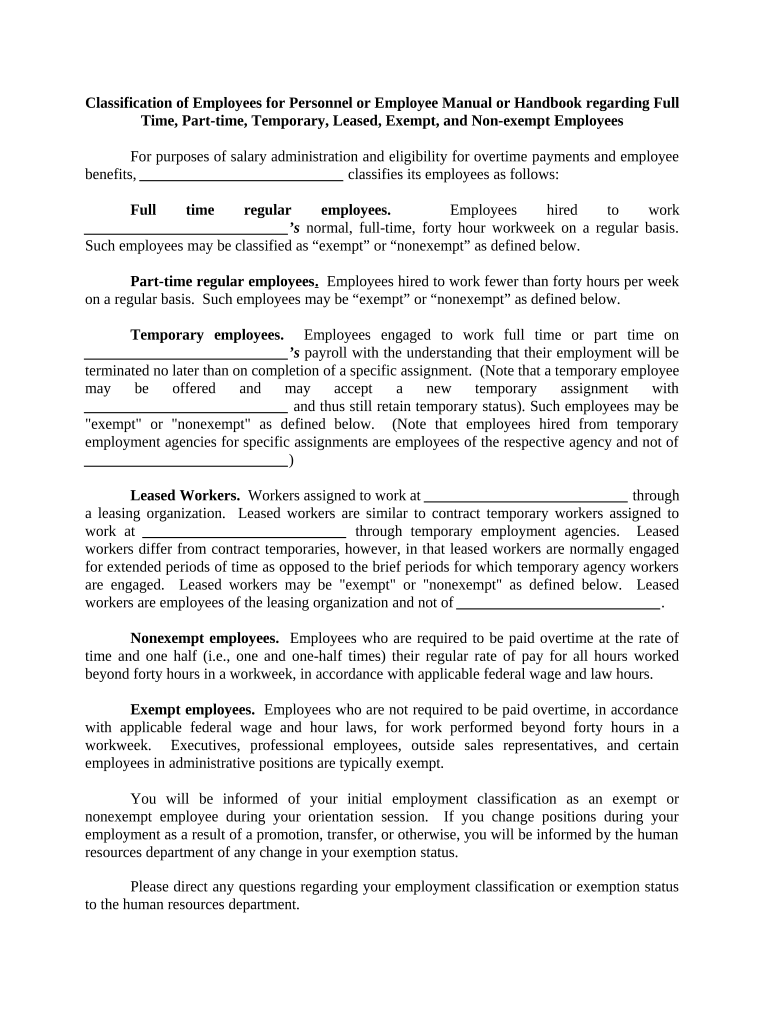
Define at-will status, exempt/nonexempt classifications, and probationary periods so compensation and termination rules are clear and consistent.
Leave Policies

Describe paid time off, sick leave, family leave, and state-specific paid leave requirements with procedures for requesting and documenting absences.

Compensation & Timekeeping

Explain pay periods, overtime rules for nonexempt staff, time reporting expectations, and consequences for falsifying records.

Conduct & Discipline

Set expectations for workplace behavior, progressive discipline steps, and examples of misconduct that can lead to termination.

Privacy & Data Use

State how employee data is collected, used, retained, and protected; include provisions for sensitive records and any applicable privacy notices.

Acknowledgement Page

Provide a signature block and receipt acknowledgment that employees sign to confirm they received, read, and understand the handbook.

Typical electronic distribution and acknowledgement flow

A streamlined e-distribution workflow reduces manual tracking and provides verifiable acknowledgements for each employee.

  • Upload: Add the final handbook PDF to the platform.
  • Assign: Select recipients and set authentication level.
  • Sign: Employees review and sign electronically.
  • Archive: Store signed copies with an audit trail.

Practical settings to configure for e-distribution

Configure authentication, reminders, and retention to match your compliance needs before sending handbook acknowledgements.

Field Configuration
Signer Authentication Email link or SMS one-time passcode
Reminder Schedule Automatic reminders at 3 and 7 days
Document Versioning Record version number and effective date
Retention Setting Apply secure storage and access controls

Technical and integration considerations for e-distribution

Verify export options, audit trail detail, and retention settings to maintain a complete compliance record after distribution.

  • File formats: PDF, DOCX and accessible HTML support
  • Integrations: Connectors for HRIS, Google Workspace, and Microsoft 365
  • Authentication: Email, SMS OTP, or advanced ID proofing

Select eSignature vendor comparison for handbook distribution

Common capability and price points for eSignature vendors to consider when selecting a platform for handbook distribution and acknowledgements.

signNow DocuSign Adobe Sign PandaDoc HelloSign
Starting Price $8/user/mo $15/user/mo $14/user/mo $19/user/mo $15/user/mo
Bulk Send Yes Yes Yes Yes No
Audit Trail Yes Yes Yes Yes Yes
HIPAA Compliant Yes Yes Yes No No
Envelope Cap No cap 100 env/user/yr Varies by plan Varies by plan Varies by plan

Real-world examples of electronic handbook distribution

Organizations have standardized onboarding and cut turnaround time by using digital distribution and signed acknowledgements.

Optica Ventures (Brian Fitzgibbons)

Optica adopted electronic acknowledgements to streamline onboarding and reduce paper handling.

  • The interface simplified employee completion and tracking.
  • The team reported faster receipt of acknowledgements and easier record retrieval while maintaining consistent policy distribution across offices.

Martin Properties (Tim Martin)

A property management firm moved handbook distribution online for remote staff and contractors.

  • Digital signatures ensured compliance for offsite hires.
  • The approach allowed the company to execute acknowledgements remotely with an auditable trail, reducing manual follow-up and lost forms.

Practical tips for accurate and efficient handbook administration

Adopt consistent versioning, clear distribution logs, and a reliable e-signature and storage workflow to reduce risk and administrative burden.

Version Control
Assign version numbers and effective dates, and require new acknowledgements after substantive changes to preserve a clear audit trail.
Consistent Notices
Include required federal and state notices in the handbook and tailor mandatory language where jurisdictional law requires it.
Central Archive
Store signed acknowledgements in a secure, access-controlled system with searchable metadata for retrieval in audits or disputes.
Periodic Review
Review policies annually or when significant regulatory or operational changes occur to ensure ongoing compliance.
be ready to get more
Join over 28 million airSlate SignNow users