Establishing secure connection…Loading editor…Preparing document…

Petition for Probate

This template is fully customizable. Edit the text, fill out the fields, and send it for signature. Give it a try!
Petition for Probate

What a Petition for Probate Is and When It’s Used

A Petition for Probate is a court filing that asks a probate court to open an estate administration case, admit a decedent’s will (if one exists), and appoint a personal representative or executor to administer assets, pay debts, and distribute property to heirs or devisees. The petition begins the statutory process, triggers notice requirements to creditors and interested parties, and provides the legal authority needed to manage estate assets under state probate rules and court supervision.

Why Filing a Petition for Probate Matters

Filing a Petition for Probate creates the legal authority to collect assets, settle creditor claims, and transfer title to beneficiaries. It helps protect executors from personal liability, establishes a court-supervised timeline, and preserves evidence of legal authority for banks, title companies, and third parties.

Why Filing a Petition for Probate Matters

Who Typically Prepares and Submits a Petition for Probate

The petition is usually prepared by the nominated executor, an estate attorney, or an interested heir who seeks court appointment as personal representative.

  • Nominated Executor or Personal Representative — Often the will names this person who must petition to be appointed by the court.
  • Estate Attorney — Drafts the petition, prepares notices, and represents the estate at initial hearings and administration steps.
  • Heirs or Interested Parties — Beneficiaries or creditors may file to open probate if no nominated representative acts.

Step-by-Step: Completing a Petition for Probate

Follow these practical steps to prepare the petition, attach required documents, and present the filing to the probate court.

  • 01
    Gather Documents: Locate original will, death certificate, and asset statements.
  • 02
    Complete Petition: Fill fields accurately and attach exhibits.
  • 03
    Sign and Verify: Petitioner signs and completes any verification or affidavit.
  • 04
    File with Court: Submit per local rules and pay required filing fees.

Configuring an Online Petition Workflow

If you prepare and submit the petition electronically, set up field mapping, attachments, and signer authentication to match court requirements.

Field Configuration
Document Format PDF/A preferred for courts, preserve original formatting
Signer Authentication Email + SMS code or stronger per court guidance
Attachments Include certified death certificate and original will
eFiling Portal Use court e-file system where available

Typical Filing and Service Flow for Probate Petitions

A standard sequence moves from filing to notice, hearing, and appointment; exact steps depend on local rules and whether a will is present.

  • File Petition: Submit initial petition and pay filing fee
  • Provide Notices: Serve statutory notice to heirs and creditors
  • Court Hearing: Judge reviews petition and supporting documents
  • Letters Issued: Court issues letters testamentary or administration

Technical Considerations for Digital Preparation and Submission

Use a platform that preserves document integrity, creates an audit trail, and exports court-ready PDF copies.

  • File Formats: PDF, DOCX supported
  • Integrations: Court e-file connectors vary
  • Authentication: Email, SMS, KBA options

Consequences of an Incorrect or Incomplete Petition

Distribution Delay: Delayed transfer of assets
Personal Liability: Executor may face creditor claims
Surcharge Risk: Court may surcharge executor
Removal: Executor can be removed for misconduct
Tax Penalties: Late estate tax exposure
Increased Costs: Additional attorney and court fees

Common Preparation Mistakes to Avoid

  • Submitting a photocopy rather than the original will when the court requires an original delays admission and may require formal proof.
  • Using inconsistent names, dates, or asset values across the petition and attachments creates verification problems and creditor disputes.
  • Failing to serve statutory notices or publish required advertisements can extend creditor claim periods and lead to liability.
  • Omitting schedules for assets or creditor lists forces later amendments and may increase court costs and executor exposure.

Essential Data Fields Required on the Petition

Decedent Name: Full legal name
SSN / TIN: Tax identification
Date of Death: MM/DD/YYYY
Heirs and Beneficiaries: Names and addresses
Will Status: Original or copy
Petitioner Info: Contact and address

Key Components of a Professional Petition for Probate

A complete petition clearly identifies parties, states the relief requested, attaches the will and death certificate, and provides an asset and creditor summary for court review.

Court Caption

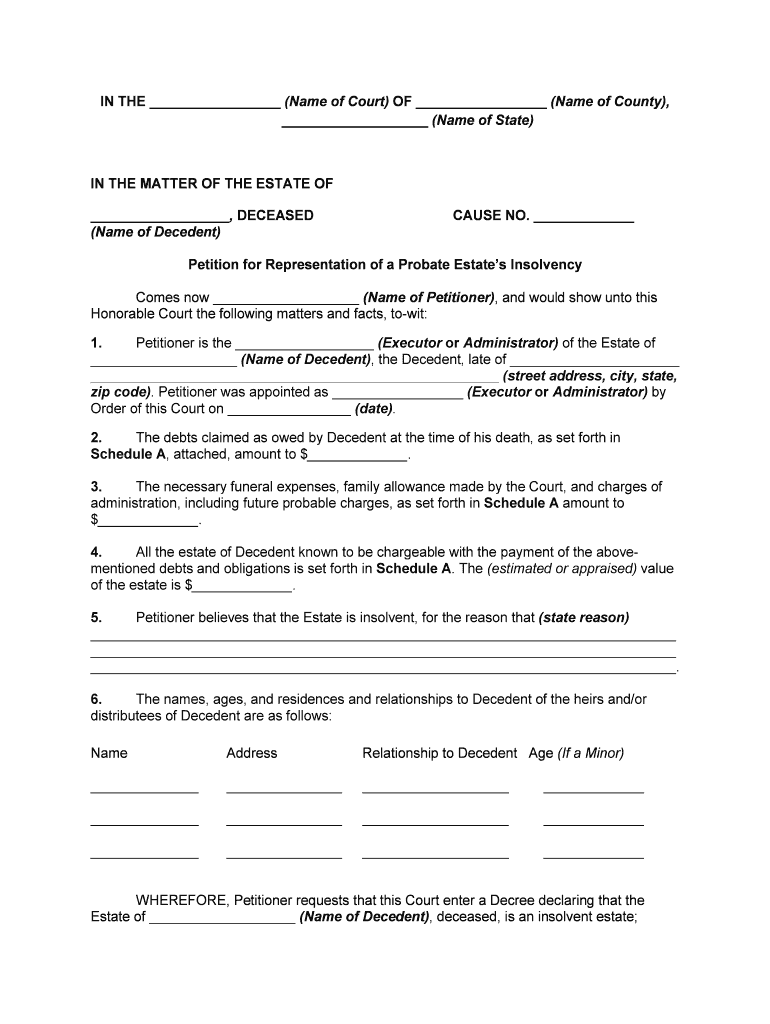
Contains court name, case caption, and statutory citation where applicable; it ensures the petition is assigned correctly and appears under the proper docket.
Decedent Information

Full legal name, date of death, domicile, and last address; these facts establish jurisdiction and determine venue for the probate proceeding.

Will and Codicils

Attach original will and any codicils; include a statement whether the original is presented and, if not, explain unavailability or proof method.

Appointment Request

A clear request that the court appoint the petitioner as personal representative and authorize letters testamentary or administration without bond if applicable.

Asset Schedule

A concise inventory of known assets, estimated values, and locations to assist the court in granting authority for collection and management.

Notice and Service Plan

Describe how statutory notices to heirs and creditors will be delivered, and provide a proposed publication schedule if required by local rules.

Timing Considerations and Court Deadlines

Timelines vary widely by state and by whether the estate is intestate, testate, or subject to expedited procedures; check local probate rules for exact deadlines.

Filing Promptly:

File the petition soon after death to protect assets and meet notice obligations

Creditor Notices:

Follow state statute for notice periods; deadlines differ by jurisdiction

Inventory Deadlines:

Courts often set a deadline for inventories or schedules

Hearing Dates:

Court scheduling depends on docket and completeness of filing

Final Accounting:

Final accounting timing is set by the court order

Key Milestones in a Typical Probate Case

Probate moves from filing to appointment and administration; timelines depend on court backlog and complexity of estate matters.

01

Initial Filing

Petition submitted and filing fee paid

02

Service and Notice

Heirs and creditors are served or published notice

03

Probate Hearing

Court hears admission of will and appointment matters

04

Letters Issuance

Court issues letters allowing asset administration

eSignature Vendor Comparison for Probate Documents

Comparing common vendor entry points can help you select an eSignature provider that supports notarization, audit trails, and compliance for estate workflows.

signNow DocuSign Adobe Sign PandaDoc HelloSign
Starting Price $8/user/mo $15/user/mo $14/user/mo $19/user/mo $15/user/mo
Free Trial 7-day free trial Varies Varies Varies Varies
Bulk Send Yes Varies Varies Varies Varies
Audit Trail Yes Yes Yes Yes Yes
HIPAA Compliant Yes Varies Varies Varies Varies
Envelope Cap No cap 100 envelopes/user/year Varies Varies Varies

Frequently Asked Questions About Petitions for Probate

Answers to common procedural and technical questions when preparing a petition for probate; check local court rules for jurisdictional details.


Need help? Contact support

be ready to get more
Join over 28 million airSlate SignNow users