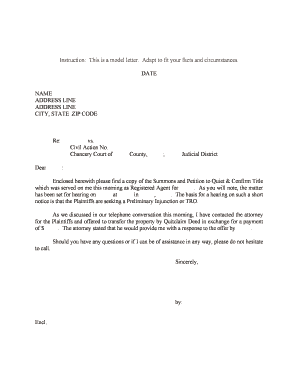
Petition Template
What a Petition Template Is and when it's used
Why a standardized Petition Template matters
Using a template cuts drafting time, reduces procedural errors, and helps ensure filings contain required elements for acceptance. For organizations that submit multiple petitions, templates standardize language and supporting attachments to streamline internal review and electronic filing.
Who commonly prepares and files petition templates
Typical preparers include attorneys, paralegals, in-house counsel, compliance officers, and administrative staff who handle filings for courts or agencies.
- Law firms and litigators preparing civil, probate, or administrative petitions for court submission.
- Nonprofit or advocacy groups filing administrative petitions or rulemaking comments.
- HR, immigration, or benefits teams preparing petitions for agency review or relief.
Choosing the right template for the jurisdiction and filing type prevents rejections and speeds processing; always confirm local caption, service, and filing fee requirements before submission.
Step-by-step: completing a Petition Template
-
01Gather information: Collect IDs, supporting exhibits, and statutory citations.
-
02Populate template: Fill required fields and number each factual paragraph.
-
03Attach exhibits: Label and reference exhibits inside the petition.
-
04Sign and verify: Sign, date (MM/DD/YYYY), and add verification if required.
Customizing the template for online completion
| Field | Configuration |
|---|---|
| Required Fields | Mark caption, parties, relief, signature as required |
| Conditional Logic | Show additional fields when particular relief is requested |
| Reviewer Routing | Auto-route to counsel or compliance for approval |
| Signature Order | Set signer sequence and authentication method |
Digital signing and submission considerations
Choose a platform that supports PDF, Word DOCX, and secure audit trails when collecting signatures on petition templates.
- File formats: PDF and DOCX are standard for court filings
- Authentication: Email, SMS codes, or advanced signer verification
- Integrations: Connectors for case management and cloud storage
Confirm the court or agency accepts electronic filings and that your platform preserves a complete audit trail for the signed record.
Typical e‑submission workflow for a petition
-
Upload document: Sender uploads the completed petition to the signing platform
-
Place fields: Add signature, date, and initial fields in the document
-
Send to signer: Signer receives secure link or email invitation
-
Complete and return: Signed copy and audit trail are archived automatically
Common timing and filing deadlines to watch
Statute of Limitations:
Use governing statute to confirm timeliness before filing
Filing Window:
File within court-specified hours or electronic filing cutoff
Service Deadlines:
Serve respondents per local rules after filing
Response Period:
Track opponent's time to respond per rule
Extension Requests:
File motions for extensions before deadlines
Key milestones from draft to final filing
Draft Complete
Finalize facts, citations, and relief language
Internal Review
Legal review for sufficiency and attachments
Signatures Collected
Obtain required party signatures and verifications
File and Serve
Submit to court/agency and effect service per rules
Penalties and legal risks from incorrect petitions
Common mistakes to avoid when preparing a petition
- Using the wrong court caption or venue, causing misfiling or transfer delays.
- Omitting required exhibits or failing to reference them in the petition text.
- Incorrect or missing verification/affidavit required by statute or local rule.
- Mismatched party names or signatures that complicate service and identity verification.
Supporting documents and export options
Exhibits
Attach numbered exhibits as separate PDF files and reference them inside the petition; courts often require bookmarks or a consolidated PDF.
Declarations / Affidavits
Include sworn declarations with notary acknowledgement or verification language required by statute; ensure signer and notary names match the petition.
Proof of Service
Prepare a signed proof of service form or certificate showing method, date, and recipient details for court records.
Export Formats
Save final petition as PDF/A or searchable PDF for e-filing; keep editable DOCX copies for internal updates.
eSignature pricing and feature snapshot for petition workflows
| signNow | DocuSign | Adobe Sign | PandaDoc | HelloSign | |
|---|---|---|---|---|---|
| Starting Price | $8/user/mo | $15/user/mo | $14/user/mo | $19/user/mo | $15/user/mo |
| Free Trial | 7-day free trial | No | No | No | No |
| Bulk Send | Yes (Business Premium) | Yes | Yes | Yes | No |
| Audit Trail | Yes | Yes | Yes | Yes | Yes |
| HIPAA Compliant | Yes (BAA available) | Yes | Yes | No | No |
| Envelope Cap | No cap | 100 envelopes/user/year | Varies | Varies | Varies |
Real-world use examples with petition templates
Public Benefits Petition
A nonprofit prepares a benefits appeal petition using a template to ensure statutory citations are correct
- Template auto-inserts claimant data to reduce errors
- The organization attached redacted medical records, captured a signed verification, and reduced processing time from weeks to days while preserving an audit trail for the agency.
Immigration Petition
An immigration clinic uses a USCIS petition template for I-130 filings
- Standardized checklist prevents missing exhibits
- By standardizing document assembly and using electronic signatures, the clinic avoided common RFEs and maintained consistent fee and receipt tracking.
Profiles: who signs and files petition templates
Attorney — Filing Counsel
A licensed attorney prepares and signs petitions on behalf of a client, verifies factual statements under penalty of perjury, and handles e‑filing and service. Counsel is responsible for ensuring the petition complies with court rules and that exhibits are properly authenticated.
Administrative Clerk
An administrative professional assembles exhibits, completes template fields, and routes the petition for review and signature. The clerk coordinates filing fees, service, and retention of the final signed record.
Frequently asked questions about Petition Templates
-
Can a petition be signed electronically?
Yes. Electronic signatures are generally valid under the federal ESIGN Act (15 U.S.C. ch. 96) and UETA in most states, provided intent, consent, attribution, and record retention requirements are met.
-
When is a notary or witness required?
Notarization or witness requirements depend on petition type and state rules; certain verifications or affidavits may require a notary or two witnesses in some jurisdictions such as Florida or where state law prescribes them.
-
What happens if the petition is missing exhibits?
Courts or agencies may administratively reject or strike filings that omit required exhibits; always reference exhibits in the petition and attach them as separate, clearly labeled files.
-
How do I correct an error after filing?
Procedures vary: file an amended petition or motion to correct under local rules, or submit a clerk's correction if allowed; preserve the original signed copy and track amendments.
-
Are there fee waivers available?
Many courts and agencies allow fee waivers based on financial hardship; submit the prescribed affidavit or form with supporting documentation per local rules to request relief.
-
How long must I keep signed petitions?
Retain final signed petitions for the case lifecycle plus statutory retention periods: at least 3 years generally, 6 years for HIPAA-related records, and longer if state law or regulator requires it.