Establishing secure connection…Loading editor…Preparing document…

Property Line Agreement

This template is fully customizable. Edit the text, fill out the fields, and send it for signature. Give it a try!
Property Line Agreement

Defining the Property Line Agreement

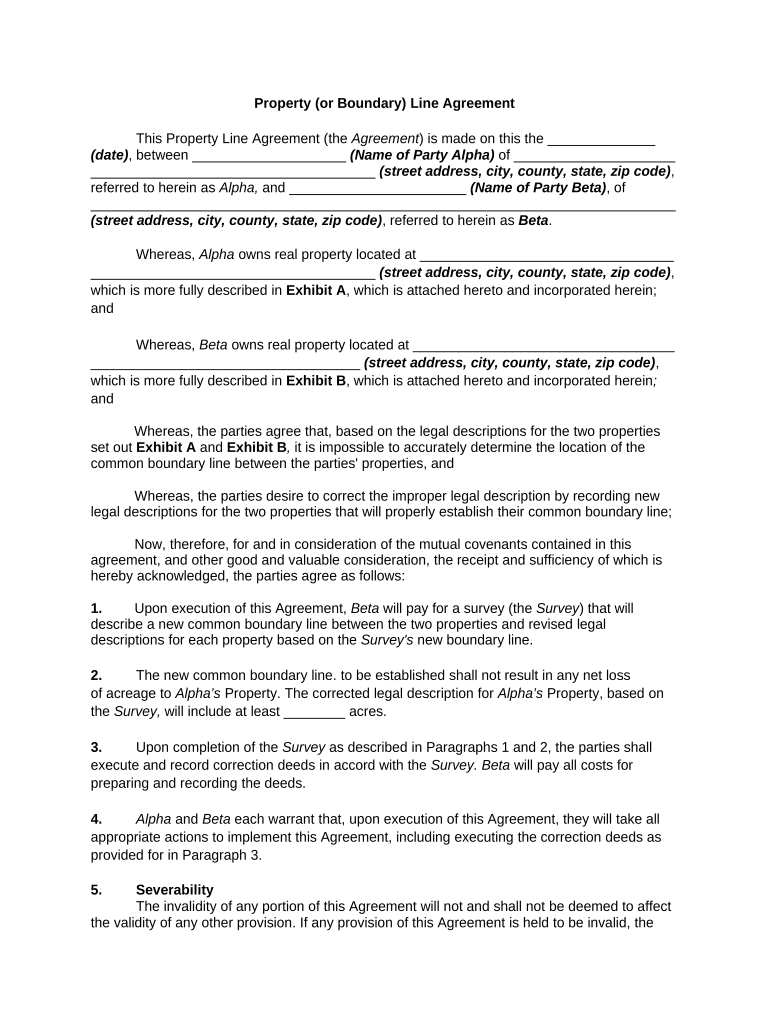
A Property Line Agreement is a written contract between adjoining landowners that documents the agreed location of a boundary, often relying on an existing survey or a new measurement. It records mutual understandings about fences, encroachments, easements, and maintenance responsibilities, and can be recorded with the county to provide public notice. The agreement clarifies rights, reduces the risk of future disputes, and creates an auditable record for title searches and future transfers.

Why a Property Line Agreement Matters

A clear, recorded Property Line Agreement reduces litigation risk, protects title marketability, and sets expectations for maintenance and encroachments under state property law.

Why a Property Line Agreement Matters

Who typically prepares and signs this agreement

Parties should confirm authority to bind each property and consider attorney or title review before recording.

  • Homeowners resolving fence or landscaping encroachments and seeking to record a clear boundary understanding.
  • Licensed surveyors or professional land survey companies supplying the legal description and exhibits.
  • Title companies, closing attorneys, or municipal officials reviewing boundary clarity for transactions or permits.

Primary signers and supporting professionals

Property Owner

Individual or entity that holds title and has authority to agree to a boundary. The owner must sign with name matching county records; corporate owners typically sign through an authorized officer with proof of authority.

Licensed Surveyor

A licensed surveyor prepares the legal description and map exhibit, certifies measurements, and often signs to confirm the technical basis of the agreement and the attached plat or survey.

Core elements included in a professional agreement

A robust Property Line Agreement combines legal descriptions, mapped exhibits, mutual covenants, dispute resolution language, and recording details so it functions both as a contract and a public notice instrument.

Legal Description

Precise metes-and-bounds or lot-and-block description tying the agreement to recorded parcel identifiers and tax parcel numbers.
Survey Exhibit

Signed and sealed plat or survey attached as an exhibit that visually locates the agreed boundary and any referenced monuments.

Mutual Covenants

Terms describing maintenance, fence responsibility, access, and restrictions that apply to both parties.

Encroachment Terms

If present, a statement describing existing encroachments and whether they will remain, be removed, or be subject to easement rights.

Dispute Resolution

A clause specifying mediation, arbitration, or court jurisdiction to resolve future disagreements about the boundary.

Recording Instructions

Direction to record with the county clerk or recorder and detail for indexing to grant public notice and title searchability.

Essential information to include

Owner Names: Full legal names
Property Address: Street, city, state, ZIP
Parcel ID: County assessor parcel number
Survey Date: MM/DD/YYYY format
Exhibit Reference: Survey exhibit page/name
Notary Block: Acknowledgement language

Common preparation pitfalls to avoid

  • Using vague or colloquial boundary descriptions instead of a precise legal description tied to a recorded survey.
  • Failing to attach or reference a signed, sealed survey exhibit, which undermines enforceability and clarity.
  • Not recording the agreement with the county recorder so the document does not provide public notice to future purchasers.
  • Permitting unsigned or improperly executed signatures, or not including proper acknowledgment or notarization.

Consequences of an incorrect or incomplete agreement

Boundary Dispute: Potential litigation
Title Issues: Marketability problems
Invalid Record: Recording may be rejected
Costs: Attorney and survey fees
Adverse Possession: Risk if not timely recorded
Insurance Claims: Title or boundary insurance exposure

Step-by-step: creating and finalizing the agreement

Follow these stages to prepare, sign, and record a compliant Property Line Agreement.

  • 01
    Order Survey: Commission a licensed surveyor and obtain a signed exhibit.
  • 02
    Draft Agreement: Prepare precise legal descriptions and mutually agreed terms.
  • 03
    Review: Have title company or attorney review for recording and marketability.
  • 04
    Sign & Record: Execute with notarization and record at the county recorder.

How execution and filing typically flow

The common workflow moves from technical verification to execution and public recording to ensure enforceability.

  • Prepare Document: Combine agreement text and survey exhibit into a single instrument.
  • Authentication: Parties sign in presence of notary or use RON where permitted.
  • Notarize: Include proper notary acknowledgement per state law.
  • Record: Submit to county recorder and obtain recorded instrument number.

Configuring an online workflow for this agreement

When completing the agreement online, map fields and authentication to match state requirements and recording needs.

Field Configuration
Authentication Method Email link, SMS code, or stronger ID verification
Required Fields Owner names, legal description, survey exhibit link
Notary Flow In-person or RON session integration where allowed
Recording Prep Generate PDF/A with exhibits for county upload

Digital signing and technical considerations

Ensure the chosen service captures timestamps, IP addresses, a tamper-evident audit trail, and supports BAAs or 21 CFR provisions if required by related workflows.

  • File Formats: PDF, DOCX supported
  • Integrations: Works with real estate CRMs and cloud storage
  • Authentication: Options for email, SMS, or ID verification

Practical tips for accurate, efficient completion

These practices help reduce rework, recording delays, and future disputes.

Use a current licensed surveyor
Order a recent, signed and sealed survey exhibit showing monuments and dimensions; outdated or unsigned surveys invite challenges and may be rejected by title companies.
Match recorded deeds
Ensure party names and legal descriptions exactly match recorded deeds and county records to avoid indexing errors and subsequent title issues.
Specify maintenance obligations
Clearly allocate fence, wall, and tree maintenance responsibilities to prevent recurring neighbor disputes and to provide enforceable remedies.
Record promptly
Record the agreement with the county recorder soon after execution; timely recording provides public notice and reduces the risk of competing claims.

How a Property Line Agreement compares to related instruments

Compare common attributes to determine which instrument meets your objective: boundary clarity, title change, or access rights.

Document Type PLA Easement Survey Deed Correction
Recordable
Requires Notary
Alters Title
Requires Survey often sometimes often

eSignature vendor comparison for signing and recording workflows

Compare common plan and compliance attributes relevant to executing and preserving Property Line Agreements.

signNow DocuSign Adobe Sign PandaDoc HelloSign
Starting Price $8/user/mo $15/user/mo $14/user/mo $19/user/mo $15/user/mo
Free Plan 7-day trial No No Yes, limited Yes, limited
Bulk Send Yes Yes Yes Yes No
Audit Trail Yes Yes Yes Yes Yes
HIPAA Compliant Yes Yes Yes No No

Frequently asked questions about Property Line Agreements

Answers to common legal and practical questions when preparing, signing, or recording a Property Line Agreement.


Need help? Contact support

be ready to get more
Join over 28 million airSlate SignNow users