Establishing secure connection…Loading editor…Preparing document…

Real Estate Form

This template is fully customizable. Edit the text, fill out the fields, and send it for signature. Give it a try!
Real Estate Form

Definition and scope of a Real Estate Form

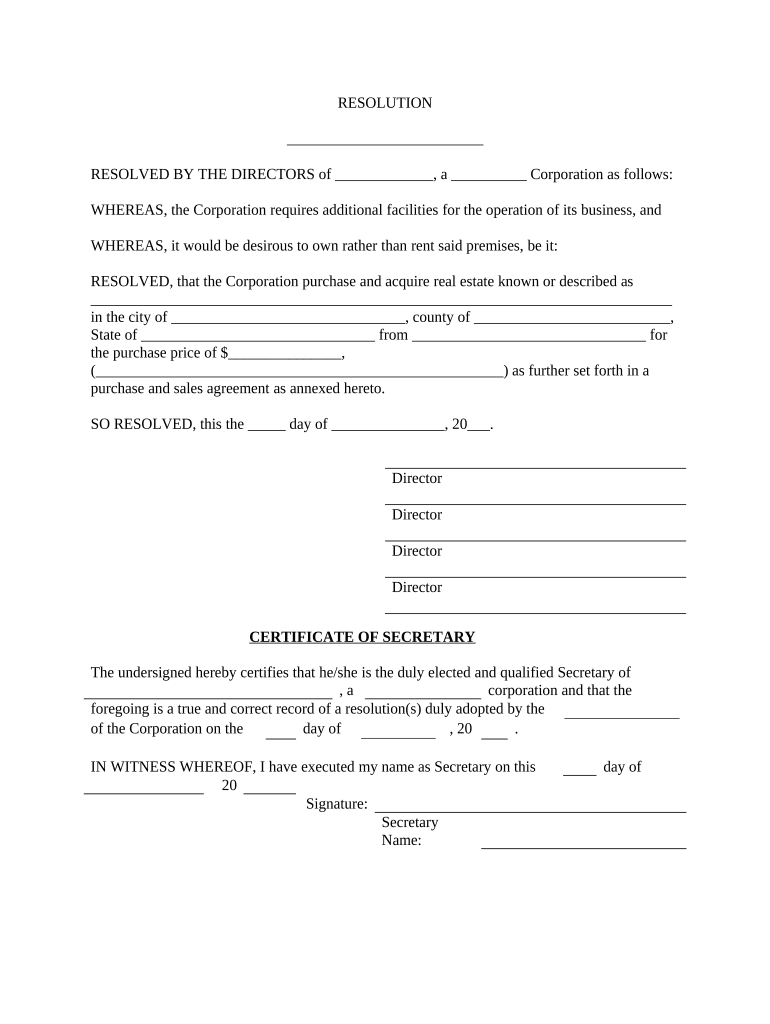
A Real Estate Form is a structured legal document used to record, transfer, or disclose rights and obligations related to real property. Examples include purchase agreements, deeds, lease agreements, disclosure forms, and settlement instructions. These forms capture parties, property details, financial terms, dates, and signature blocks needed for conveyance, recording, or lease enforcement. Accuracy matters because errors can delay recording, trigger tax or title issues, or affect enforceability. Many real estate forms may be executed electronically under federal and state e-signature law when statutory exceptions do not apply.

Why a correct Real Estate Form matters

A properly completed Real Estate Form protects legal title, clarifies obligations, and preserves recording and tax rights. Clear fields reduce closing delays, minimize post-closing disputes, and support enforceability under electronic signature laws such as the ESIGN Act and state UETA statutes.

Why a correct Real Estate Form matters

Common users and stakeholders

Knowing each party's role reduces rework, ensures correct signatories, and speeds recording and funding steps.

  • Buyers and sellers who complete purchase agreements and deed transfers.
  • Real estate brokers and agents handling offers, disclosures, and leases.
  • Title companies, escrow officers, and lenders managing recording and closing.

Step‑by‑step: Completing a typical Real Estate Form

Follow these core steps from preparation through final signatures to reduce delays at recording and closing.

  • 01
    Prepare Document: Choose the correct form template and populate party and property fields.
  • 02
    Attach Exhibits: Include legal descriptions, addenda, and any required disclosures.
  • 03
    Confirm Signers: Verify each signer's capacity and whether witness or notary is required.
  • 04
    Execute and Record: Obtain signatures, notarization if needed, then submit for recording.

Workflow overview for eSigned Real Estate Forms

A streamlined electronic signing workflow reduces paper handling while preserving an audit trail and signer attribution.

  • Upload Form: Sender uploads finalized document to the eSignature platform.
  • Place Fields: Add signature, initial, date, and conditional fields as required.
  • Authenticate Signers: Select authentication level: email link, SMS code, or stronger verification.
  • Complete and Store: Signed copies plus an audit trail are stored and distributed to parties.

Essential components of a professional Real Estate Form

Well-constructed forms reduce ambiguity and support enforceability when executed electronically or on paper.

Parties

Clear identification of buyer, seller, and any third‑party entities with signer capacity noted.
Property Description

Street address and legal description or parcel number for accurate recording and title searches.

Financial Terms

Price, deposits, prorations, and payment schedule with numeric clarity.

Conditions and Contingencies

Inspections, financing approvals, and other conditions that suspend obligation to close.

Signature and Notary

Designated signature blocks with notary acknowledgment space when required for recording.

Exhibits and Disclosures

Attach mandatory state disclosures, lead paint forms, and any negotiated addenda.

Security and compliance features to expect

Encryption: TLS 1.2/1.3 in transit, AES-256 at rest
Audit Trail: Timestamped log with IP and action history
Authentication: Email, SMS, KBA, or stronger signer verification
BAA Availability: HIPAA BAA available where required
Certifications: SOC 2 Type II, ISO 27001 compliance
Accessibility: WCAG 2.0 Level AA support

Common preparation mistakes to avoid

  • Using informal or mismatched party names that delay recording
  • Omitting legal property description required by county recorder
  • Failing to notarize where state law requires an acknowledgement
  • Sending unsigned addenda after closing without proper ratification

Key risks and potential penalties

Recording Delay: Title issues
Tax Penalty: IRC §6721 penalties
Backup Withholding: 24% withholding risk
Invalid Transfer: Deed defects
Contract Dispute: Enforcement litigation
Notary Failure: Rejection by recorder

Electronic signature versus digital signature — quick comparison

Understand the legal and technical differences so you can choose the right signing method for a Real Estate Form.

Criteria Electronic Signature Digital Signature
Definition any electronic mark pki cryptographic signature
Legal Status accepted under esign accepted and stronger proof
Technology audit trail based certificate-based pki
Typical Use agreements, disclosures high-assurance regulatory filings

Typical eSignature workflow settings for Real Estate Forms

Configure these settings to match transaction needs and compliance requirements.

Field Configuration
Authentication Email, SMS, or ID verification as required
Conditional Fields Show clauses based on checkbox selections
Notarization Enable RON or prepare for in‑person acknowledgment
Template Use Save standard forms for repeat transactions

Technical and integration considerations

Verify platform security, audit trail detail, and whether a BAA or SSO is needed for your workflow.

  • File Formats: PDF, DOCX, and fillable forms supported
  • Integrations: Salesforce, Microsoft 365, NetSuite, Google Workspace
  • APIs: REST API for automation and system integration

eSignature vendor price and capability snapshot for Real Estate workflows

Comparing entry pricing and core features helps estimate ongoing costs for high-volume property transactions without relying on vendor promotional claims.

signNow DocuSign Adobe Sign PandaDoc HelloSign
Starting Price $8/user/mo $15/user/mo $14/user/mo $19/user/mo $15/user/mo
Free Trial 7-day free trial (no card) Varies by vendor Varies by vendor Varies by vendor Varies by vendor
Bulk Send Yes Varies by plan Varies by plan Varies by plan Varies by plan
Audit Trail Yes Yes Yes Yes Yes
HIPAA Compliant Yes Yes Yes No No
Envelope Cap No cap 100 envelopes/user/year Varies by plan Varies by plan Varies by plan

Frequently asked questions about Real Estate Forms

Answers to common issues encountered when preparing, signing, and recording Real Estate Forms.


Need help? Contact support

be ready to get more
Join over 28 million airSlate SignNow users