Establishing secure connection…Loading editor…Preparing document…

Refund Letter

This template is fully customizable. Edit the text, fill out the fields, and send it for signature. Give it a try!
Refund Letter

What a Refund Letter Is and When to Use It

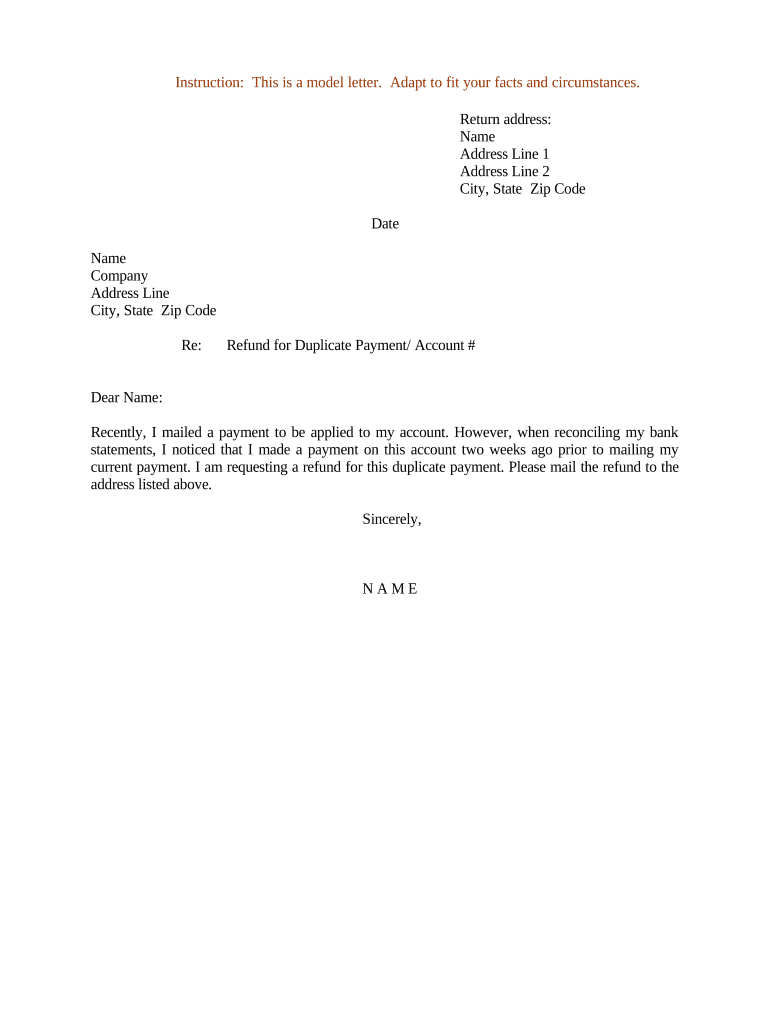
A Refund Letter is a written request that documents the payer’s or vendor’s obligation to return funds to a payee, customer, or client. It records the reason for the refund, identifies the parties and the original transaction, states the refund amount or method (credit, check, ACH), and sets an expected processing timeframe. Organizations use refund letters for consumer returns, billing disputes, overpayments, cancelled services, and administrative corrections. A clear Refund Letter creates an auditable record suitable for internal controls, accounting, and, when executed electronically, a legally enforceable record under U.S. e-signature law.

Why a Formal Refund Letter Matters

A written Refund Letter protects both parties by creating a clear, dated record of the request, the amount, and the agreed remedy. It supports bookkeeping, helps resolve disputes, and documents compliance with relevant consumer-protection rules and internal refund policies.

Why a Formal Refund Letter Matters

Who Typically Prepares or Receives a Refund Letter

Common users include customers requesting reimbursement, accounts payable teams issuing refunds, and customer-service representatives documenting settlements.

  • Individual consumers contacting merchants after overbilling or product returns; letters create proof for chargebacks and tax records.
  • Small business accounting staff issuing refunds for returned goods or canceled services to reconcile ledgers and support audits.
  • Enterprise finance or legal teams formalizing one-time reimbursements, vendor credits, or settlements with clear terms.

Use a Refund Letter when a written record is required for audit trails, tax purposes, dispute resolution, or internal approvals.

Core Elements Every Professional Refund Letter Should Include

A complete Refund Letter balances clarity and formality: identify parties, reference the original transaction, specify the refund, set timing, include authorization, and record delivery method. These elements reduce processing errors and support enforceability.

Recipient

Full legal name and contact details for the person or organization receiving the refund, ensuring accurate payment routing and recordkeeping.
Original Transaction

Invoice or order number, transaction date, and payment method to link the refund to the exact charge and speed reconciliation.

Refund Amount

Exact dollar amount or formula (for partial refunds) and currency, including tax and fee adjustments, to prevent later disputes.

Reason

Concise explanation (returned goods, billing error, service cancellation) that documents the business basis for the refund decision.

Timing

Expected processing window and date by which funds will be issued, plus any effective date for crediting accounts.

Authorization

Signature block for the issuer and date; if required, include reference to approval codes, manager sign-off, or account-holder consent.

Step-by-Step: Create and Send a Refund Letter

Complete these steps in order to prepare a clear, auditable Refund Letter and minimize processing delays.

  • 01
    Gather documents: Collect the invoice, payment proof, and return authorization details.
  • 02
    Draft letter: Fill the template fields: names, transaction ID, amount, reason, and dates.
  • 03
    Authorize: Obtain manager or finance approval and required signatures.
  • 04
    Send and record: Deliver via the chosen channel and save a copy in accounting records.

Where to Send or File a Refund Letter

Choose the destination based on the recipient and internal workflow; retain a copy for accounting and dispute purposes.

  • Merchant Customer Service: Email or portal submission to the vendor’s support address for consumer refunds.
  • Accounts Payable: Submit to the finance department for vendor or intercompany refunds.
  • Merchant Processor: Provide documentation to payment processor when reversing card charges or issuing credits.
  • Internal File: Store the signed letter in your ERP or document management system for audit.

Digital Signing and eSubmission Considerations

When you e-sign and submit a Refund Letter, pick a platform that meets your authentication, audit-trail, and retention needs.

  • File formats: PDF, DOCX, or printable image formats are widely accepted for records.
  • Authentication: Use email, SMS code, or stronger ID verification to attribute the signature.
  • Audit trail: Capture timestamps, IP, and signer actions to support legal admissibility.

Integrations with accounting and storage systems reduce manual entry and preserve a single source of truth for refunds.

Timelines and Typical Processing Expectations

Refund timing depends on payment method and internal policies; set expectations clearly in the letter to reduce inquiries.

Card refunds:

Often processed within 5–10 business days by the card issuer.

ACH refunds:

Typically 3–7 business days after issuer processes the refund.

Check issuance:

Allow 7–14 business days for printing and mailing.

Store credit:

Often immediate once processed by the merchant.

Internal SLAs:

Document your refund SLA (e.g., 10 business days) to set expectations.

Common Mistakes That Slow Refunds

  • Using vague reasons like 'service issue' without transaction details delays verification and may require follow-up requests for proof.
  • Entering mismatched payee names or incorrect bank details creates rejection or re-credit delays and may require manual correction.
  • Failing to include an authorization or approval reference forces finance to halt processing until sign-off is confirmed.
  • Not recording the refund in the accounting system leads to reconciliation mismatches and potential duplicate payments.

Risks if a Refund Letter Is Incorrect or Missing

Accounting errors: Duplicate or missed refunds
Chargeback exposure: Customer may file dispute
Regulatory risk: State consumer statutes enforced
Tax reporting: Incorrect records affect returns
Reputational harm: Customer dissatisfaction escalates
Control failures: Audit findings and remediation costs

Practical Refund Letter Scenarios

These brief case examples show how a Refund Letter documents the transaction and supports processing.

Consumer Return

A buyer returns a defective appliance and requests a $425.00 refund using order #A12345.

  • Merchant issues authorization and schedules refund to the card on file.
  • The signed Refund Letter records the authorization, expected processing within 7 business days, and provides the audit trail for customer service and accounting.

Vendor Overpayment

A company discovers a $2,500 duplicate payment on invoice INV-9876.

  • Finance drafts a Refund Letter requesting re-credit via ACH to vendor account ending in 4321.
  • The letter includes approval codes and a signature, enabling accounts payable to reverse the duplicate and update ledger entries.

Practical Tips for Accurate and Efficient Refund Letters

Follow these best practices to reduce errors and speed processing when issuing refunds.

Use standard templates
Create a single approved template that captures required fields and reduces omission risk across teams.
Include transaction identifiers
Always reference invoice, order, or receipt numbers to speed reconciliation and reduce follow-up requests.
Log approvals
Record manager or finance approval in the letter to support audit and segregation-of-duties controls.
Keep records centralized
Store signed refund letters in your accounting system or secure document repository for retrieval during audits.

How a Refund Letter Differs from Related Documents

Understand which document to use: a Refund Letter is an acknowledgement and instruction to return funds, not a settlement agreement or invoice.

Document Type Purpose Typical Use
Refund Letter request/authorization return funds and record details
Credit Memo accounting adjustment internal ledger correction for sales
Settlement Agreement legal resolution binding dispute settlement terms
Receipt proof of payment records that payment occurred

eSignature Vendor Pricing and Features for Refund Letter Workflows

Compare basic pricing and feature dimensions relevant to signing and storing Refund Letters; signNow is listed first per vendor comparison guidelines.

signNow DocuSign Adobe Sign PandaDoc HelloSign
Starting Price $8/user/mo $15/user/mo $14/user/mo $19/user/mo $15/user/mo
Free Trial Yes, 7-day trial Varies Varies Varies Varies
Bulk Send Yes Yes Yes Yes Yes
Audit Trail Yes Yes Yes Yes Yes
HIPAA Compliant Yes Yes Yes No No
Envelope Cap No cap 100 envelopes/user/year Varies Varies Varies

Frequently Asked Questions About Refund Letters

Answers to common questions about drafting, signing, and processing Refund Letters to help resolve typical issues quickly.


Need help? Contact support

be ready to get more
Join over 28 million airSlate SignNow users