Establishing secure connection…Loading editor…Preparing document…

Sample Business Plan

This template is fully customizable. Edit the text, fill out the fields, and send it for signature. Give it a try!
Sample Business Plan

What the Sample Business Plan Is and When to Use It

A Sample Business Plan is a structured document that outlines an enterprise's objectives, market analysis, operational model, financial projections, and execution steps. It serves as an internal roadmap for management and a formal presentation for lenders, investors, or partners. This template is designed to be adapted for startups, small businesses, and project pilots and emphasizes clarity, measurable milestones, and supporting schedules so stakeholders can evaluate feasibility and risk.

Why a Clear, Standard Sample Business Plan Matters

A well-formed Sample Business Plan helps align founders and teams, improves credibility with lenders and investors, and makes financial and operational assumptions explicit for decision-making.

Why a Clear, Standard Sample Business Plan Matters

Who Typically Uses This Sample Business Plan

Common users include founders preparing funding requests, small business owners refining strategy, and managers documenting growth plans.

  • Early-stage founders seeking seed or angel investment, needing clear revenue and milestone projections for pitch meetings.
  • Small business owners preparing loan applications or internal strategic reviews, demonstrating cash flow and break-even analysis.
  • Finance or operations managers creating plans for new product lines or geographic expansion with measurable KPIs.

Use this template to standardize information, reduce review cycles, and ensure all reviewers see consistent assumptions and schedules.

Essential Sections to Include in a Professional Sample Business Plan

A complete plan balances narrative and data. Include clear sections so reviewers can scan critical items quickly and validate assumptions against attachments.

Executive Summary

Concise overview of purpose, product or service, target market, key financials, and the main ask or next steps for readers.
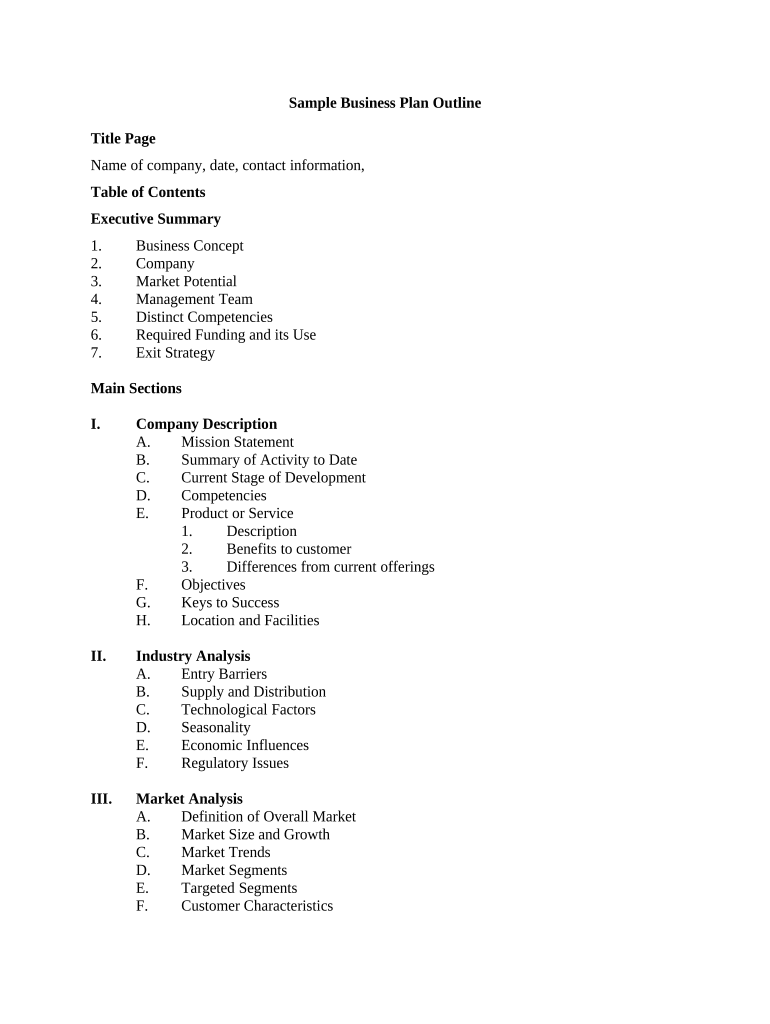
Market Analysis

Document target segments, size estimates, growth drivers, competitive landscape, and key customer acquisition channels with supporting references.

Operations Plan

Describe organizational structure, facilities, suppliers, production or delivery processes, and any regulatory or licensing dependencies.

Marketing & Sales

Revenue model, pricing assumptions, sales funnel, distribution channels, and forecasted conversion rates or CAC figures.

Financial Projections

Multi-year profit and loss, cash flow, balance sheet summaries, and sensitivity scenarios with key assumptions explained.

Risks & Milestones

Material risks, mitigation strategies, key milestones, and the timeline for achieving measurable targets relevant to stakeholders.

Required Business and Contact Details

Company Name: Full legal name
Legal Structure: LLC, Corporation, Sole Proprietor
EIN / Tax ID: Employer Identification Number
Primary Contact: Name and title
Business Address: Street, city, state, ZIP
Date Prepared: MM/DD/YYYY

Step-by-Step: Completing the Sample Business Plan

Follow these steps in order to prepare a clear, review-ready plan that stakeholders can evaluate quickly.

  • 01
    Gather Data: Collect market research, financials, and legal documents before drafting.
  • 02
    Draft Sections: Write executive summary, market analysis, operations, and financials.
  • 03
    Validate Assumptions: Cross-check revenue and cost assumptions with historical or benchmark data.
  • 04
    Attach Schedules: Include P&L, cash flow, cap table, and key contracts as exhibits.

How to Configure an Online Workflow for This Template

Set up a repeatable online flow to collect input, route approvals, and capture signed confirmation from stakeholders.

Field Configuration
Template Owner Assign a single email owner to manage edits and versions
Reviewers Add reviewer roles and sequential routing for approvals
Signature Fields Place signer name, title, and date fields in the signature block
Attachments Require financial exhibit uploads as mandatory fields

Typical Routing and Submission Flow

A basic submission flow reduces delays: upload, route, sign, and archive. Map roles and timing to avoid bottlenecks.

  • Upload Document: Sender uploads plan and supporting schedules to the platform.
  • Assign Reviewers: Specify review order or parallel reviewers based on role.
  • Signatures Collected: Designate signers and capture signed confirmation and timestamp.
  • Archive Copy: Store final PDF and audit trail in secure repository.

Digital Signing and Sharing Considerations

Ensure your chosen platform supports secure e-signing, audit trails, and file export in common formats.

  • File Formats: PDF and DOCX support for templates and final archive.
  • Authentication: Email, SMS code, or stronger options like KBA or SSO.
  • Integrations: CRM and cloud storage connectors reduce manual uploads.

Verify compliance and retention capabilities for your industry before using e-signatures for binding approvals.

Timing and Typical Deadlines to Plan For

Identify internal and external deadlines so financial forecasts and deliverables align with reporting or funding schedules.

Monthly Forecasts:

Prepare cash-flow updates monthly to track runway and covenant compliance.

Quarterly Reviews:

Update projections and KPIs every quarter for board or investor reporting.

Funding Milestones:

Align business plan milestones with term sheet or loan tranche dates.

Tax and Filing Dates:

Coordinate plan assumptions with annual tax filing and estimated payments.

Document Versioning:

Record a version date (MM/DD/YYYY) for each material change.

Common Preparation Errors to Avoid

  • Overly optimistic revenue projections with unsupported assumptions cause reviewers to discount the plan and request additional validation.
  • Missing or inconsistent financial schedules—mismatched numbers between P&L, cash flow, and balance sheet reduce credibility and delay decisions.
  • Ambiguous ownership or legal entity descriptions create confusion for lenders and can complicate due diligence and capitalization tables.
  • Failure to attach key supporting documents, such as signed contracts or leases, often results in additional document requests and longer review cycles.

Risks of an Inaccurate or Incomplete Business Plan

Funding Delay: Loan or investment may be postponed
Legal Exposure: Misstatements can trigger due diligence issues
Operational Risk: Poor forecasting causes cash shortages
Reputation Harm: Stakeholders may lose trust
Regulatory Gaps: Noncompliance in regulated sectors
Increased Costs: Additional attorney and accounting fees

Examples: How Organizations Used This Template

Real-world examples show common adaptations and outcomes when the template is used for funding or operational planning.

Optica Ventures LLC — Brian Fitzgibbons

Brian used the template to consolidate assumptions and investor terms into one document.

  • The plan clarified runway and hiring priorities.
  • As a result, investors received consistent materials and the company reduced follow-up due diligence time during the fundraise.

Martin Properties — Tim Martin

Tim applied the plan to standardize rental portfolio projections and lender disclosures.

  • He attached rent rolls and lease exhibits.
  • The standardized package led to faster lender review and aligned internal budgeting across property managers.

Who Signs and Approves the Business Plan

Founder / CEO

The founder or CEO typically certifies the plan and signs on behalf of the business, attesting to the accuracy of assumptions and authorizing distribution to lenders and investors.

CFO / Finance Lead

The CFO or finance lead endorses financial schedules, signs where required for fiscal attestations, and ensures supporting documentation is attached for audit or lender review.

Practical Tips for Accurate and Efficient Completion

Follow these best practices to reduce review cycles and maintain consistency across versions.

Use Version Control
Assign version numbers and dates to every draft, maintain a single source file, and archive prior versions to document evolution and avoid multiple conflicting copies.
Standardize Assumptions
Keep a separate assumptions appendix that lists unit economics, growth rates, and conversion metrics so reviewers can test sensitivity without changing the main narrative.
Attach Verifiable Data
Include signed customer contracts, lease agreements, and three years of financials where possible; unverifiable claims reduce plan credibility.
Streamline Signatures
Designate a single authorized signer and an alternate; use electronic signatures with an audit trail to speed approvals while preserving evidence of intent.

How a Business Plan Differs From a Pitch Deck

Compare common artifacts so you can choose the right deliverable for each audience and stage.

Criteria Business Plan Pitch Deck
Purpose detailed planning high-level pitch
Length 15–50 pages 10–20 slides
Detail Level in-depth financials summary metrics
Primary Audience lenders/investors investors/customers

eSignature Vendor Comparison for Signing Business Plans

Compare baseline pricing and capabilities relevant to executing and archiving signed business plans; signNow is listed first as the first vendor column per table format rules.

signNow DocuSign Adobe Sign PandaDoc HelloSign
Starting Price $8/user/mo $15/user/mo $14/user/mo $19/user/mo $15/user/mo
Free Trial 7-day free trial Varies by plan Varies by plan Varies by plan Varies by plan
Bulk Send Yes Yes Yes Yes Limited
Audit Trail Yes Yes Yes Yes Yes
HIPAA Compliant Yes Depends on plan Depends on plan Depends on plan Depends on plan

FAQs and Troubleshooting for the Sample Business Plan

Answers to common operational and legal questions when preparing, signing, and storing a business plan.


Need help? Contact support

be ready to get more
Join over 28 million airSlate SignNow users